

ASUS ROG Strix SLC IV 360 ARGB LCD CPU Cooler Review

Thermal Testing – Cinebench R24
OC3D CPU Cooler Stress Test
We want to push CPU coolers to their limit, and that requires a workload that will place maximum load on our i5-14600K CPU. Why didn’t we choose an i7 or an i9? The simple answer is that we want to test various CPU Cooler options. If we put the hottest CPU we could in our system, only the best of the best CPU coolers would even pass our testing procedures. Since not everyone uses such a power-hungry CPU, we decided to tone the wattage and thermal loads down by using an i5-14600K. Even so, this CPU consumes a lot of power and generates a lot of heat under all-core workloads. Note that our CPU is operated with a fixed voltage to deliver higher levels of thermal consistency between CPU coolers.
For testing, we have used Cinebench R24. This is an all-core workload that places heavy strain on all available CPU cores. This load pushes CPU thermals higher than any other and does so consistently. We use Cinebench R24 for 30 minutes to see how hot our CPU gets over that time. If CPU temperatures rise to 100 degrees Celsius or over, that CPU cooler has failed our testing. This is part of the reason why there are more coolers on our higher fan RPM cooler charts. Some coolers will pass our thermal testing at higher fan RPMs but fail at lower fan RPMs.
1,000 RPM
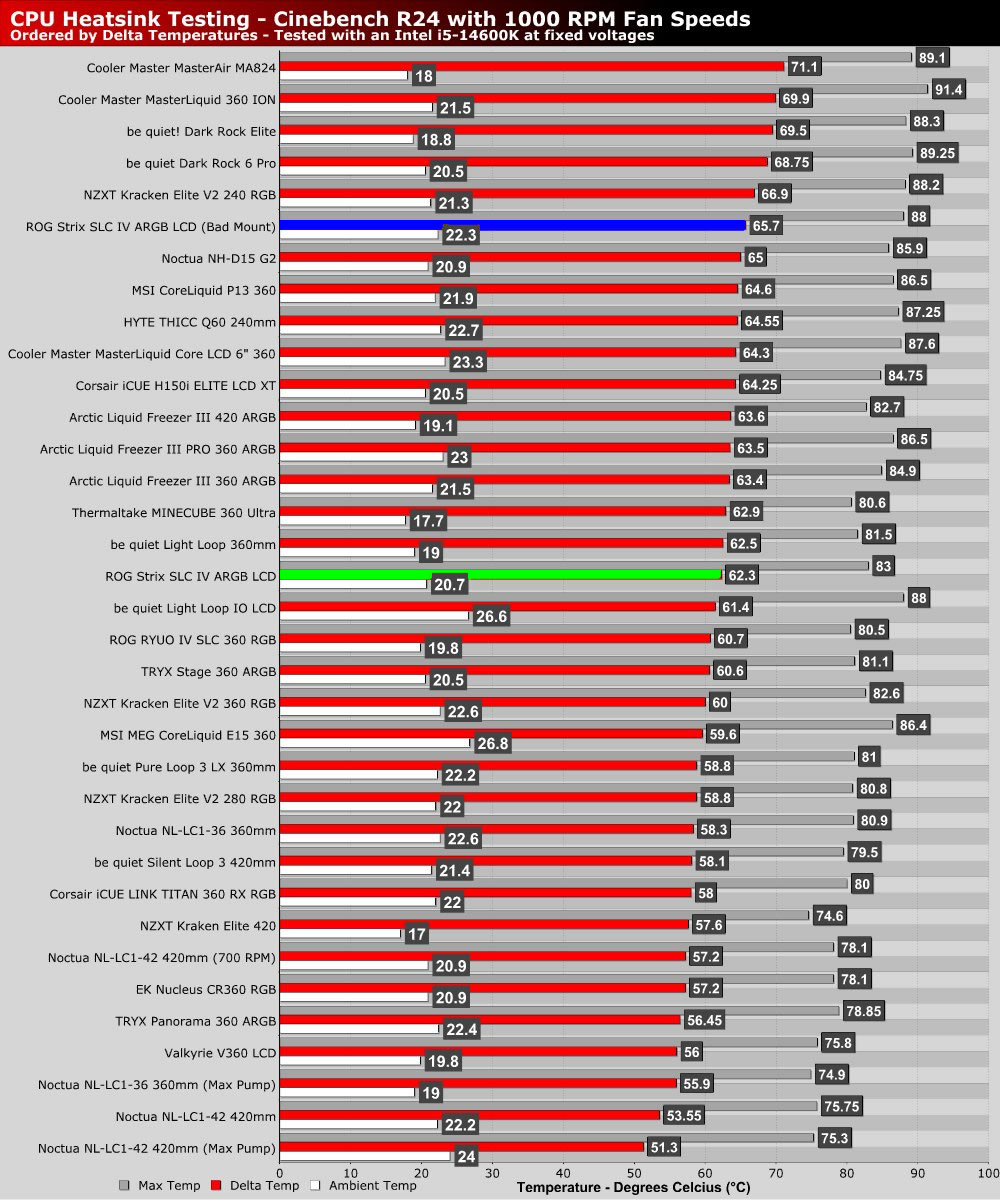
Below are our initial results and our results after we remounted ASUS’ ROG Strix SLC IV ARGB LCD. As you can see, the remount made a huge difference. The mount that came with our unit makes mounting more difficult than it should be, but when mounted, this cooler correctly delivers solid results.
At 1,000 RPM, this cooler delivers results similar to be quiet’s Light Loop IO LCD 360mm cooler, but it has a much larger screen and costs only £25 more at the time of writing. Not bad.
1,500 RPM
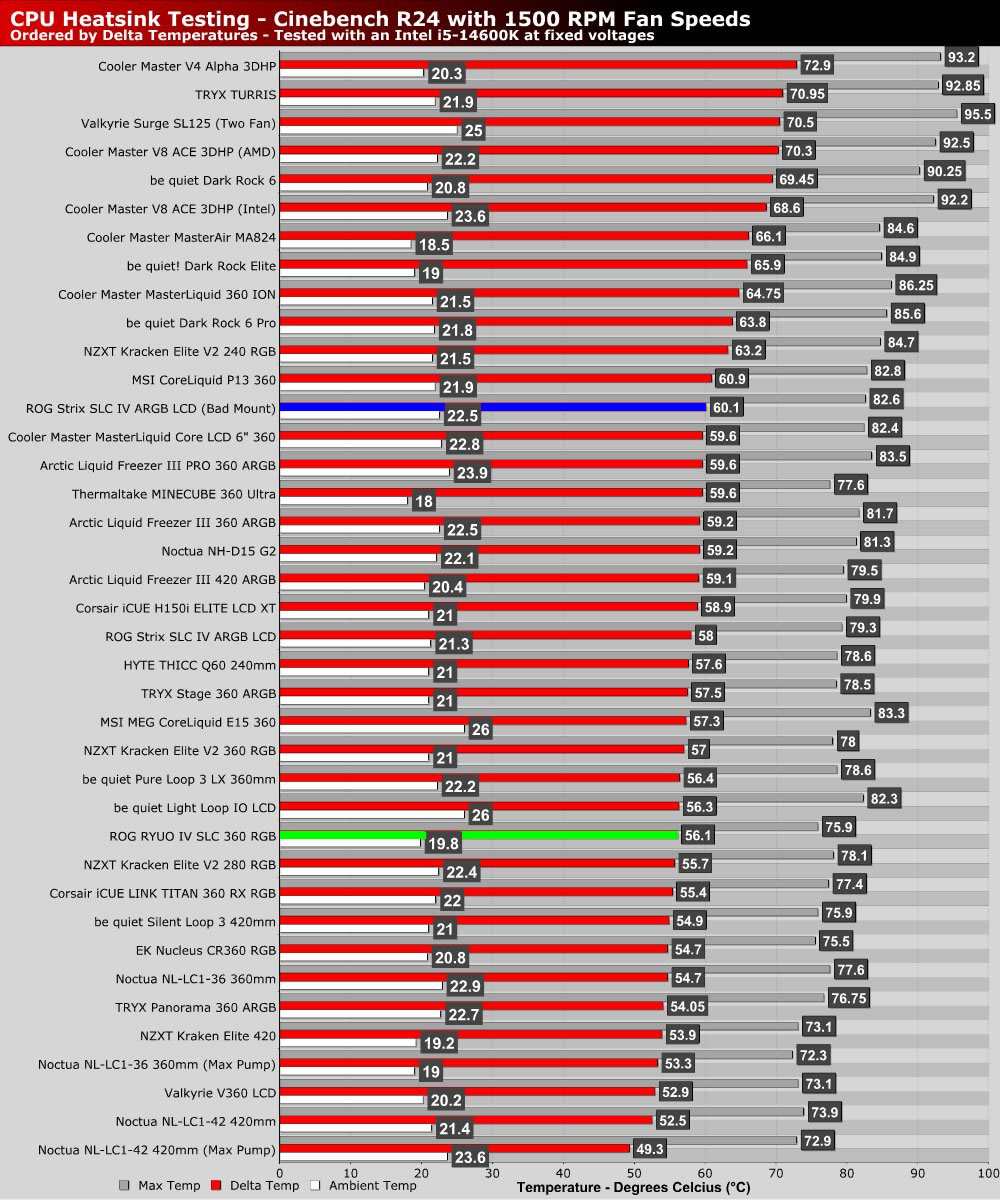
At higher fan speeds, this cooler delivers better results, but still achieves similar results to Light Loop IO LCD 360mm liquid cooler.
Max RPM
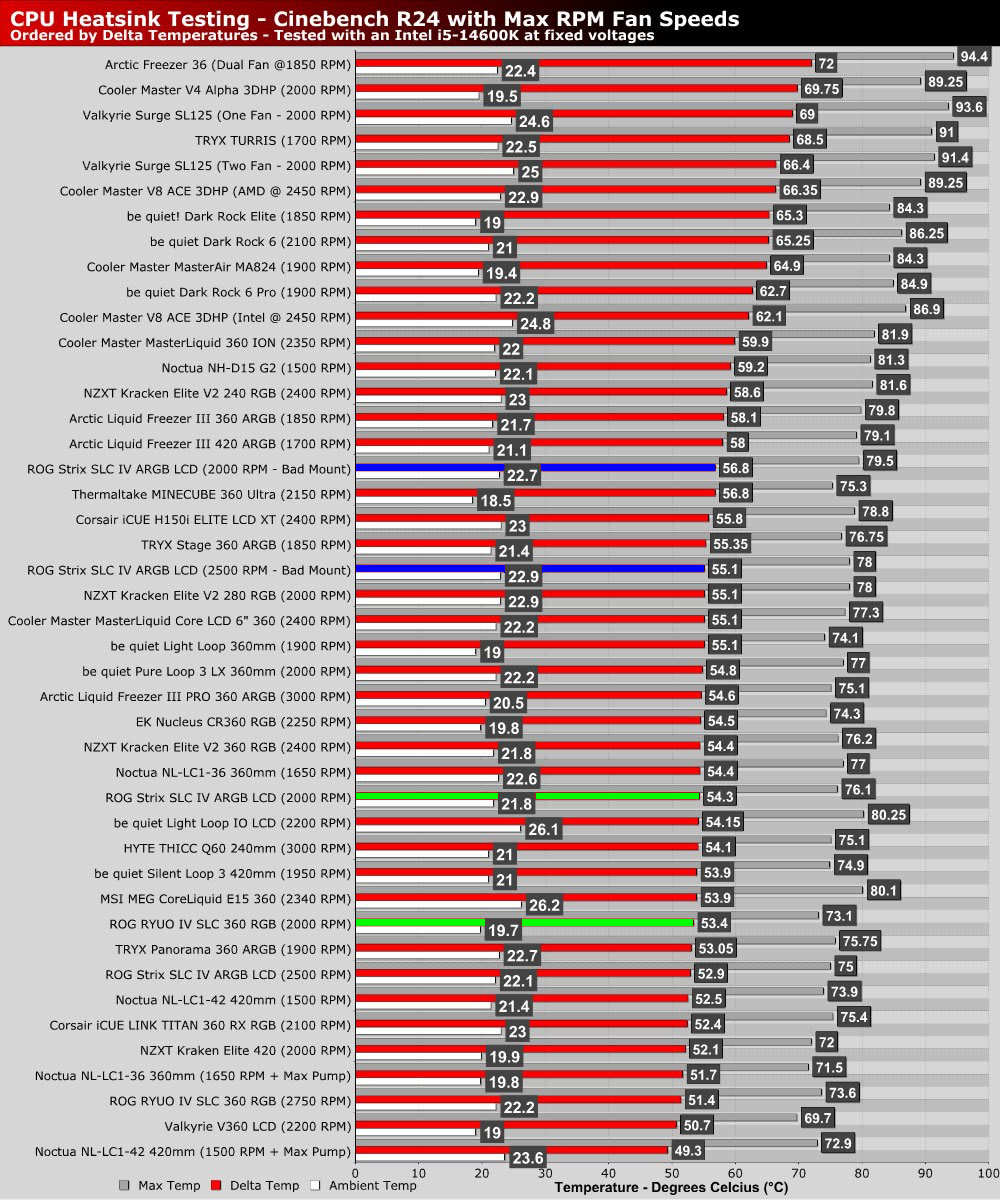
Boosting this cooler’s fans to their maximum RPMs delivers even stronger results. That said, these fans can run at and above 2,000 RPM. This cooler is loud when its fans are maxed out. That said, going loud is an option for those who want to test an overclock or boost your PC’s cooling performance during a long rendering workload.