


Corsair H100i RGB Platinum and H115i RGB Platinum Review

Wait, this isn’t Asetek? – Up Close & Design Tweaks
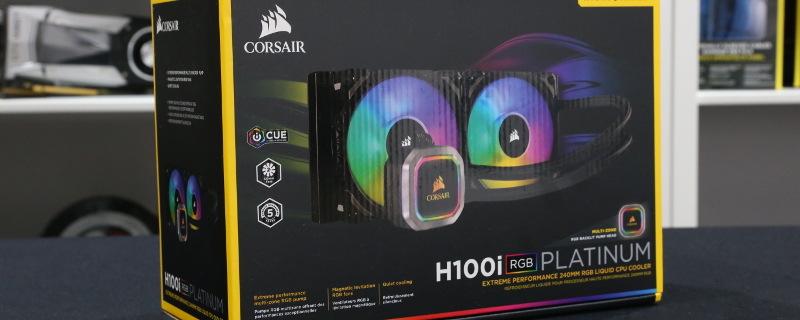
As far as box openings go, the H100i RGB Platinum is pretty standard fare as far as Corsair products go. Everything is packed well as we can expect, though as you should be able to tell, we took these pictures after we initially tested the unit, which should explain the lack of plastic/card covers around the fans, radiator and pump/block unit.

What we expected to see here was the same unit as the H100i PRO RGB, but what we received was something that is altogether different, as Corsair has changed their OEM fro Asetek to CoolIT, a change that may be difficult to spot thanks to Corsair’s efforts to maintain the same pump/block aesthetic as their recent Asetek units.
For a short while, we were fooled into thinking that this was just another Asetek block design, as older CoolIT/Asetek Hydro series coolers from Corsair featured huge amounts of design variation, making their manufacturer immediately apparent. With their recent Hydro series models, Corsair has placed a lot of effort into making their AIO designs theirs, regardless of their chosen OEM.

When looking at the pump/block design, we can see that the H100i RGB Platinum offers an aesthetic that is almost identical to the H100i PRO RGB, despite the fact that it is a CoolIT AIO. Integrated into this block is sixteen addressable RGB LEDs, which can be used to create a variety of custom lighting setups.
On top of this, Corsair has cables for power, fans and LEDs coming out of their H100i RGB Platinum, which will allow users to control addressable RGB components without the need to purchase an expensive Commander PRO RGB controller, a useful feature given this cooler’s use of twin ARGB fans, each of which has four LEDs.

To better explain the differences between the H1XXi PRO RGB and the H1XXi RGB Platinum series, we decided to bring out the H150i PRO RGB to compare each unit’s radiator and pump designs.
We can see that the H1XXi RGB Platinum block offers a new design, one which provides a wider base than the H150i RGB PRO, delivering users more surface area for cooling. This should allow the H1XXi RGB Platinum series to offer better support for AMD Threadripper processors than the Asetek-made H1XXi RGB PRO series, which features a circular block/design.

With the H1XXi RGB Platinum series’ block design comes a new retention mechanism, moving away from the Asetek spin-lock mechanism that we know and love. Even with this change, you could be fooled into thinking that the H1XXi RGB Platinum is an Asetek unit, as from the other side both units look nigh identical, revealing Corsair’s efforts to differentiate their brand from both CoolIT and Asetek.

Looking at the H1XXi RGB Platinum’s RGB fans, we see Corsair’s standard ML PRO RGB series fans with rubberised supports and four integrated ARGB LEDs, which all sit in the around the fan bearing, illuminating quadrants of the fan with light.
Each fan requires a 4-pin PWM fan speed connection and a separate ARGB power connection, the latter of which can be daisy chained to support additional fans.

