HAVN HS 360 PC Case Review

Thermal Performance
HAVN HS 360 Thermal Testing
Thermal performance is an essential factor for any PC case. Your system may look great from the outside, but it’s for nothing if your PC has an internal temperature like an oven. Your PC case needs sufficient airflow to keep your components cool under load and prevent thermal throttling. For our testing, we used the following hardware. We test at fixed fan speeds, so only the case and its fans affect thermal performance.
Intel i9-9700K @4.8GHz at 1.2V
ASUS ROG Strix Z370-F Gaming @ 100% Current Capacity/ LL lvl16
Cooler Master Hyper 212 Black Edition @ 9V via Fan Speed Reducer
Nvidia GTX 980 Reference @ 60% Fixed Fan Speed
Corsair LP Vengeance LP (Grey) @ 3200MHz
Corsair MP500 M.2 NVMe SSD
Corsair RM550X Power Supply
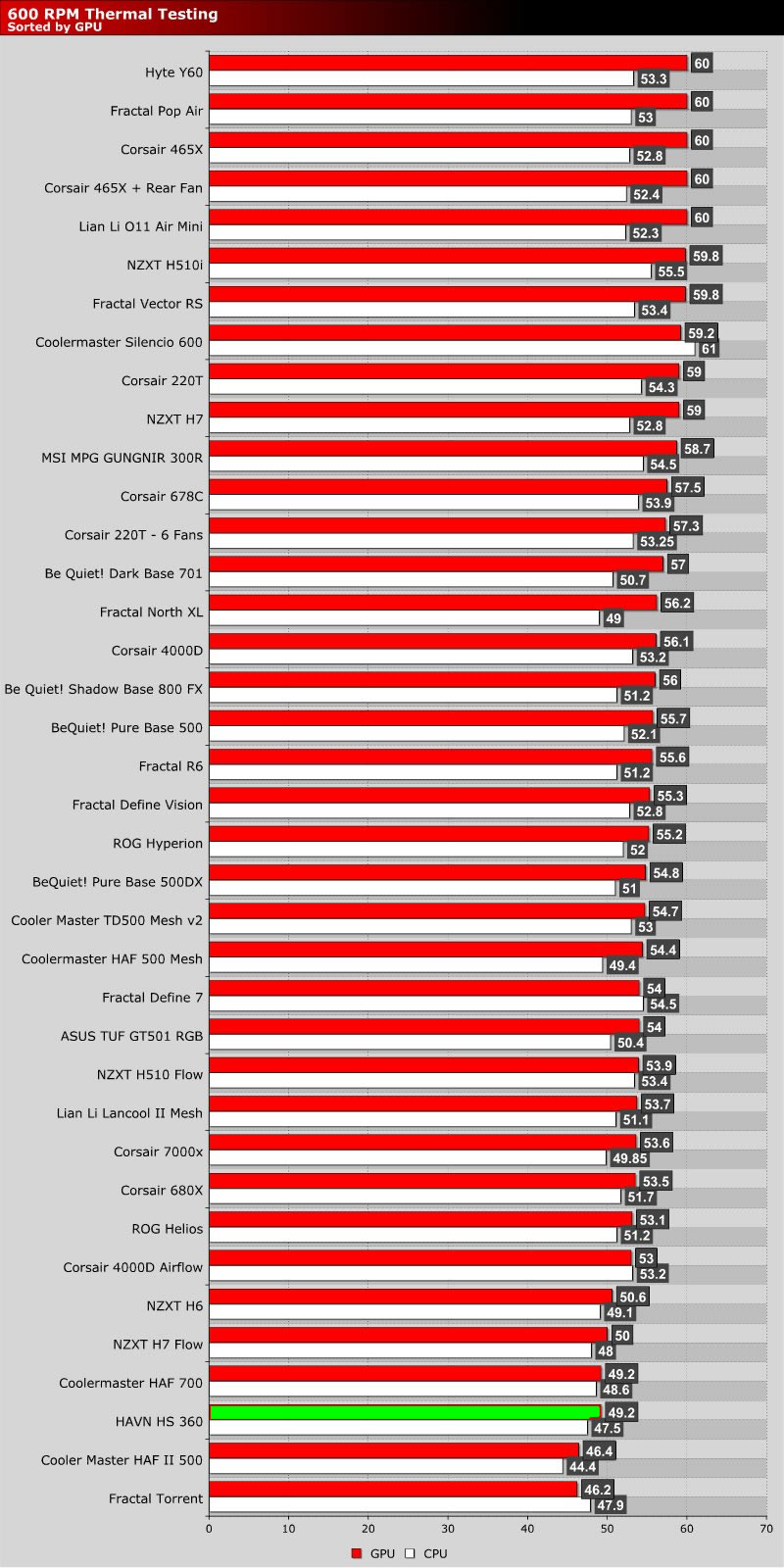
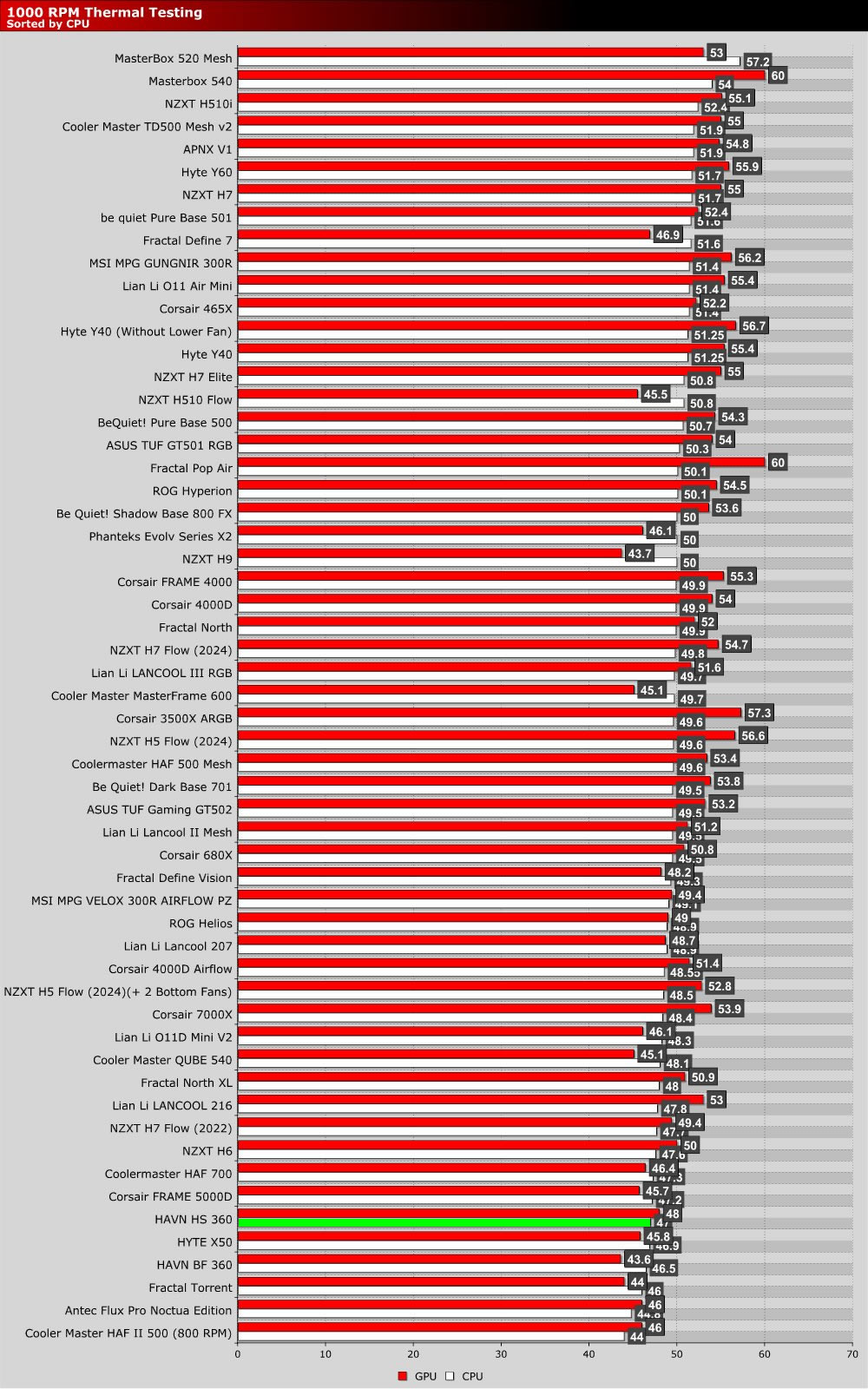
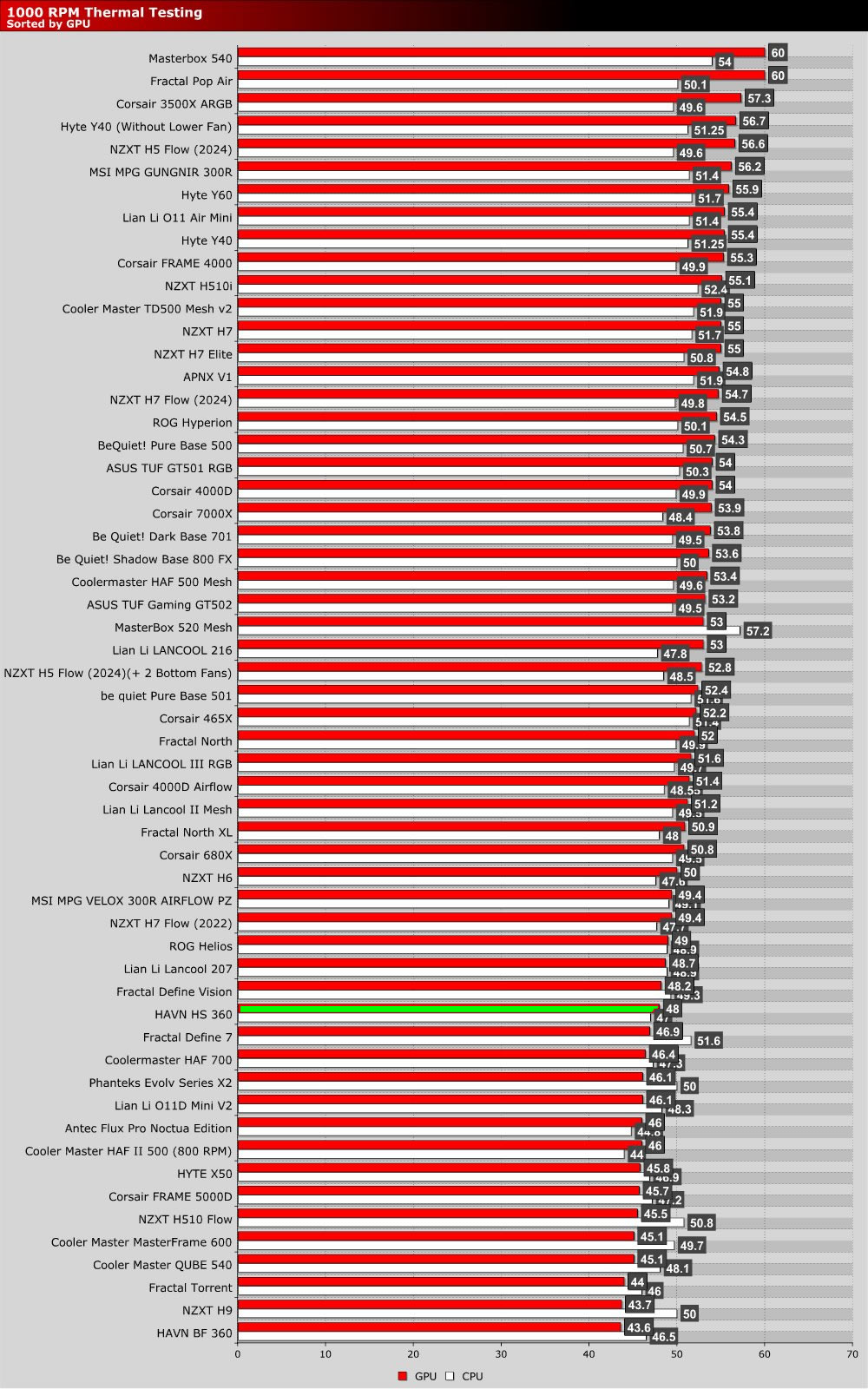
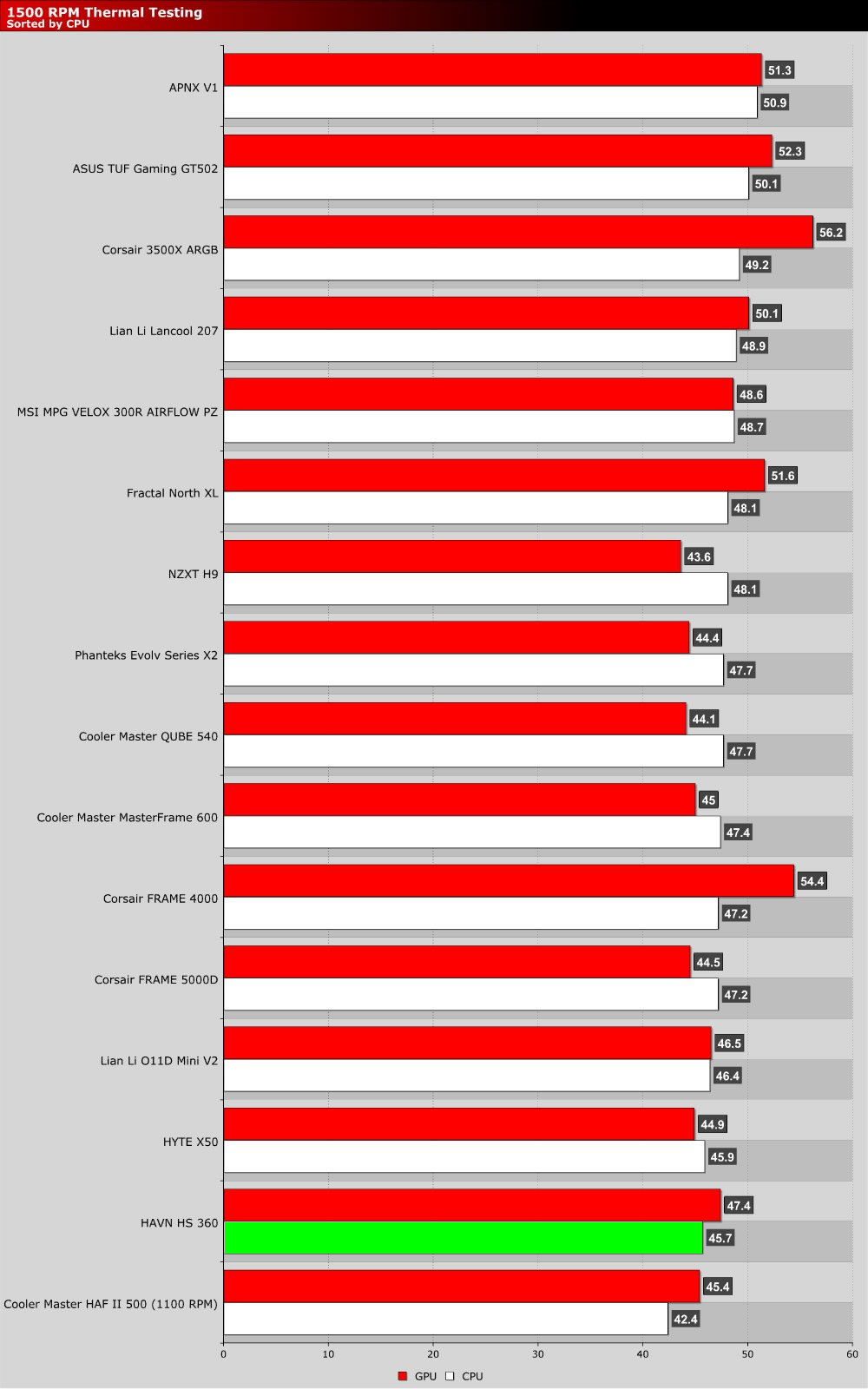
The graph below showcases Delta temperatures with a controlled ambient temperature of 20 degrees Celsius.
Fan Speed Tests
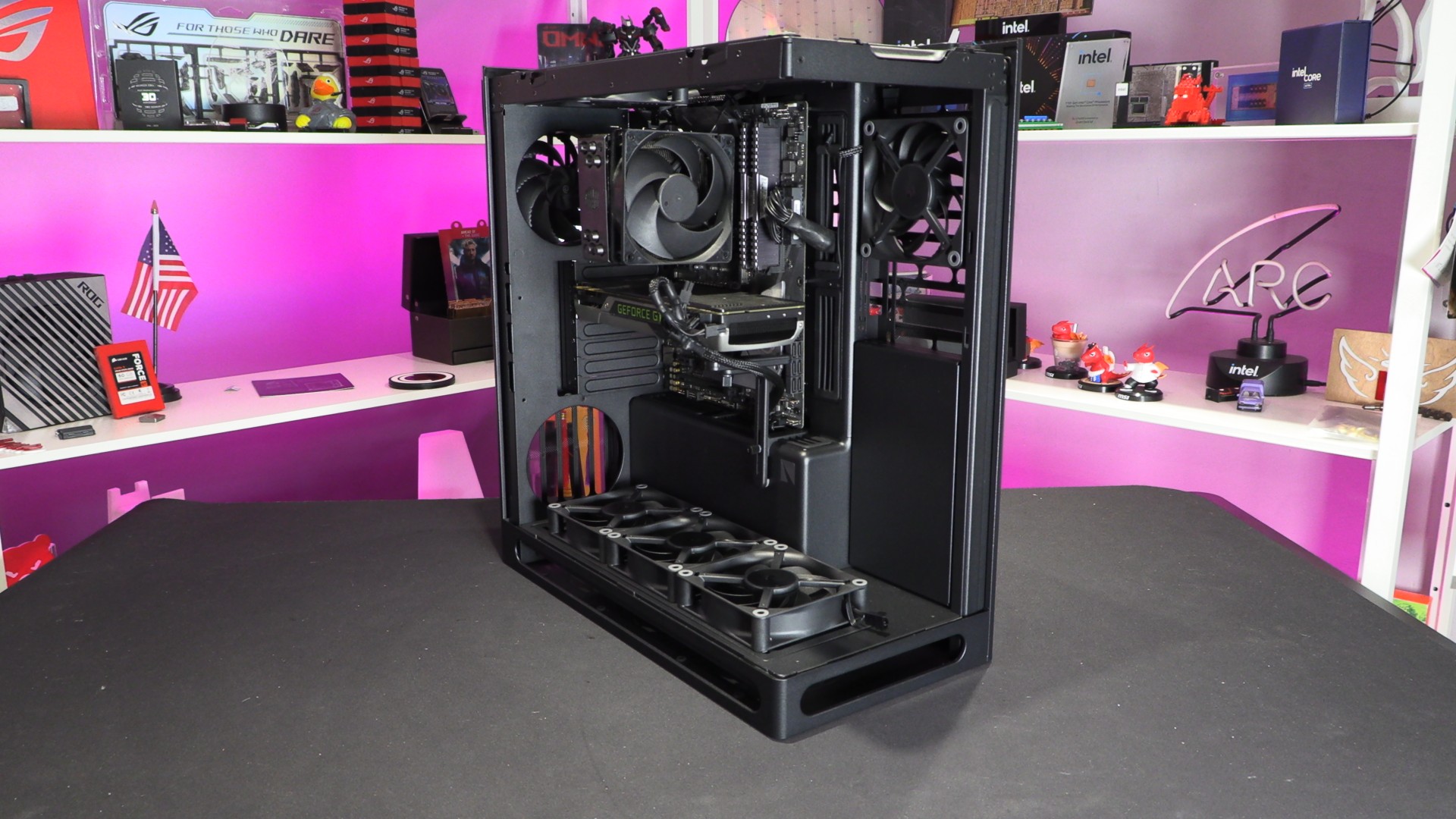
HAVN’s HS 360 ships without fans. Users are expected to buy and install their own fans and configure them appropriately. For our test setup, we used the HAVN HS 360 (not the HS 360 VGPU) case and added six HAVN H12 fans. We used three bottom intakes, one top intake, one top exhaust, and one rear exhaust. We believe that this setup delivers optimal cooling for our test PC. See the image above to see exactly where we placed our fans.
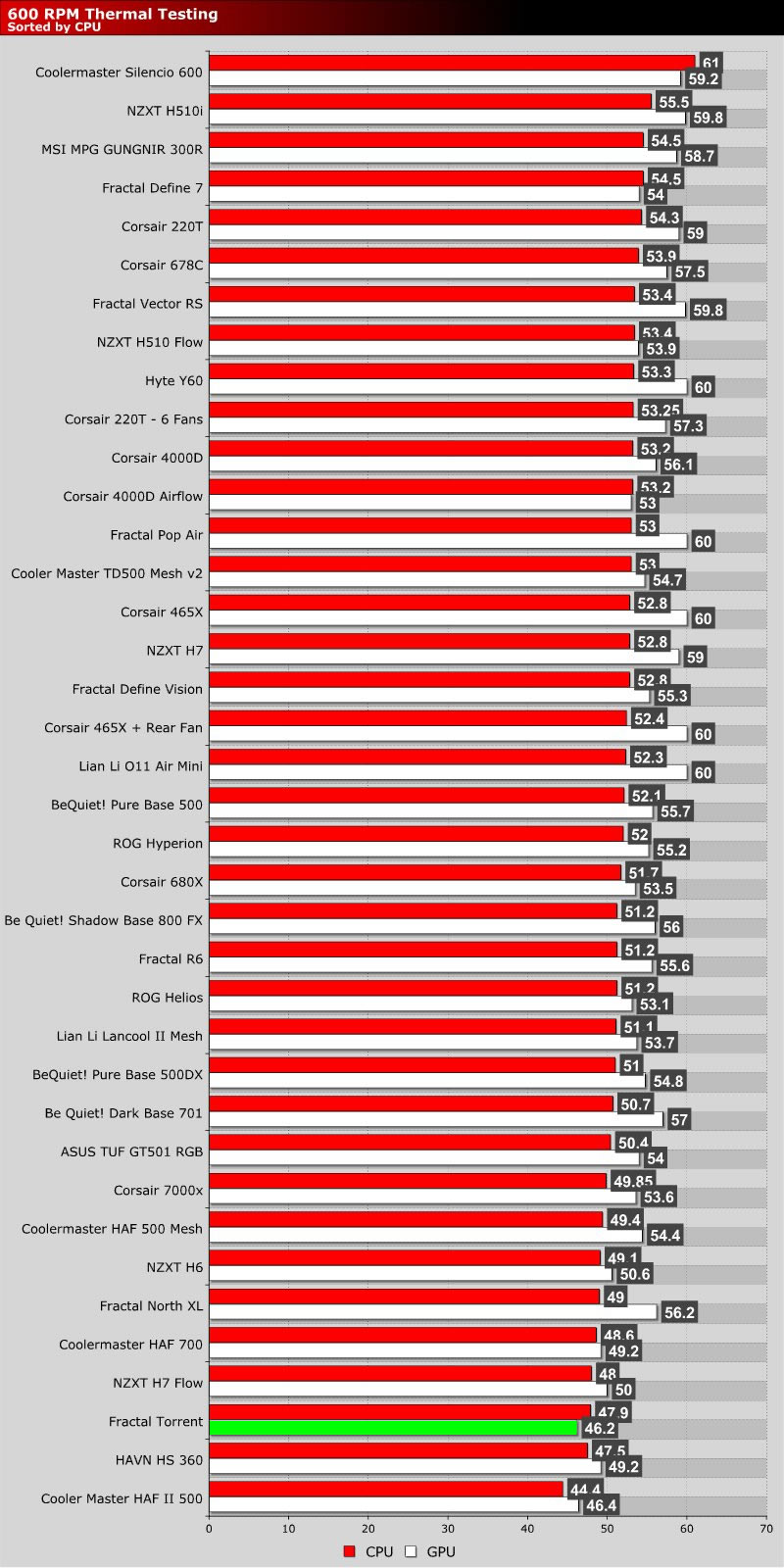
600 RPM Fan Speeds
HAVN’s H12 fans are strong performers. At 30mm thick, these fans are much thicker than standard 25mm PC fans, and this helps them to deliver strong airflow, even at low RPMs. For this review, we reinstated our 600 RPM fan tests, and the HS 360 delivers strong results. Yes, HAVN’s fans do a lot of the work here, but case design also matters.
1,000 RPM Fan Speed Tests
At 1,000 RPM, we continue to see strong results from the HAVN HS 360. With our fan setup, we get stronger CPU cooling than GPU cooling.
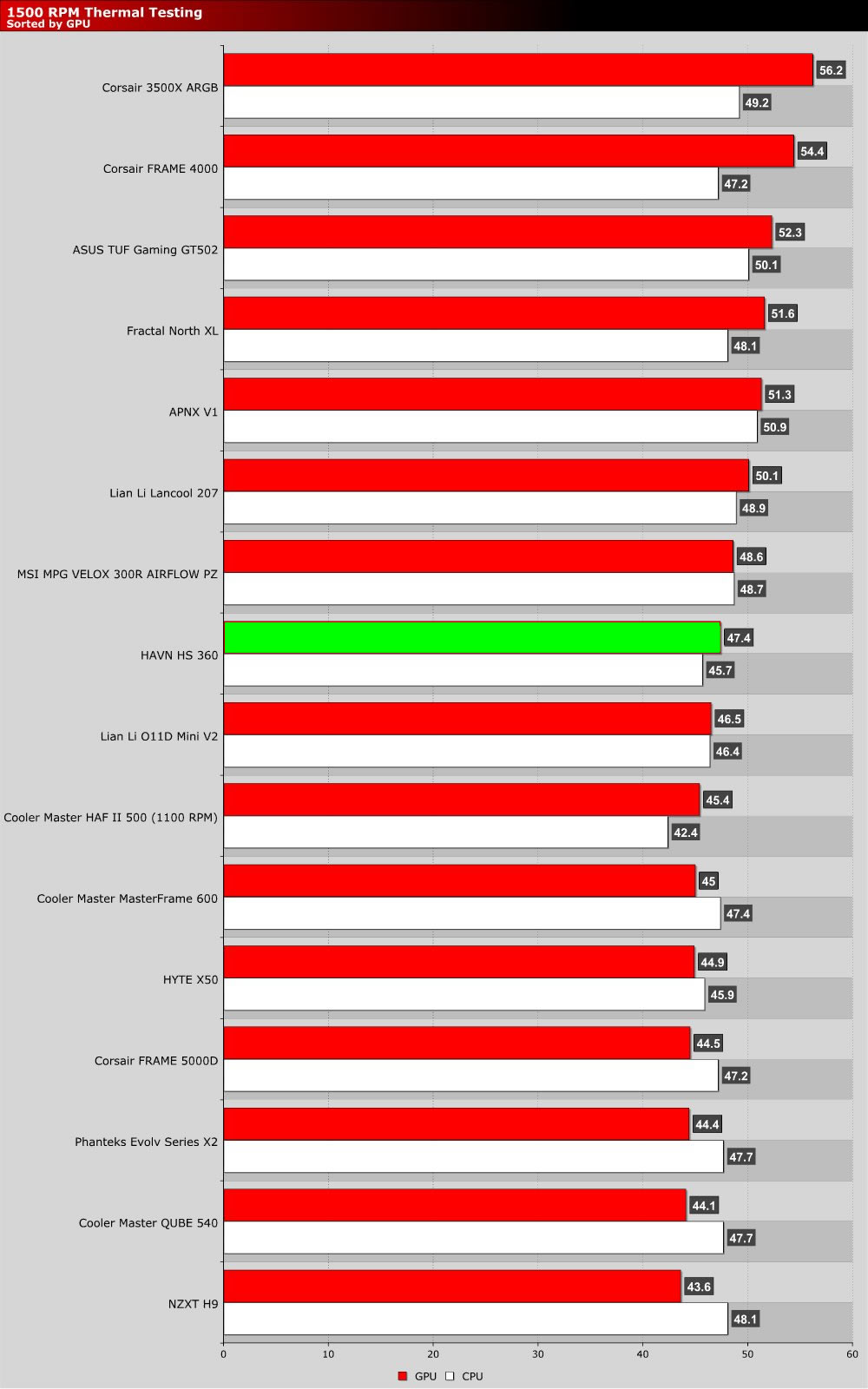
1,500 RPM Fan Speed Tests
At 1,500 RPM, we continue to see strong thermals. CPU thermals are particularly strong. Clearly our fan placement gives our CPU cooler a lot of air.
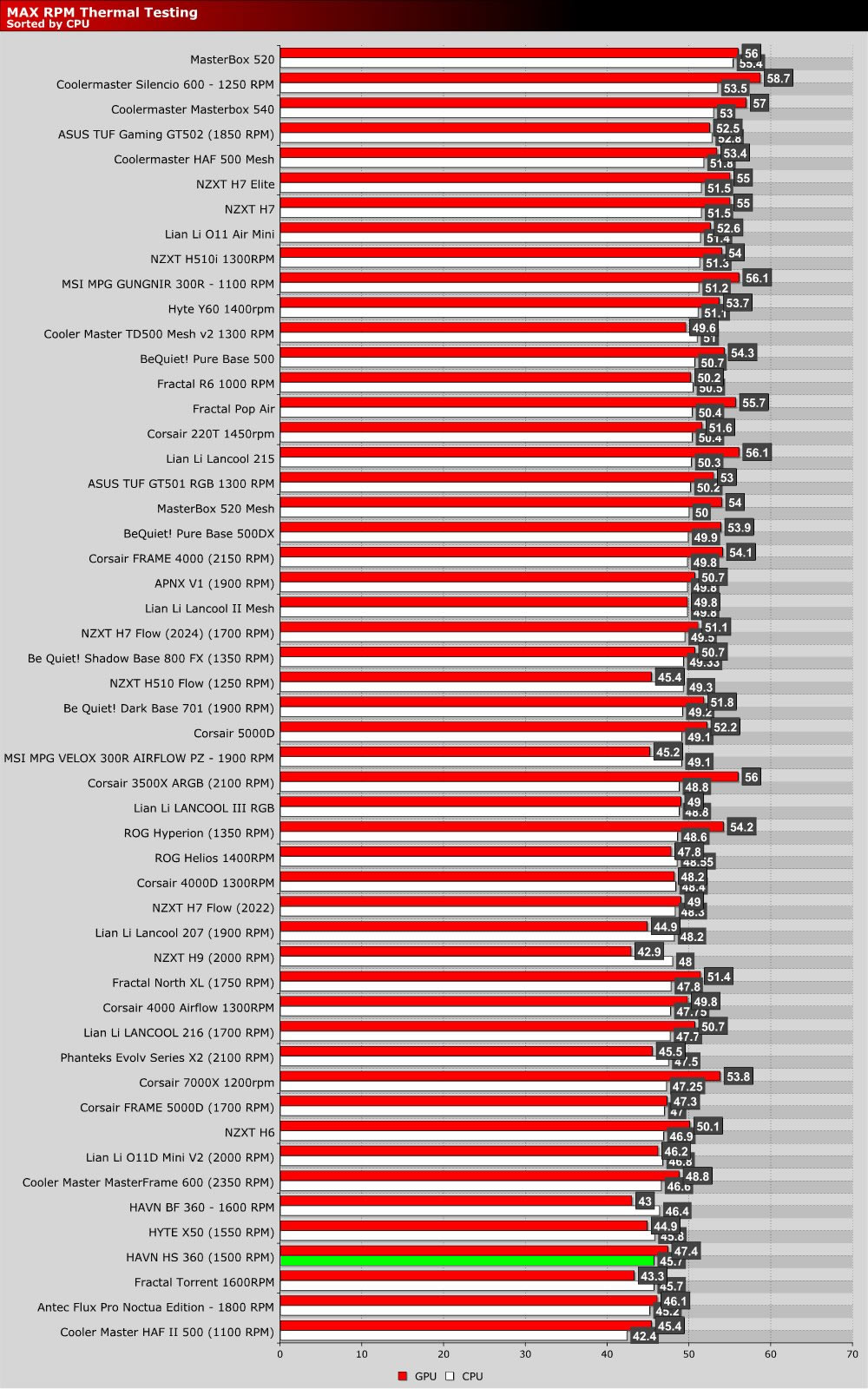
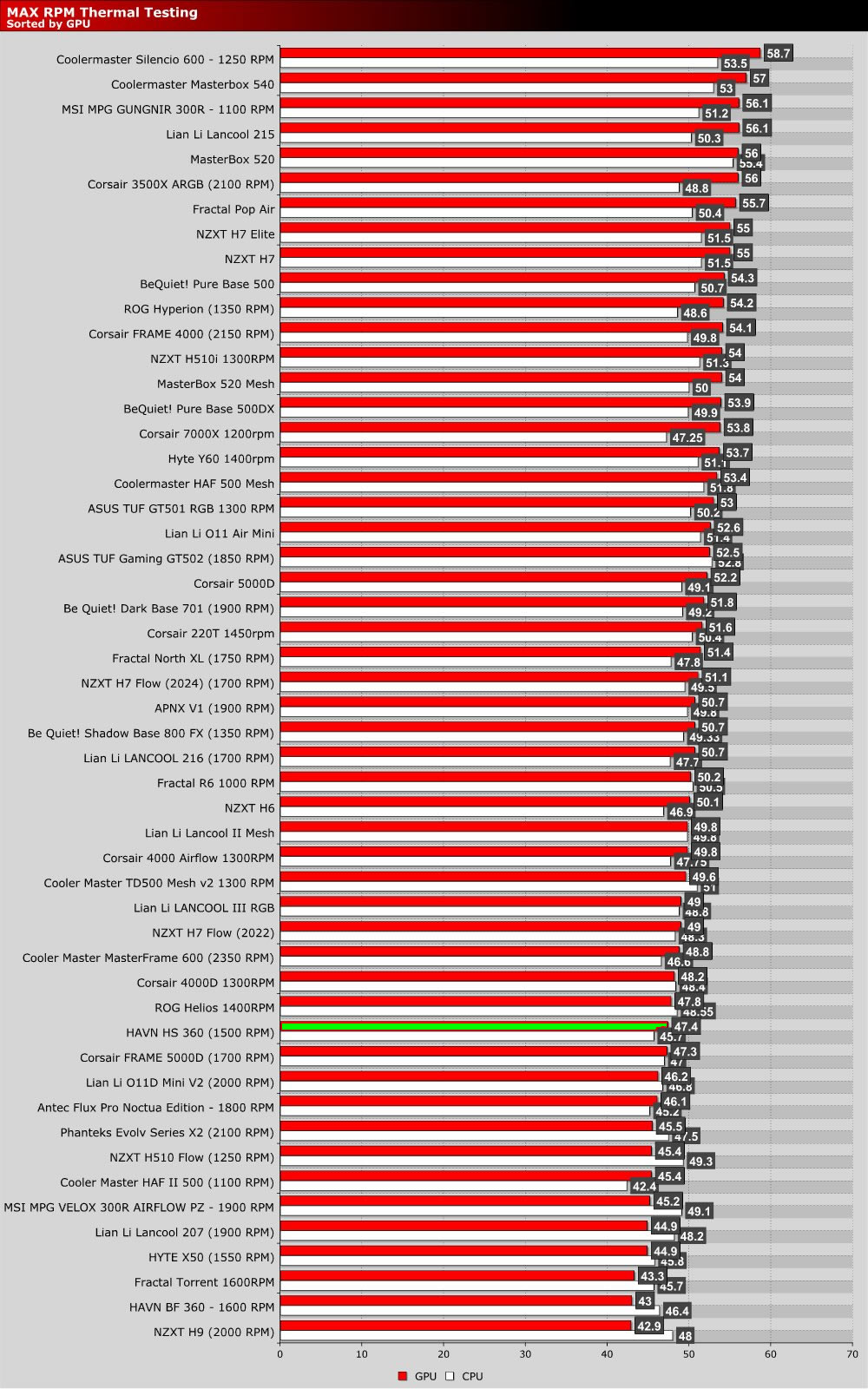
Max RPM Fan Speed Tests
Since our HAVN H12 fans max out at 1500 RPM, it is understandable that our setup falls back in our charts somewhat. When some cases crank their fans to much higher speeds, this is to be expected. Regardless, we get solid results from the HS 360. With good fans and a well-considered airflow pattern, this case will give you good CPU and GPU thermals.