

The Budget Case King! NZXT S5 RGB PC Case Review

Thermal Performance
NZXT S5 Thermal Testing
Thermal performance is an essential factor for any PC case. Your system may look great from the outside, but it’s for nothing if your PC has an internal temperature like an oven. Your PC case needs sufficient airflow to keep your components cool under load and prevent thermal throttling. For our testing, we used the following hardware. We test at fixed fan speeds, so only the case and its fans affect thermal performance.
Intel i9-9700K @4.8GHz at 1.2V
ASUS ROG Strix Z370-F Gaming @ 100% Current Capacity/ LL lvl16
Cooler Master Hyper 212 Black Edition @ 9V via Fan Speed Reducer
Nvidia GTX 980 Reference @ 60% Fixed Fan Speed
Corsair LP Vengeance LP (Grey) @ 3200MHz
Corsair MP500 M.2 NVMe SSD
Corsair RM550X Power Supply
The graph below showcases Delta temperatures with a controlled ambient temperature of 20 degrees Celsius.
Fan Speed Tests
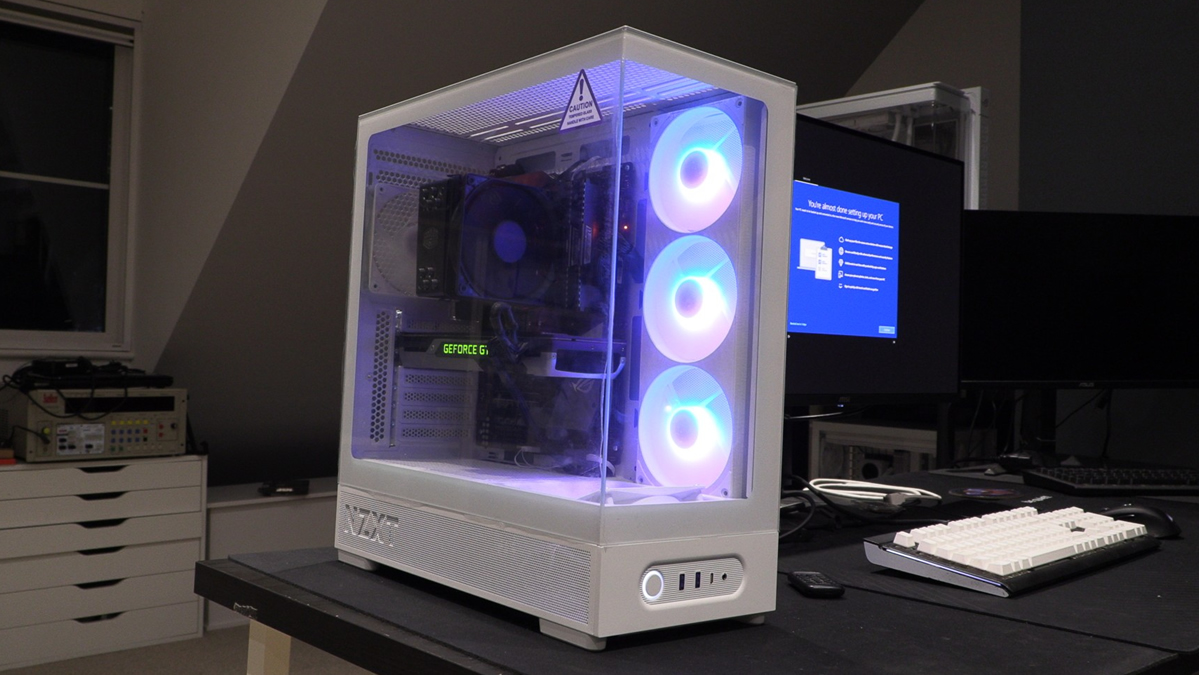
For our testing, we have used the NZXT S5 in what we believe is its intended configuration. What do we mean by that? Well, as you can see in the image above, we’ve added fans to the rear and bottom of the S5, giving the case its S5 RGB Deluxe fan configuration. This configuration is optimal for our current test setup.
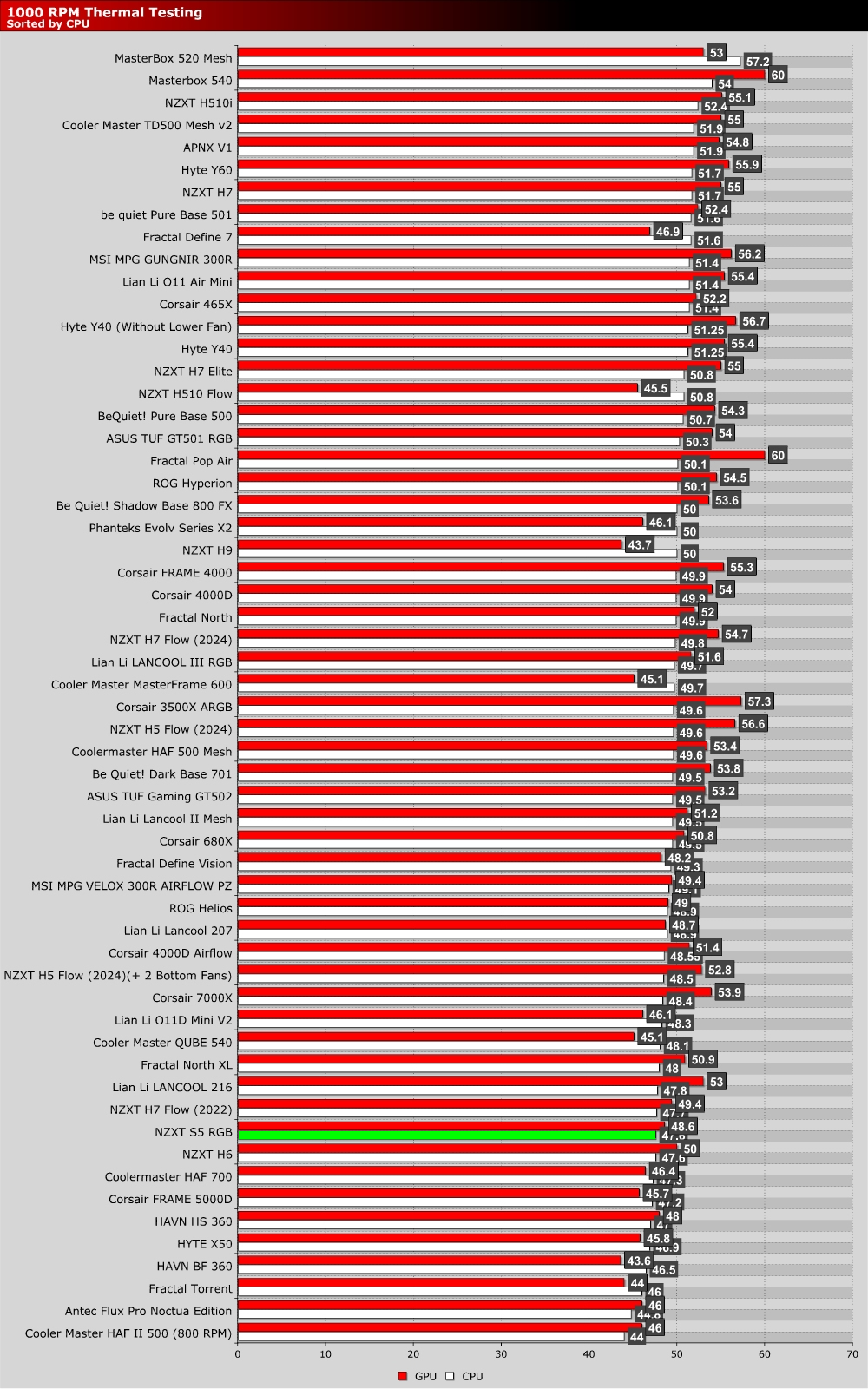
1,000 RPM Fan Test
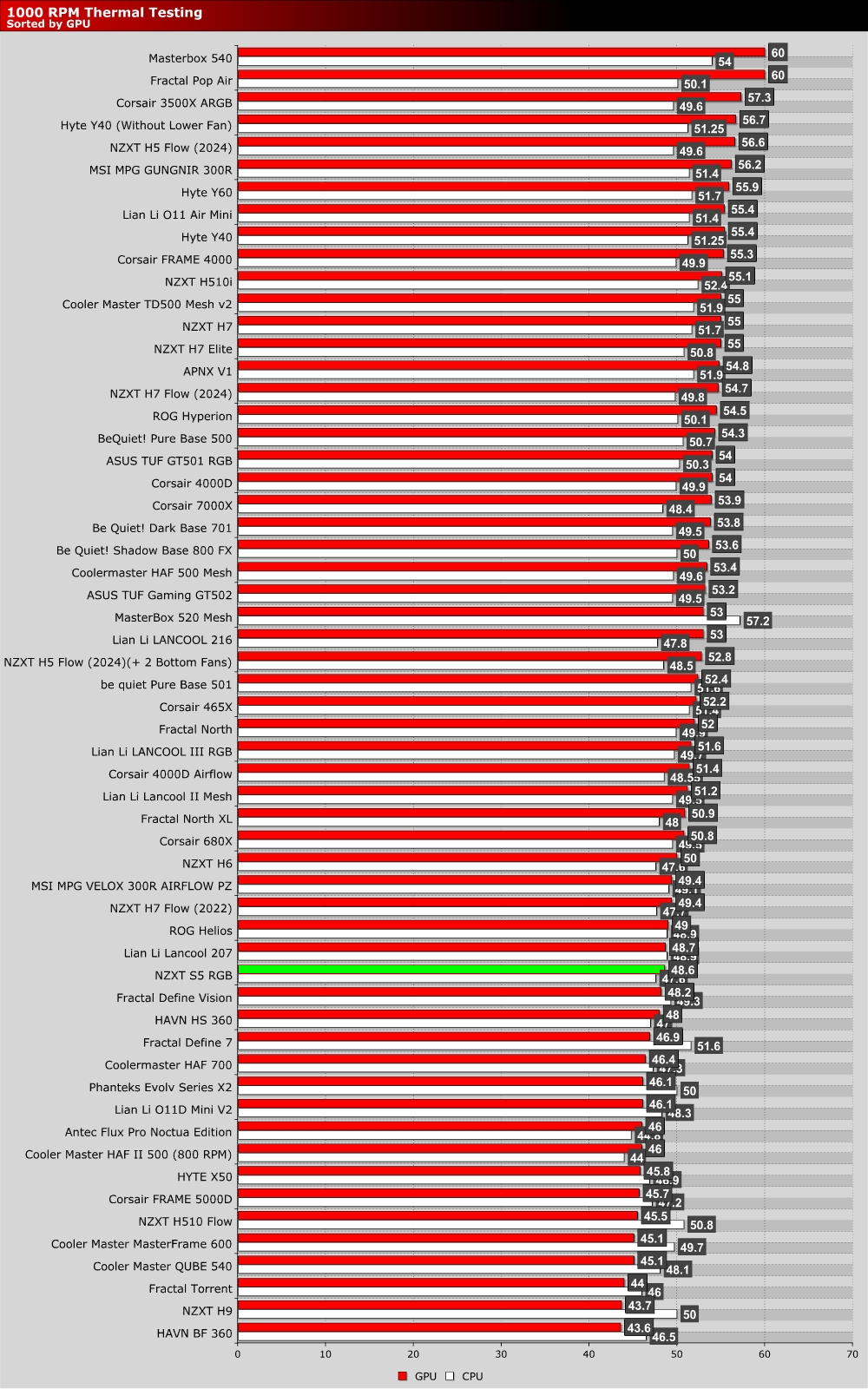
If the S5 RGB has downsides, it isn’t in airflow. This Sub-£50 PC case is competing favourably with some of the best PC cases on the market at 1,000 RPM fan speeds. The NZXT S5 is a cheap PC case, but they didn’t cheap out on airflow performance.
1,500 RPM Fan Test
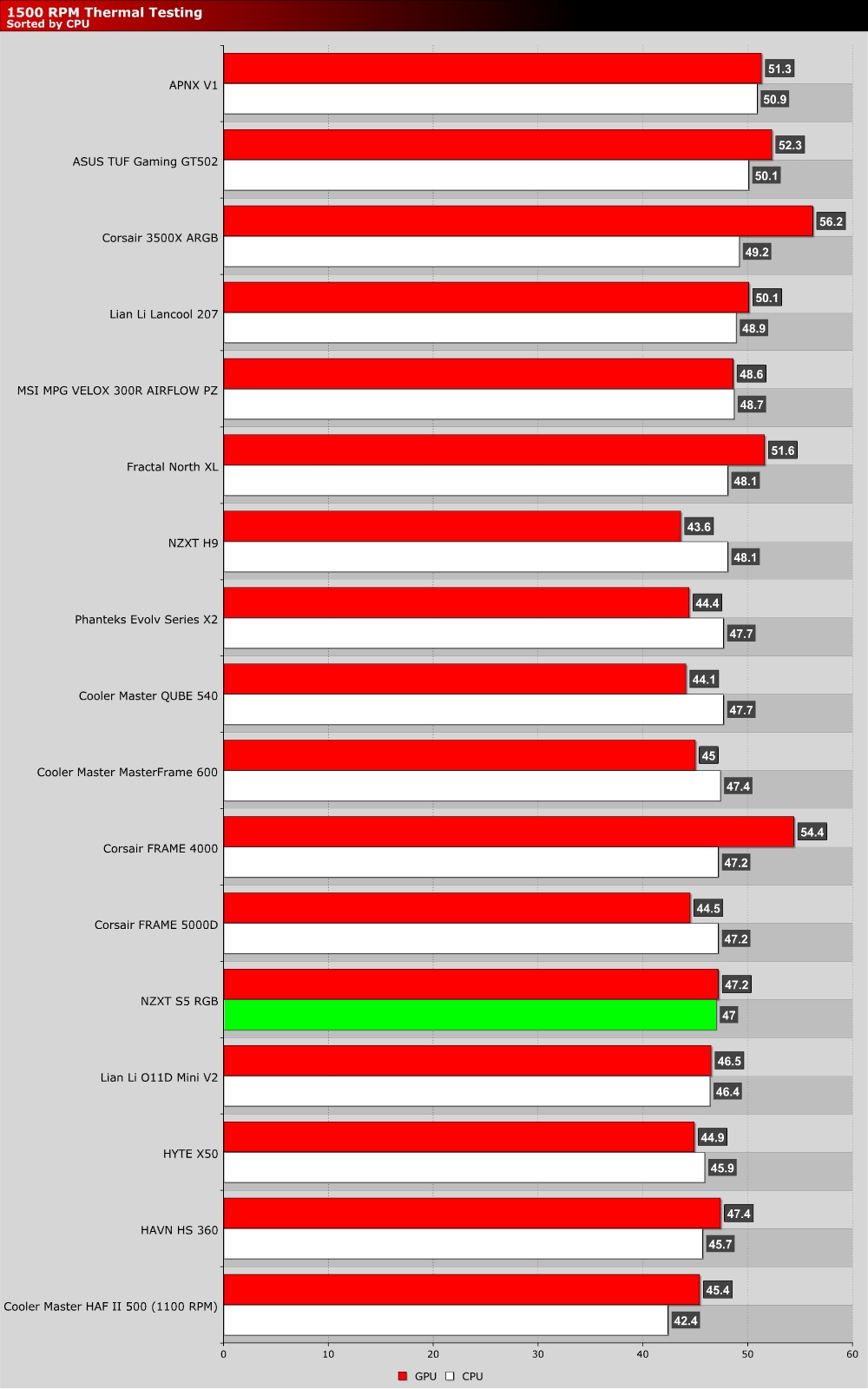
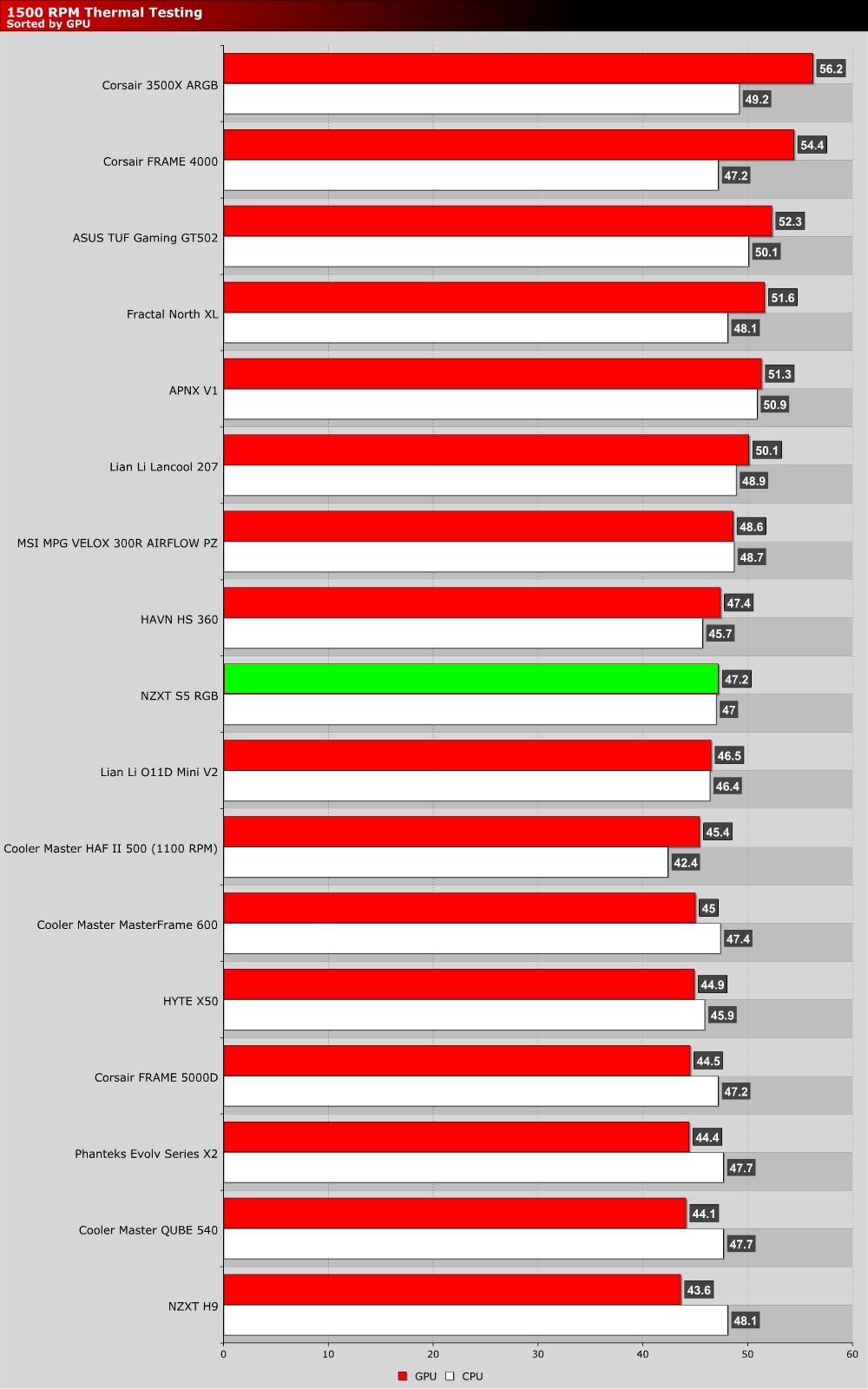
This case’s stock fans max out at 1500 RPM, and at these speeds, these fans can push a lot of air. Again, we see solid cooling performance in our test setup.
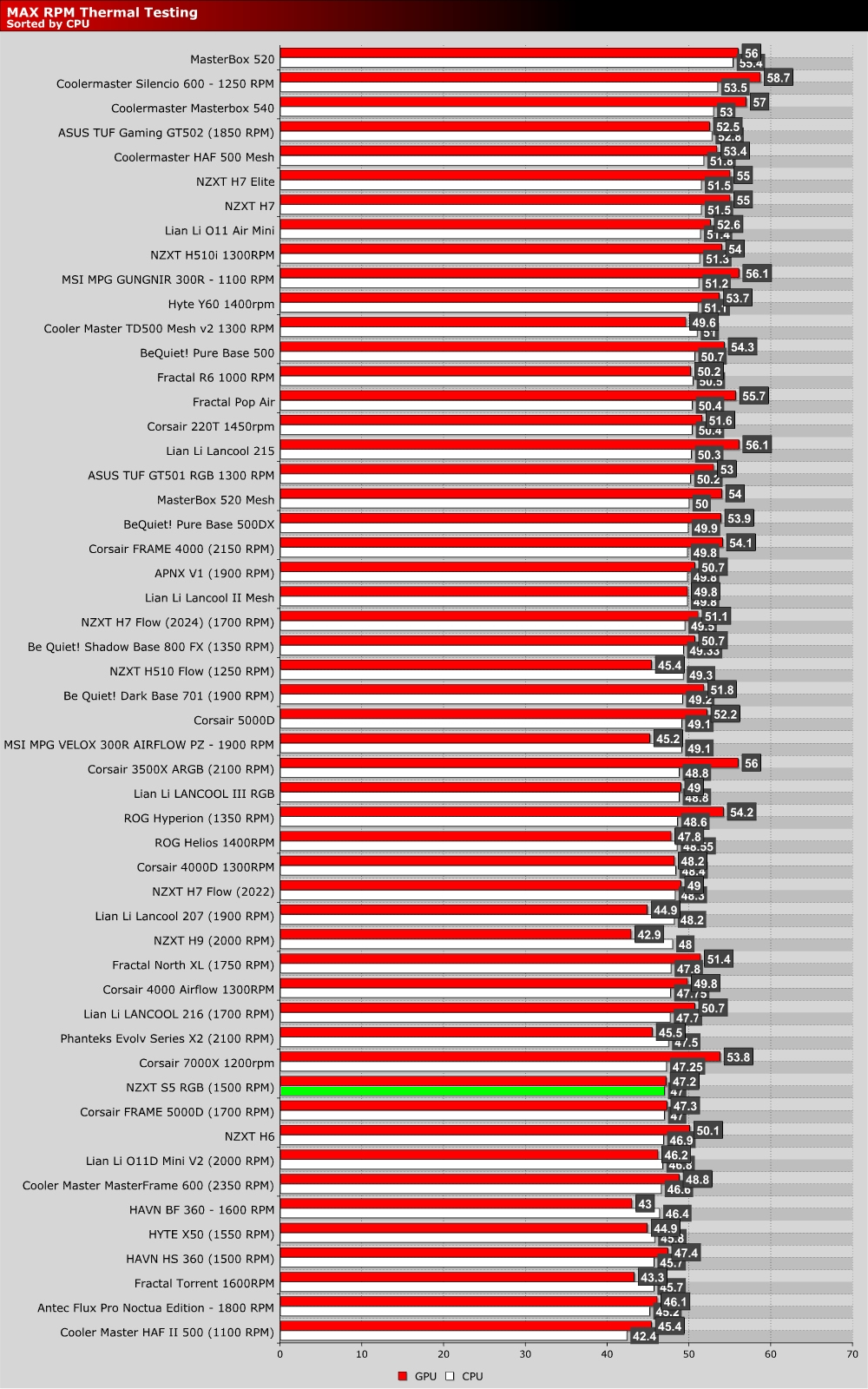
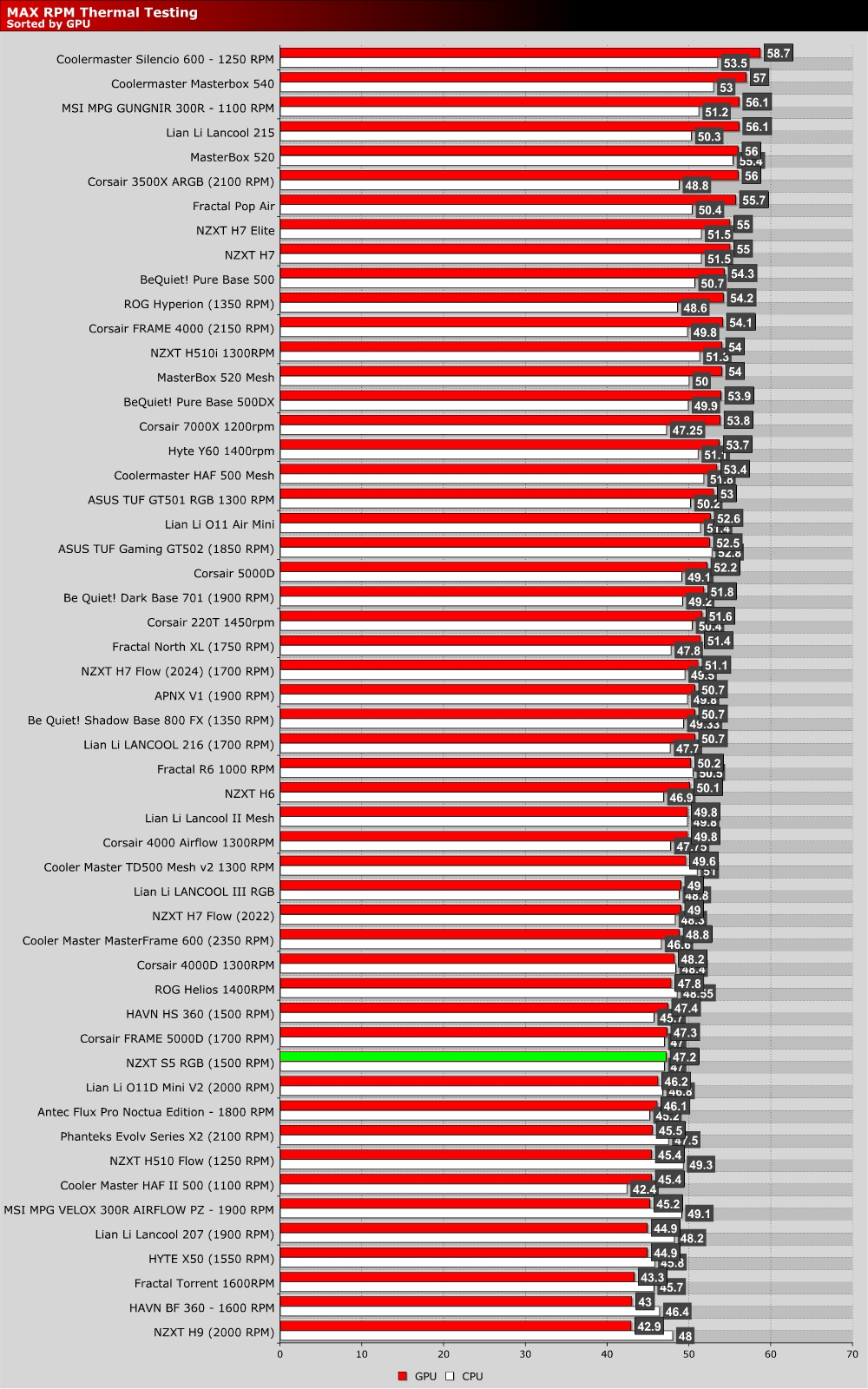
Max RPM Fan Test
While this case’s fans max out at 1500 RPM, that doesn’t mean it can’t deliver solid thermals compared with other PC cases with much faster fans. NZXT clearly didn’t install sub-par fans inside this case.