


Thermaltake Core P3 Tempered Glass Curved Edition Showpiece Case Review

Closer Look – The Build
The first thing that many of us will thing when looking at the Core P3 is this. How do I keep this thing clean? Ok, most of you probably weren’t thinking that, but it is a topic that’s worth discussing.
There are not dust filters here. The best way to keep this PC clean is to keep it in a clean room; a place that’s regularly dusted and hoovered. Otherwise, your PC may get dusty quickly. That’s a fact of life.
In most regards, this case places style in front of user-friendliness. That said, this case is aimed at the person who wants a flashy case, and damned be the consequences. While some sites will call this out as some kind of design flaw, we’ll ask you this. Where would you put dust filters? How would you add them without compromising this case’s openness?
The Core P3 places the PC within on full display, saying to the world, “look, but don’t touch”. This isn’t a case that hides your PC behind dust filtered intakes and sound-dampened side panels; this is a case that’s places everything on show. That’s the point.

On the rear-I/O, users of the case can choose to attach their graphics cards and other PCIe devices directly to their motherboards or opt for a vertical mounting configuration (as shown below).
This case can also support M-ITX systems with a specialised dual-slot PCIe bracket. The P3’s MITX configuration also supports a vertical PSU mounting config. The Core P3 has plenty of modular options that beg its users to configure this enclosure to their exacting specifications. Thermaltake has even created a dedicated 3D Makers website to host their users custom 3D printed case mods. The P3 is a case that you can really make your own.

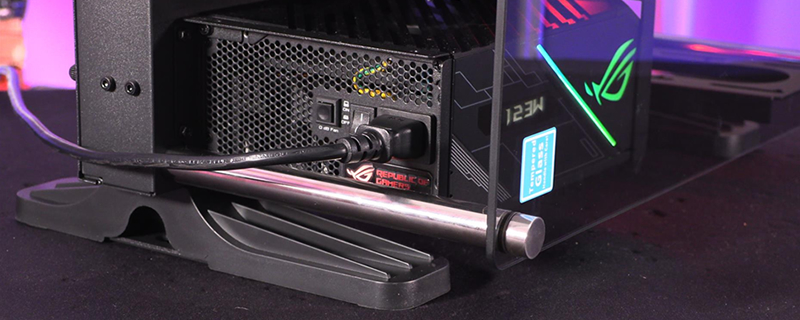
While most cases place power supplies under a shroud, Thermaltake’s P3 switches it up by making your PSU viewable for seemingly any angle. This will allow users to show off their expert PSU selection, be it for its well-known brand, matching RGB lighting or perhaps its custom braided cables.
The Thermaltake Core P3 is displaying what most PC cases try to hide. This means that users of this case have another opportunity to showcase a customised component, or simply show off a well-selected PSU.

The tempered glass side panel of the Thermaltake Core P3 is easy to remove, being attached by four hand-tightened bolts. It’s a simple design, but it works with the minimal nature of Thermaltake’s Core P3 design. This case will let the components within do the talking, not the window fasteners.

At the rear of the enclosure, we can see the exhaust of the Core P3’s fan mounts and the mounting locations for the Core P3’s optional wall mounting bracket. Note that this case also supports VESA-style mounts, but good luck finding a VESA compatible stand that’s capable of holding a water-cooled PC.
Also note the four holes at the corner of the P3’s rear panel, which can be used to attach case feet for a flat-horizontal case placement.

Removing the Core P3’s rear panel reveals two dedicated 2.5-inch SSD mounts and mounting locations for either twin 3.5-inch HDDs for three additional 2.5-inch drives. These additional mounting locations are where we can see our 360mm closed-loop liquid cooler. This allows users of the Core P3 to choose between liquid cooling and additional HDD/SSD space.

Below, you can see Thermaltake’s vertical mounting solution for multiple PCIe devices. This is more than strong enough to handle multiple modern graphics cards and even some other PCIe devices. That said, having more than one PCIe device connected in this way will require users of this case to purchase additional PCIe extension cables.

