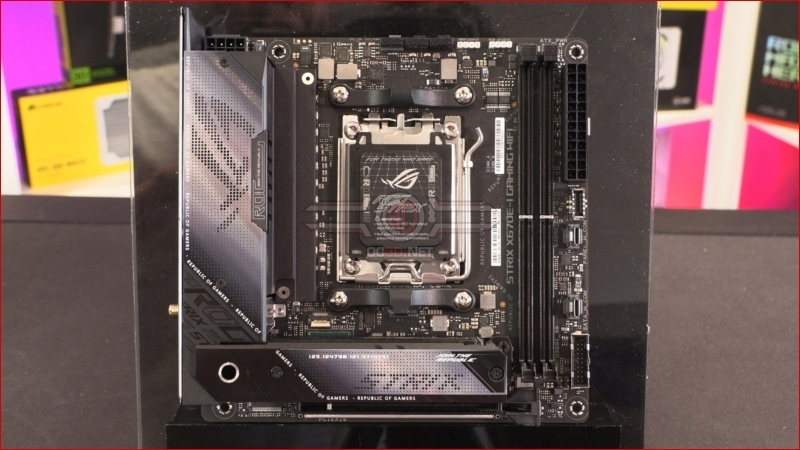
ASUS ROG Strix X670E-I Gaming WiFi Preview

Up Close – Accessories
Whenever you’re dealing with such a compact form factor as the Mini-ITX we have here, there is always going to be a premium placed upon space. However, you can’t have a motherboard that falls under the famous Republic of Gamers banner, nor the super-popular Strix brand, without giving the user all the high end elements they have come to expect.
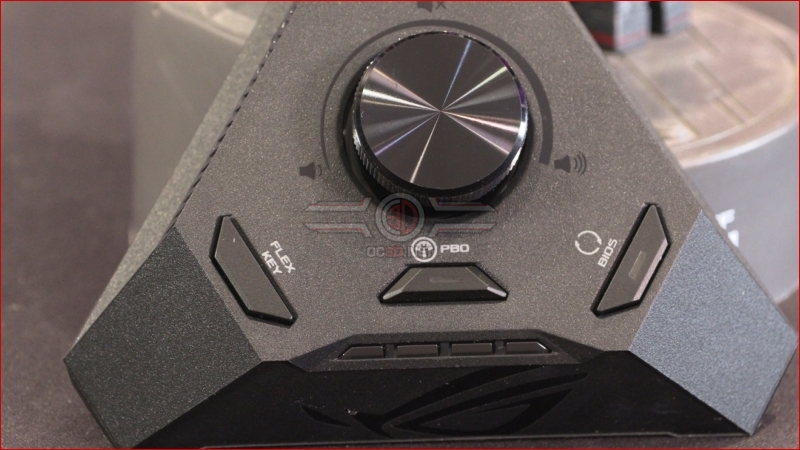
To this end ASUS have solved the challenges of size and feature set with this, the ROG Strix Hive. The primary function is to serve as a premium audio solution, utilising a ESS Sabre 9260Q DAC and Realtek ALC4050 codec as well as 3.5mm microphone and headphone jacks, and the all important S/PDIF digital output. With an easy to reach volume dial on the top all your audio needs are catered to.
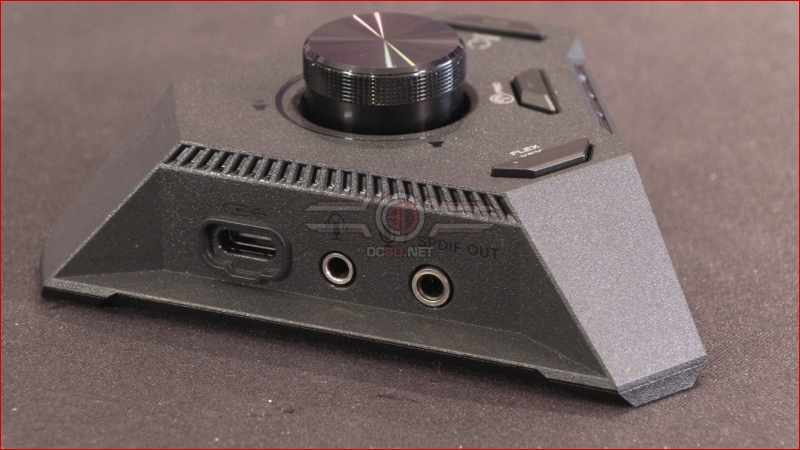
That isn’t all the ROG Strix Hive has up its triangular sleeves though. As well as the USB 3.2 Type-C connector you can see above, ASUS have placed their QLED diagnostic light on the Hive too. At a glance diagnostics, especially if your case isn’t within easy ‘looking inside’ distance or design.
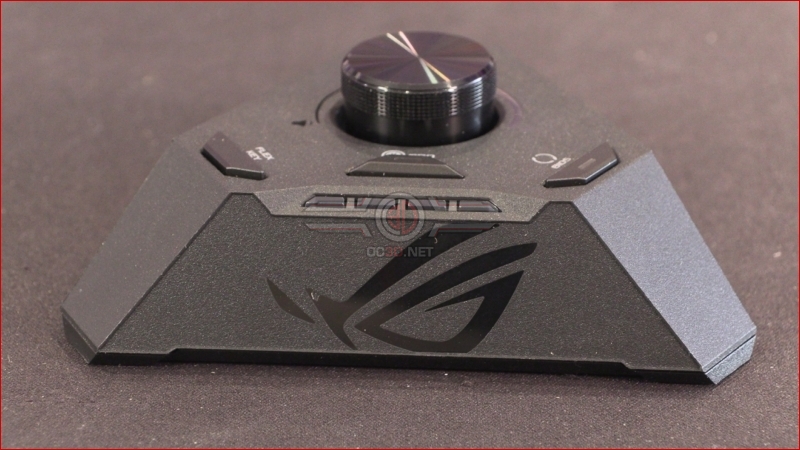
Three additional buttons allow you to take control of the Flex Key, reset the BIOS, and perhaps most interestingly of all, particularly in light of what we’ve seen from the new Ryzen 7000 series processors, a one button access to the Precision Boost Overdrive. With ITX motherboards usually found in smaller cases cooling is often at a premium, so being able to have the horsepower when you need it, but back things down when you don’t for better thermal performance, is a boon. Very cool indeed.
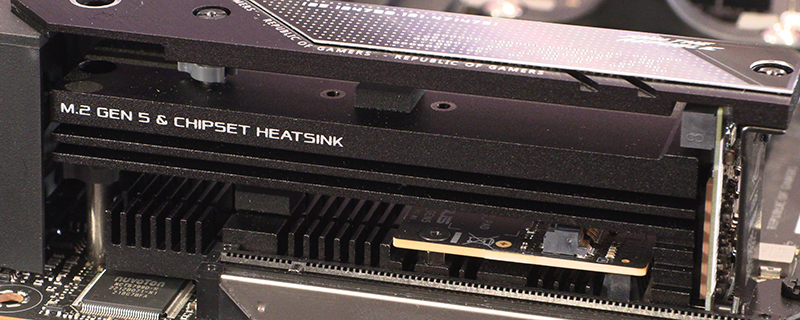
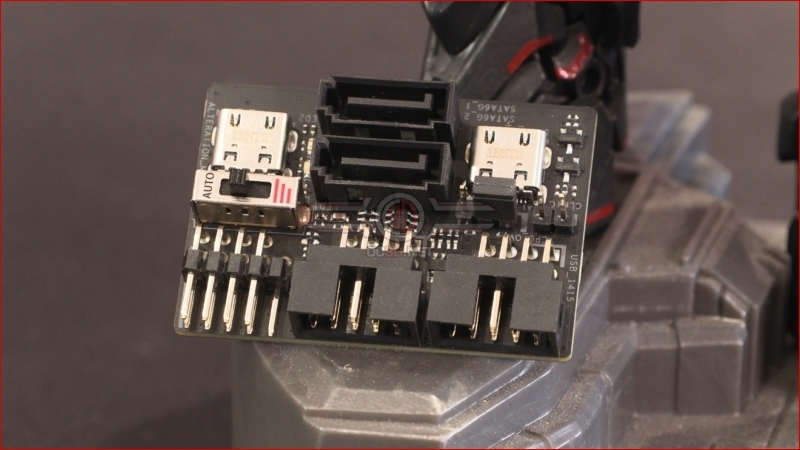
It’s not just the ROG Strix Hive that expands what the X670E-I can do without increasing the size of the PCB. Recently we’ve seen a trend towards building upwards not outwards, and the ROG FPS-II add-in card gives you two SATA ports, CMOS clearing, front panel ports and front panel USB. Probably the largest amount of connections in the smallest possible space.
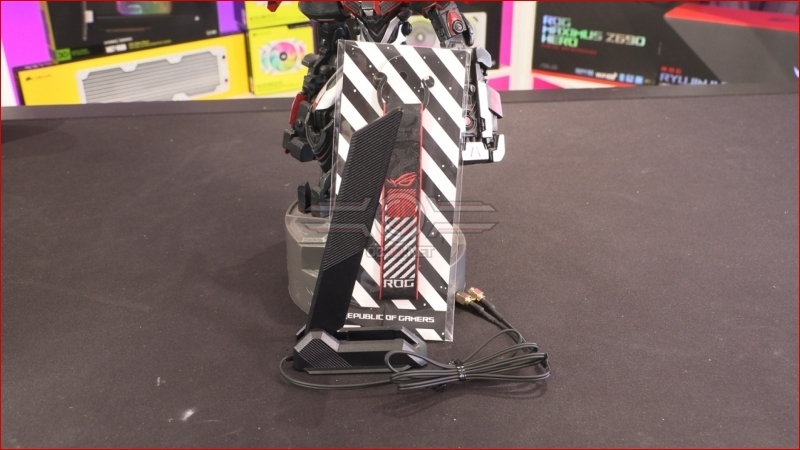
The ROG WiFi antenna let’s you place it wherever is handy thanks to its magnetic base and lengthy cable. With so much speed available from fibre broadband you want the best possible reception if you have to run wirelessly.
Finally before we move on to the close up look at the ROG Strix X670E-I Gaming WiFi, an overview showing how much ASUS have squeezed on to this tiny PCB. Let’s see it in more detail. Onwards.