


MSI MEG Z490 Ace Preview

Up Close – SATA to IO Shield
Continuing our tour around the latest entrant into the MSI Z490 range, below the USB 3.2 Gen2 front panel header we have a more standard front panel USB, nicely horizontally mounted. Below that are the six 6Gbps SATA ports, curiously separated from each other. We’re not sure why.

In the bottom right we find all those parts which are so common, namely the front panel connections to bring your case into the fold, the 7seg POST display for diagnosing that dodgy hard drive error, the onboard power and reset switches and lastly, for those photograph, the USB 2.0 front panel connectors which let us control the many RGB devices we’re all so familiar with.

You can never have too many fan headers and there are three sitting alongside each other just below the bottom PCI Express slot. Alongside that are some more RGB headers and, lastly the front panel audio on a separate trace along with the recursive 7.1 HD Audio with Audio Boost HD.

When M.2 drives first appeared on the market they were beyond the reach of most of our finances, but like all technology time has found them significantly more affordable, to the point you could almost ditch your SSDs. With three M.2 Shield Frozr heatspreaders on the MEG Ace it’s a definitely possibility.

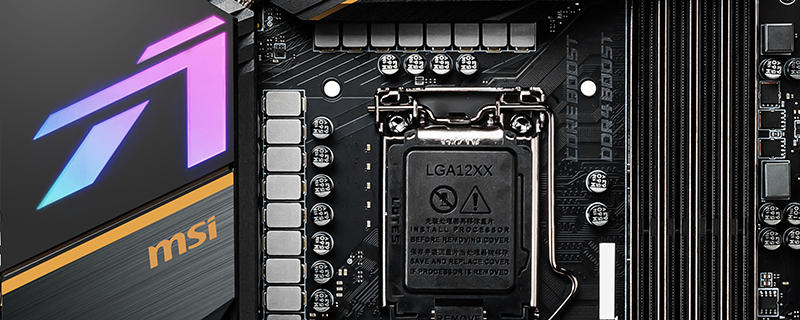
We’ve seen a complete variety of power sections on our Z490 previews, and the MSI MEG Ace goes all in with a 16+1 phase ISL Digital PWM running with 90A SPS MOSFETs. Ninety Amp! Is there a secret 48 core processor on the horizon?

Lastly around the back is a full selection of input and output connectors. From top to bottom we have the BIOS controls in the form of Flash and CMOS clear. Below that the USB 2.0 and PS/2 port for your input peripherals, 3 10Gb/s USB 3.2 Gen2 in Type-A, two ‘regular’ USB 3.2 ports, a 20Gbps Type-C port, both 1G and 2.5G RJ45s for your LAN cable, the Intel WiFi 6 AX201 and finishing off with the familiar audio jacks.

