


ASUS ROG PG278Q Swift G-Sync Monitor Review

Up Close
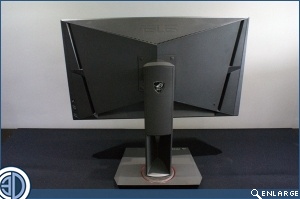
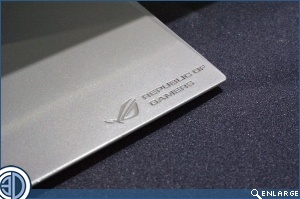
As with any 27″ monitor the first thing that strikes you is the sheer size. How quickly a size that was once the preserve of an enormous television is now standard for your desktop. Round the back we have two vents for heat exhausting and a very flexible stand, which has the all important ROG logo.
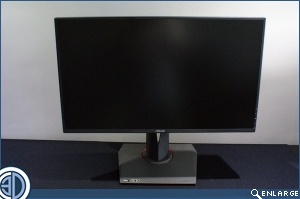
The bezel is only 6mm thin which makes a huge difference to how readily two or three of these could be placed in a multi-head display configuration, as well as emphasising the amount of pure screen real estate available.
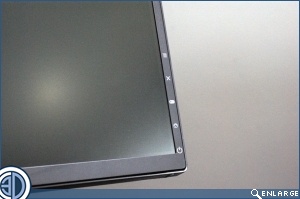
In the documentation ASUS claim that the 5 way OSD navigation joystick is exclusive to the Swift PG278Q. It isn’t, as we’ve seen other ASUS monitors with them, but we’ll assume they mean exclusive to ASUS rather than the Swift itself. If we pulled every product up on their white lie claims we’d still be trying to finish up a Pentium III review. Away from minor detail things it’s actually supremely useful, and far better than the multi-function button arrangement usually found. We know we’re not the only people who’ve accidentally quit out of an adjustment and the Hat Switch eliminates that problem.

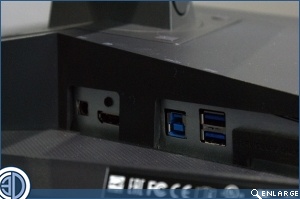
Round the back is a very simple connection layout. USB 3.0 in, two USB 3.0 out, and only a DisplayPort 1.2 input. No HDMI, no DVI or VGA. DisplayPort or the highway. This does mean that it’s easier to ensure the monitor syncs with the card, and any card that would do justice to a display of this resolution has a DisplayPort on it, so it’s not a negative at all.

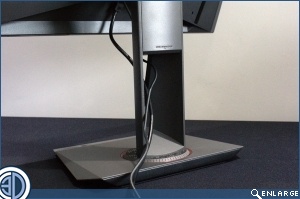
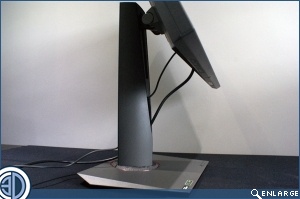
The cable management is more of a hole, but that would be nit-picking on a stand which is fantastic. 120mm of height adjustment, 120° of swivel and 25° of tilt add up to a stand that ensure you can put the display exactly where it’s needed and will provide the most comfort for you. It also switches between portrait and landscape easily, with the cable management hole coming into its own.
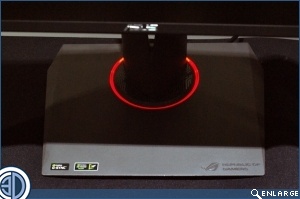
It’s an extremely minor thing, of little actual worth beyond bling factor, but this wouldn’t be a ROG product without some lighting and sure enough there is a red ring around the base. Hopefully not a red ring of death.
So what is this 144Hz business all about and how does it actually benefit the user?
