


How to enable AMD FSR 4 on Radeon RDNA 4 GPUs

How to enable AMD FSR 4 on Radeon RDNA 4 GPUs
How to enable FSR 4 within AMD Software
AMD’s FidelityFX Super Resolution 4 (FSR 4) upscaler is the first to make use of AI to deliver strong super-resolution results. Unlike the prior generation of FSR, FSR 4 is only compatible with AMD’s RDNA 4 and newer graphics cards. Why? Because only AMD’s RDNA 4 (and future) graphics cards will feature the AI power necessary to make AMD’s neural upscaling solution work.
Unlike older versions of FSR, FSR 4 currently needs to be enabled at a driver level to work with AMD RDNA 4 graphics cards. Using AMD’s “Upgradable FSR API”, AMD can allow FSR 4 support in games with FSR 3.1. That said, this feature needs to be enabled within AMD’s GPU drivers to function.
FSR 4 support isn’t enabled automatically for AMD RDNA 4 graphics cards
FSR 4 isn’t enabled automatically for AMD’s RDNA 4 graphics cards, at least at the time of writing. RX 9000 series GPU users need to enable FSR 4 upscaling support to add the feature to supported/whitelisted games. A complete list of whitelisted games is available here.
While future games/updates may allow AMD users to enable FSR 4 in-game, today’s games only support FSR 4 through AMD’s “FSR 4 Upgrade” feature.
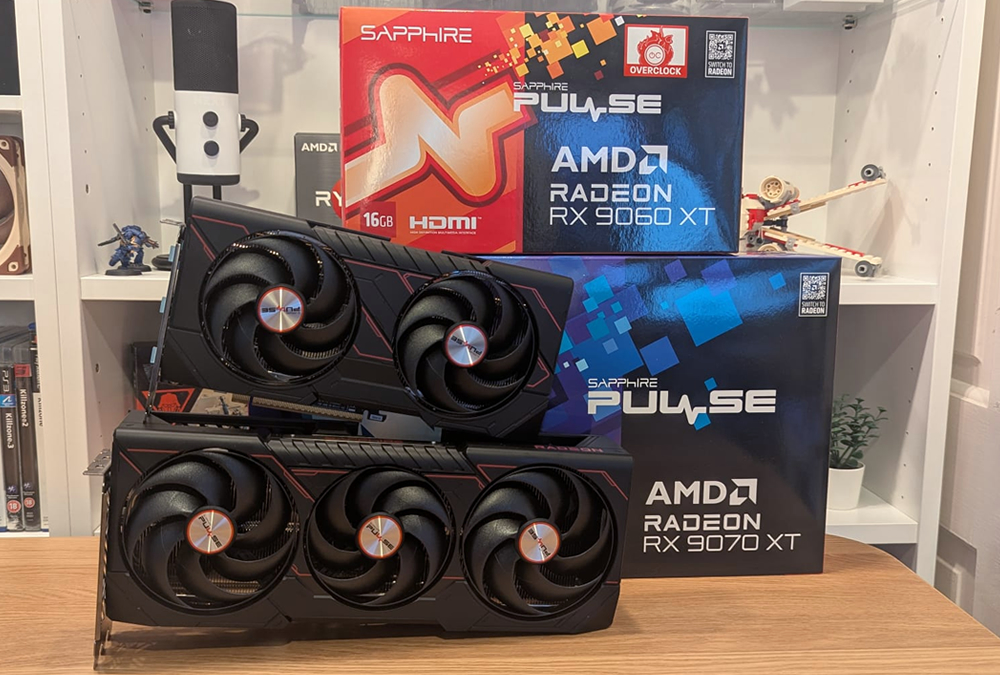
Thanks Sapphire
We’ve just received two new RDNA 4 graphics cards from Sapphire to support our future PC games coverage. These GPUs are Sapphire’s Radeon RX 9070 XT Pulse and RX 9060 XT Pulse graphics cards. Both graphics cards feature 16GB of GDDR6 memory and support AMD’s FSR 4 upscaling technology.
Expect to see these graphics cards in our future PC games reviews. We will also use these GPUs to test AMD’s planned “FSR 4 Redstone” features when they are integrated into new games.
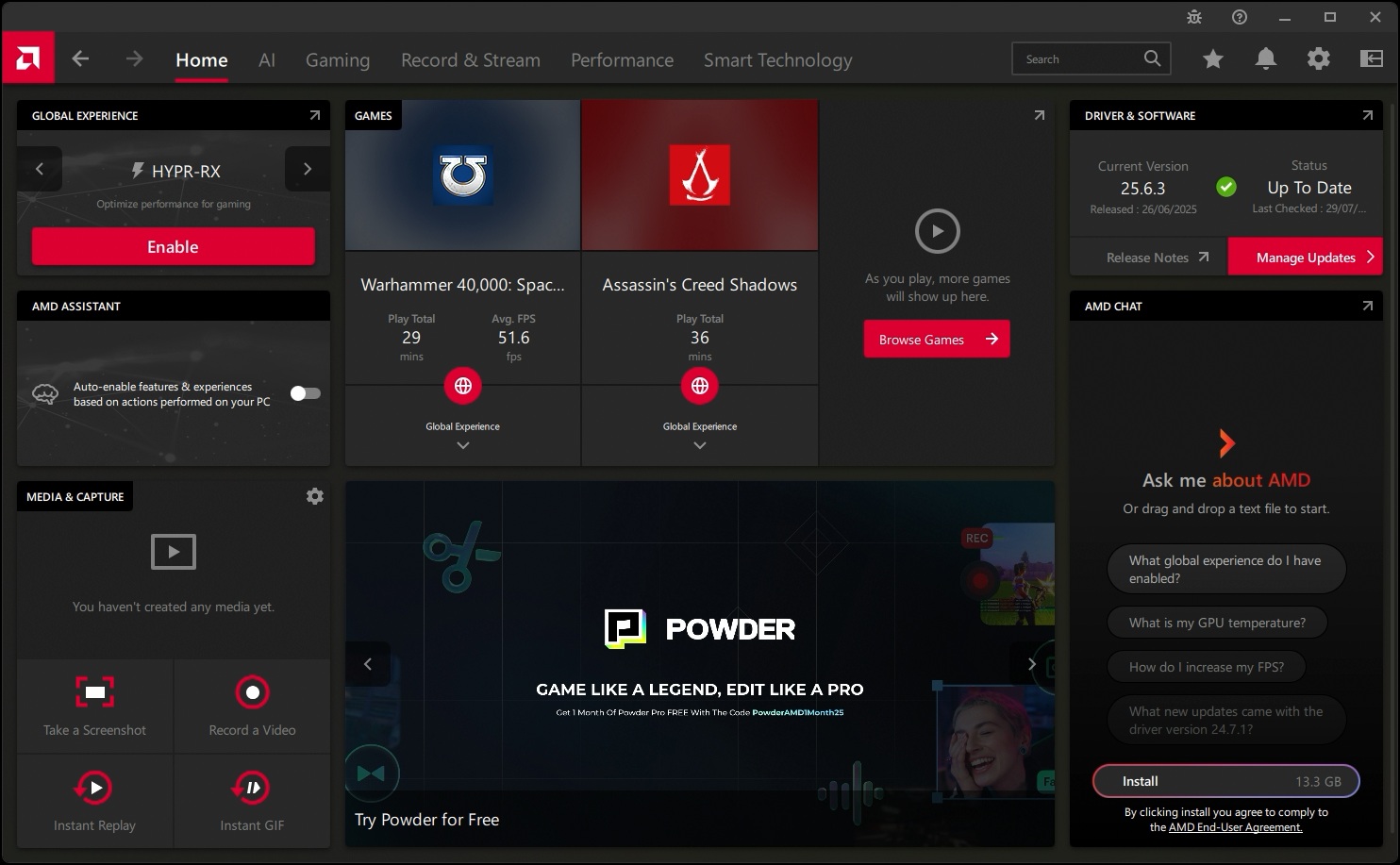
AMD Software
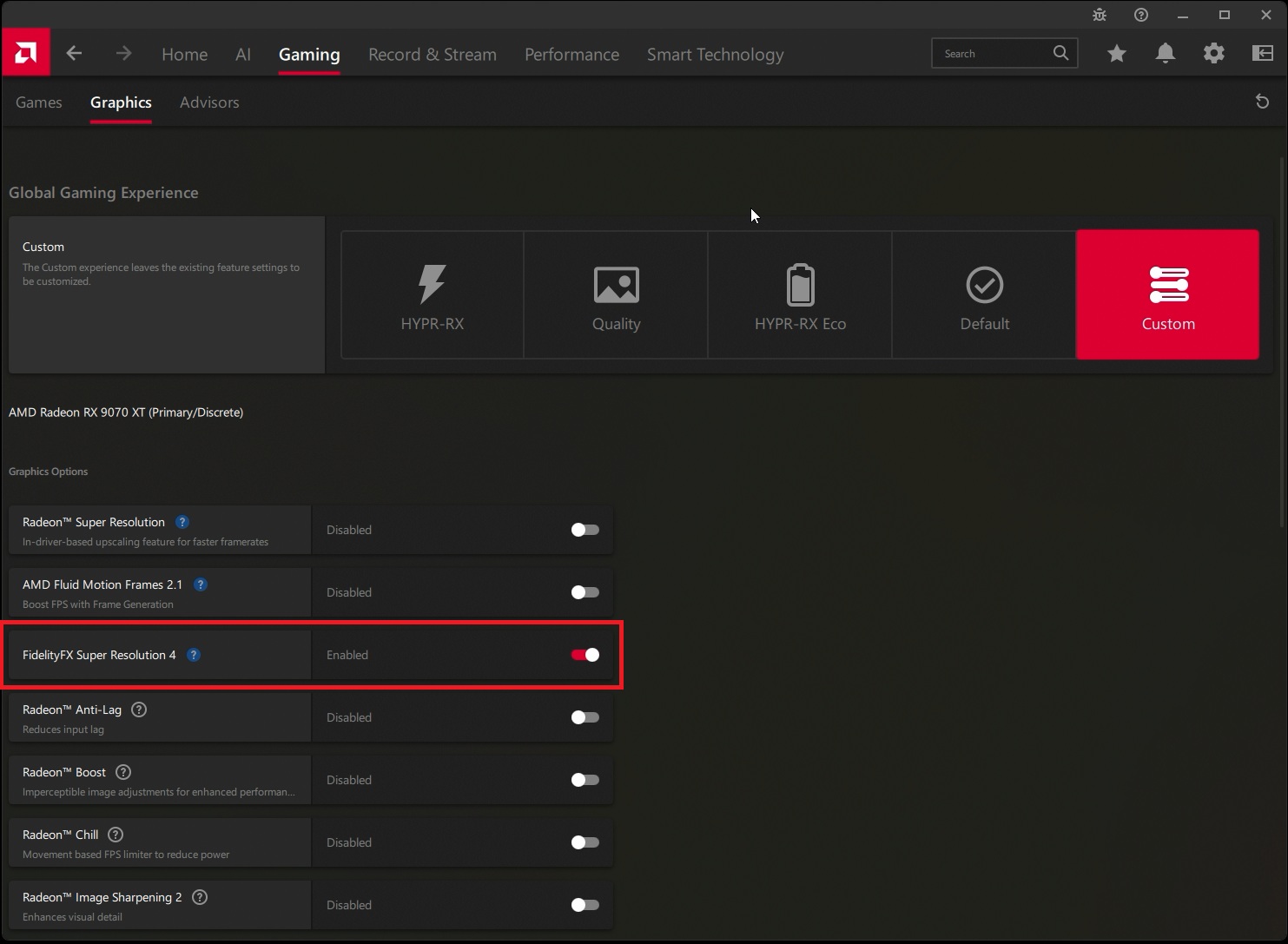
To enable AMD’s “FSR 4 Upgrade”, Radeon RX 9000 series GPU users need to navigate to the “Gaming” section of AMD Software and into its graphics sub-menu.
Note that AMD/Radeon GPU users should upgrade to the newest GPU drivers available. New AMD Software releases will add support for FSR 4 to more games. As such, newer drivers will bring FSR support to more games.
This is where you enable AMD FSR 4
Once within the Gaming Graphics menu, AMD users will be able to enable FidelityFX Super Resolution 4 support alongside other Radeon features.
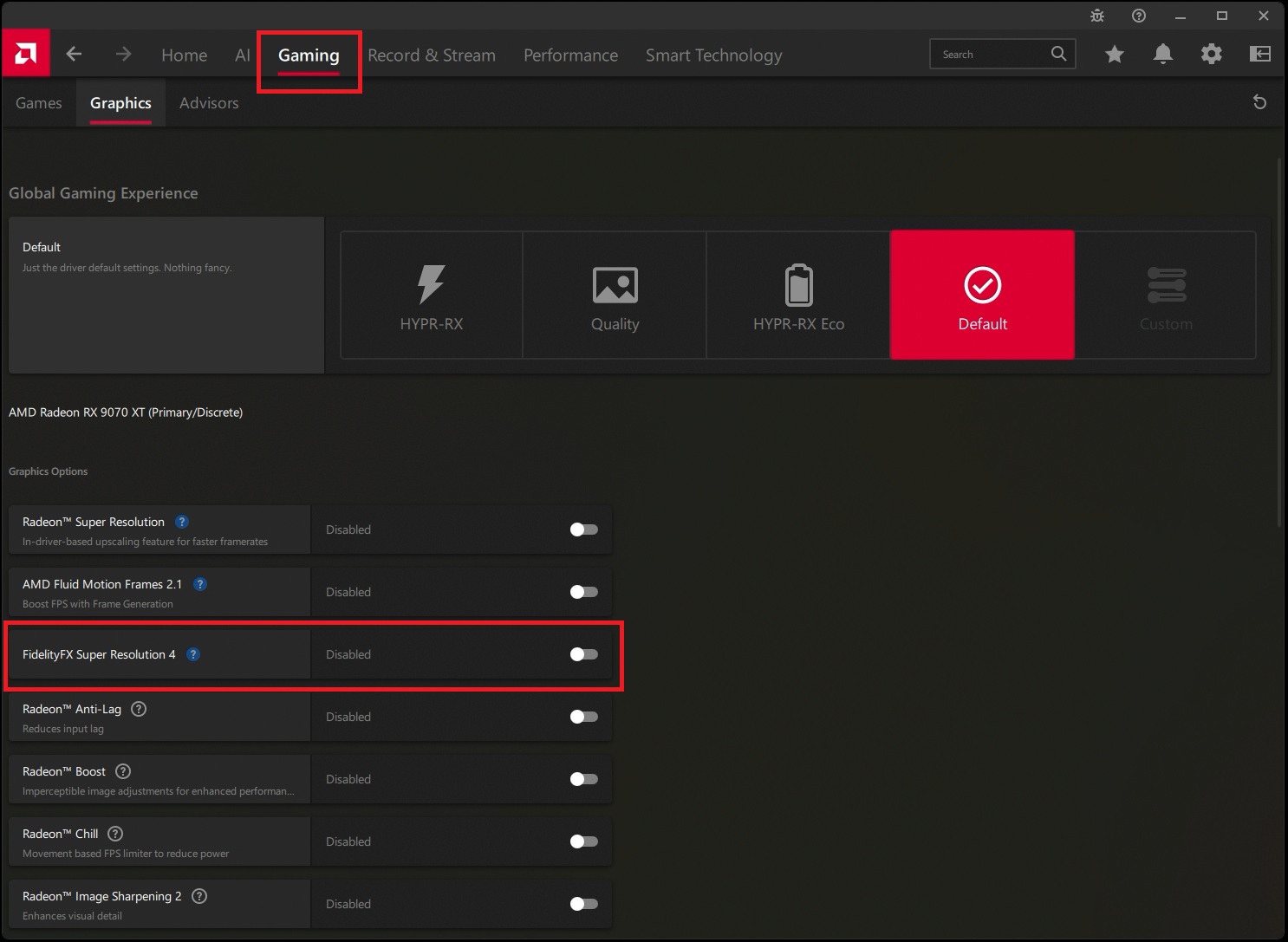
Once enabled, FSR 4 will work on supported FSR 3.1 games. This will give users of supported graphics cards access to higher-quality upscaling results.
How can I be sure that FSR 4 is enabled?
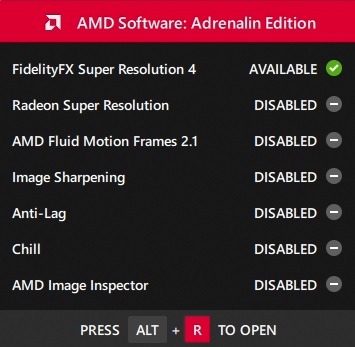
If you enable FSR 4 in your GPU drivers, you should see the following notification pop up when you start a game. It will tell you which AMD Software features are enabled. If it says Active, it is enabled. If it says available and has a tick (like below), you will need to make sure that FSR is enabled within your game’s graphical settings.
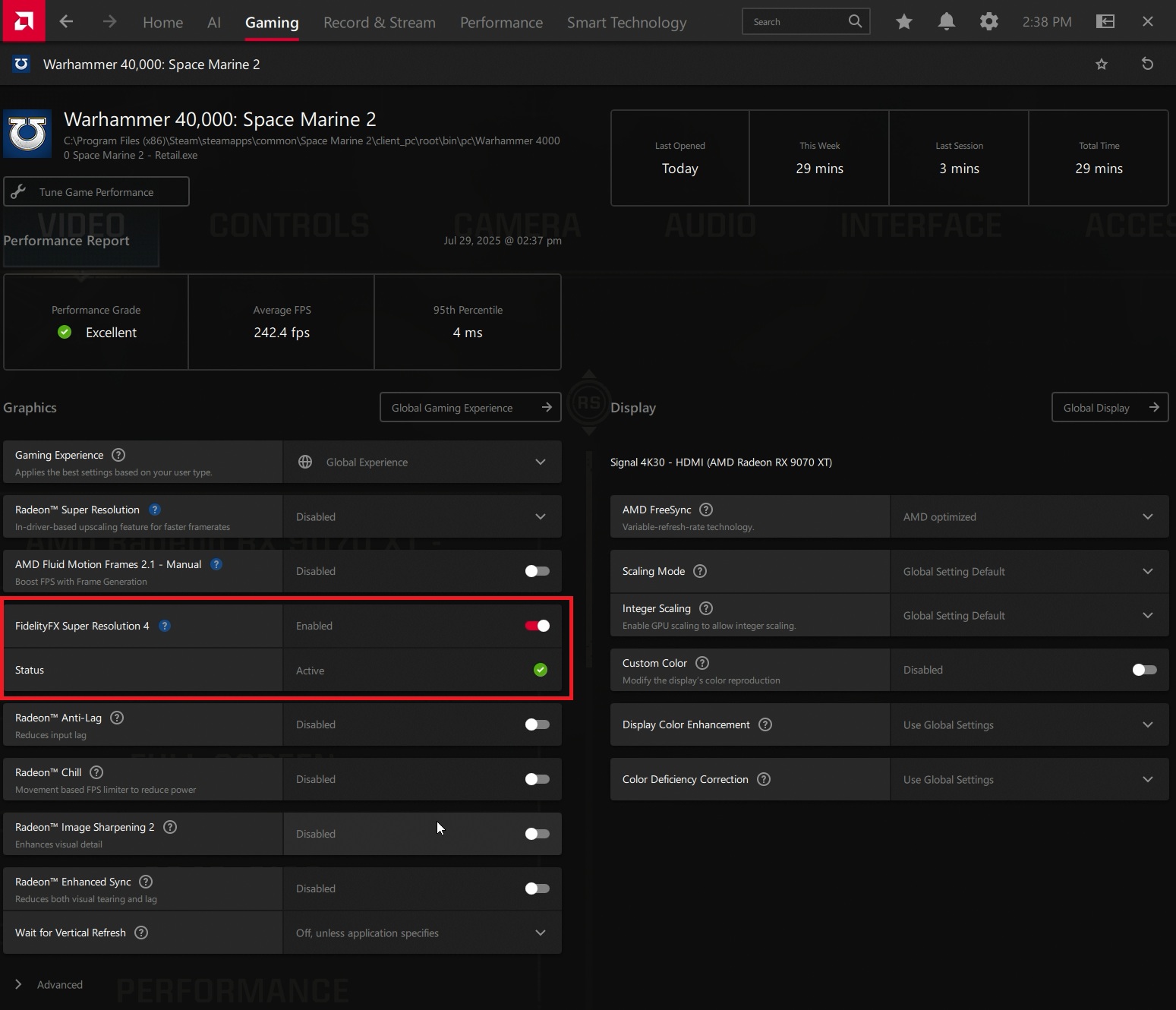
Note that you can also check if FSR 4 is enabled in-game using the AMD Software overlay. If you enter the overlay’s gaming menu, you should see if FSR 4 is enabled in the game you are playing.
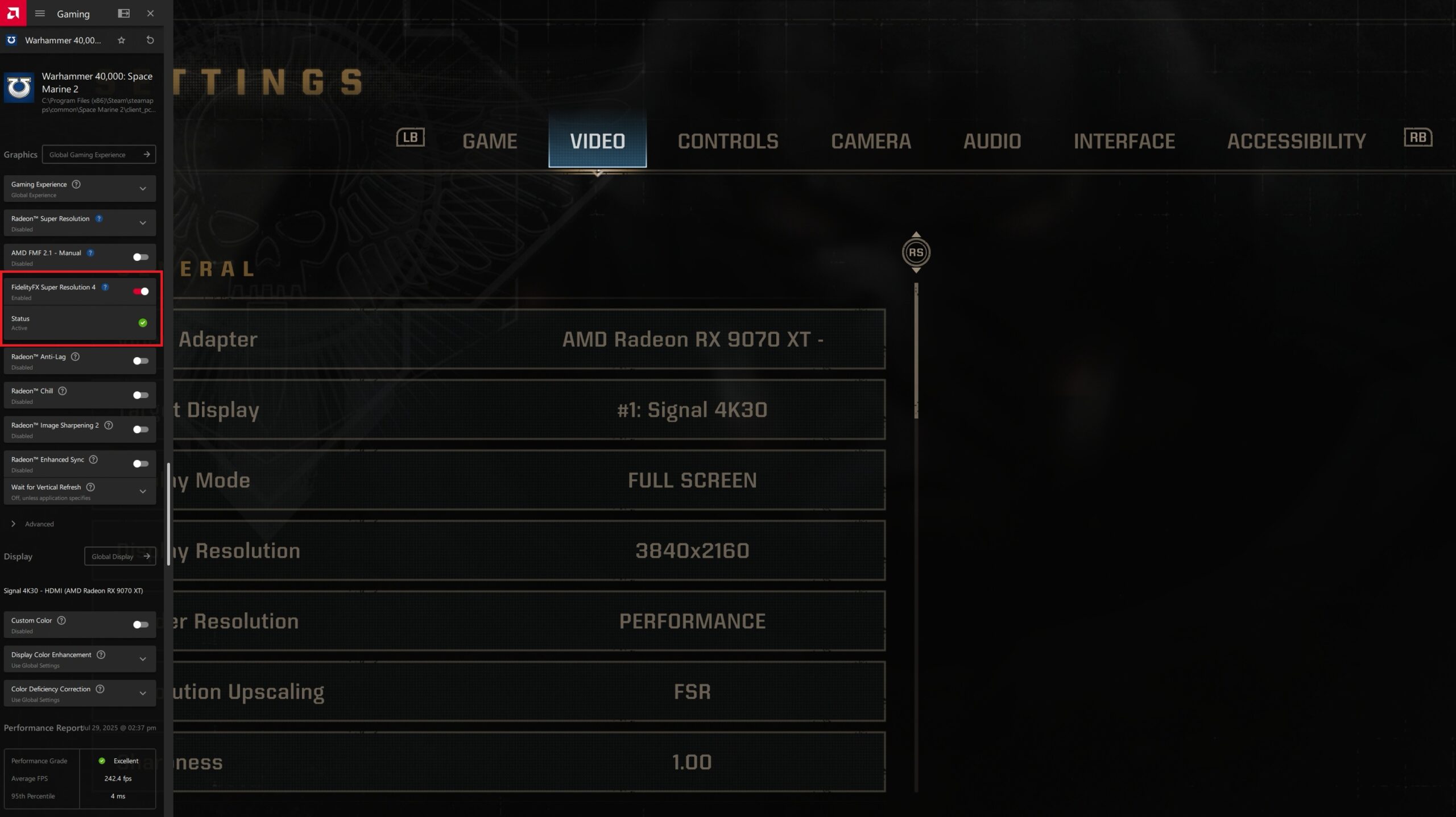
Below, you can see where FSR 4’s indicator is when the AMD Software overlay is minimised.
Go to the next page to see some FSR 4 visual and performance comparisons.

