How to enable AMD FSR 4 on Radeon RDNA 4 GPUs

FSR 3 VS FSR 4 – Image Quality Comparison
AMD FSR 3.1 VS FSR 4 – Image Quality Comparison
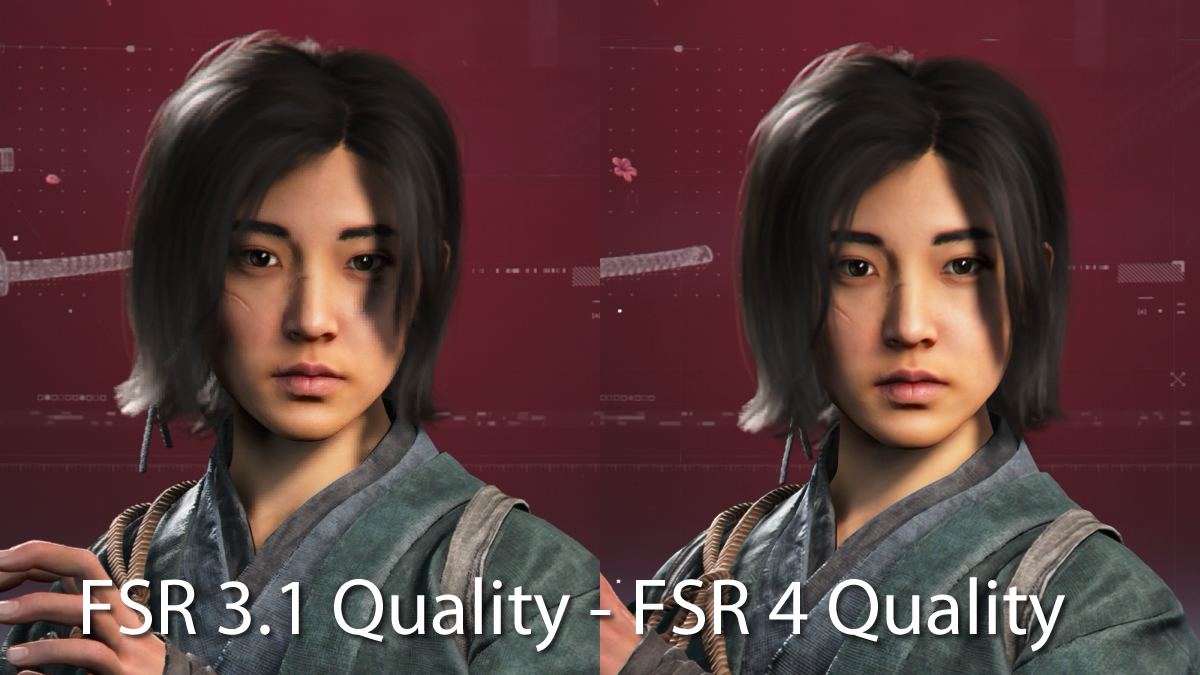
To say that FSR 4 looks better than FSR 3 is an understatement. The visual difference is noticeable in many games, even without side-by-side comparisons. If you place FSR 3.1 and FSR 4 side-by-side, many of the improvements delivered by FSR 4 become clear.
Below, we have Assassin’s Creed: Shadows. This image is unzoomed and is taken from 4K screenshots. With FSR 4, the edges of shadows are less pixelated. More detail can be seen in the player’s clothing. Furthermore, the game features less aliasing, though this cannot be spotted easily in screenshots. The screenshots below use FSR’s Quality modes. This highlights the noticeable differences between FSR 3 and FSR 4 in all quality modes. These differences become more noticeable if gamers move down to FSR’s Balanced or Performance modes.
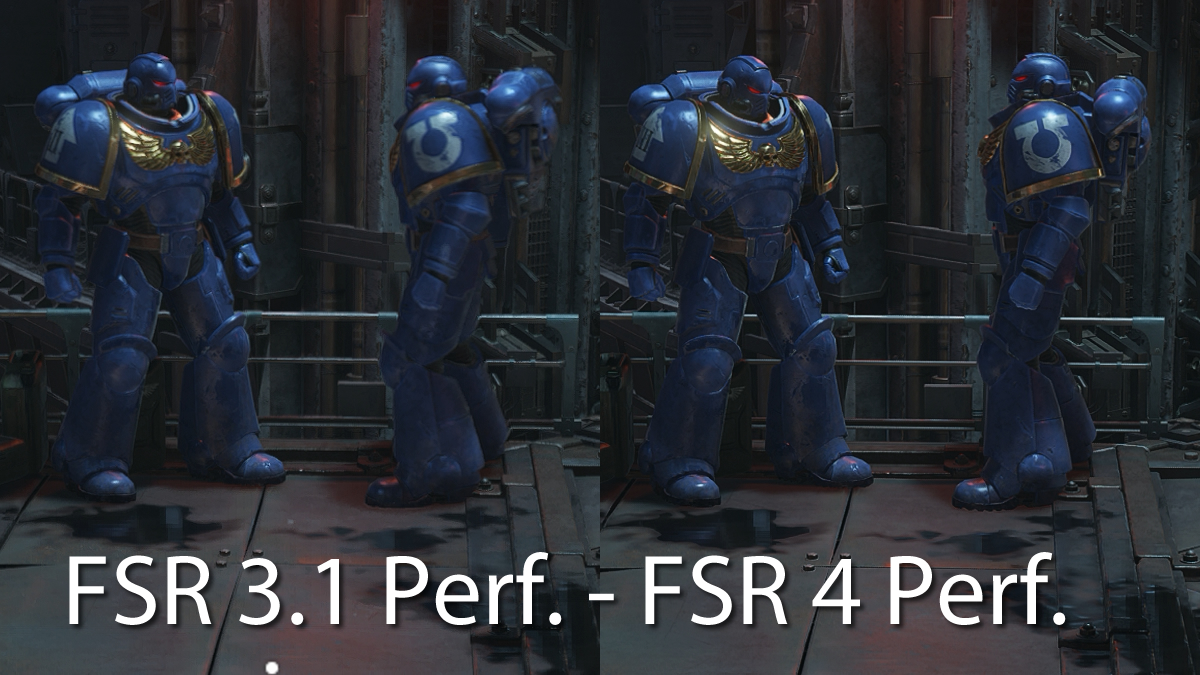
Moving on to Warhammer 40,000: Space Marine 2, the difference between FSR 3.1 and FSR 4 is more apparent. Again, these images are a small section of two 4K screenshots. Notice how blurry the Space Marines are with FSR 3.1 set to Performance mode. The clarity upgrade with FSR 4 is clear.
In Space Marine 2, FSR 4 minimises aliasing and increases visual clarity. By comparison, FSR 3 look like a blurry, aliased mess.