Sapphire RX 7900 GRE Pulse and Nitro+ Review

Test Setup and Clock Speeds
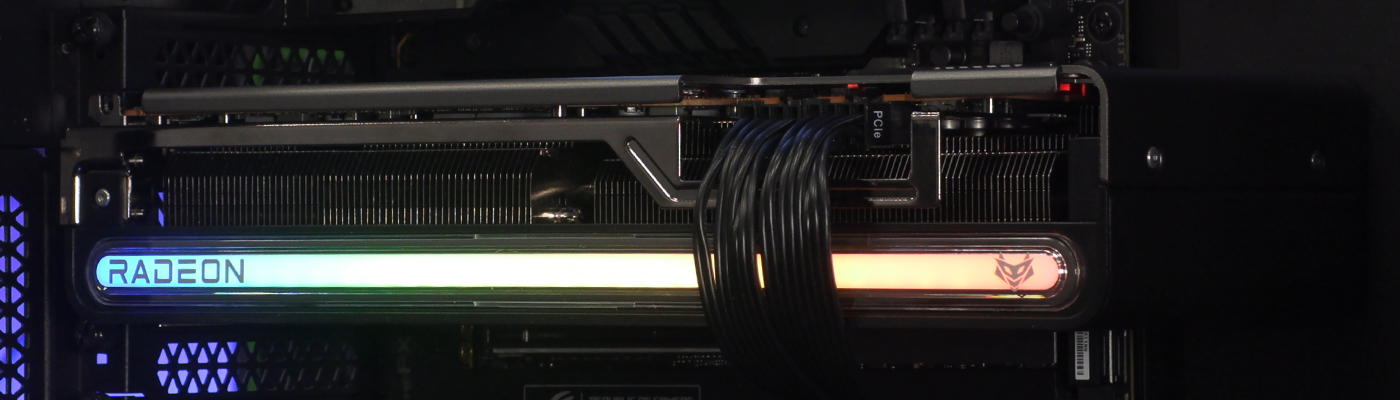
Sapphire RX 7900 GRE Review

Test Setup

GPU : Sapphire RX 7900 GRE Pulse
GPU : Sapphire RX 7900 GRE Nitro+
Processor : Intel Core i9-13900K
Motherboard : ASUS ROG Z790 Hero
Memory : Corsair Dominator Vengeance 6000 MHz
PSU : Corsair HX1500i PSU
Cooler : Corsair iCUE H150i RGB Pro XT AIO
Storage : Corsair MP600 Pro NH 2TB
Case : Corsair Obsidian 5000T
OS : Windows 11
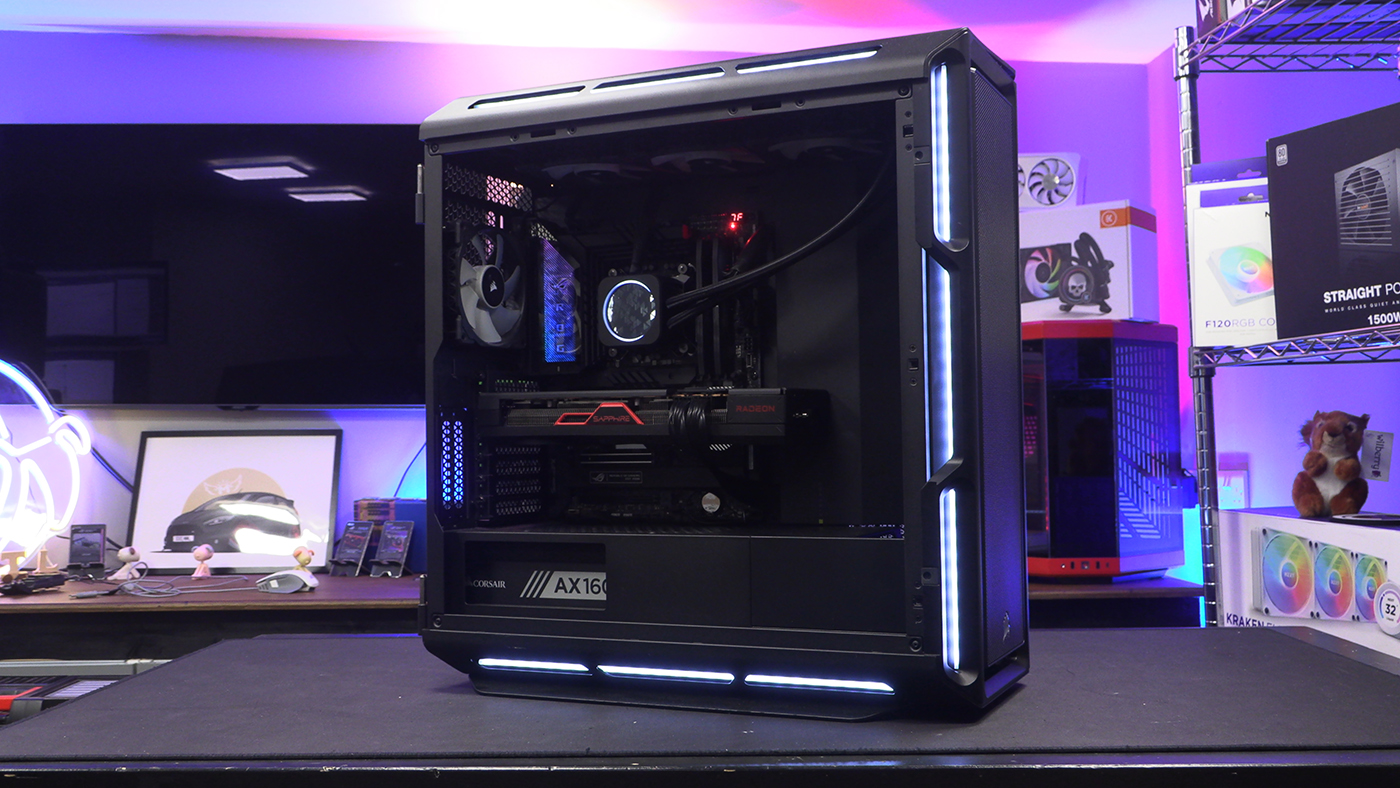
RX 7900 GRE Test Setup

Clock Speeds

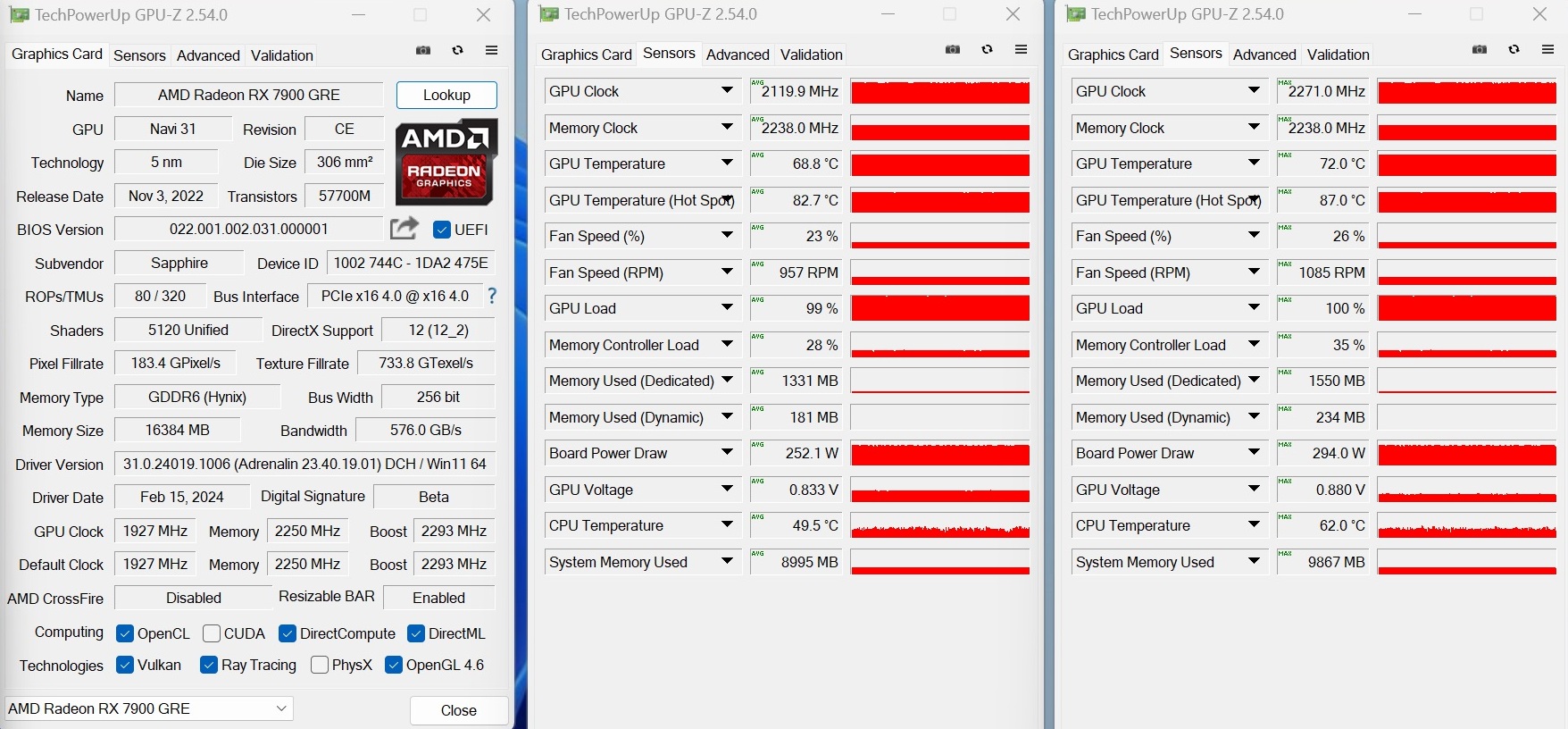
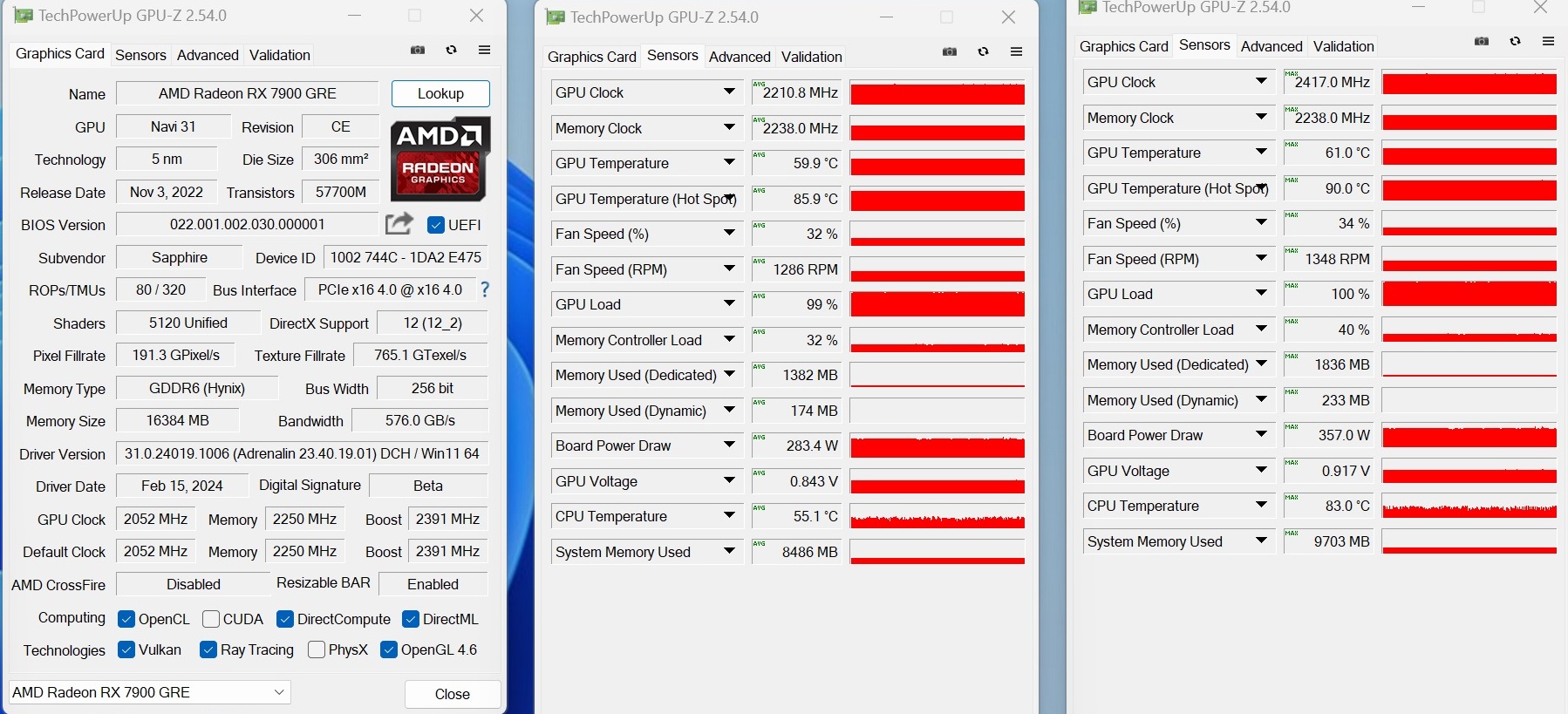
The Nitro+ version of the RX 7900 GRE comes with a serious factory overclock. As you can see below that also translated into long term higher clock speeds. On average the Pulse was 90 MHz lower than the Nitro+. The peak boost overclock was beefier on the Nitro+ too, another 140 MHz above the Pulse. That isn’t to say that the Pulse is slow, merely that the Nitro+ is worth it’s slightly higher price.
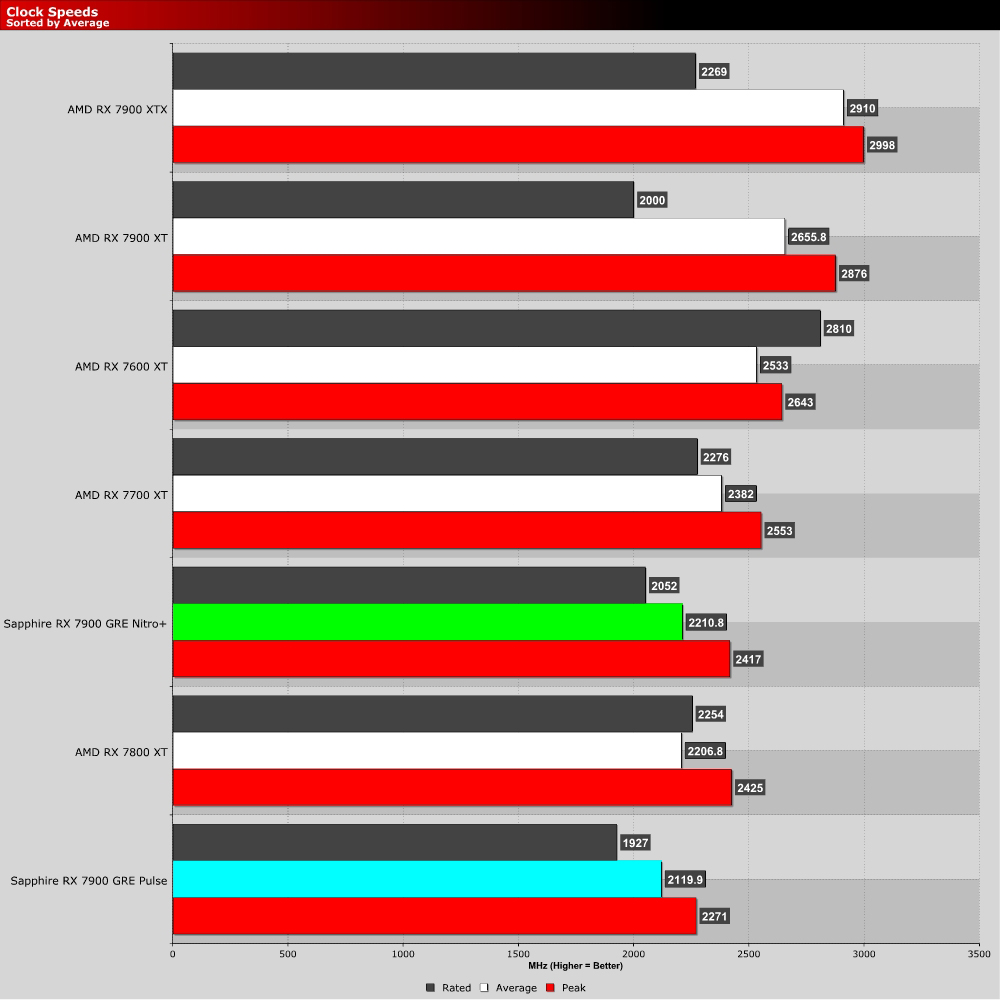
Clock Speeds

Sapphire RX 7900 GRE Pulse

Sapphire RX 7900 GRE Pulse Clock Speeds

Sapphire RX 7900 GRE Nitro+

Sapphire RX 7900 GRE Nitro+ Clock Speeds

Tom Logan - TTL - tinytomlogan

Tom Logan - TTL - tinytomlogan

The dude from the videos, really not that tiny, fully signed up member of the crazy cat man club.

Follow Tom Logan - TTL - tinytomlogan on Twitter
View more about me and my articles.

Uh-oh! It looks like you're using an ad blocker.

OC3D relies on ads to provide free content and sustain our operations. By white listing us on your ad blocker, you help support us and ensure we can continue offering valuable content without any cost to you. We only run our own hand picked ads from Industry brands like MSI, BeQuiet, Sapphire and PC-Specialist - meaning they are all relevent to the content you are reading.

We truly appreciate your understanding and support. Thank you for considering whitelisting OC3D