Antec Veris Multimedia Station Premier

 Conclusion
 When I first setup the Veris Multimedia Station I wasn’t terribly impressed, and was preparing myself for a fairly bad review. The initial configuration window you are greeted with, to setup the front panel screen, has a bewildering amount of options, and takes a bit of getting used to. The media software, however, took moments to find all my media and was a joy to use and incredibly easy to navigate – even with a remote.
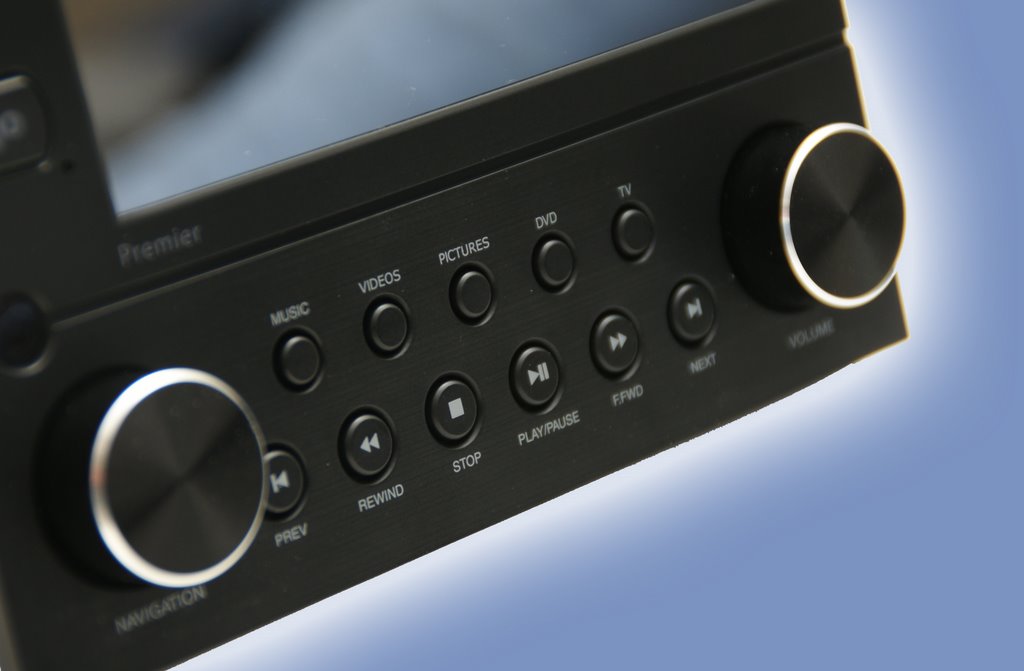
The front panel device itself is also very nice, with the build quality being very high. Although it would have been nice to see the whole front panel made from aluminium, the plastic used is incredibly sturdy and doesn’t flex or creak. The aluminium knobs are a wise choice by Antec, and it makes using them a real delight. The LCD itself is also very good, and is incredibly clear and easy to read from all but the most extreme angles.
If you are looking to build a media PC, but don’t wish to buy a new case, then I would strongly recommend you take a look at the Veris Multimedia Station Premier. Priced at £70.49 it’s much cheaper than buying a whole new HTPC case, but gives you the full remote functionality that such cases offer, as well as giving you a funky LCD with quick control buttons. I was hoping the LCD would be worth a look for enthusiasts, with the possibility of wider compatibility with applications such as Everest, but unfortunately that isn’t there yet. However, that isn’t the target market, and for a HTPC it doesn’t get much better than this.
The Good
+ Control your PC remotely
+ Power on/off functionality
+ Displays the time even when the pc is off
+ Highly customisable software package
+ Solid build quality
+ Media software is incredibly easy to use
The Mediocre
* Not an all aluminium front panel
* LCD setup software has a scary amount of options, meaning it takes quite a while to grasp them all
The Bad
– Not compatible with outside applications such as Everest.