Assassin’s Creed: Origins PC Performance Review

Graphical Options and Settings
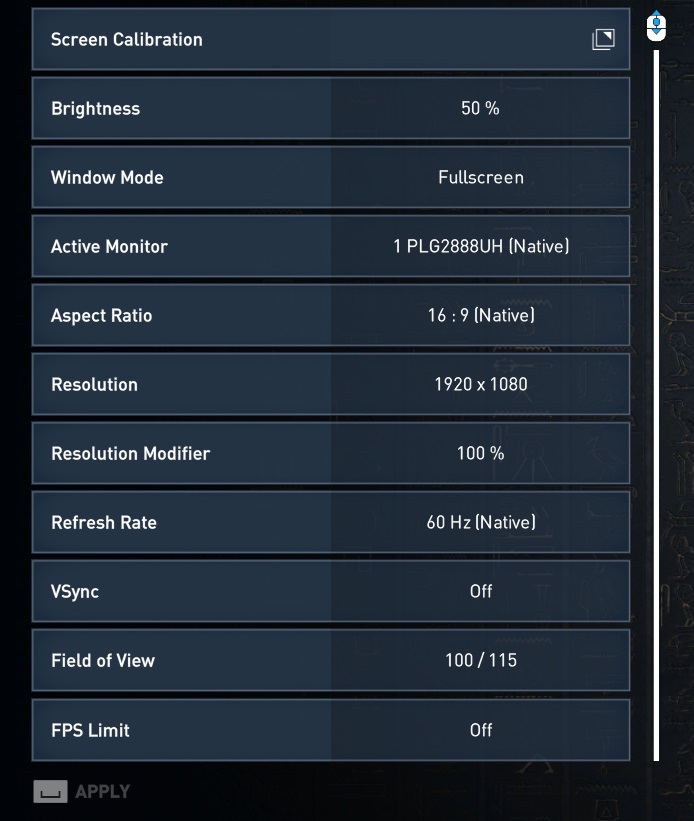
Assassin’s Creed Origins contains a large graphical options menu, offering players to easily define the refresh rate, resolution and aspect ratio of the monitor that players are using. The game supports high refresh rate and ultra-wide displays from the getgo, which is great news for fans of 144Hz refresh rates and 21:9 aspect ratios.
The game also offers a FOV (Field of View) slider, which allows users to change the game’s FOV to values between 85 and 115, giving players plenty of wiggle room to find their ideal FOV.
The game also has an option to artificially limit the game’s framerate, which is a useful option for those who want to play the game with a fixed framerate. This option is especially useful for those who do not have the required hardware to play the game at a steady 60FPS and prefer a steady 30 to a highly variable framerate, especially on a fixed refresh rate display.
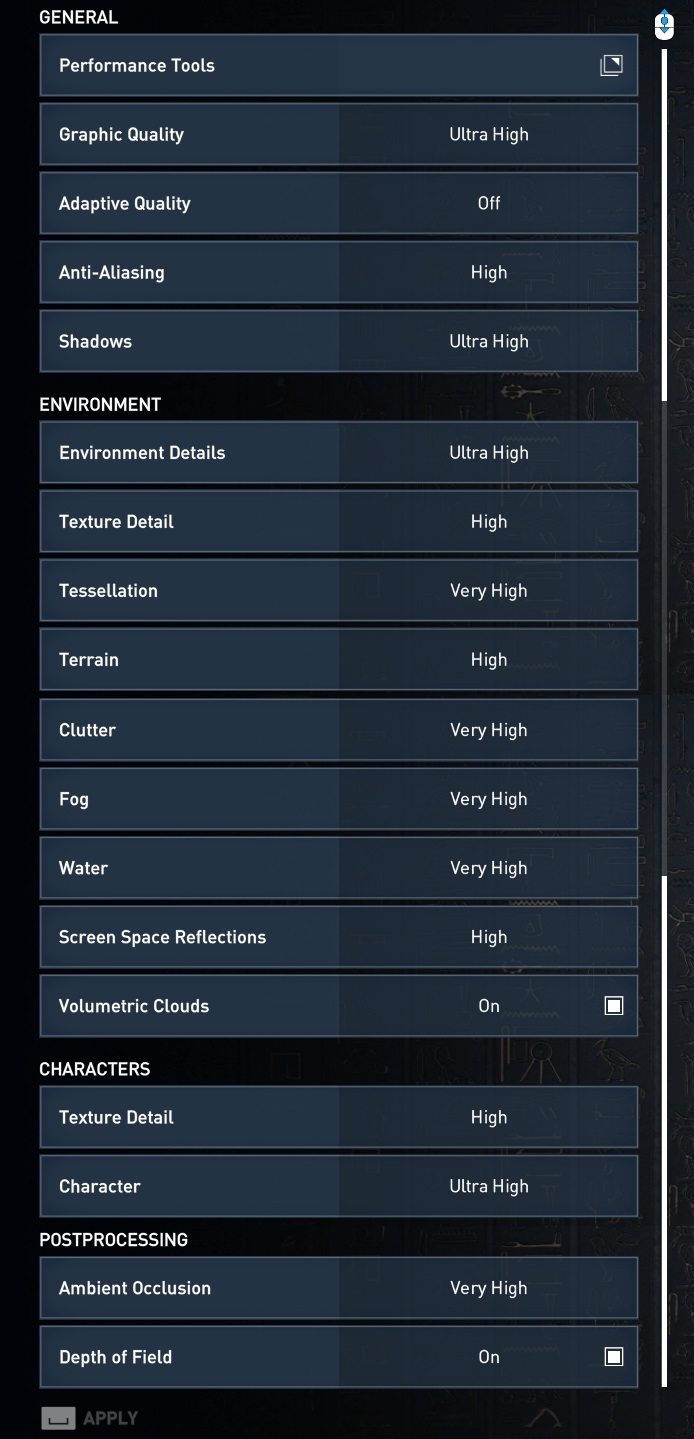
Below is a table that includes every graphical option that the game has to offer, as well as what these graphical options are set at when using the game’s Lowest, Low, Medium, High, Very High and Ultra High presets.
In Origin’s graphical options menu Ubisoft has also added a series of in-game images for each setting that showcases exactly what kind of graphical changes PC gamers can expect when adjusting particular settings, which can be very useful when judging whether or not a certain setting is worth its associated performance impact.
Assassin’s Creed: Origins also contains an in-game benchmarking tool, though be warned that the performance measured by this tool is often misleading (especially in terms of minimum framerate) and the in-benchmark framerate measurement tool does not provide an accurate measurement. External measurement tools are required to get accurate data from this benchmark.
| Lowest | Low | Medium | High | Very High | Ultra High | |
| Anti-Aliasing | Low | Low | Medium | High | High | High |
| Shadows | Very Low | Low | Medium | High | Very high | Ultra High |
| Environmental Details | Very Low | Low | Medium | High | Very High | Ultra High |
| Texture Detail (Environment) | Very Low | Low | Medium | High | High | High |
| Tessellation | Off | Off | Medium | High | Very High | Ultra high |
| Terrain | Medium | Medium | High | High | High | High |
| Clutter | Low | Low | Medium | High | Very High | Very High |
| Fog | Medium | Medium | Medium | High | Very High | Very high |
| Water |
Low |
Low | Medium | High | Very High | Very High |
| Screen Space Reflections | Off | Off | Medium | High | High | High |
| Volumetric Clouds | Off | Off | On | On | On | On |
| Texture Detail (Characters) | Very Low | Low | Medium | High | High | High |
| Character Detail | Very Low | Low | Medium | High | Very High | Very High |
| Ambient Occlusion | Off | Off | High | High | Very High | Very High |
| Depth of Field | Off | Off | On | On | On | On |