


Cortana removal guide

Wait… Cortana is still there?
Upon rebooting your systems a lot of you will be happy to see that Cortana is gone and then go about your business, though some of you will no doubt be checking your task manager to see if Cortana is indeed still active.
Whether or not Cortana is enabled the “Cortana” process will still be marked as active, though if you right clock the process and select “Go to Details” you will find that this process is, in fact, a program called “SearchUI.exe”.
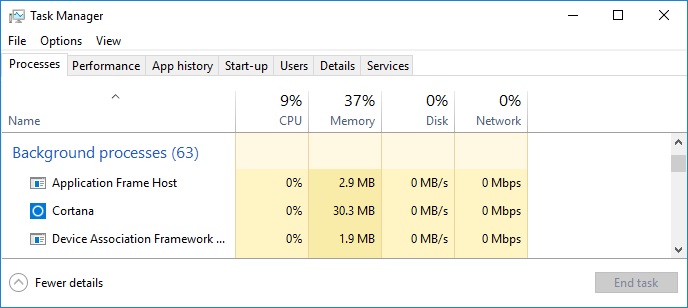
SearchUI.exe is the Windows 10 default feature, which is located in the same section of Windows 10 as Microsoft’s Cortana personal assistant. This makes SearchUI.exe appear as Cortana, despite the fact that it is a different tool with a much smaller hardware footprint. SearchUI.exe barely consumes any system resources, so it is not really worth disabling.
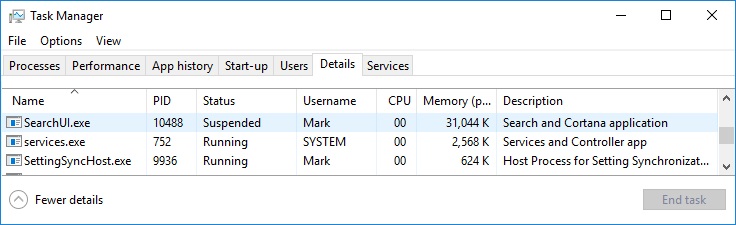
The Windows 10 search function will not be using more than 40MB under most circumstances and will not be using any CPU resources unless you are using the search bar.
Long story short, Cortana is not running, but SearchUI.exe is running under the Cortana name/banner, making it appear like it Cortana is still running.
You can join the discussion on Cortana and anything Windows 10 on the OC3D Forums.
