Ghost of Tsushima PC Performance Review and Optimisation Guide

Optimisation Tips and Settings
Optimisation Tips
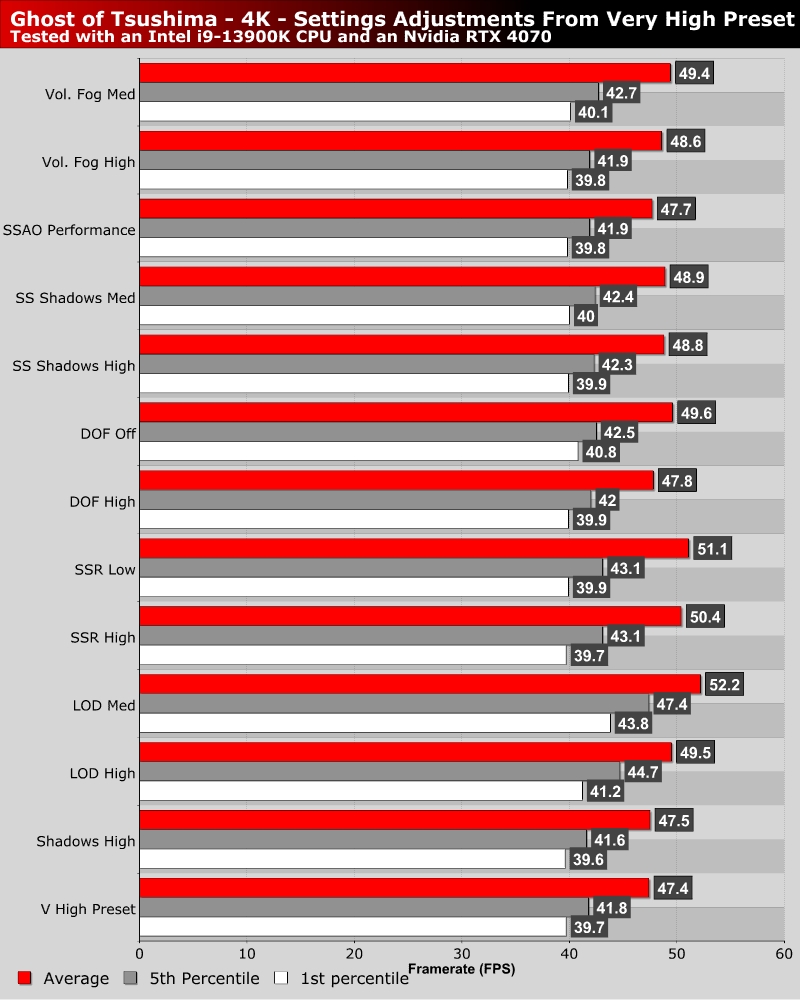
Once again we have tested most of a game’s settings on a custom test scene so you don’t have to. Like a lot of recent Nixxes PC releases, there isn’t a single setting that delivers an insane performance boost when lowered. There isn’t a magic “lower this setting for a 20+% boost” option here.
Overall, Ghost of Tsushima is a well optimised PC release. That said, we will note that the game doesn’t run particularly well on GPUs with less than 8GB of VRAM. As you can see, lowering some settings can deliver a notable boost in framerate, but a lot of settings need to be lowered to deliver a dramatic framerate increase.
OC3D’s Optimised Settings and Tips
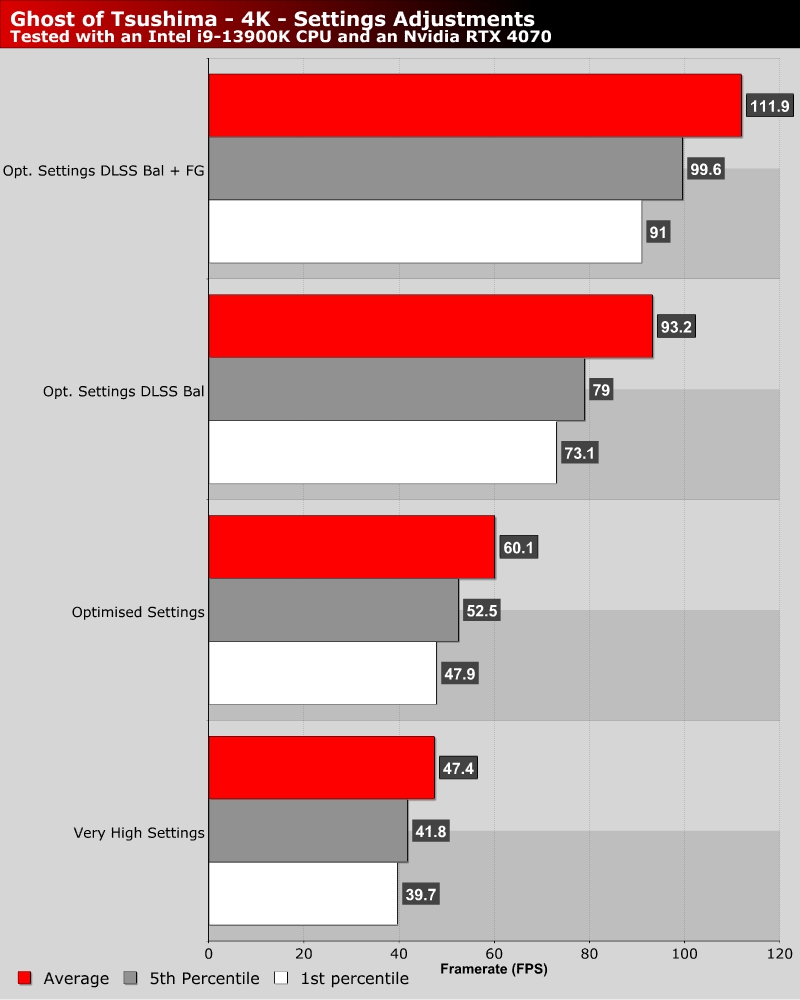
For our optimised settings we have set Volumetric Fog to Medium, Screen Space Reflections to Low, Screen Space Shadows to High, Level of Detail to High, and have turned off Depth of Field. If we are honest, we only turned off Depth of Field because it can react strangely with DLSS, creating strange shimmering effects and aliasing in blurred details.
With our “optimised” settings, we achieve a 26.7% boost in our average framerate. If we add on DLSS and Frame Generation, we can boost our average framerate to over 100 FPS at 4K on an RTX 4070. Even with these settings, Ghost of Tsushima looks great on PC.