


Hellblade: Senua’s Sacrifice PC Performance Review

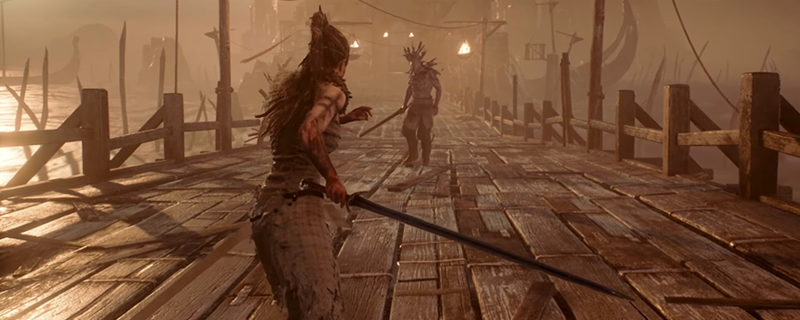
4K Screenshot Graphical Comparison
Looking at low-quality settings we can see that Hellblade’s texture work can simply look awful, with the game seeing a sizable upgrade in texture resolution when moving to medium. For the sake of your eyes, we recommend that nobody plays Hellblade with Low texture, especially given the low VRAM requirements of the medium preset.
Moving from Medium to high we can see a huge increase in distant details, especially around the distant fire which becomes much more detailed when viewed from a distance. Here we can also see a depth of field and chromatic aberration effects come into play, which will likely annoy some users given their lack of graphical options within the game. Both of these effects can be disabled with .ini file changes.
At very high the two main graphical changes are with ambient occlusion and foliage density, which are both notably changed when moving from high to very high. These changes can be hard to notice outside of a side-by-side comparison, so we would recommend that players play at lower graphical settings if they want a higher/steadier framerate.


