Ducky Cushion 98 Keyboard Review

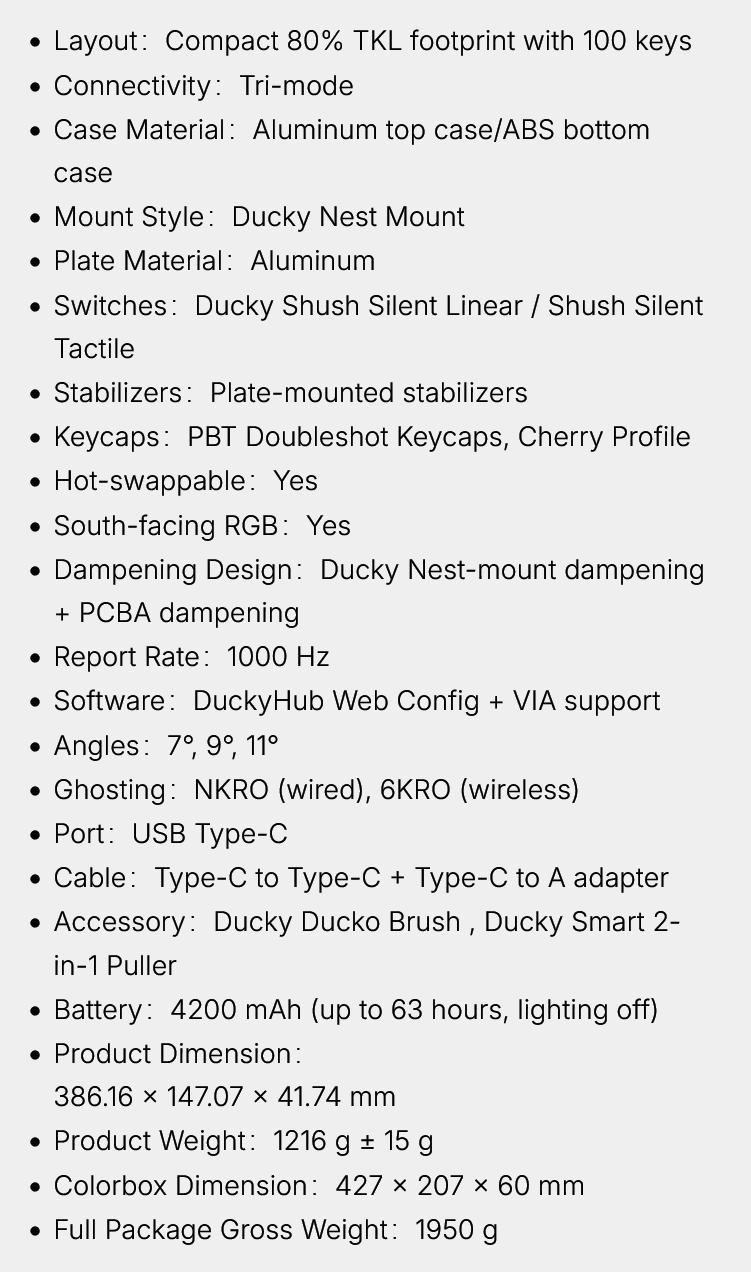
Introduction and Technical Specifications
Introduction
Ducky have been around for years. Until recent years you could be forgiven if you hadn’t heard of them. They were very much a company that makes keyboards for the connoisseur. When they released their One 3 they exploded into the public consciousness. Not only do they produce a keyboard for every situation, but if, like us, you’re chiefly interested in having a theme to your setup, they have one that fits a huge number of colour preferences.
We last saw them around 18 months ago when they launched their One X. A keyboard with inductive switches that was nearly infinitely adjustable with customisable actuation points. Their fame, though, primarily comes from how quiet they are. Built with multiple layers they’ve proven to be one of the quietest keyboards around. In fact we considered them the best in class. That was until Be Quiet appeared with their silent switches and stole the crown.
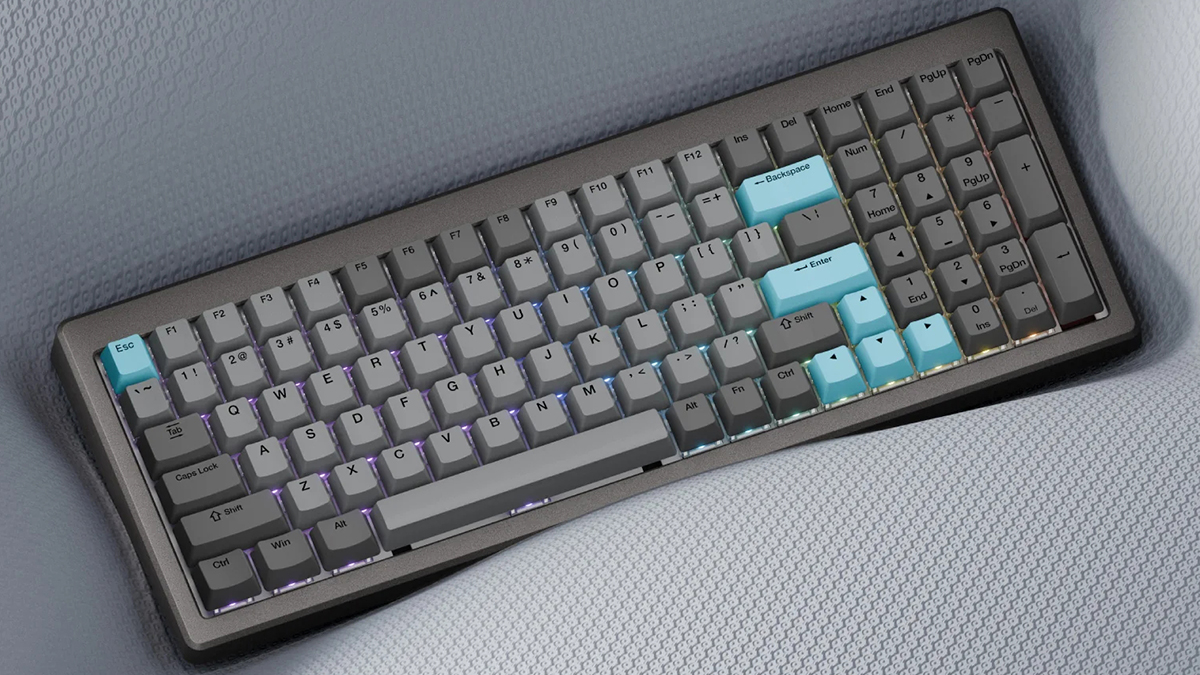
Now Ducky are back, and with the Cushion 98 they’ve gone all in on making your typing experience as luxurious as possible. With their own custom “Shush” switches, and dampening options, as well as hot-swappable switches and standard Keycap stalks, you can certainly make it your own. With the addition of an 80% footprint, but still using 100 RGB Backlit keys, and wireless connectivity, it’s perfect if space or flexibility are at a premium. Toolless opening makes swapping things a breeze, whilst browser-based software let’s you have it exactly as you wish, wherever you are.
The Cushion 98 sports a compact form factor, plenty of keys and a build that is designed for silence. Will it reclaim the quiet crown?
Technical Specifications