ASUS ROG Pelta Wireless Headset Review

Conclusion

Conclusion
Headset wires are the bane of our life. Nearly all PC cases have the window on the left-hand side. That’s fine. It does, however, mean we all place them on our right. So far, so ordinary. Why then, given that 99% of Planet Earth has their PC on their right are all wired headsets putting the wire on the left so it goes across your chest? It’s madness and drives us crazy. Hence we always look fondly upon a wireless headset option and the ASUS ROG Pelta is no exception.
That “left” thinking is maintained with the majority of the on-headset controls on the left-hand earcup. We think this is more as you’ve got your right hand on the mouse. With apologies to southpaws. The Pelta has an excellent control setup. There is a slider to move from BT to Dongle, volume, and the all-important play/pause/skip button. As you would expect from ASUS these all feel robust. On the subject of robust, the battery life is a magnificent 60+ hours with the RGB turned off – something you can do with the on-ear buttons – and our testing demonstrated this to be more than true.
An Old Friend?
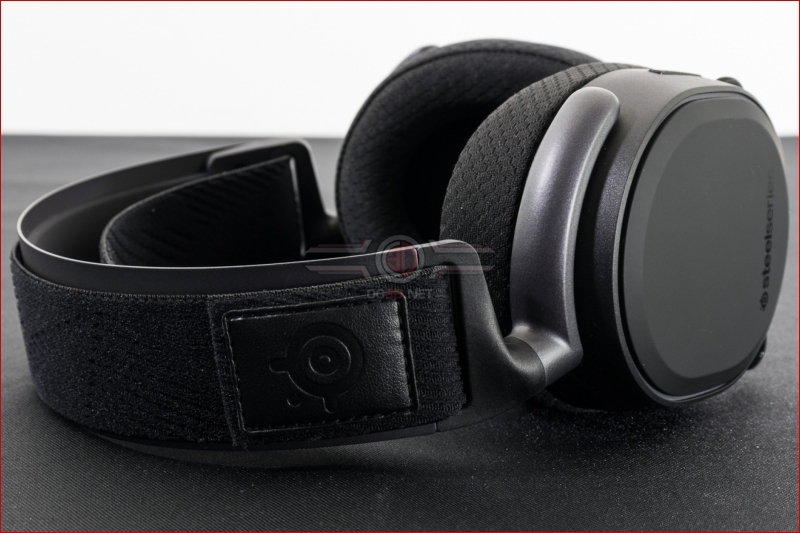
It’s nearly impossible to look at this design and not be reminded of the Steelseries Arctis. Odd. Especially as the other main ASUS ROG wireless headset design, the Delta, is a clone of the Corsair Void. We’re not saying one has copied the other, but the moment you spot two totally different companies having the same design, you begin to question the underlying hardware. Is this a Steelseries chassis with ASUS innards, or a generic headset sold to two companies with different logos? At £125 we hope it’s just coincidence.
The microphone is, as you can see from the image above, detachable and flexible. It remains exactly where you place it too. When you combine that quality with the foam cover and the software tweaks it’s incredibly easy to end up with a clear voice. It’s not a patch on the Logitech Blue Voice setup, but incredibly usable. Speaking of incredibly usable, the connection options are perfect. Not only is changing between Bluetooth and 2.4 Wireless easy and fast, but the quality is great on both options. Clear, hiss-free, long distance audio.
Final Thoughts
Negatives are very few. Any time you have plastic hinges attached at a single point you’re asking for trouble. You need to take good care in the long term. Because of its design echoes in previous headsets we’ve seen it’s something we know you’ll need to keep an eye on. However, with due care and attention, all will be well.
The ASUS ROG Pelta has a fantastic by default, which is good as obviously on console or phone you’re unable to adjust it. Should you prefer to make minor tweaks it’s worth noting that the software has a decent sized footprint but is, by ASUS’ standards, responsive and well laid out. Blend that with a light, comfortable, deeply padded headset and multiple connection options mean the ASUS ROG Pelta easily wins OC3D Gamers Choice Award.

Discuss the ASUS ROG Pelta in our OC3D Forums.