


ASUS ROG Z11 ITX Gaming Case Review

Up Close – Features and hardware support
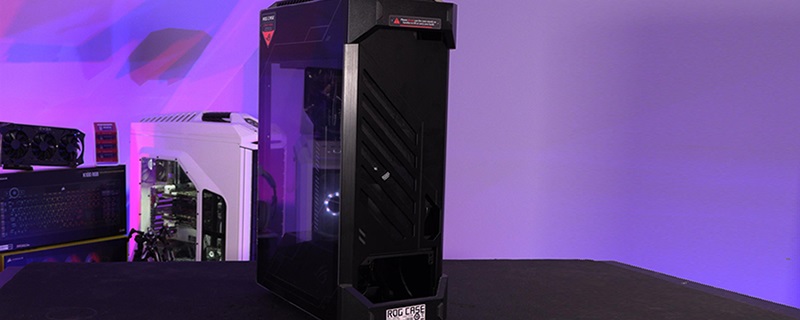
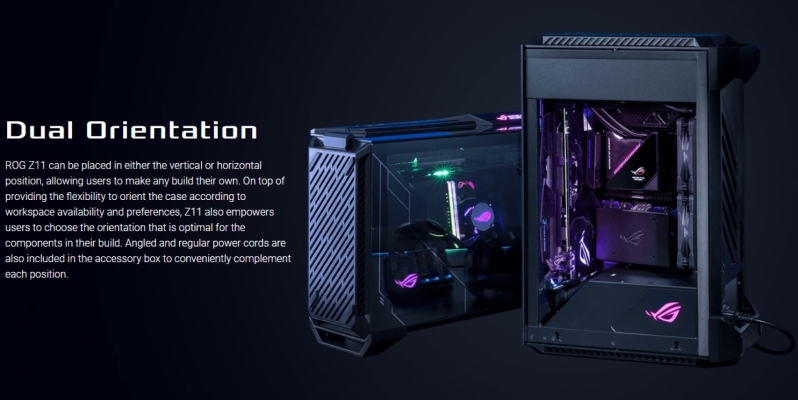
ROG’s Z11 chassis supports two orientations, either standing tall in a vertical position or horizontally as a shorter chassis. This allows the Z11 to suit a large number of workspaces while keeping all major components on display.
The Z11’s RGB illuminated ROG logo on the case’s PSU shroud comes with two plates to allow the logo to be correctly oriented in both configurations. This allows Z11 users to orient their chassis how they wish without aesthetic sacrifices.
When handling the Z11, we were wowed by how much of the enclosure was built using machined Aluminium. While this case does feature plastic components, no part of this chassis feels cheap or tacky. ASUS has manufactured their Z11 with top-notch build quality and with a premium, weighty feel, as should be expected from a £200 enclosure.
Standing tall, the ROG Z11 is 531mm in height. In its horizontal configuration, the case is 386mm tall.
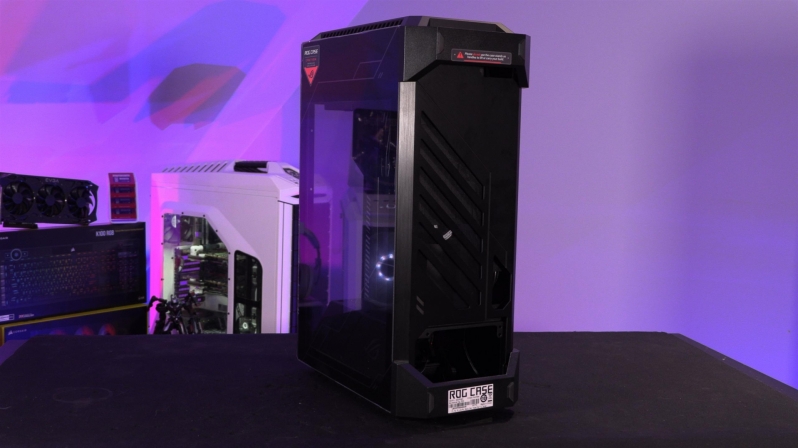
Looking into the Z11, gamers will see the mounting location for a Mini-ITX or a Mini-DTX motherboard and a mounting spot for a single 2.5mm SSD.
When it comes to CPU coolers, ASUS claims that their Z11 supports heatsinks which are up to 130mm in height. GPU-wise, the case will support GPU lengths of up to 320mm.

The rear of the Z11 is where all of the system’s cable management happens, offering enough space for all the cables that you’ll need if you are prepared to rout them tidily.
If you do not take care when managing your cables within the ROG Z11, you can cause the case’s Machined Aluminium sade panel to flex. That is not a good look for such a premium case, but poop cable management is a hallmark of practically all ITX enclosures.
The Z11 supports both ATX and SFX power supplies, and depending on your PSU, the cables of an ATX unit will be too long in many instances while some cables on SFX units may be too short and may require cable extensions. ASUS provides an ATX to SFX PSU mount adapter with this case to accommodate both PSU types.

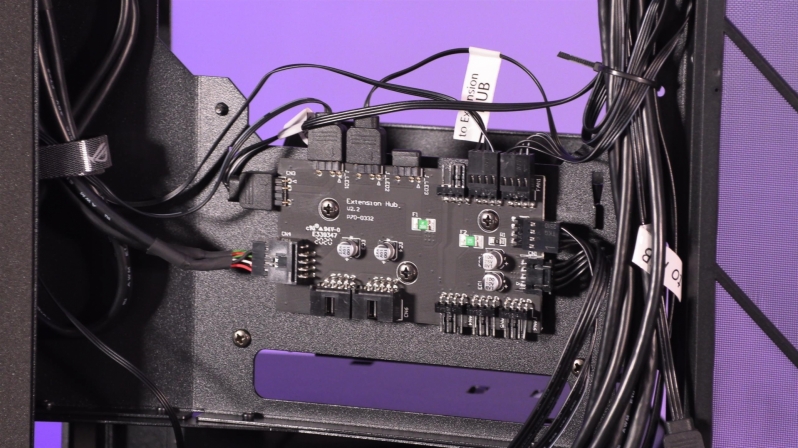
The ROG Z11 features an integrated controller board, which features support for up to six PWM fans, three ARGB LED products and two USB 2.0 connections. This unit can be used to control your system’s lighting, cooling and accessories while hiding the cables from all of these products behind the system.
In the Z11, we were able to fit ASUS’ ROG Ryou All-in-One Liquid cooler with little effort, allowing us to keep our system;’s CPU cool with relative ease. Our RTX 3080 Strix was incredibly tricky to install, even though ASUS lists 3-slot GPU support on their product page.
We will discuss on the next page why we do not recommend installing GPUs over 2.7-slots thick within this enclosure.

One of the main showpieces of ASUS’ Z11 enclosure is how the unit displays graphics cards, offering a windowed view of the graphics card within your gaming system.
This window looks especially good with graphics cards with RGB illumination and triple fan cooling setups. This also underlines a point from our RTX 3080 Strix OC review, where we pointed out that the GPUs lack of front-facing RGB lighting gave the GPU a non-premium aesthetic when the GPU is showcased like this.

With the ROG Z11, the enclosure blocks easy access to the rear I/O of the motherboards within. This makes external connectivity extremely important for the ROG Z11.
The Z11 features dual USB 3.1 Gen 1 Type-A connectors as part os its external I/O, a single USB 3.2 Gen 2 Type-C and dual USB 2.0 connectors. The case also features a dedicated headset/mic connector.

Once again, we think it is worth pointing out how much of this chase is made using machined aluminium, including the case’s rear side panel. This panel has several cut-outs, and ROG style channels cut into it, as well as a sexy machined look son its blackened surface. Even the ROG letting is recessed.

