HAVN BF 360 Flow PC Case Review

Up Close with the HAVN BF 360
A closer look at the HAVN BF 360 Flow
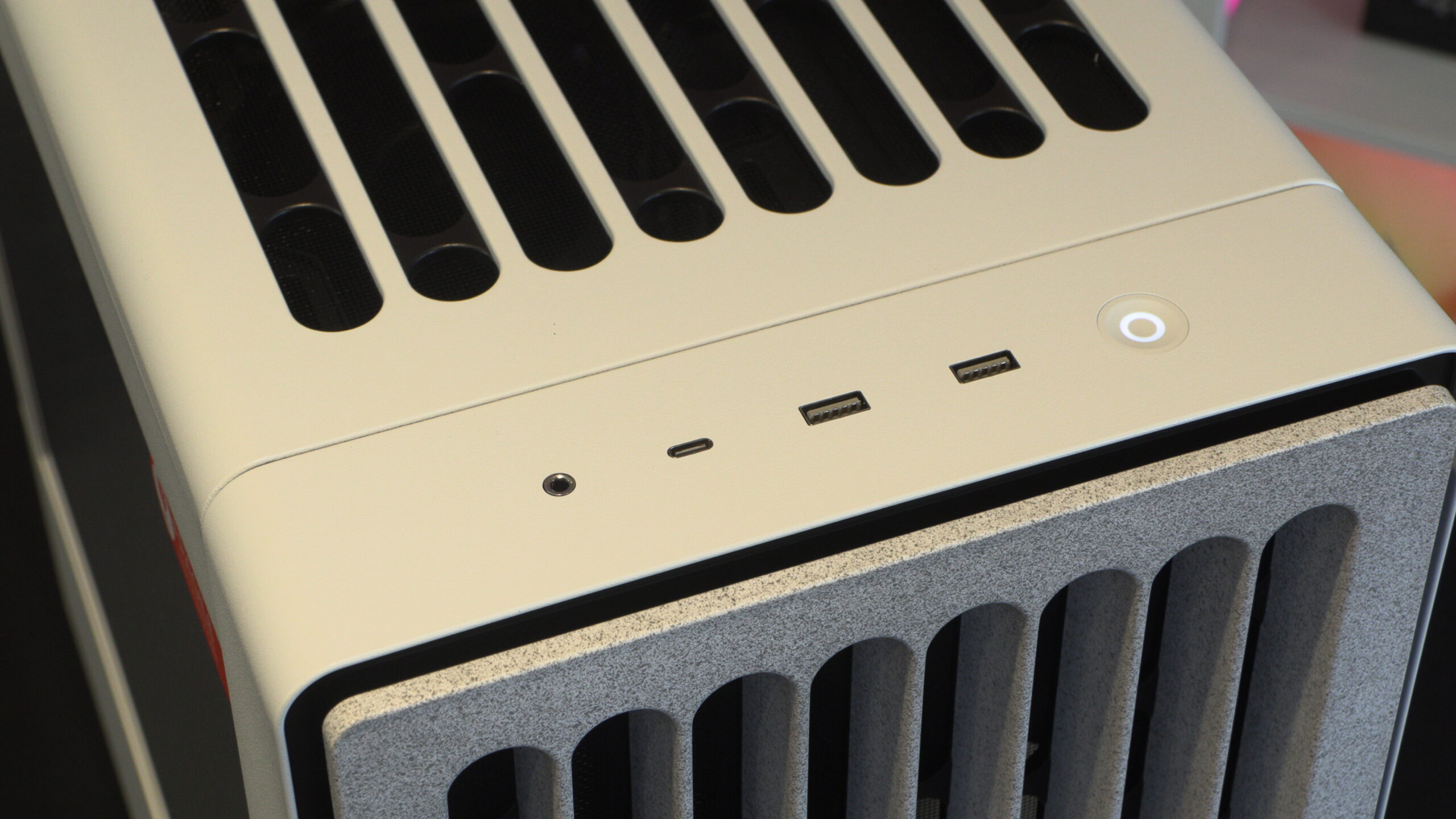
At the top of the BF 360 are I/O options that include two USB 3.3 Gen 1 Type-A ports and a single USB 3.2 Gen 2 Type-C port. Alongside this, we have an audio input/output jack and an LED-illuminated power button.
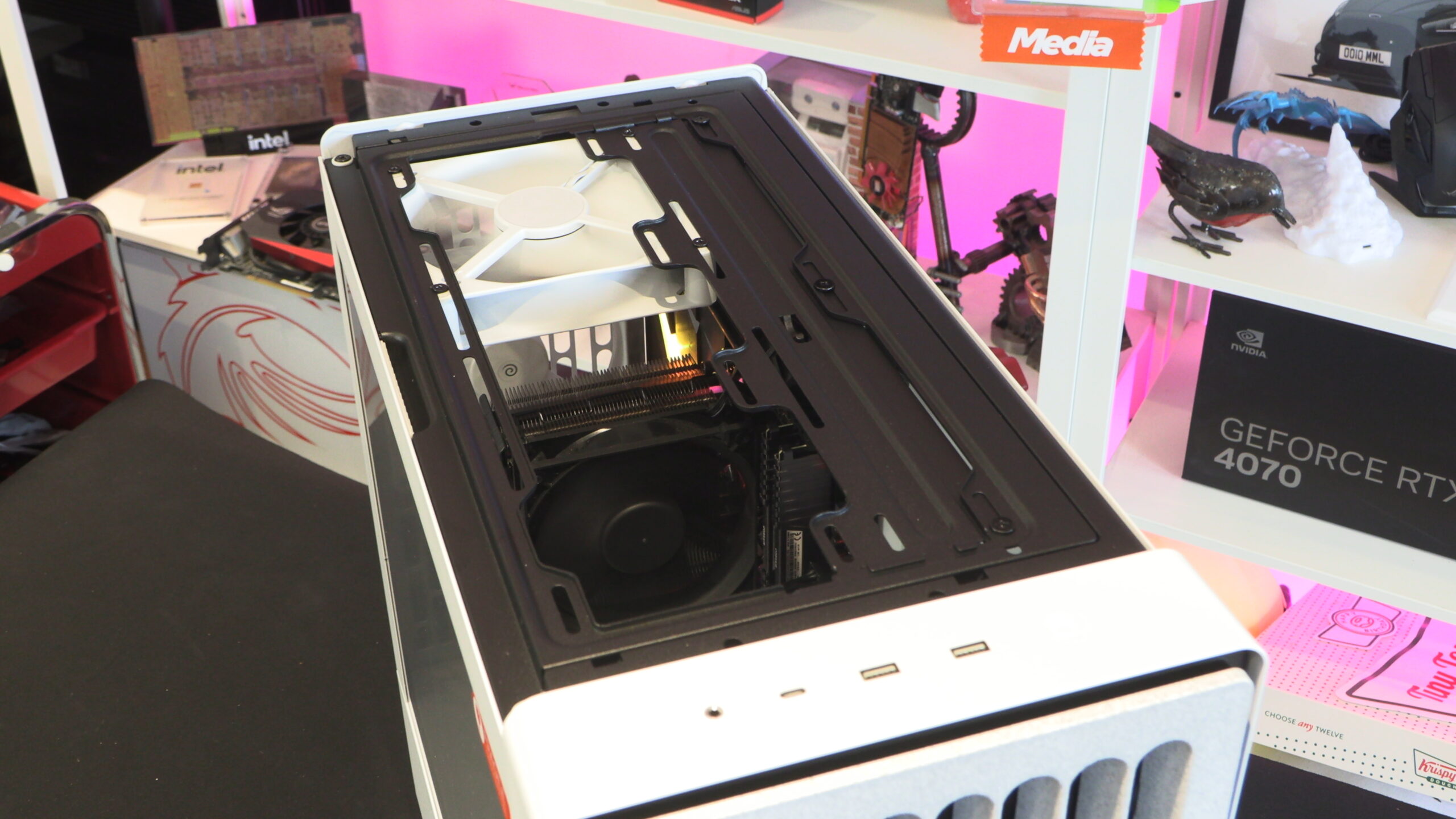
At the top of the BF 360 we have the case’s top fan intake/exhaust. Depending on your hardware configuration, it may be optimal to use both fans as outputs, or one as an input and another as an output. This case’s top fan cover is magnetically attached, though it can also be secured using screws.
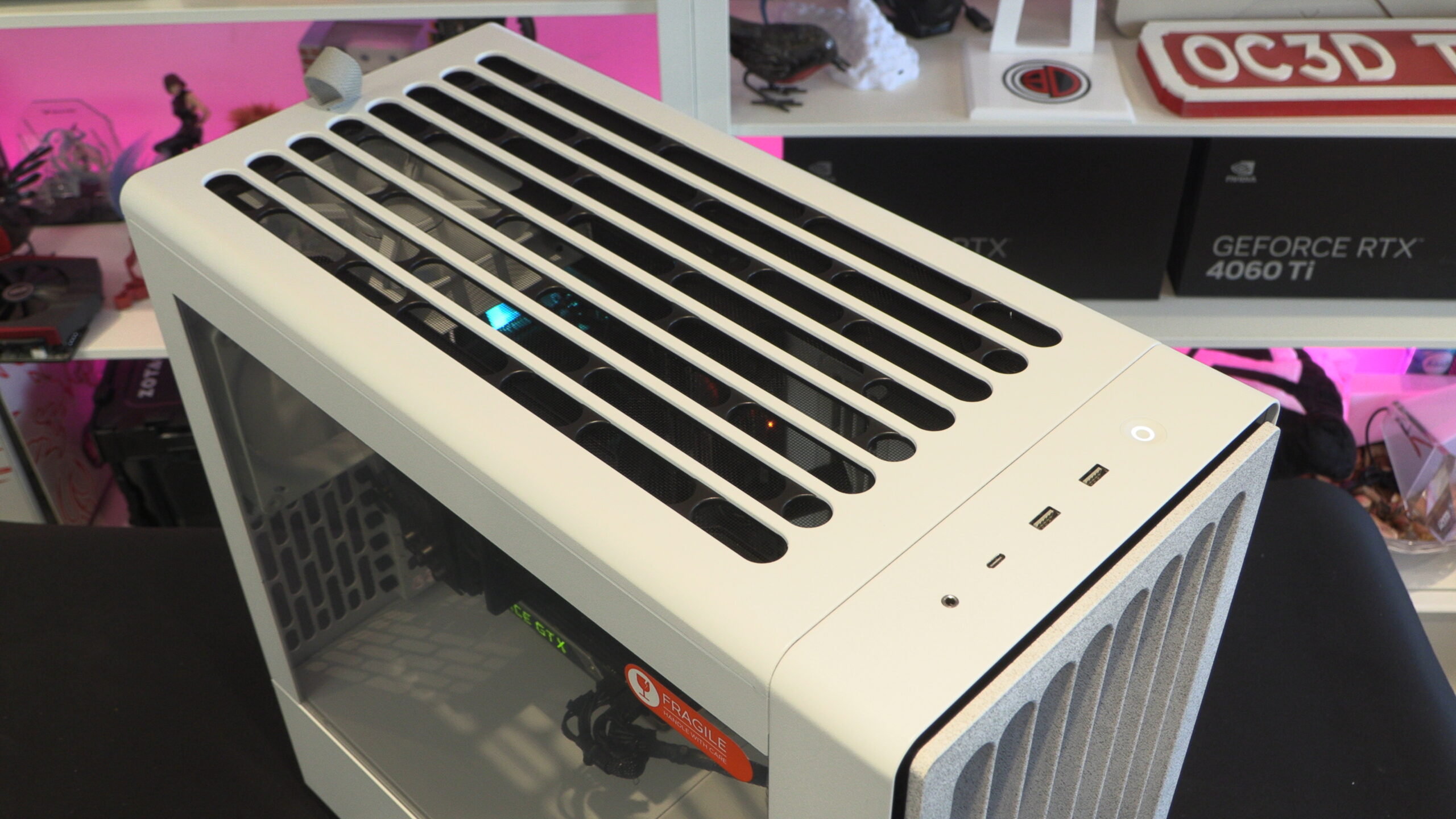
Below we can see that the BF 360’s top fan filter has a similar design to this case’s front.
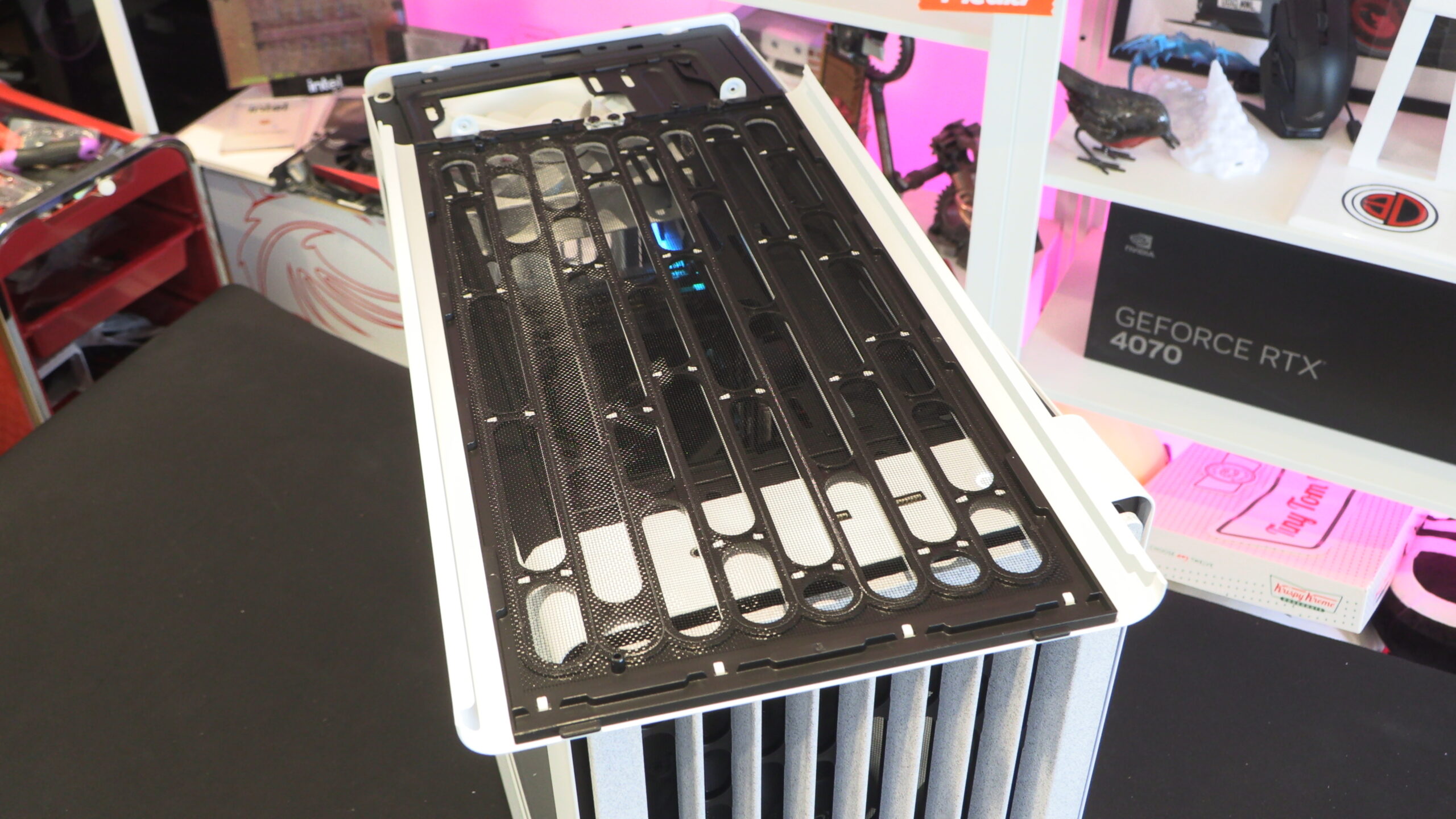
Top fan options
At the top of the BF 360, users can install three 120mm fans or two 140mm/180mm fans. This area can be used to install up to a 360mm liquid cooling solution. Note that this top plate can be taken off, making fan, AIO, and motherboard installation easier.
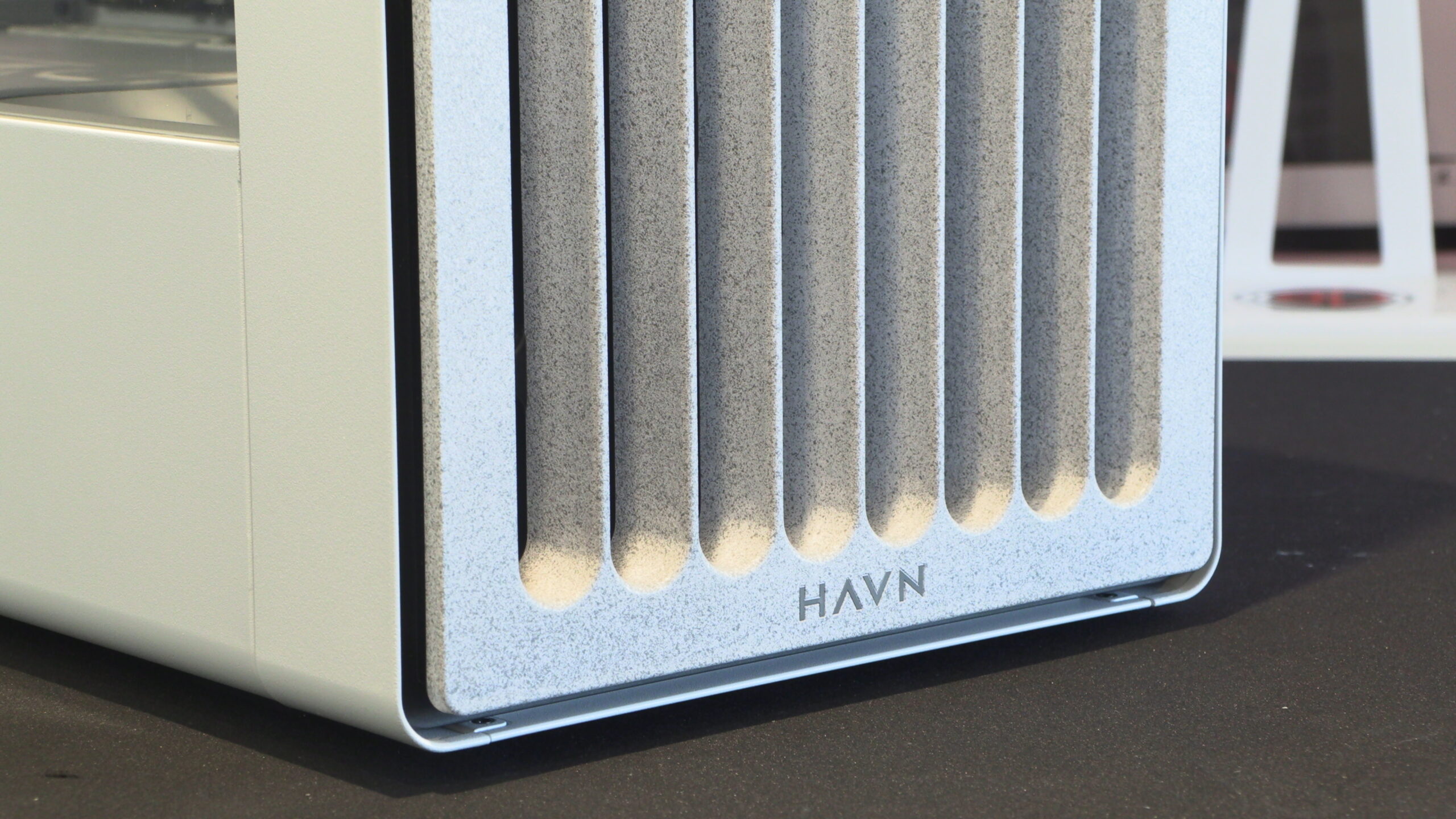
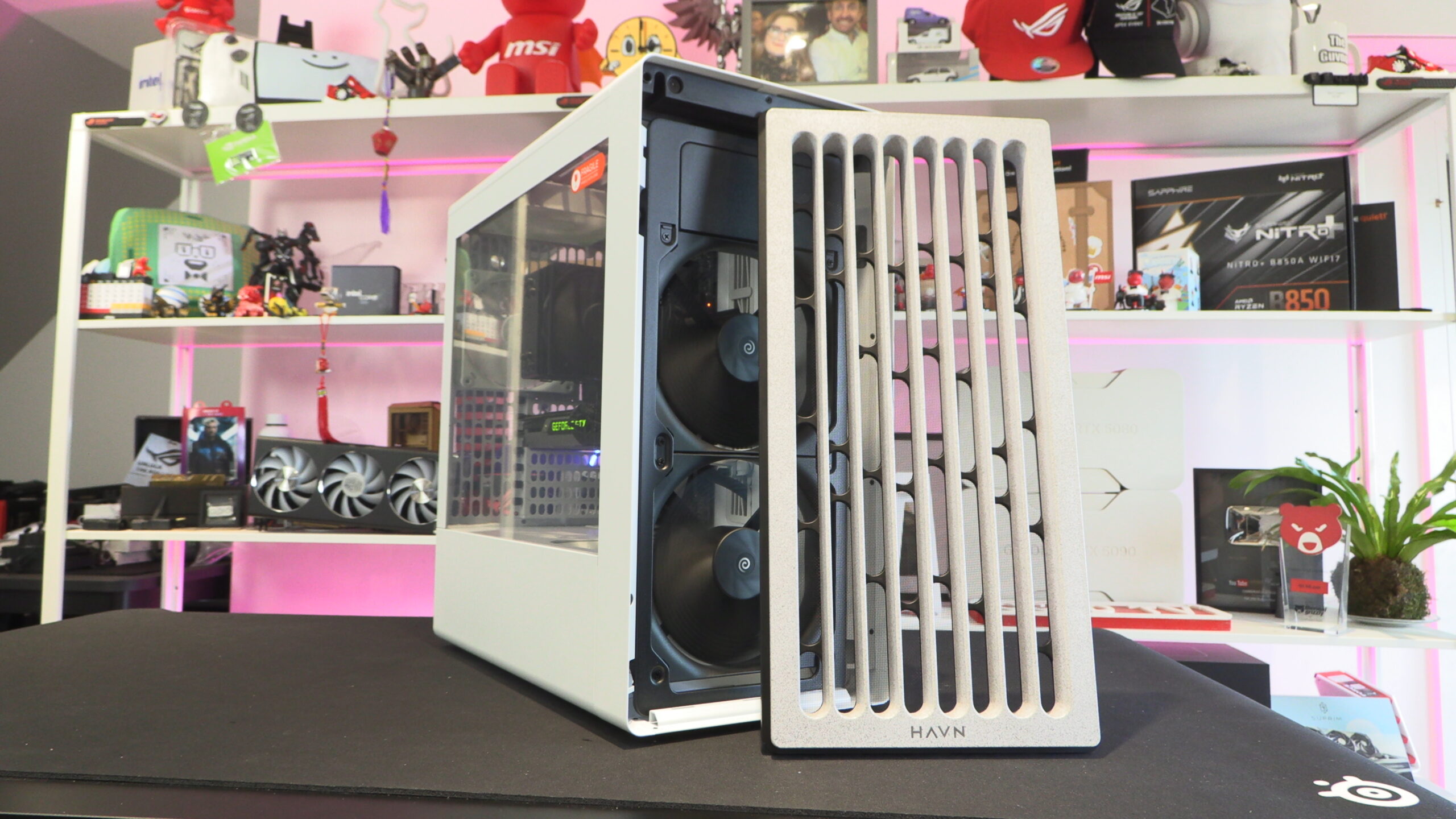
The front of the BF 360 is removable. Note that the front of this case is not white. It features a textured front in light grey. This differentiates the front of the case and gives the chassis a more Nordic design aesthetic. This front plate features an integrated fan filter and features a speckled aesthetic. HAVN calls this a “five-layer stacked late texture effect”.
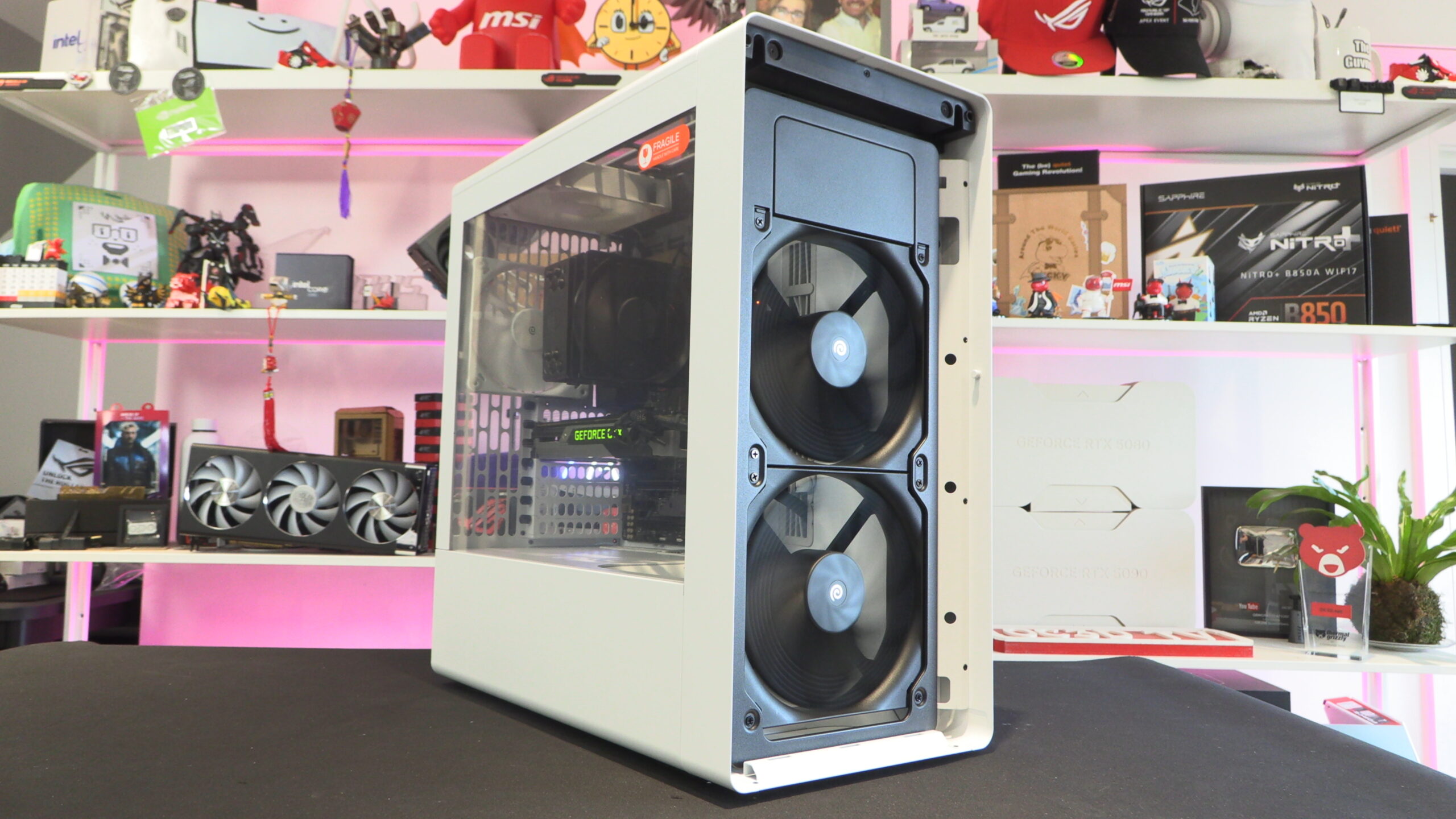
The BF 360 Flow ships with two pre-installed 180mm fans. Note that above these fans, there is a blocking plate that helps maintain this case’s intended airflow pattern.
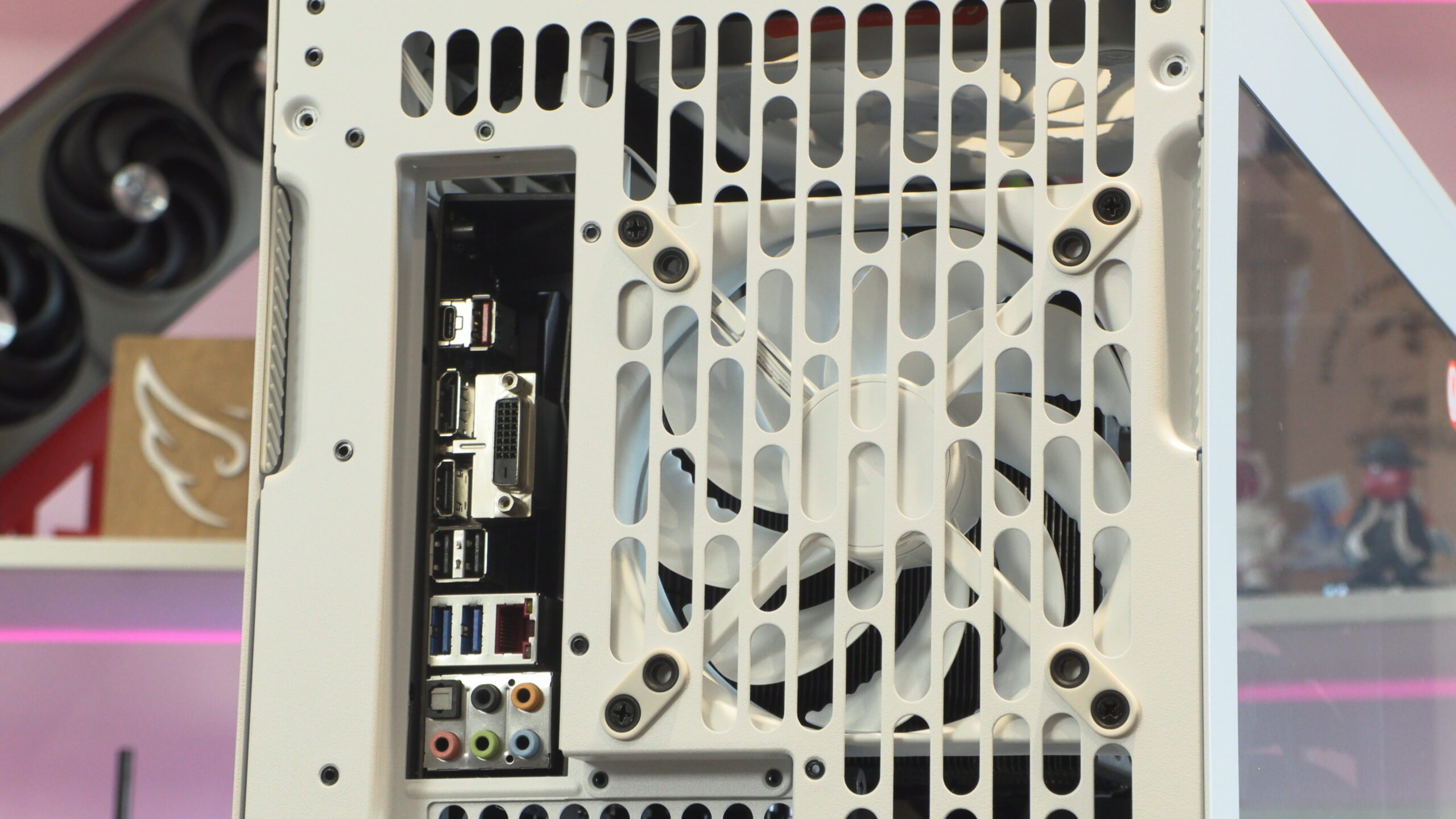
The rear of the BF 360 is perforated, allowing much of this case’s rear to act as an exhaust. This allows hot air to easily escape this case, pushing heat away from your CPU, GPU, and motherboard.
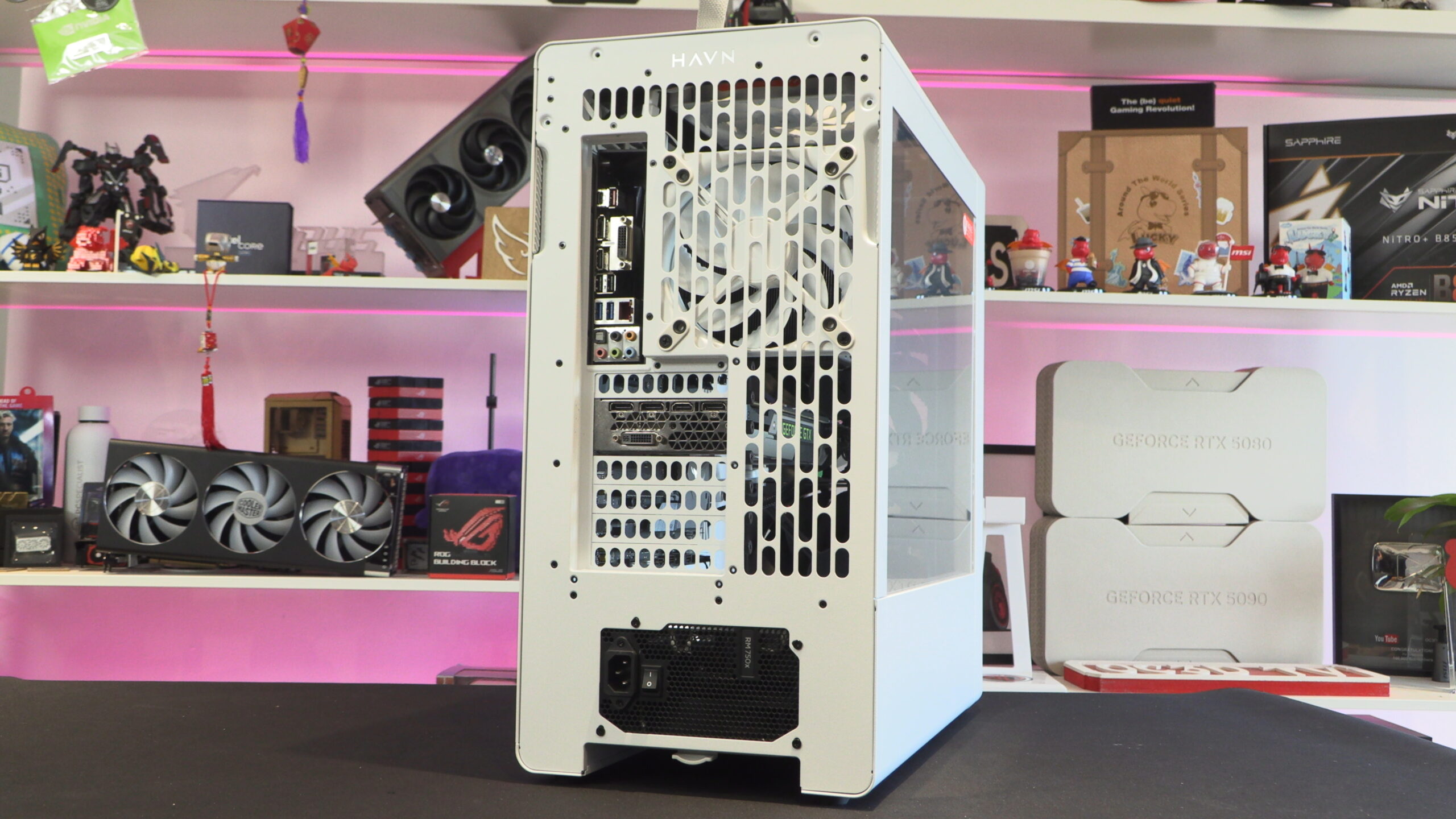
PSU
Note that the BF 360 supports standard ATX power supplies that are up to 200mm long. This allows the BF 360 to support most modern PSUs with ease.
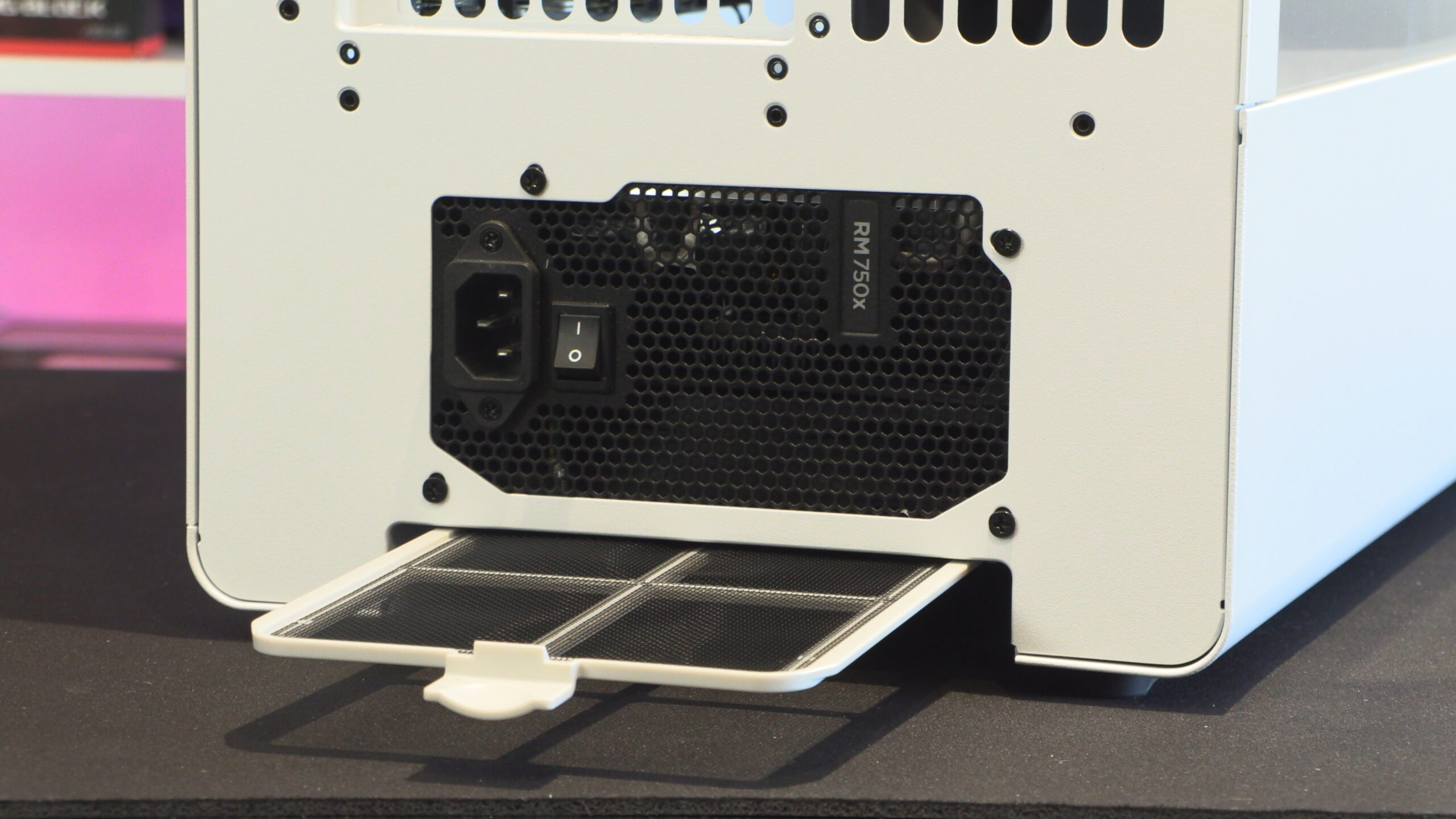
With its pillar-free PCIe slot design, users of the HAVN BF 360 can easily install an aftermarker vertical GPU bracket if they wish. This case features seven PCIe slots, enabling it to support a wide range of hardware configurations that include multiple add-on cards.
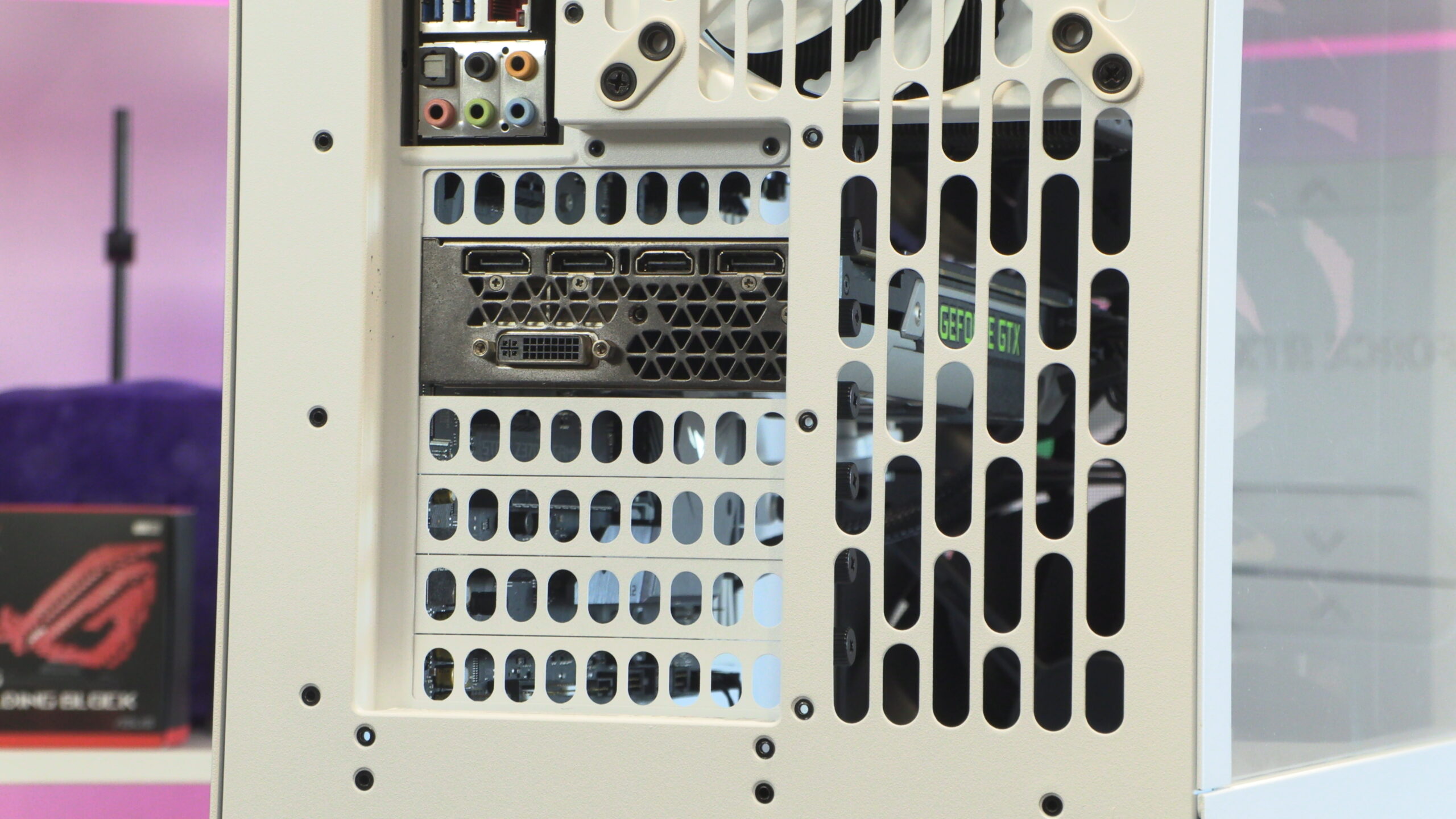
At stock, the BF 360 Flow ships with a single H14 fan in its rear. If users wish, this can be replaced with either a 120mm or 140mm fan. Note that the pull-out areas of this case’s side panels feature a rubber grip, making them very easy to remove.
Behind the motherboard tray
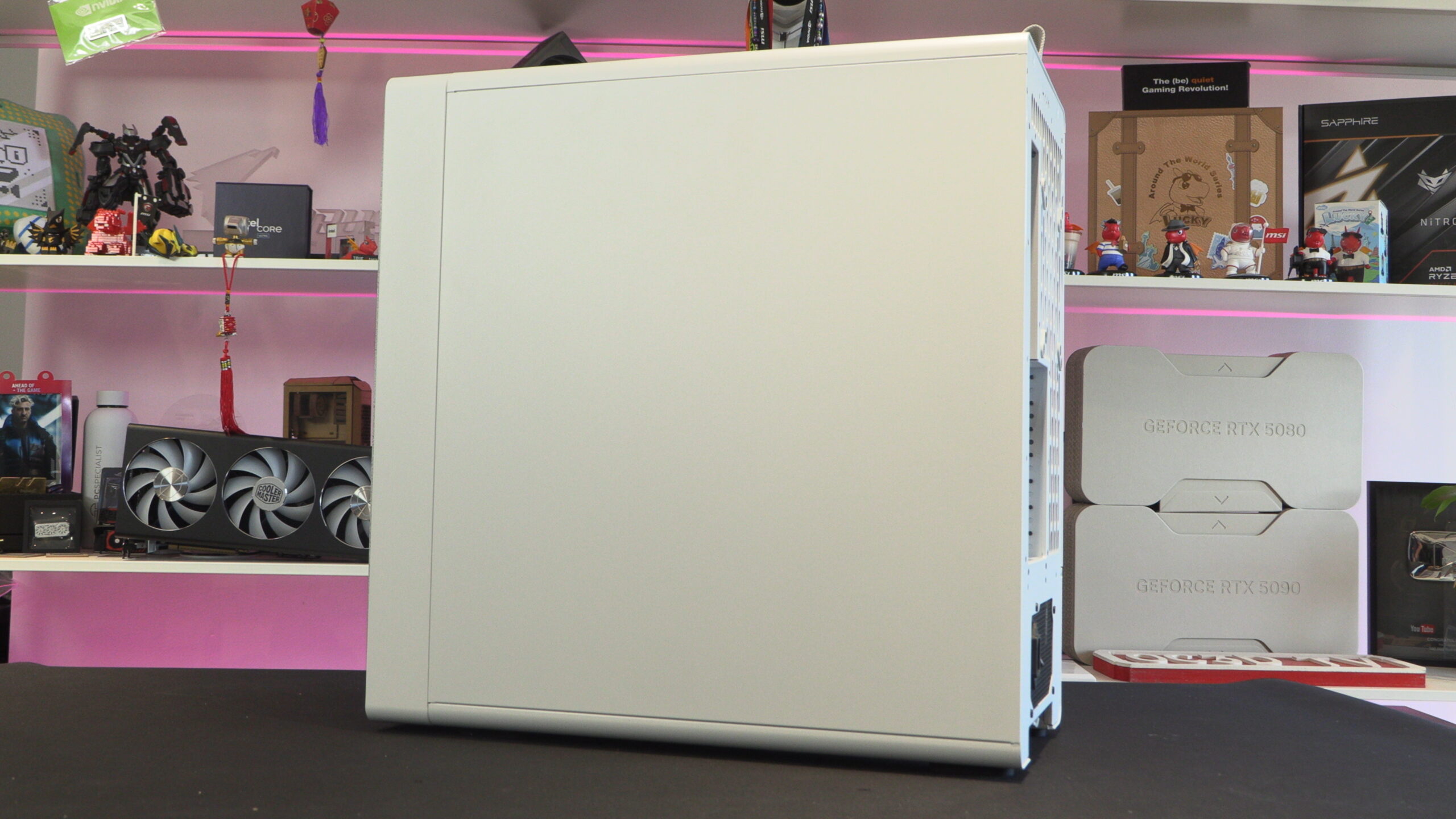
If we move to the right side of the BF 360, we see a plain side panel. Honestly, given the abundance of “fish tank” style PC cases, it feels a little weird for a case’s side panel to be plain these days. Usually, this area of the case has space for several intake fans. With the BF 360, we have a traditional case design.
No BTF/Back-Connect motherboard support
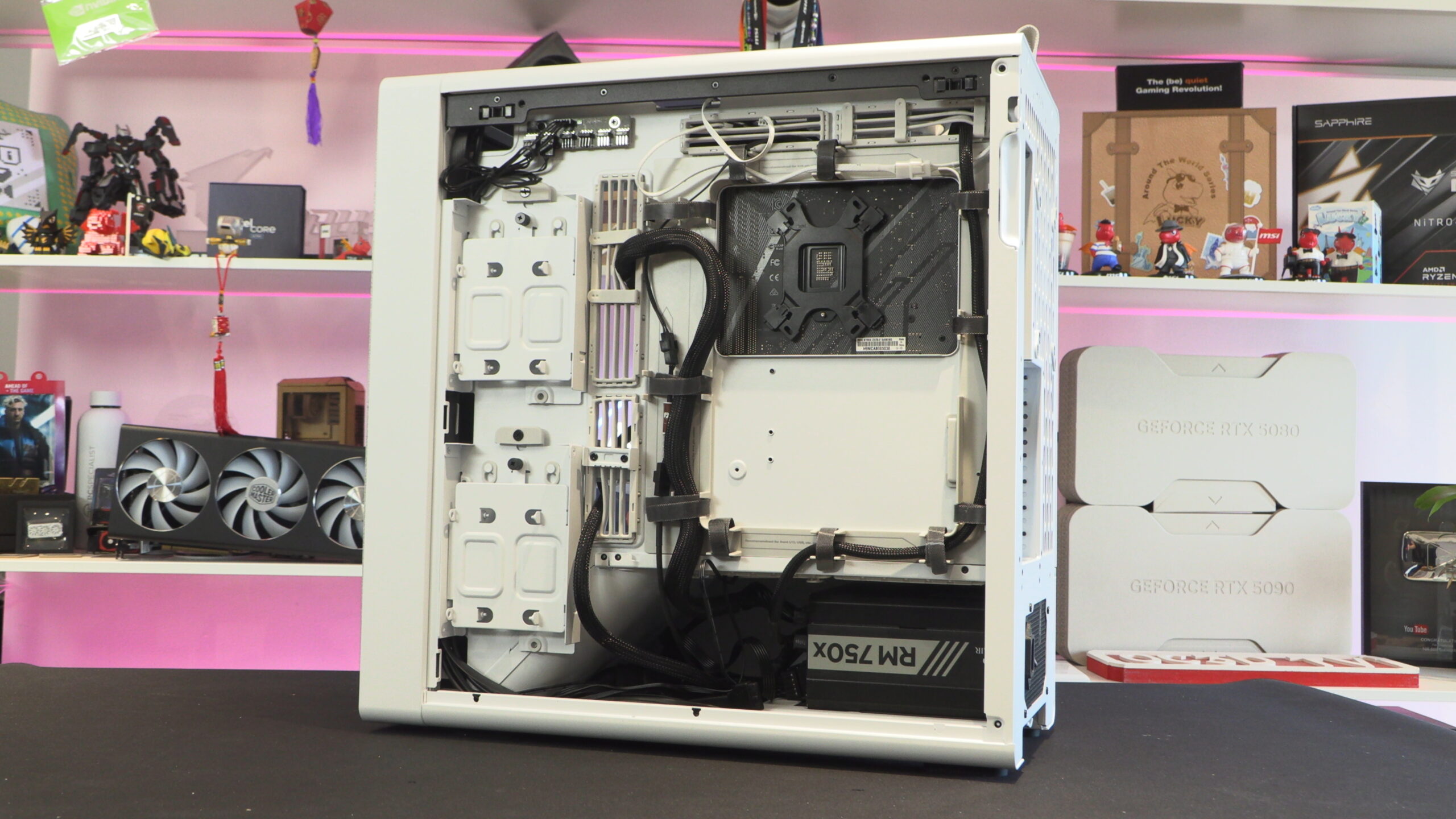
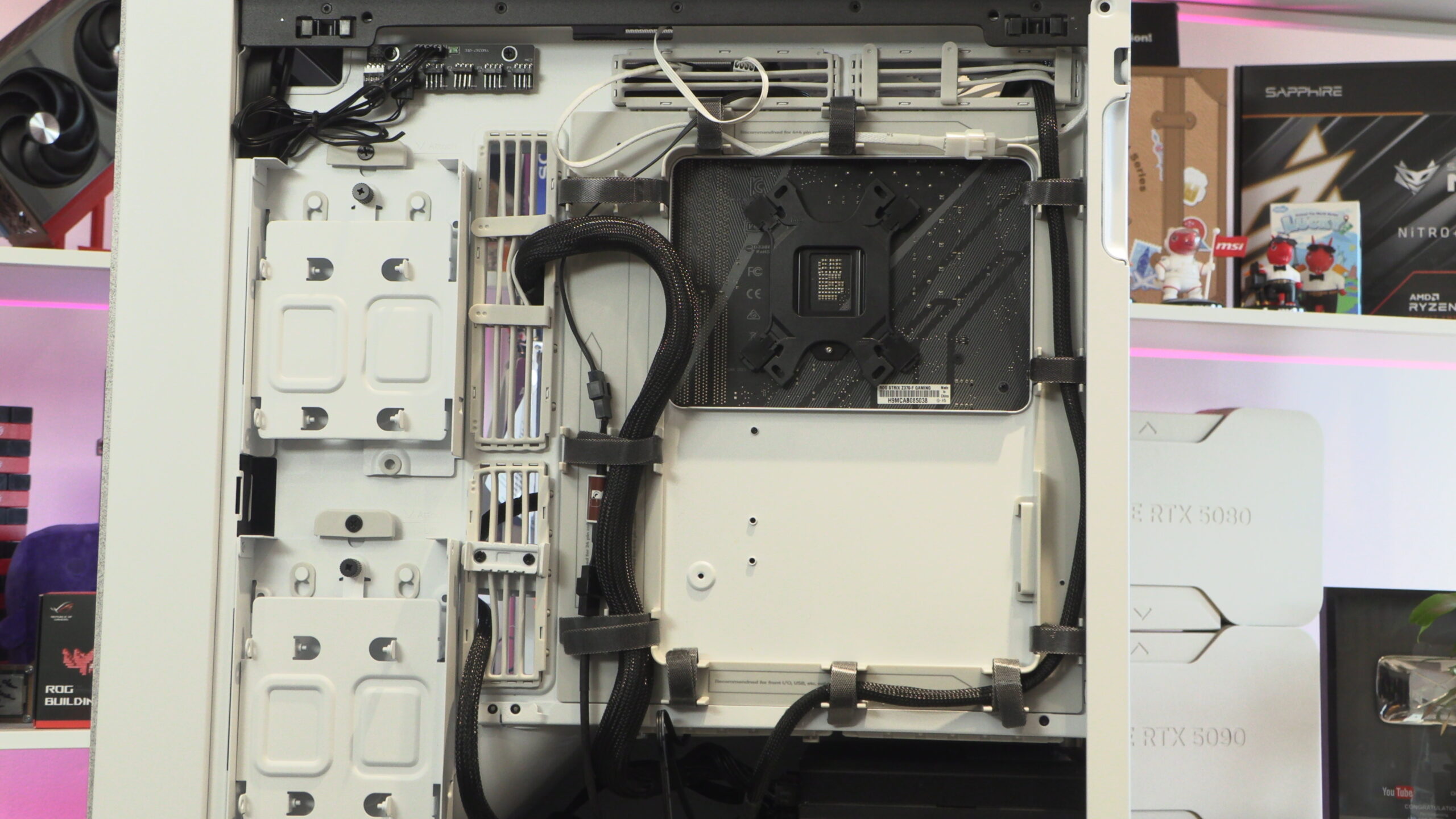
After removing this case’s side panel, we can see one of this case’s only real shortcomings. If you want to use a back-connect motherboard, this case does not support them. So if you are a fan of ASUS BTF or MSI Project Zero, this isn’t the case for you.
Lots of great cable management options
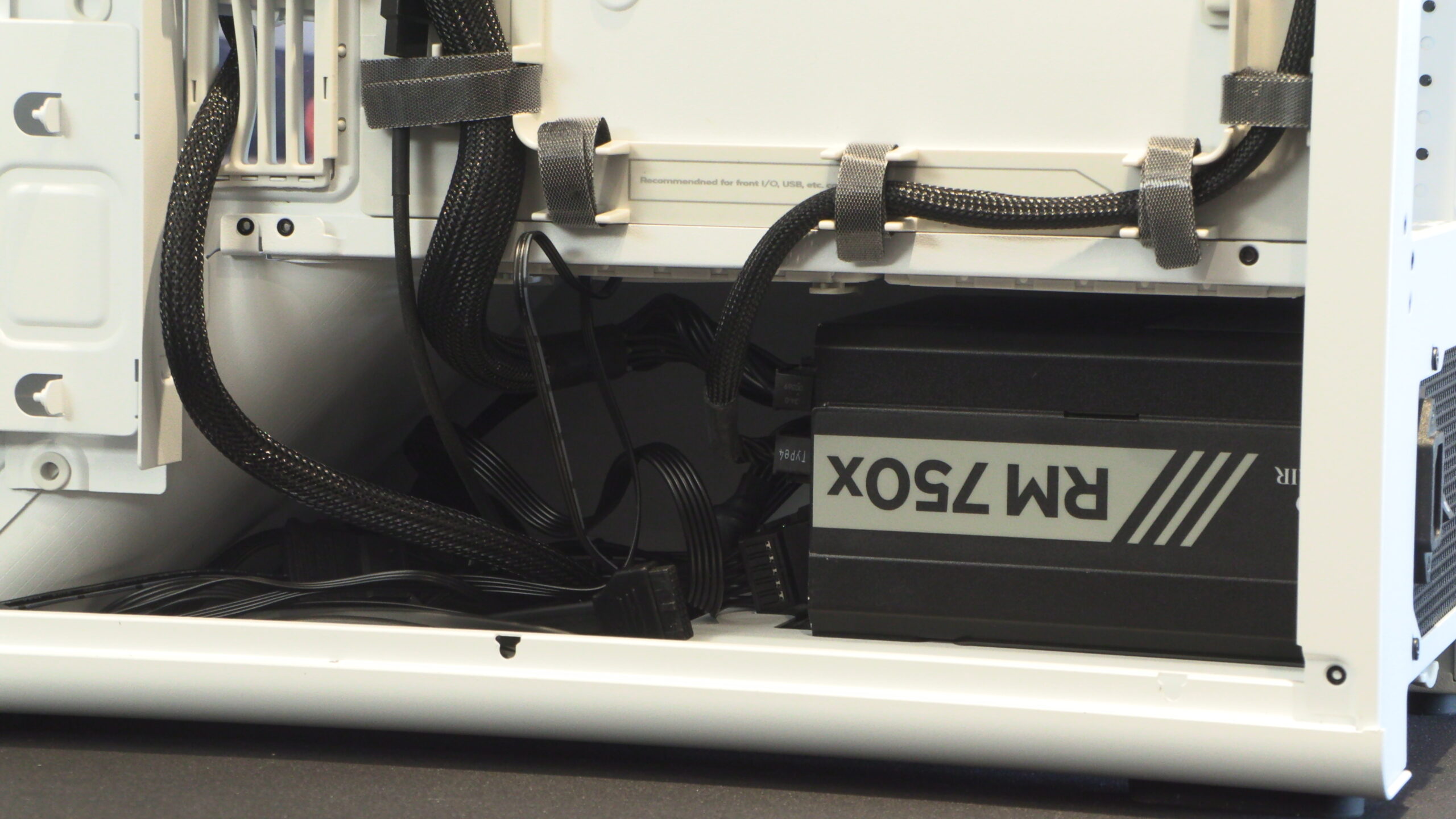
In front of our power supply, we have plenty of space for cable tucking. This is great news for users of non-modular power supplies. Also note this case’s extensive use of velcro ties and labelling for how these cable routes are best utilised. These features make the BF 360 ideal for PC building newcomers, and those who want well-managed power cables.
Towards the front of the case, we have two HDD/SSD mounts. These mounts can support one 3.5-inch drive each or two 2.5-inch drives. This is great for users of SATA HDDs and SSDs.
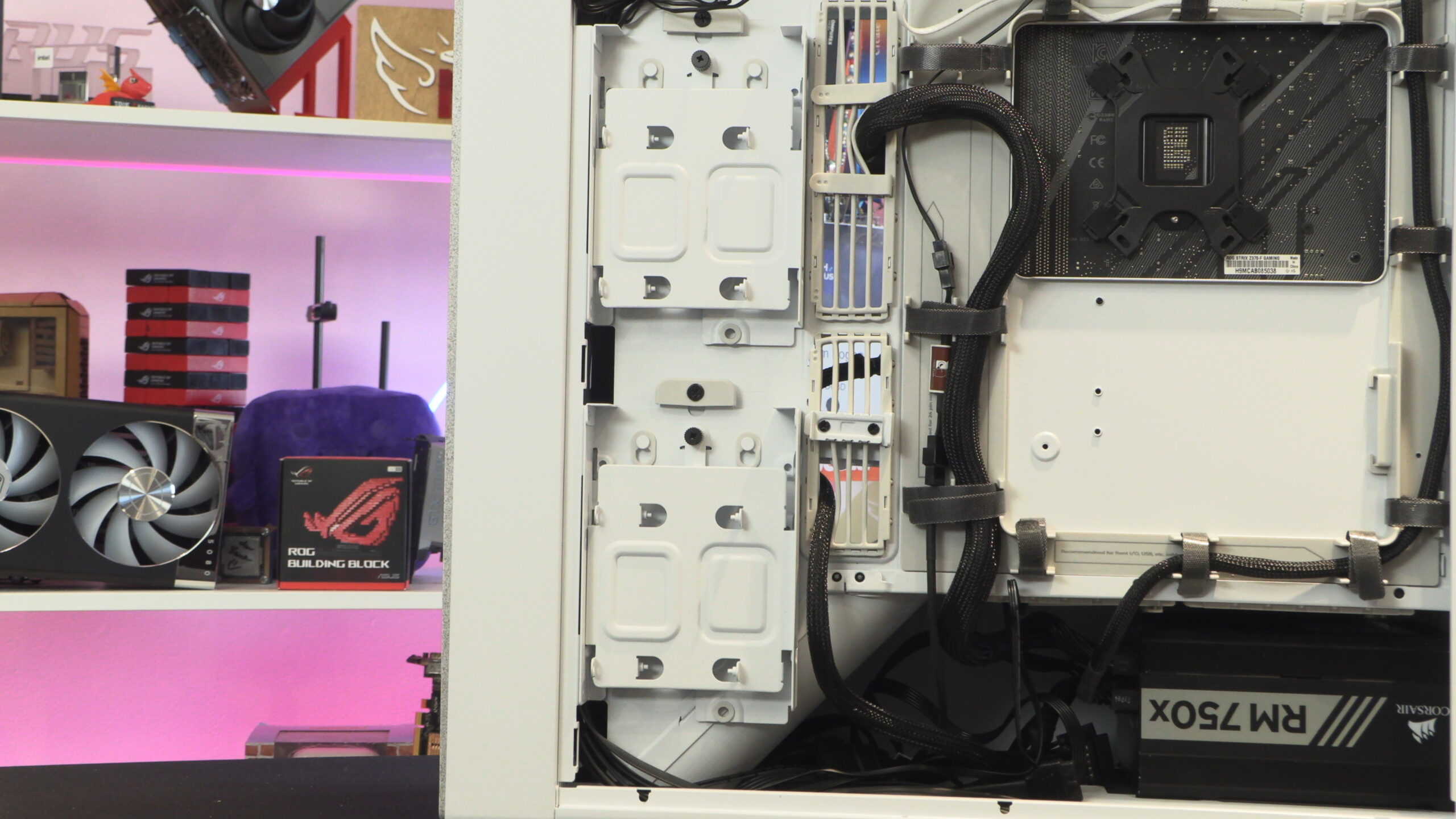
Below, you can see that this case has great out-of-the-box cable management. The case’s great use of velcro ties means that users won’t need to install their own cable ties. Furthermore, the cables for this case’s stock fans and front I/O ports are well-organised out of the box.
Well-considered cable routing options
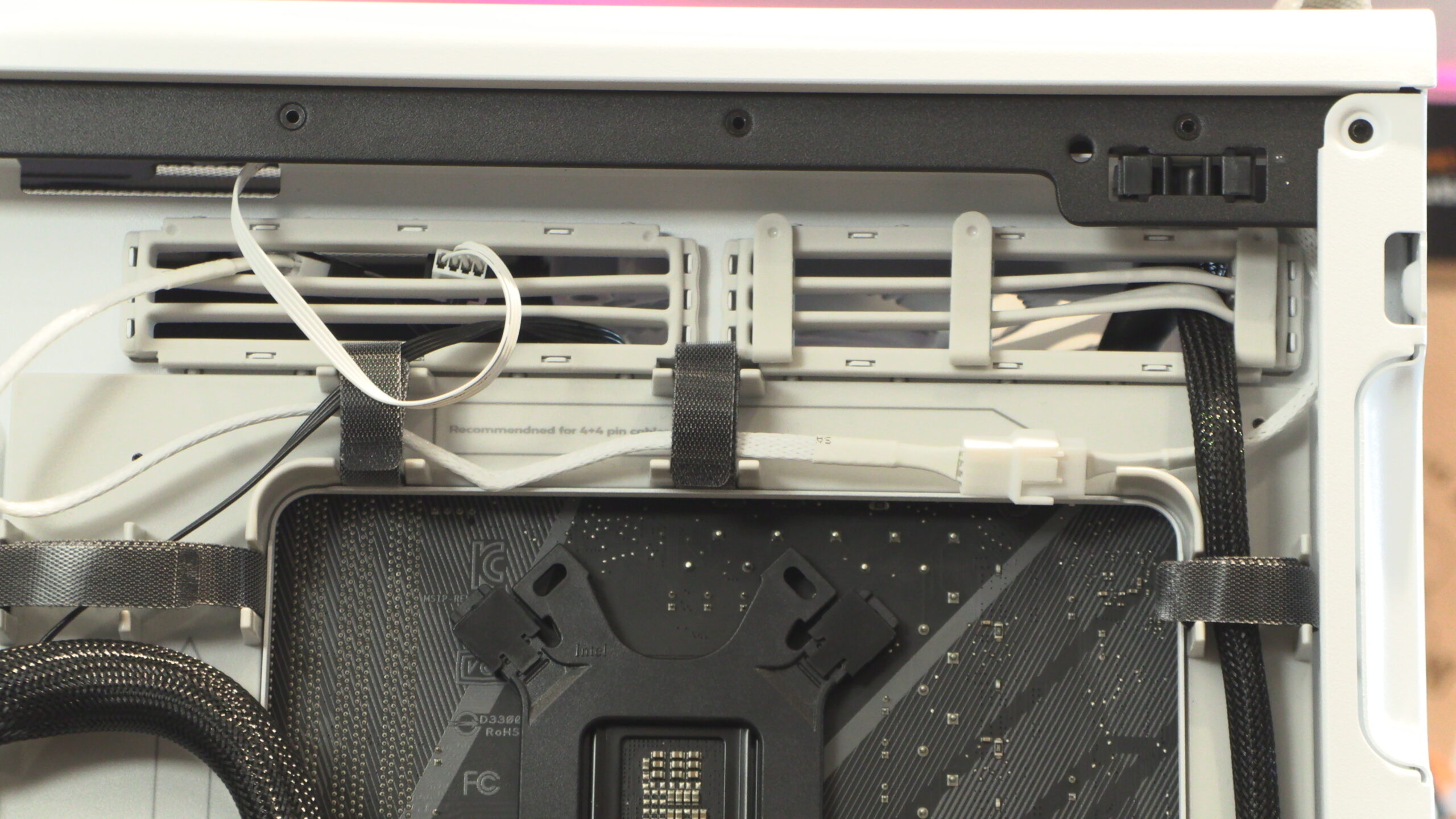
We will note here that this case has tonnes of cable routing space above the motherboard. There’s plenty of space for our 8-pin CPU power cable and fan cables. Why are we mentioning this? Many modern cases make these holes as small as they can, making it hard for users to fit their 8-pin CPU power cables. HAVN did things correctly, giving PC builders ample room to work on their systems.
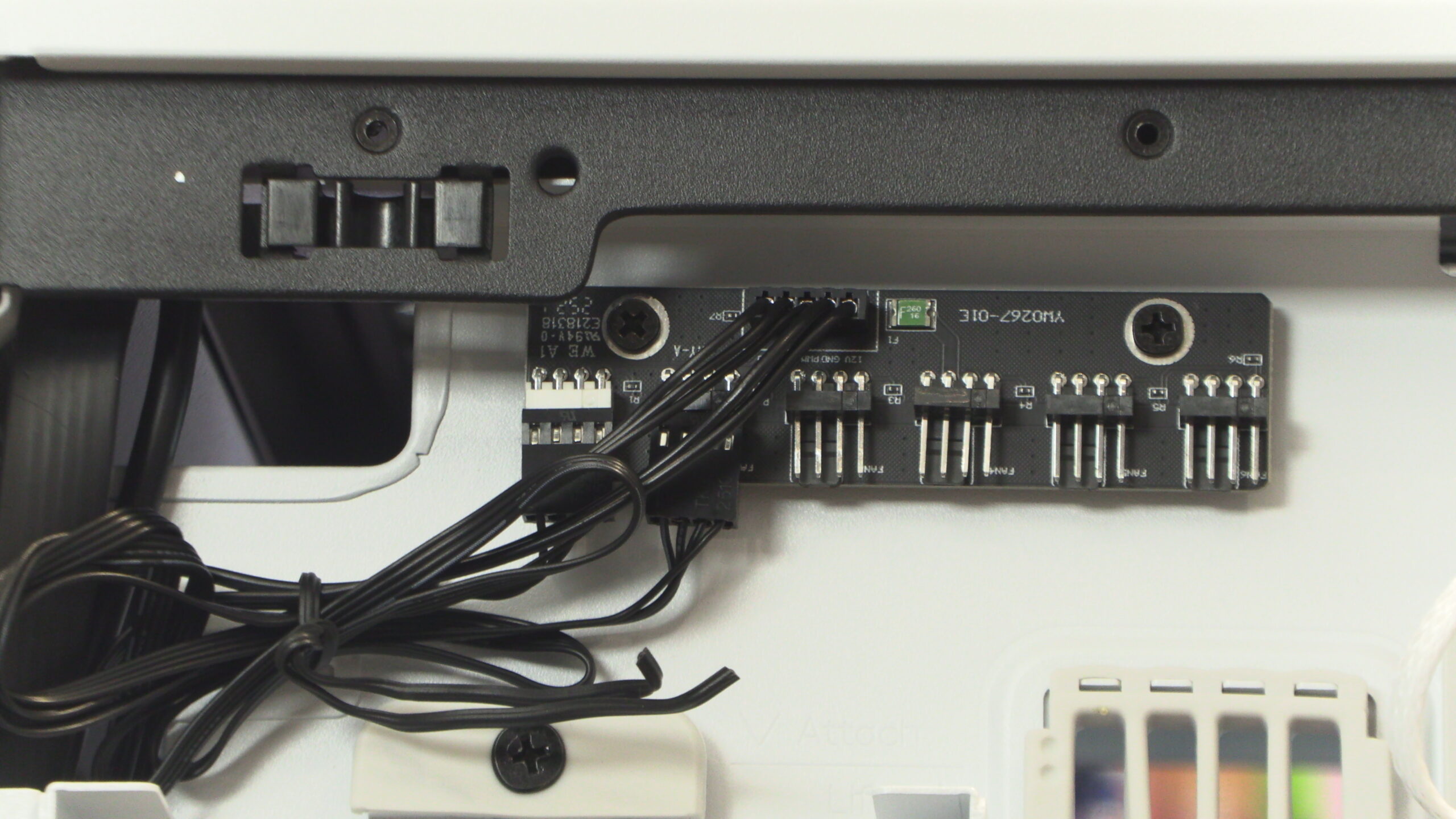
Included with the BF 360 is an integrated fan controller. This controller is powered by a single SATA power connector and can control up to five fans. Note that all connected fans will operate at the same speeds, which isn’t ideal given the fact that this case has fans with different maximum RPM values.
Main chamber
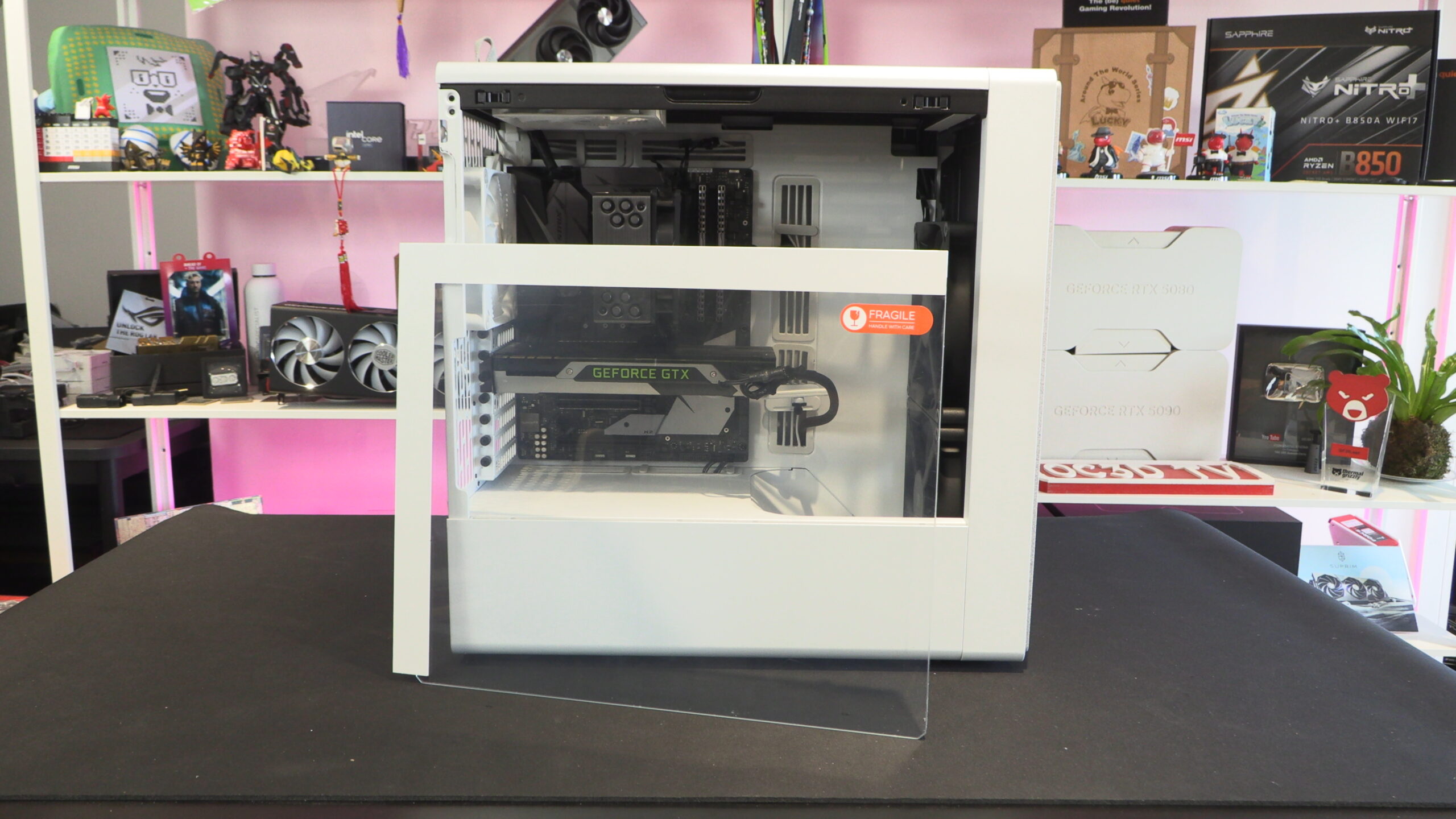
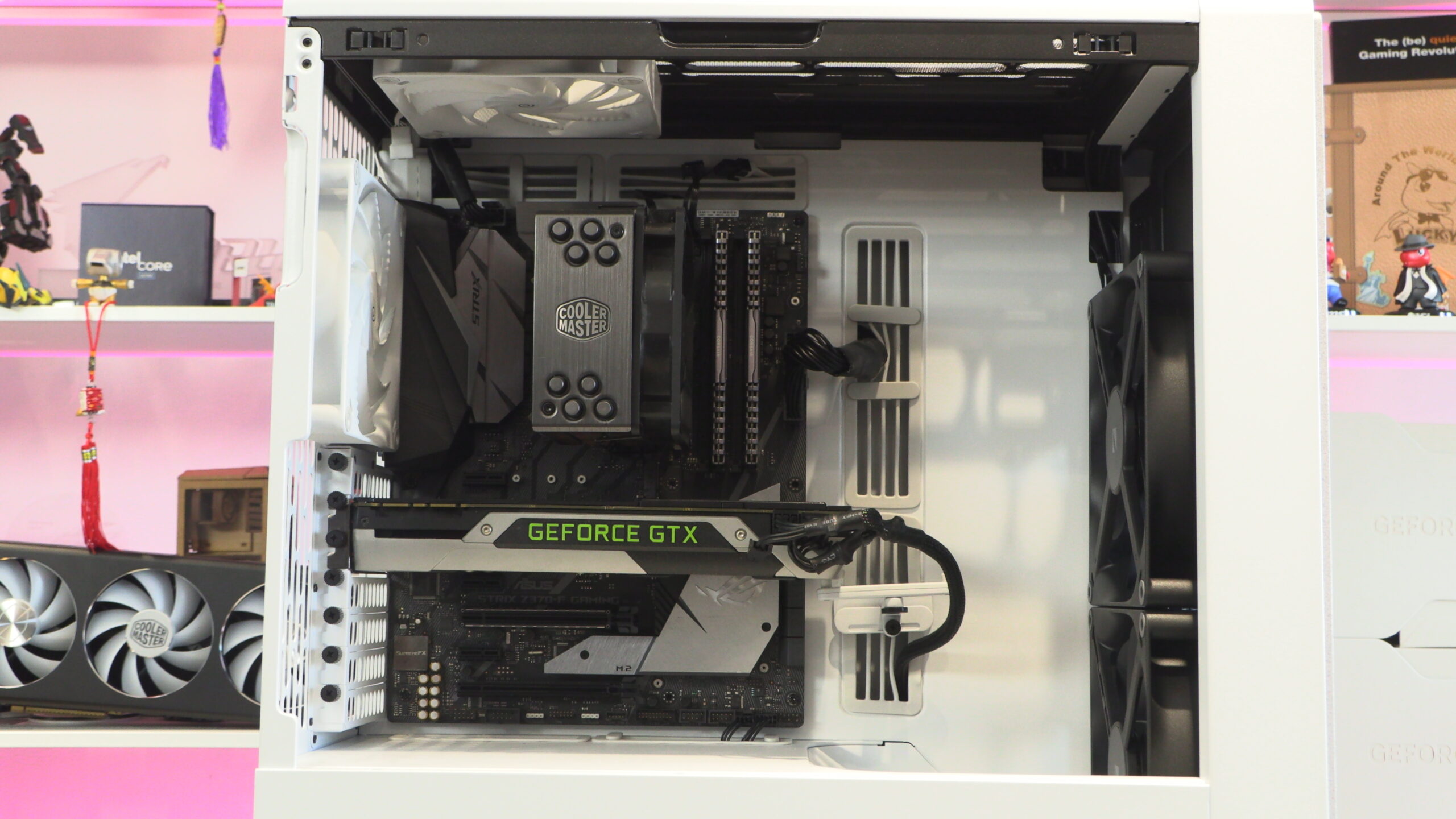
The HAVN BF 360 features a single tempered glass side panel. This gives users a view of your chosen motherboard and graphics card. No fish tank aesthetic. No panoramic view. If you want that look, you will need to look at a different PC case.
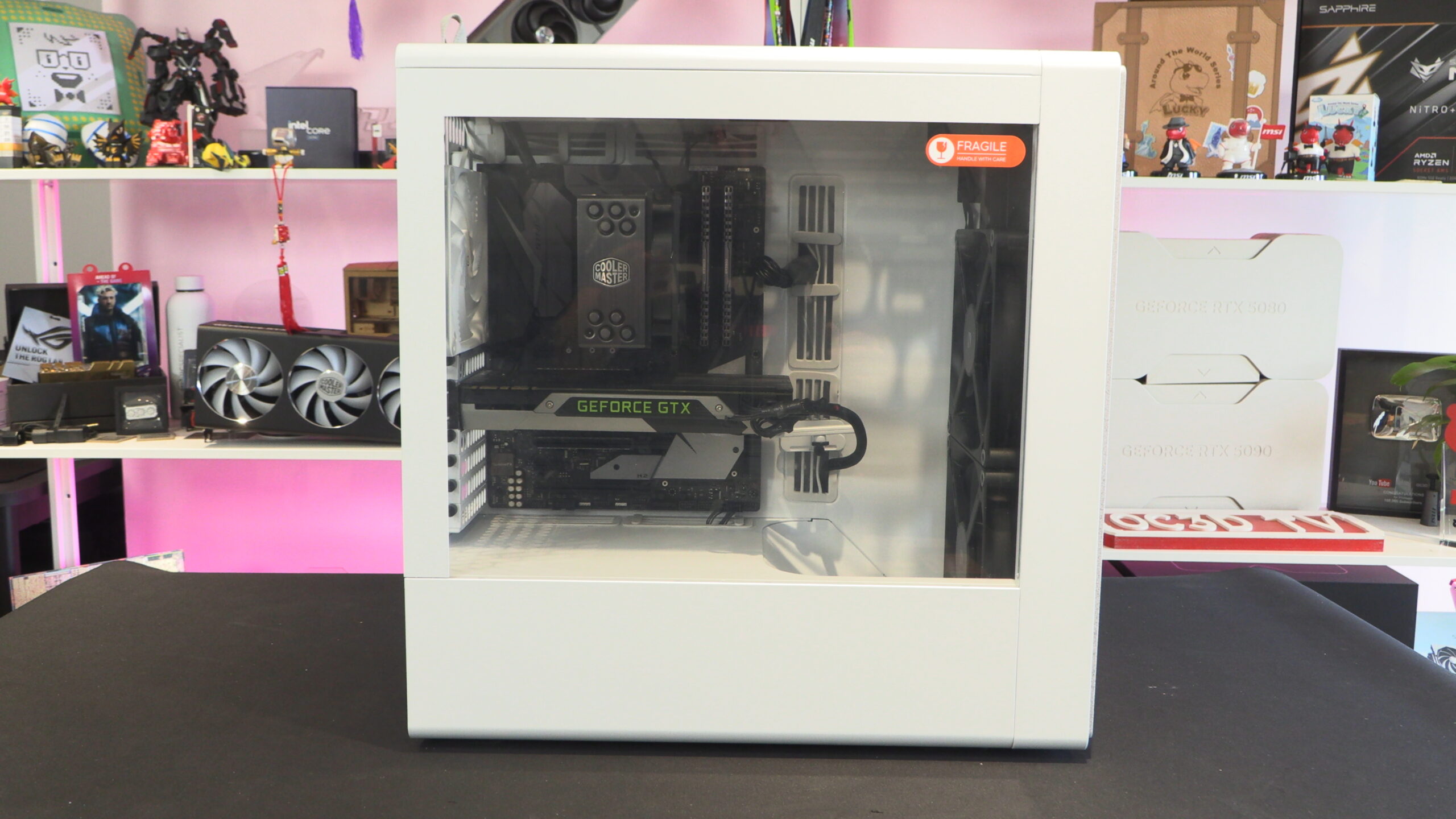
This case’s side panel is connected to the chassis using two metal pins. The side panel is easy to install/uninstall, and can be further secured using a screw.
Like the HS 420 before it, HAVN has continued to use its unusual rubber grommet design. This gives HAVN’s cases a distinct look, though some PC builders will dislike how misshapen these grommets can look when used with thick cables.
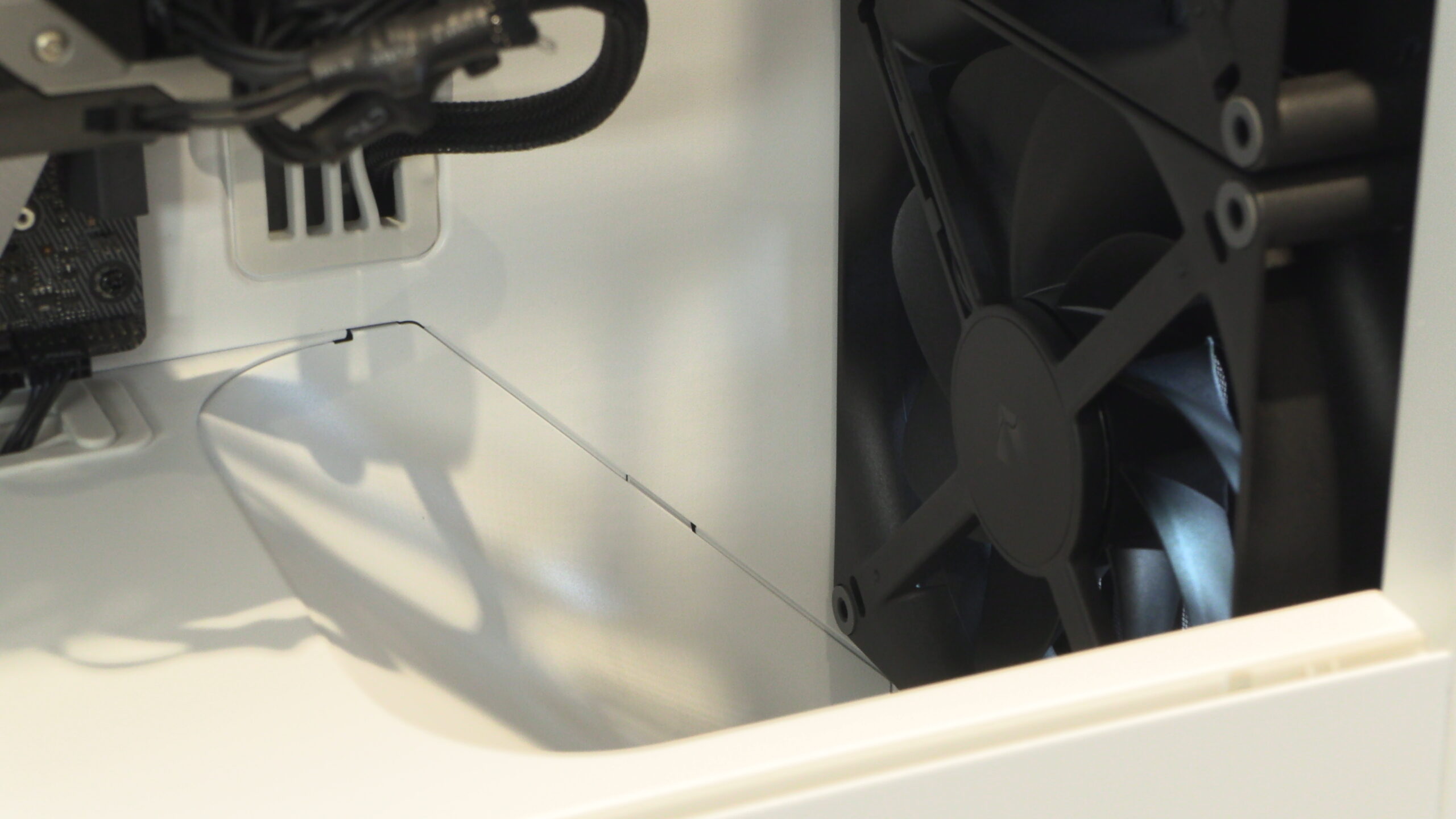
As mentioned before, the base of this case is shaped to push airflow upward and towards your graphics card. This ensures low GPU temperatures and optimal gaming performance.
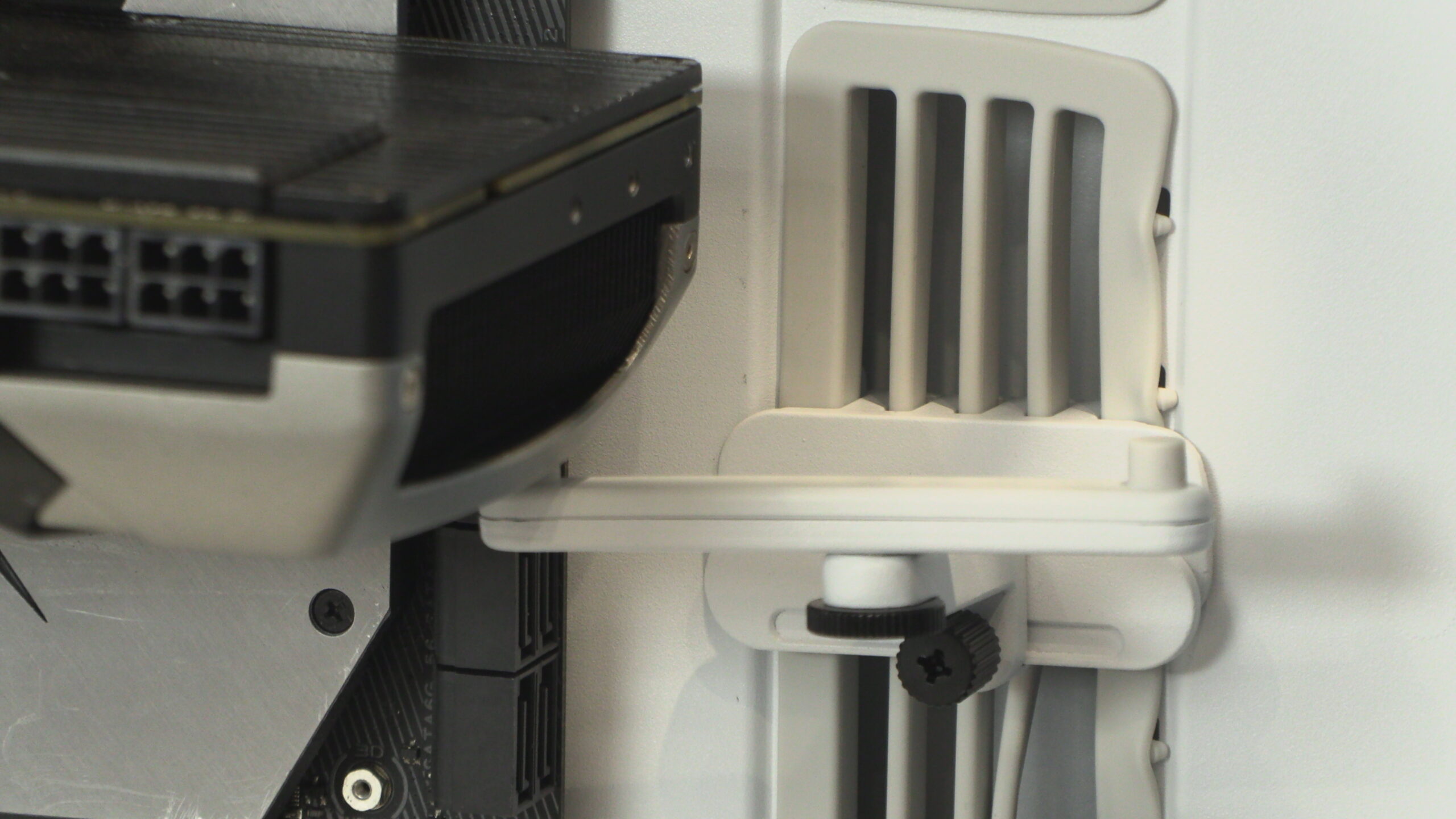
Included with the BF 360 is a GPU support arm. This arm can be adjusted to support most modern graphics cards with ease. The BF 360 supports GPUs that are up to 410m long.