


MSI MPG CoreLiquid P13 360 CPU Cooler Review

Meet the MSI CoreLiquid P13
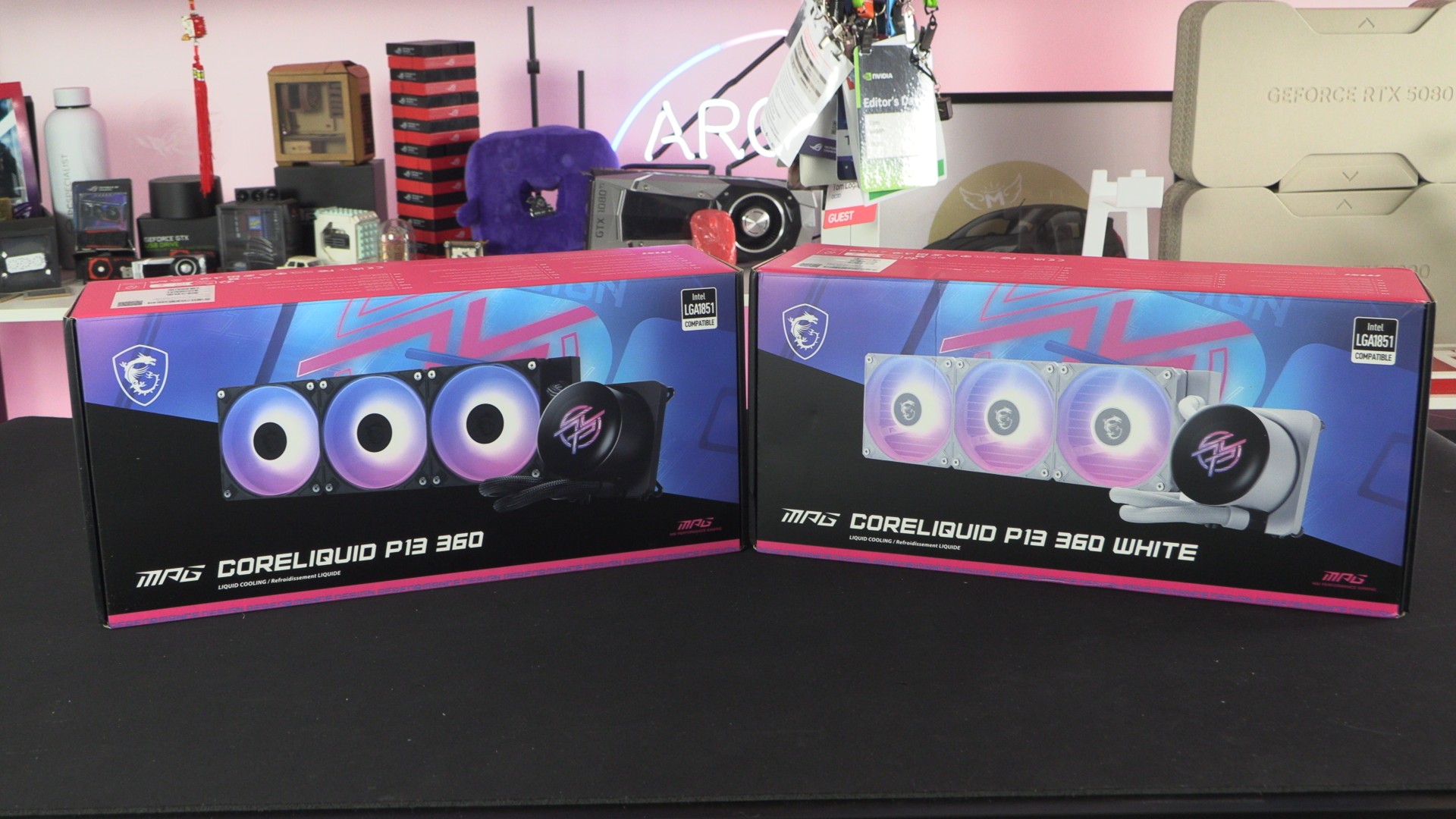
MSI joins Team Screen with its new CoreLiquid P13 360 CPU cooler
Want screens inside your PC? MSI has joined the in-PC LCD party with its new MPG CoreLiquid P13 360 CPU cooler, giving users a nice-looking display for in-PC customisation. We’ve seen this CPU cooler at both Computex and CES this year, so we are excited to see how this new liquid cooler performs.
Note that this is not MSI’s flagship CPU cooler. MSI has a higher-end model called the MEG CoreLiquid E13 360 on the horizon. It has a larger screen and a different radiator design. More information on this cooler is available as part of our Computex coverage. Just know that the P13 isn’t the best cooler in MSI’s CPU cooling lineup.
First Impressions
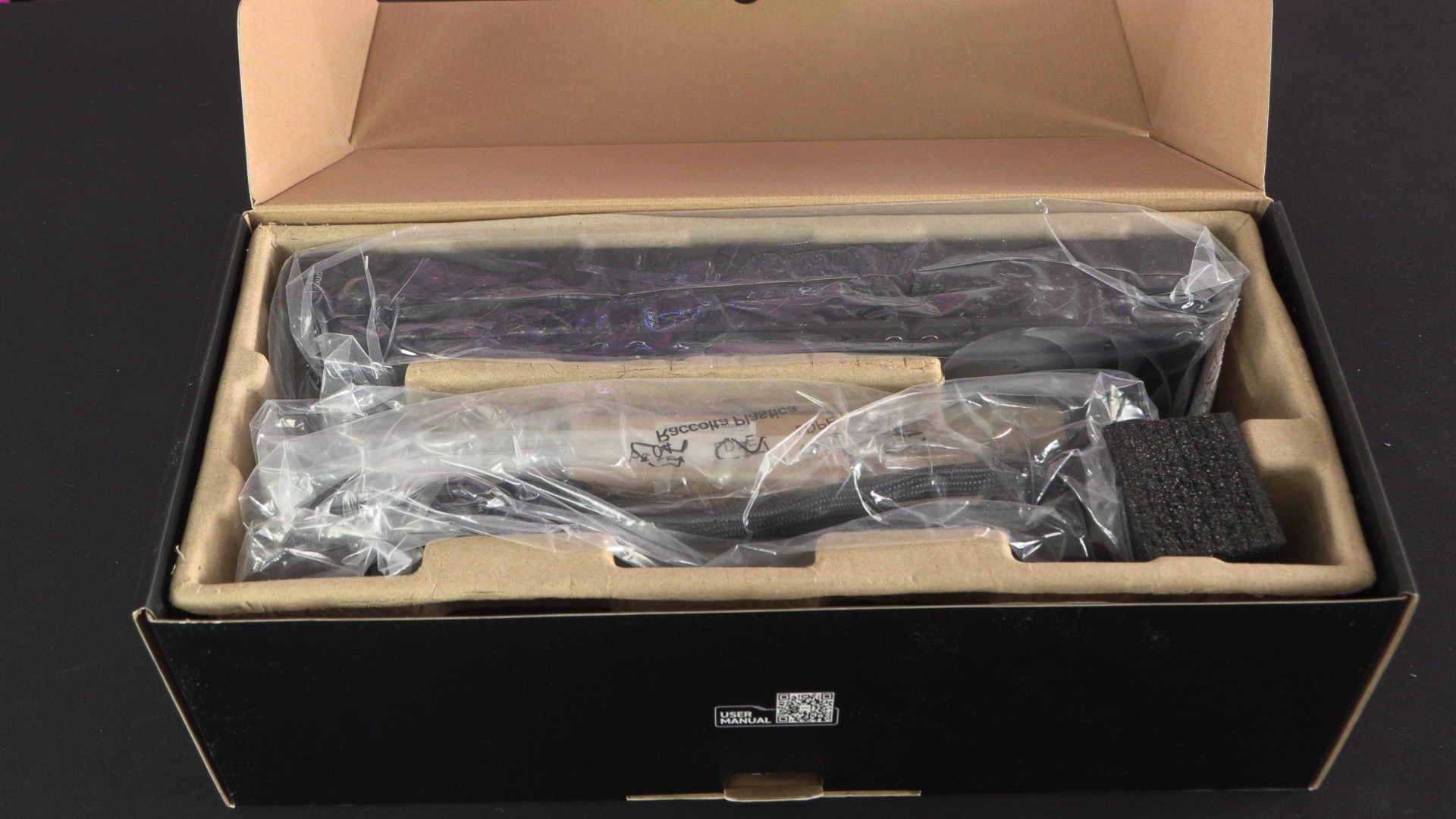
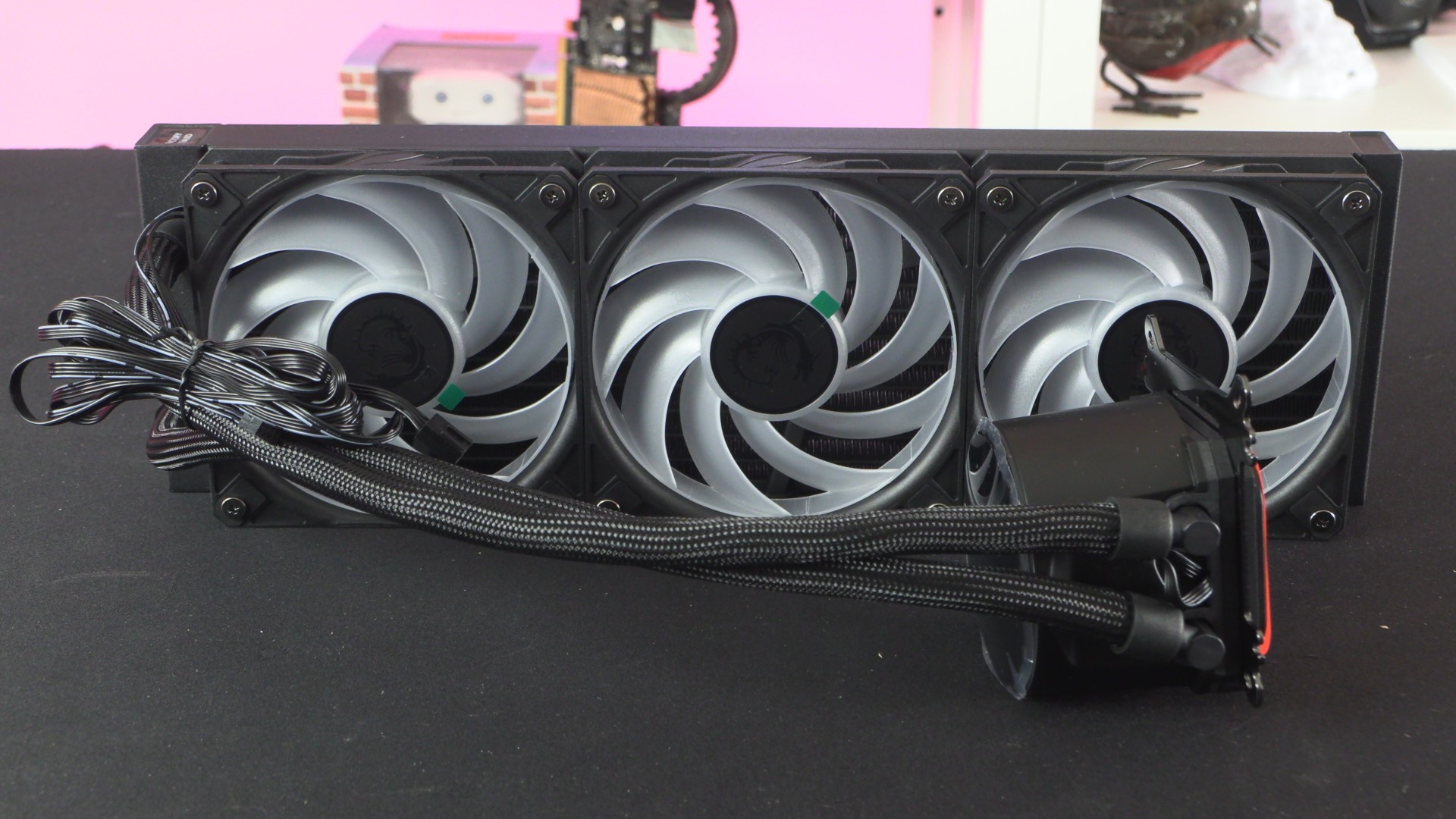
To say that we have reviewed a lot of CPU coolers is an understatement. Unpacking and installing these things is second nature to us. MSI has made some efforts to make the user experience for the MPG CoreLiquid P13 360 a good one. The cooler’s fans and mounting bracket are pre-installed, and all wires come from a single location. No wires exit from this cooler’s CPU block, all cables are routed from the cooler’s radiator, making them easier to manage. This is great news for anyone building a hidden cable MSI PZ (Project Zero) PC.
The Screen
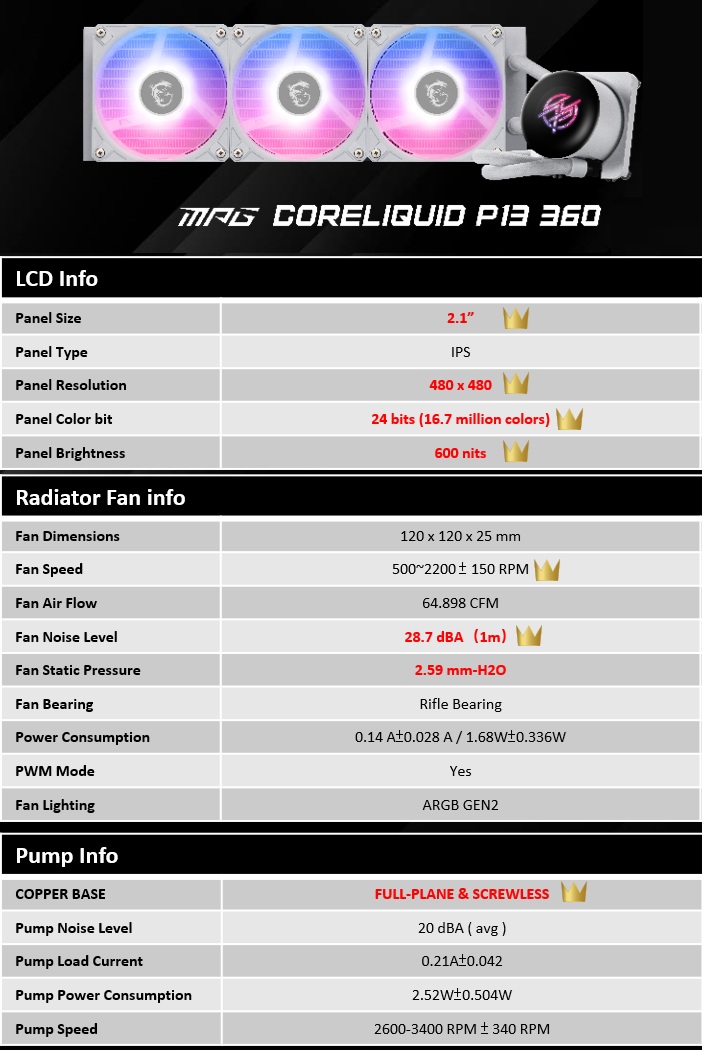
The CoreLiquid P13 has a 2.1-inch IPS screen with a resolution of 480 x 480. The cover of this cooler’s screen gives it an almost edgeless look, making the screen look like it takes up the entire AIO.
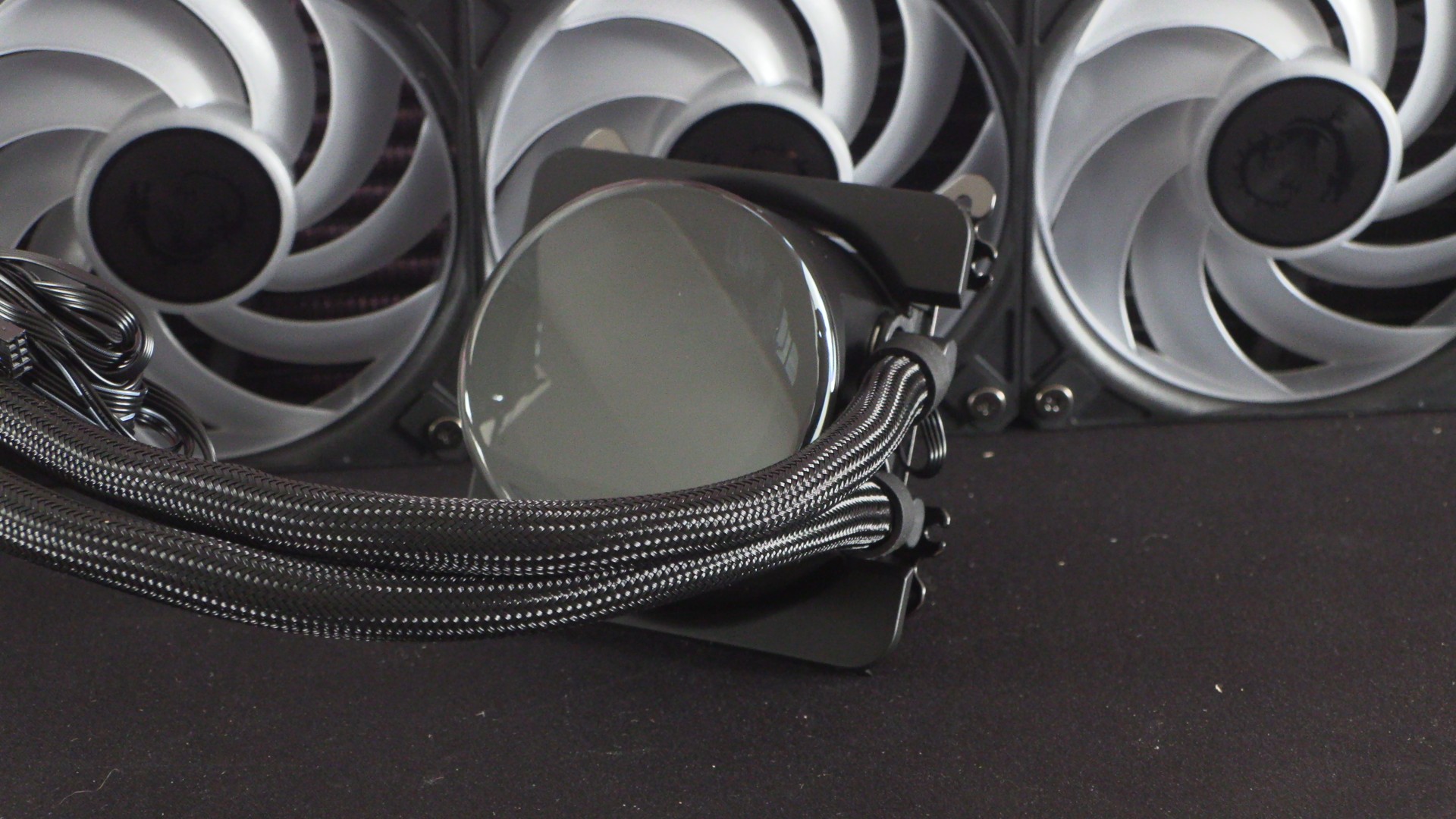
Note that the screen on this CPU cooler will not turn on unless you install MSI’s “MSI Center” software. This software is required for this screen to be usable. Since all owners of this CPU cooler will want to control its screen, this software is a must-download anyway. After all, if you didn’t want to have an LCD screen on your CPU cooler, you can save money by getting a CPU cooler that doesn’t have one.
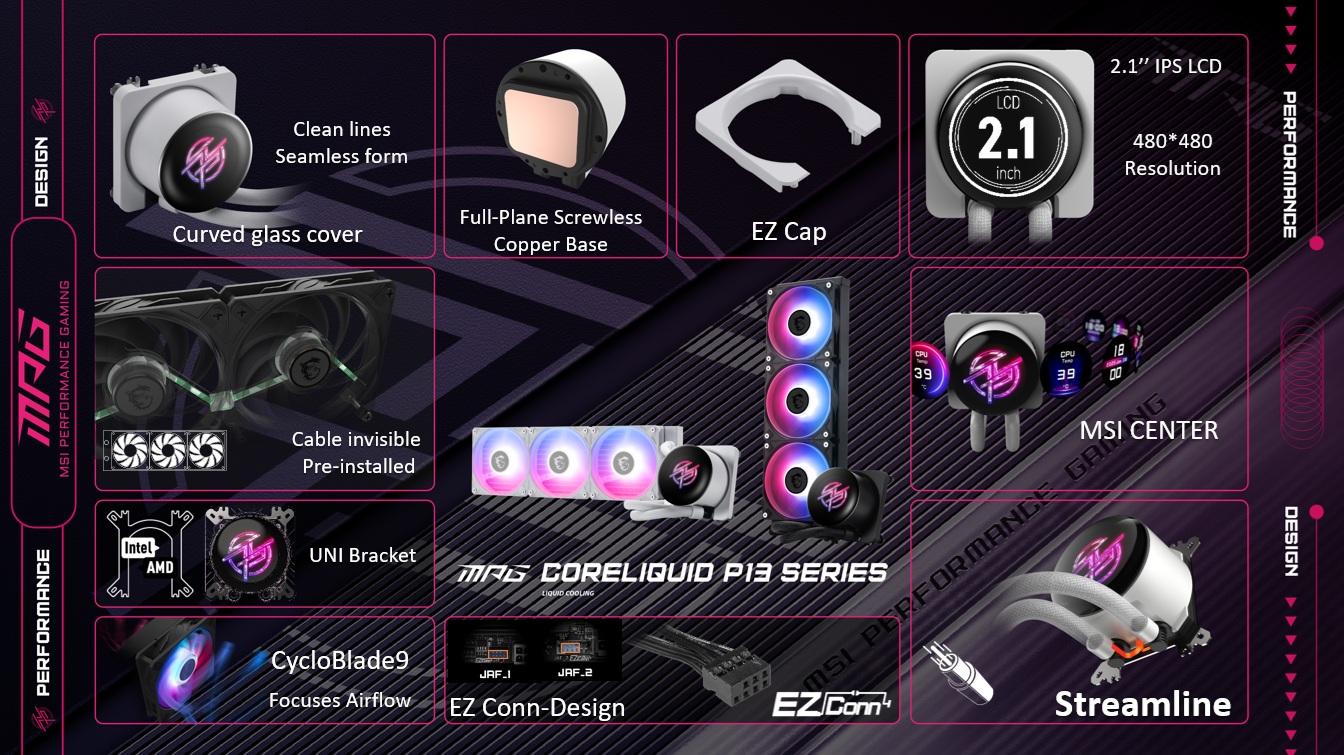
Users can use MSI’s LCD screen to monitor system information, play animations, or other personalised content. Handy for when you want to see certain system information at a glance.
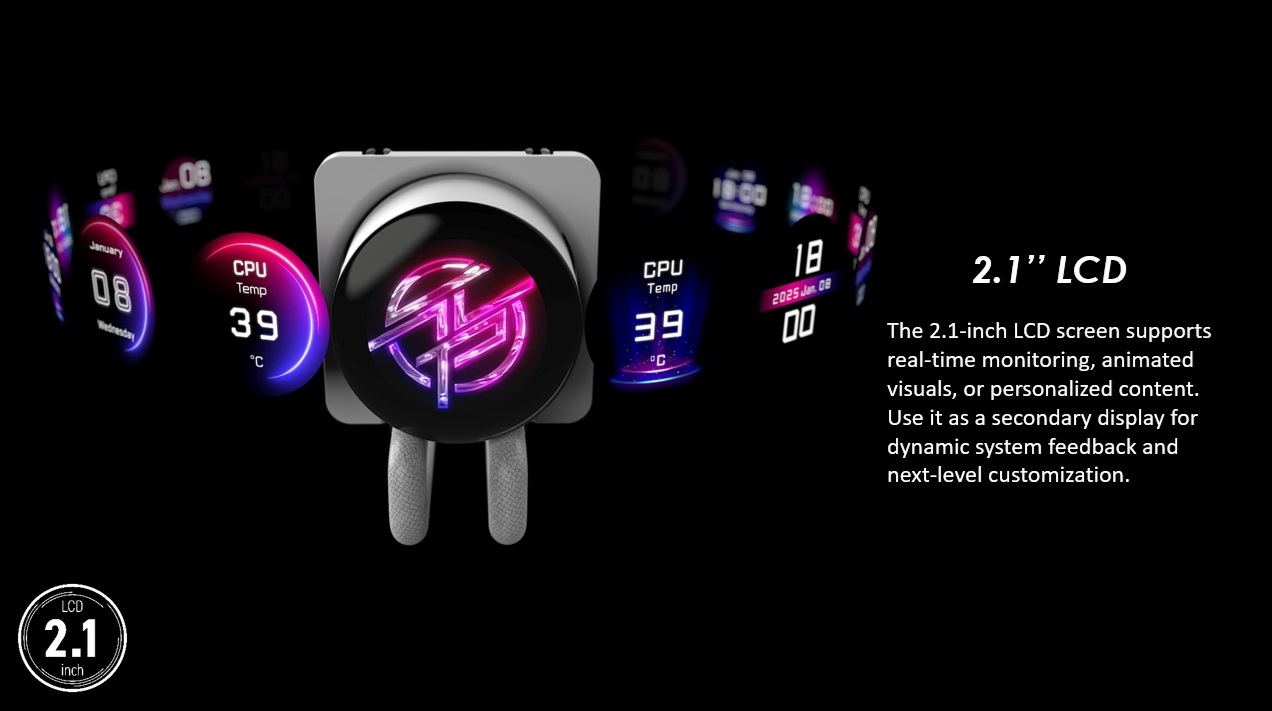
UNI Bracket
MSI’s MPG CoreLiquid P13 360 comes with MSI’s “UNI Bracket” pre-installed, allowing this CPU cooler to support modern AMD and Intel CPU sockets with ease. There is no need to switch from one bracket to another, or search for an alternative bracket if you move from AMD to Intel or vice versa.
Note that while this bracket came pre-installed, it uses a sliding mount. Our review unit didn’t have its bracket located correctly, offsetting the cooler from its intended position. Uninformed users could mount their coolers incorrectly if this happens to them. Having a screw or locator pin secure this bracket in place would prevent this bracket from moving during shipping.
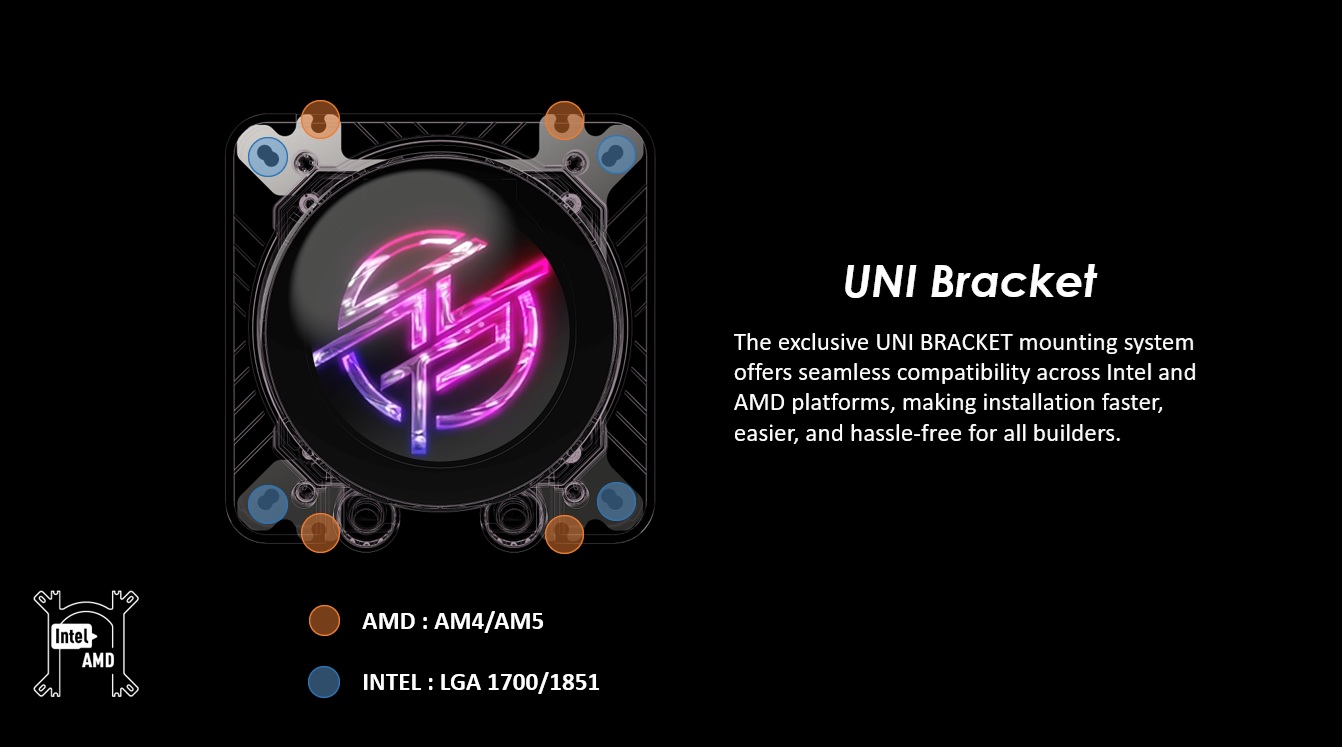
Covering MSI’s cooler mounts is their EZ CAP. This cap gives this cooler an ultra-clean aesthetic. Mounting screws are covered and out of sight. A nice addition.
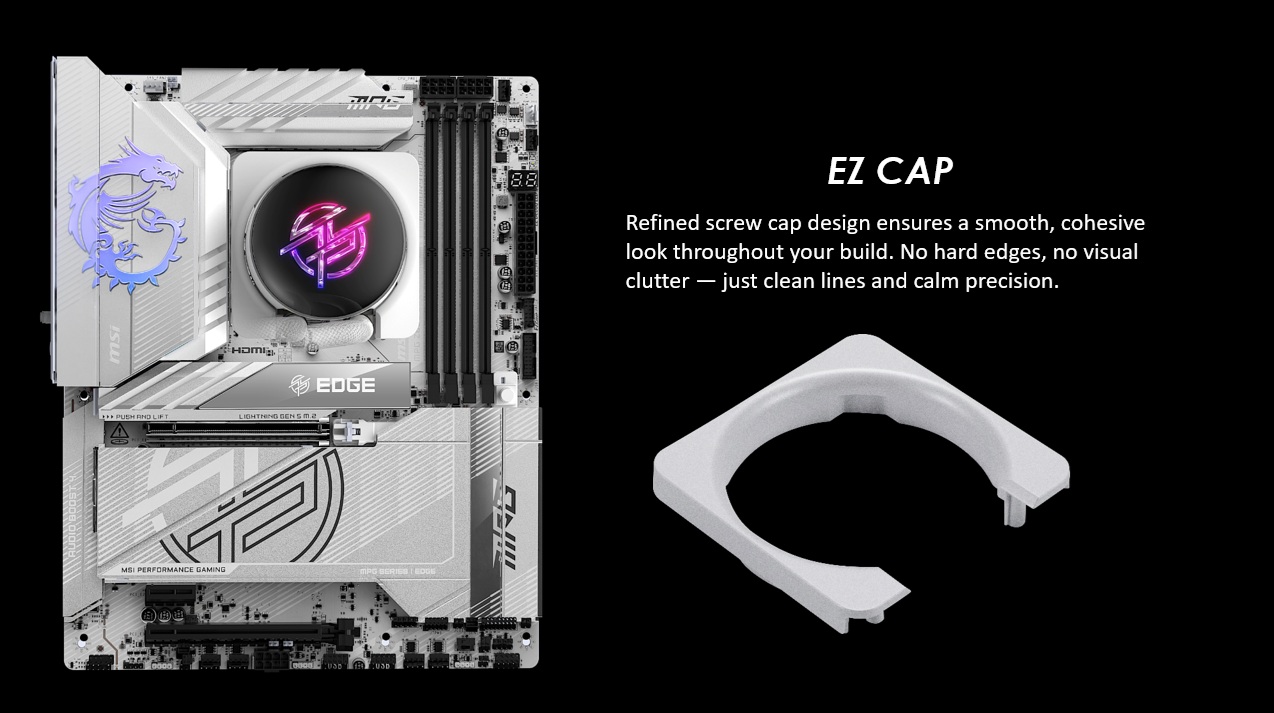
EZ Conn-Design
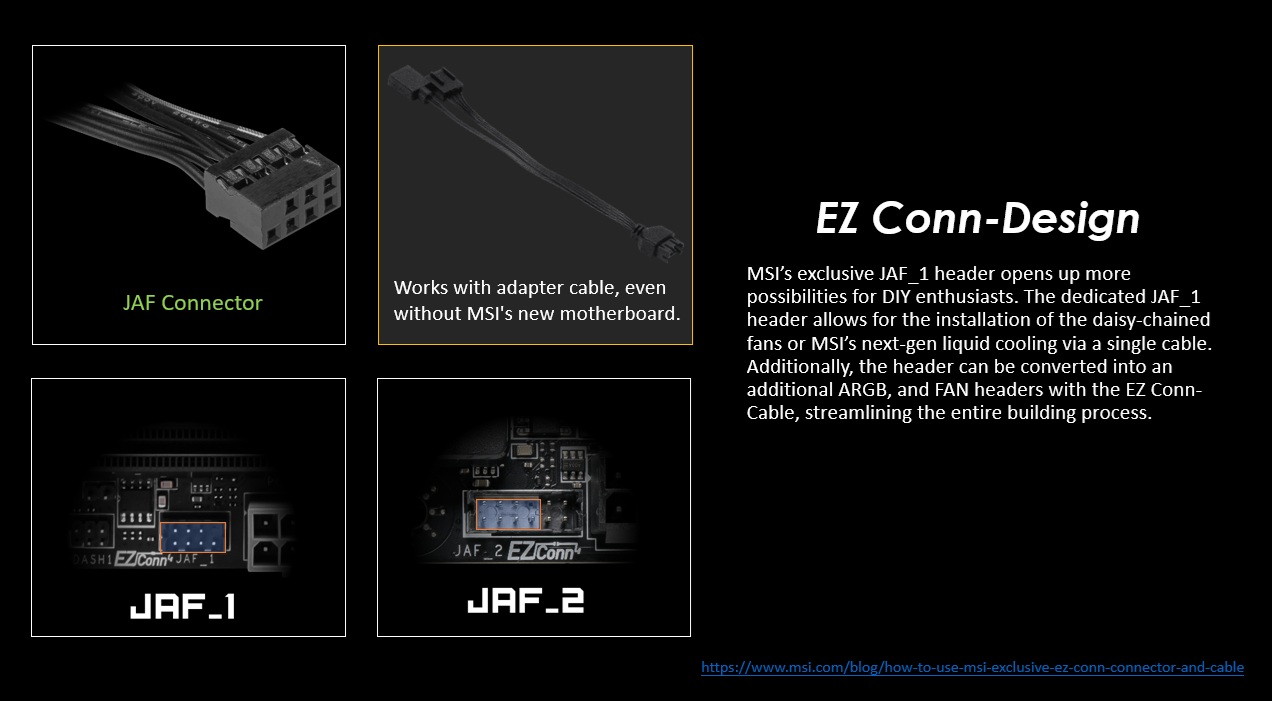
Users of MSI motherboards can connect this cooler directly to the JAF_1 connectors on new MSI motherboards, allowing users to power and control their P13 liquid cooler and its fans using a single cable. A nice feature for all-MSI PCs. This streamlines the PC building process. Note that you don’t need a PC with an MSI motherboard to use this CPU cooler. This connector is an optional feature for PC builders.
Hidden cables
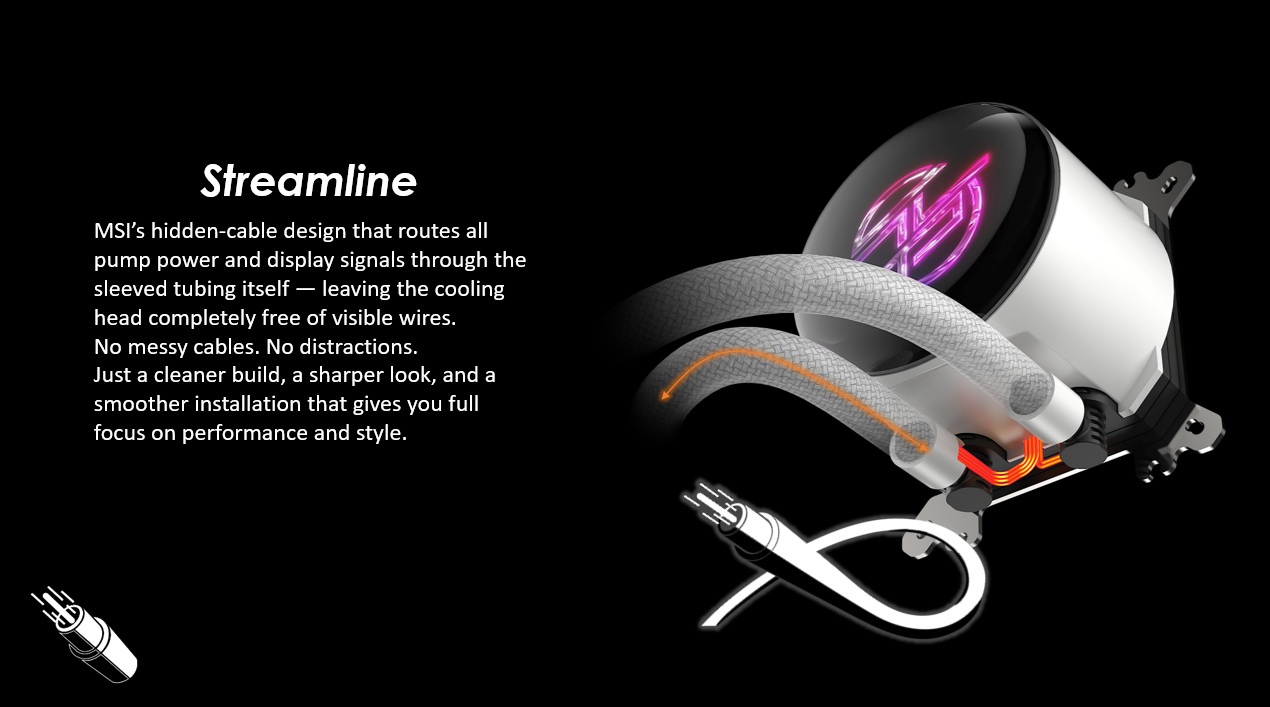
MSI has made an effort to conceal the power/control cables for this new liquid cooler. This AIO’s pump and screen cables are routed through the cooler’s sleeved tubing to minimise cable clutter. This is great news for PC builders who want to hide as many cables as possible. This is especially true for users of MSI PZ (Project Zero) motherboards.
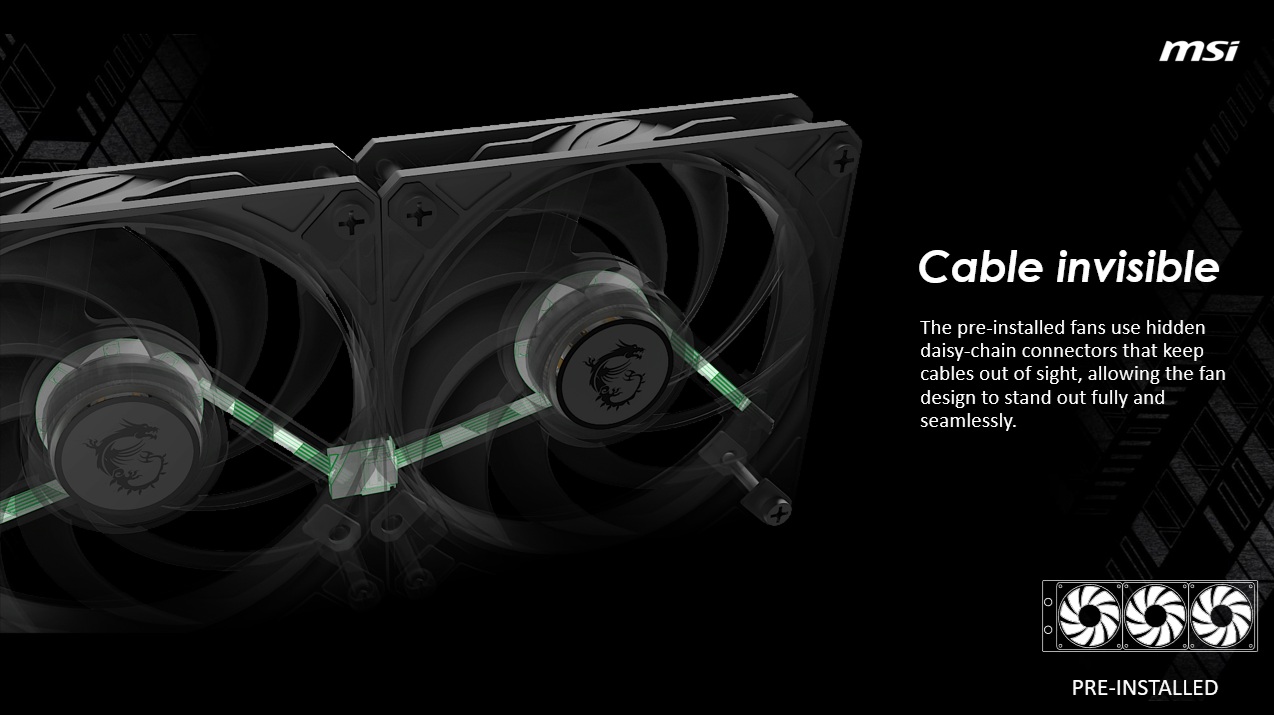
MSI has also pre-installed this cooler’s fans and has daisy-chained them to minimise cable clutter. This simplifies cable management and makes this cooler’s installation process a lot easier.
MSI MPG Coreliquid P13 360 Specifications and Pricing
MSI has told us that its MPG CoreLiquid P13 360 will cost £149.99 in the UK. This makes this CPU liquid cooler much more affordable than many competing LCD-clad coolers. That said, performance is king, and we will see later in this review how this cooler performs.
This CPU cooler has a 2.1-inch IPS screen with a resolution of 480 x 480. The cooler ships with three pre-installed 120mm fans and supports the newest mainstream CPU sockets from AMD and Intel. This includes AM4, AM5, LGA 1700, and LGA 1851. All of the cooler’s included fans feature ARGB lighting.
OC3D CPU Cooler Test Rig Specifications
Last year, we built a new PC for CPU cooler testing. This new PC has a newer, hotter-running CPU, a more power-hungry graphics card, and a cooling layout that is common for today’s gaming PCs. Simply put, we have moved to more modern hardware so that we can better test modern CPU cooling solutions.
CPU: Intel i5-14600K @1.27V (Fixed)
Motherboard: ASUS ROG Strix Z790-E Gaming WIFI
Case: Custom Lian Li O11 EVO XL
Memory: G.Skill Trident Z5 Neo DDR5-6000 32GB (2x16GB)
GPU: Sapphire RX 7900 GRE Nitro+
PSU: be quiet Dark Power 1,000W
Fans: 4x be quiet Silent Wings 4 fans

