Gigabyte G1 Sniper A88X Review

Test Setup
From our testing with the Kaveri APUs, we found memory speed makes the world of difference to performance. As you can pick up 2400MHz memory for around £70-75 these days, we think if you’re running a Kaveri APU, you’d be a fool not to pick up some fast memory. Therefore, our motherboard testing will have the memory set to 2400MHz for all tests, rather than the limiting 1600MHz memory we ran tests with before. This should allow for the higher end motherboards such as the G1 Sniper A88X to be able to put its power down a little more.
Also, due to the nature of Kaveri APUs having a decent performing integrated GPU, we feel it necessary to test the motherboards with onboard graphics, as well as with a dedicated card. However, since the A10-7850K we’ve used supports dual Crossfire with an R7 240 or 250, we’ve gone with the R7 250 to try and get the most amount of performance from the motherboards.
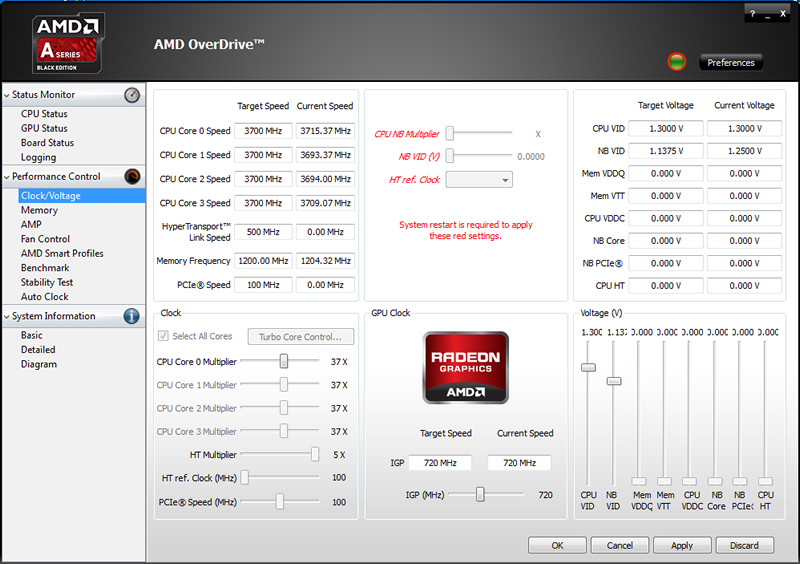
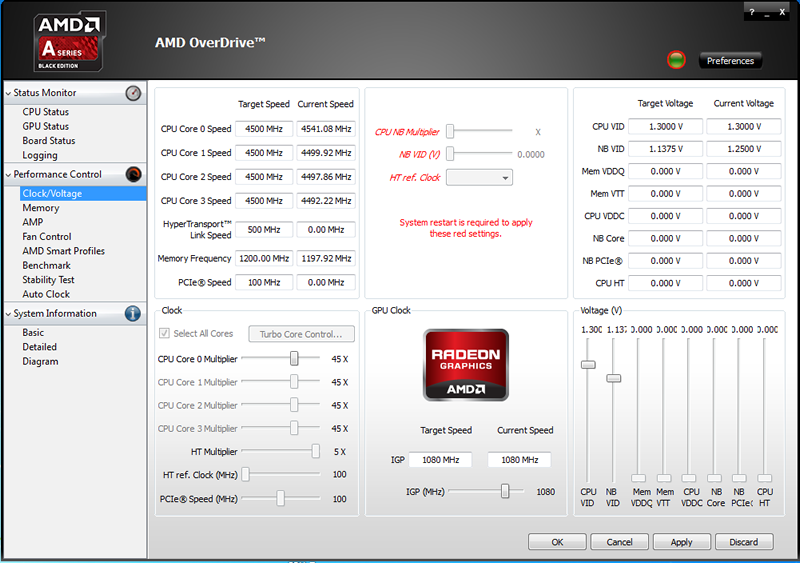
Temperature tests have always been a little hit and miss with AMD. We couldn’t get the Gigabyte F2A88XM-DS2 to report a temperature at all, and therefore we couldn’t really attempt overclocking before. We have managed to get a read-out with the G1 Sniper however, and hopefully for subsequent higher end boards we’ll be able to as well. However, as we knew the temperatures that the overclocked A10-7850K on the Sniper produced at 1.5v, we were happy gambling that these temperatures would be the same on the cheaper board, and so had a go at overclocking on that too. Set again to 1.5v, we were only able to achieve an overclock of 4.3GHz on the F2A88XM-DS2, as opposed to the 4.5GHz we managed to get on the Sniper. Similarly the DS2 only managed a 990MHz overclock on the iGPU whilst we got almost 100MHz more at 1080MHz on the Sniper.
| CPU | AMD Kaveri A10-7850K |
| Motherboard | Gigabyte G1 Sniper A88X |
| Memory | AMD Radeon Memory @ 2400MHz |
| Graphics |
1) Integrated R7 Graphics |
| Cooling | Corsair H80i |
| Power Supply | Corsair HX850 |
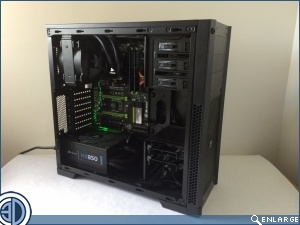
| Case | Corsair 300R |
| Storage | 2x Corsair 60GB LS Solid State Drives |
First Test
Our first test was running through every CPU, OpenCL, Game and Graphics Benchmark with the APU on its own. This had the RAM speed set to 2400MHz for the reasons previously mentioned. Other than that, the APU’s clock speeds were left at stock settings.
Second Test
We then ran through the graphics and real game tests for a second time with the R7 250 installed to allow us to compare Crossfire GPU performance with the cheaper motherboard we previously tested.
Third Test
The R7 250 was then removed for a second round of CPU and OpenCL testing but this time with the CPU, and GPU clock speeds set as high as they could whilst remaining within the maximum voltages AMD state with Kaveri processors. On the Sniper A88X, we managed to get 4.5GHz out of the processor, and 1080MHz out of the iGPU.