Control RTX/Raytracing PC Analysis

Raytracing On – The Impact of RTX
With raytracing maxed out, Control looks stunning, so much so that it’s hard to go back. Seeing reflections in transparent surfaces, reflections of off-screen objects and accurate ambient shading is something that takes the world of control to a new level of realism.
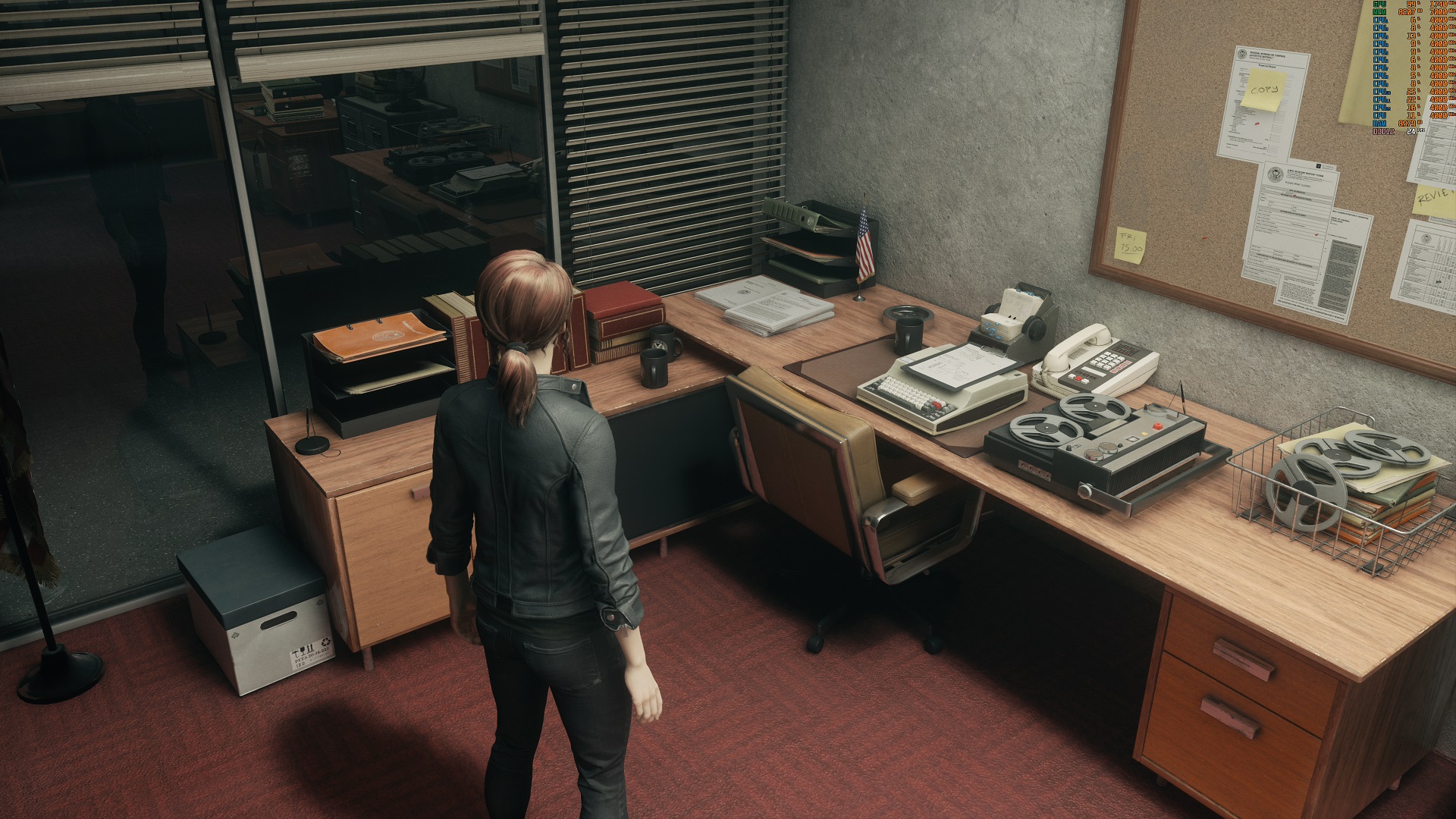
Looking at the image comparison below (click the link to see a larger version), we can see the impact that raytracing has on this office scene. Looking at the glass, we see an accurate reflection of the office, and inside, we can see accurate shading around all of the objects on the desk. Areas in the shade become suitably dark, ambient shadows further ground objects into the world, and the whole scene takes on a more filmic look.
(Raytracing Off VS Raytracing High)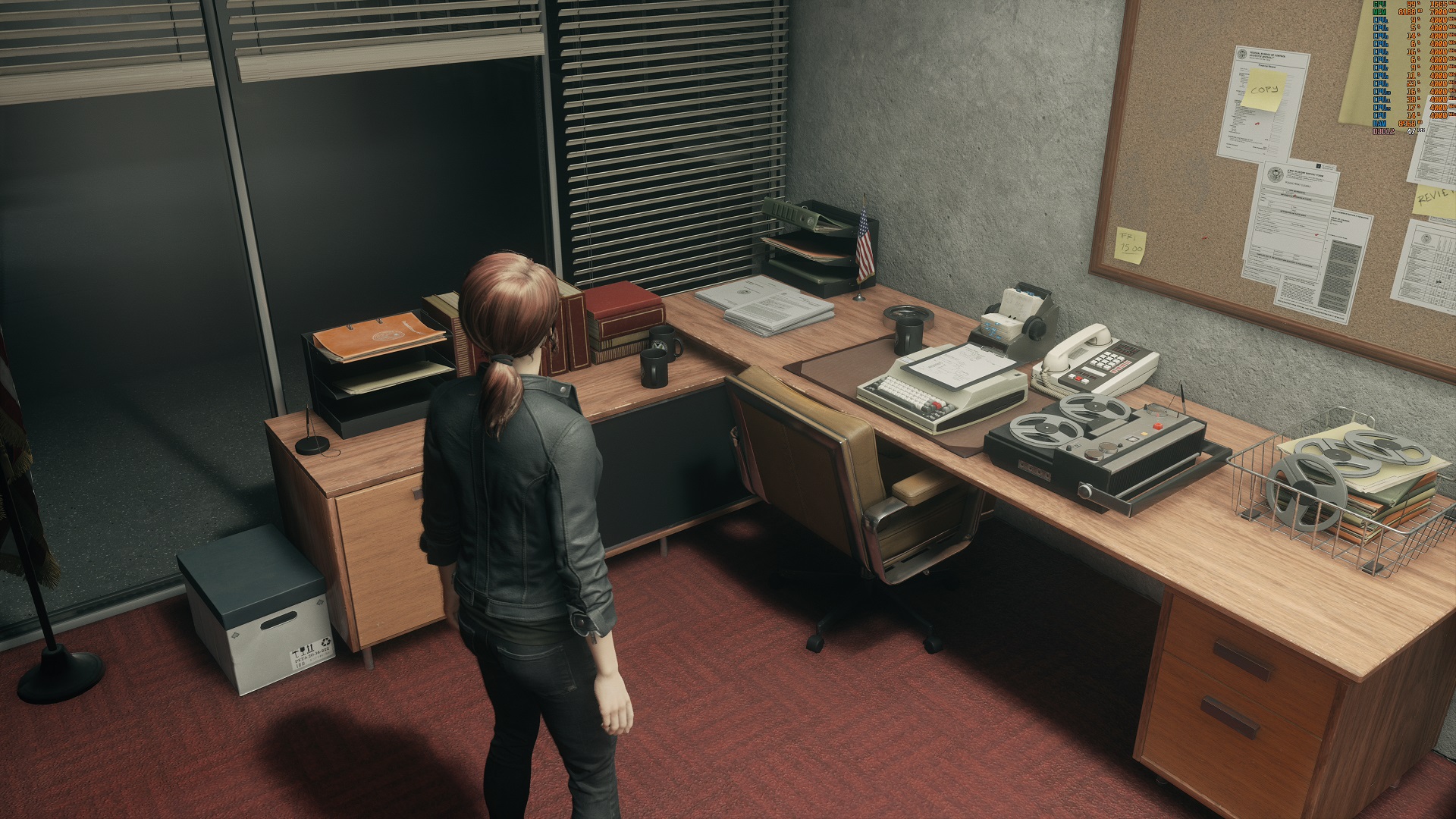
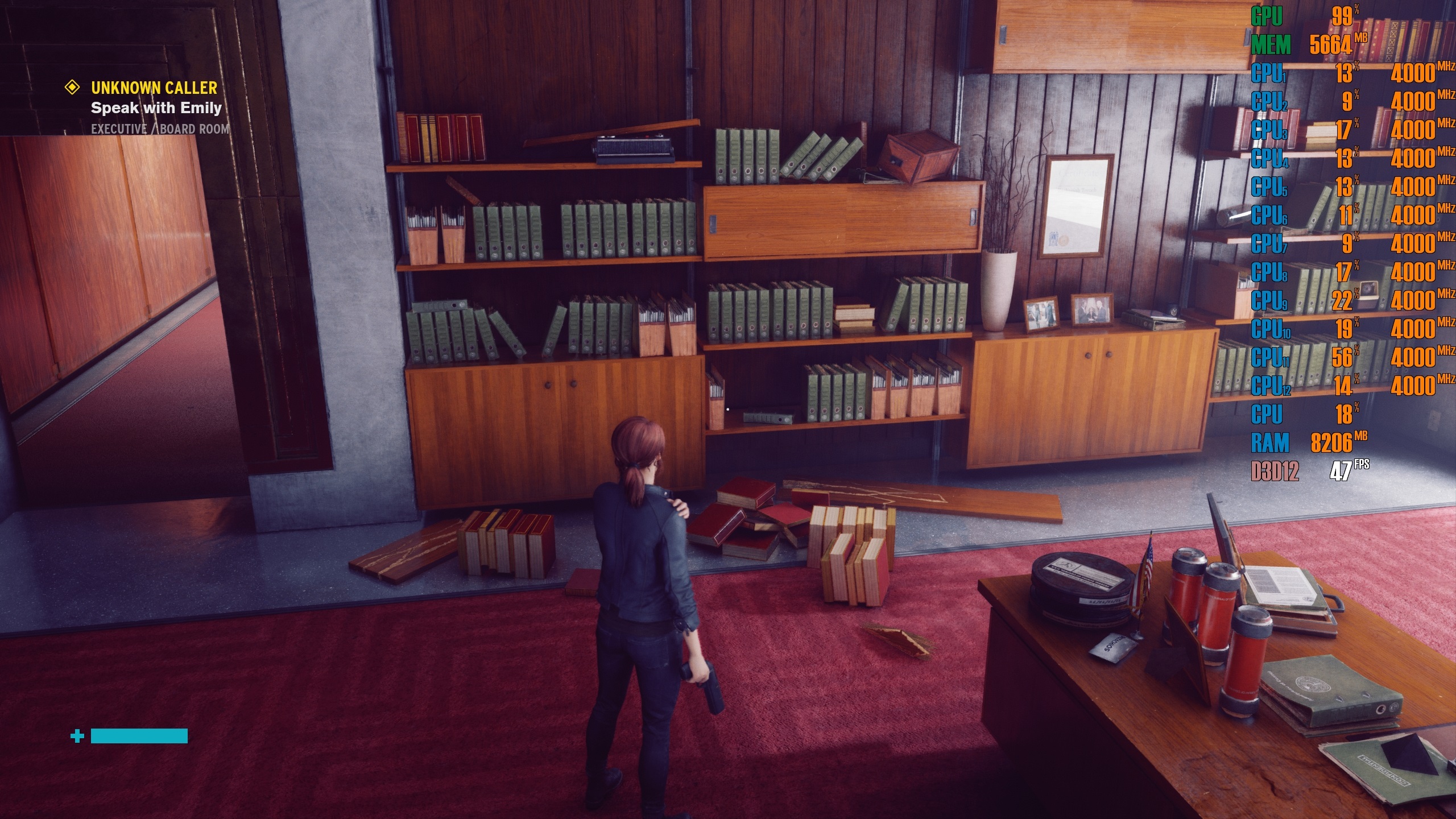
In this next comparison, we can see how Control’s visuals shift when the game relies on a more accurate lighting system, with reflective objects taking on a new look while shadows are more accurately cast across the books on the floor and on the nearby shelves. Much of the scene takes on a different look than before.
(Raytracing Off VS Raytracing High)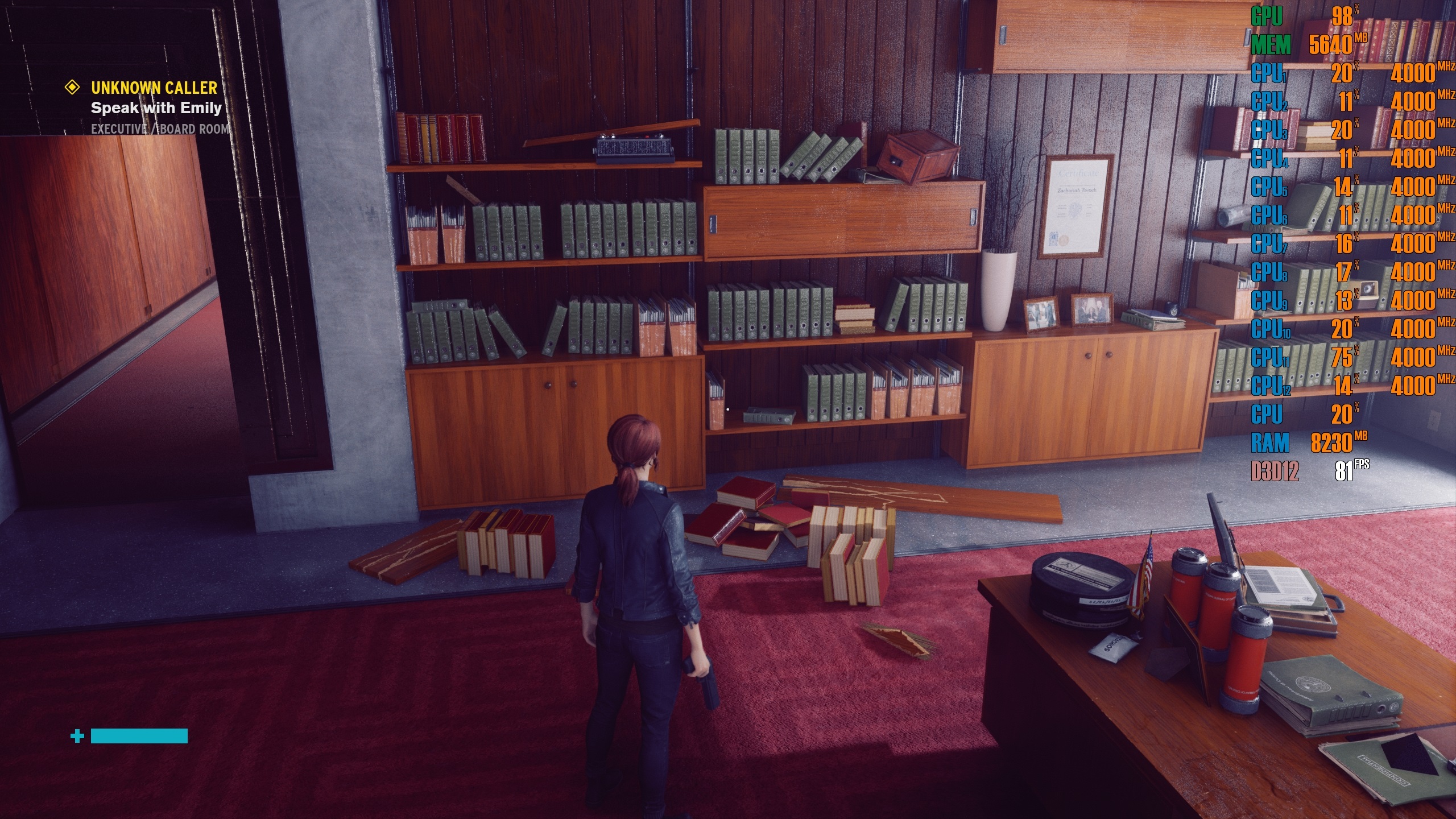
This next scene showcased the impact of reflections within Control, and what happens when the game moves from screenspace reflections to raytraced reflections. First, we see the more objects reflected on the floor, but we can also see how nearby objects can impact the colouration of others. Light from the red floor is reflected onto the wooden desks that sit on top of it, granting them a more reddish hue.
Again, this scene showcases the impact of Control’s diffuse lighting and contact shadows, which fundamentally change how this scene appears. Objects appear a lot more grounded within the game world, and the area takes on a more real-world tone.
(Raytracing Off VS Raytracing High)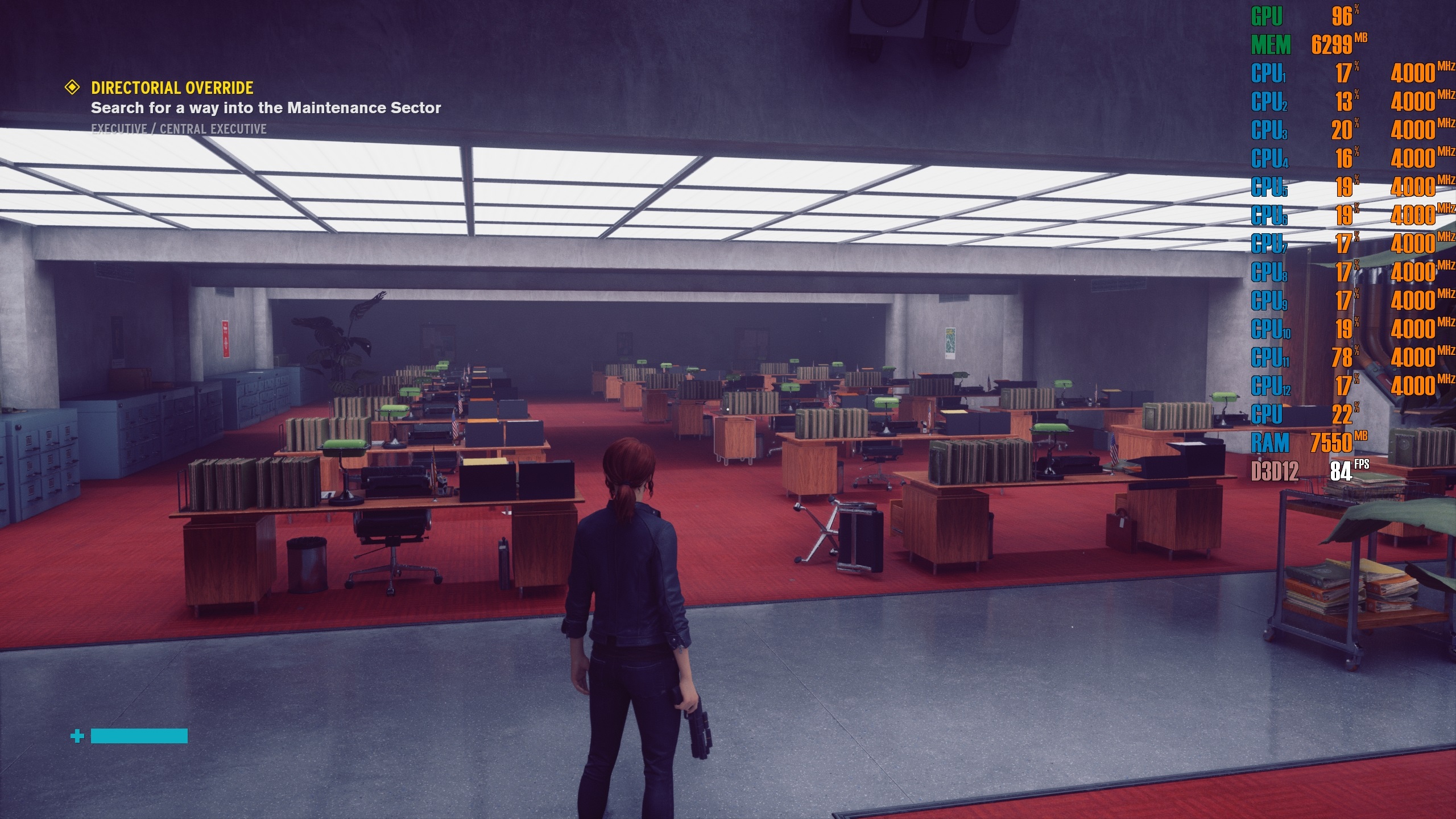
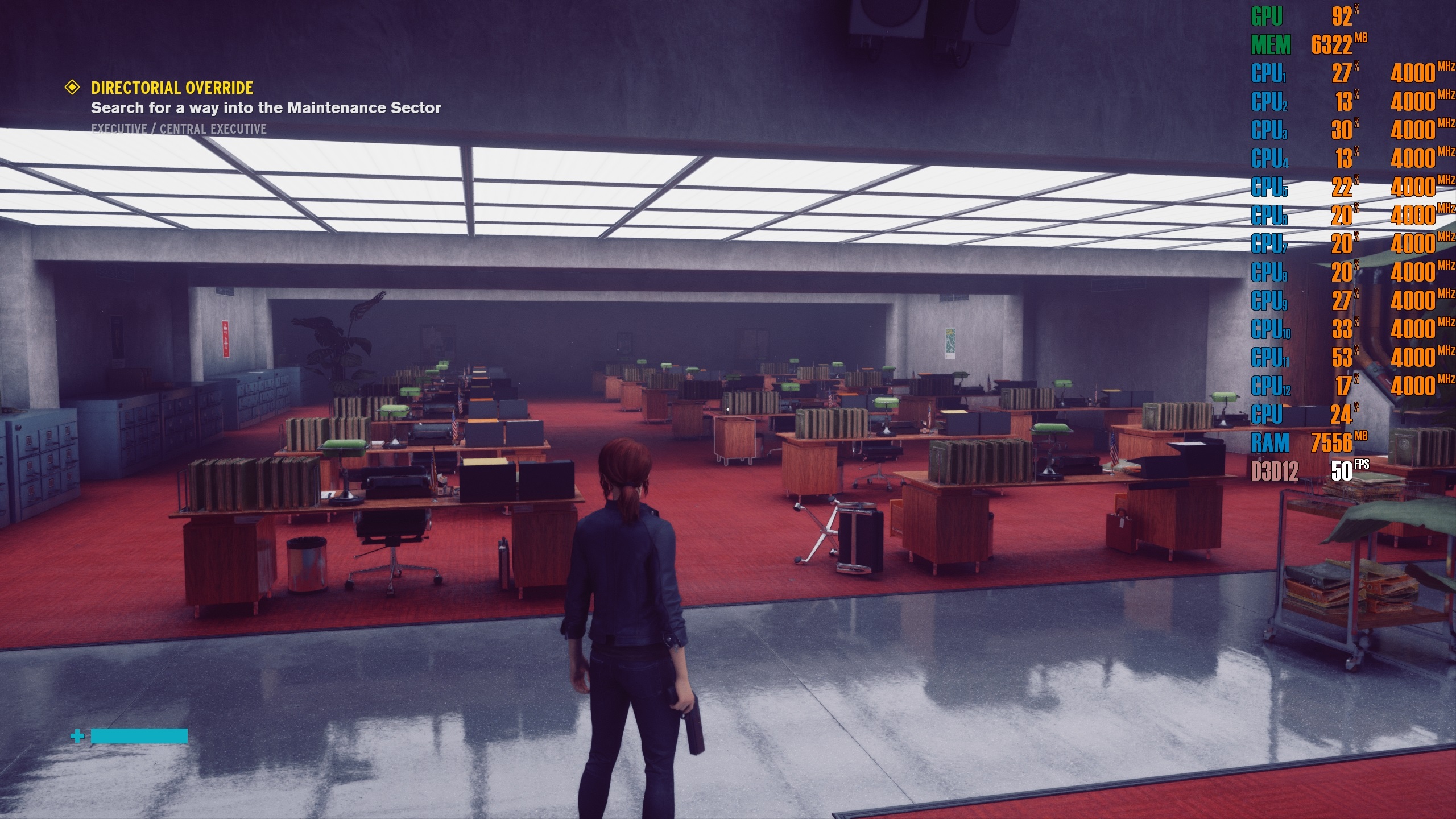
Raytracing Medium VS High
Shifting raytracing to Medium only applies raytraced reflections and transparent reflections to the game, impacting all scenes of the game with reflective surfaces. However, the meat that Control’s raytracing implementation offers comes when raytracing is set to high, when both raytraced diffuse lighting and contact shadows come into play.
While it comes at a high-performance cost, raytraced diffuse lighting and contact shadows allows Control’s visuals to appear a lot more grounded and realistic, presenting visuals which look very next-gen in nature.