


Corsair K100 Optical Mechanical Keyboard Review

Dial, Media Keys and Underfloor Lighting
Macros are something we’re always keen on, and can save you a massive amount of time very quickly. You might feel that you’re only saving a couple of seconds but being able to perform complex, repeatable actions in a single press can add up. Anyone who spends a lot of time on social media will assume, like we do, that “omgiloveyounoticeme” comments appear so quickly they must be on a macro. Now you too can do that, but you can also set up a macro that saves your recent gameplay footage, says GG to everyone, quits and finds a new game all in one press.

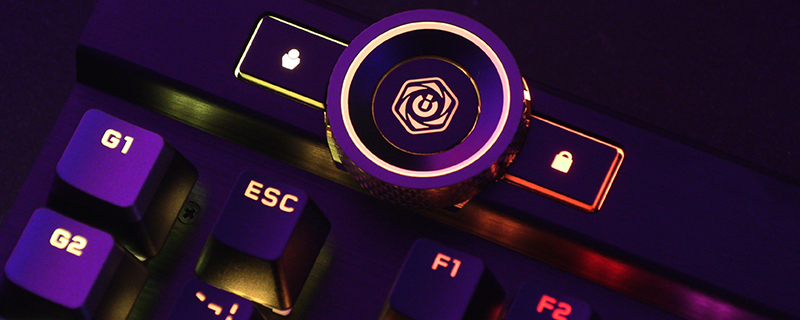
The iCUE dial is the most obvious new feature on the K100 RGB. The centre button switches between modes, whilst a turn of the dial adjusts the settings. Plenty of control and customisation options, in a format that’s easy to get your head around without spending a week studying the finer points of the manual. Power is nothing without control.


Plus ca change plus c’est la meme chose. The Corsair K100 RGB still has their famous volume wheel in all it’s textured, weighty glory. There is also a dedicated mute button that’s easy to find if you need to mute things in a hurry. What you do in your spare time is none of our concern.

As well as the regular key lighting that we’ve come to expect from Corsair, the K100 eschews the front facing light bar we saw on the K95 Platinum and instead goes for lighting almost everywhere else. If you want your keyboard to leave a soft glow on your desk then the K100 will be right up your alley. It is all, as you’d expect, completely customisable so you’re not mandated to have the white we’re showing off here for clarities sake.


Often with extra lighting it can either be so bright – we remember an early backlit keyboard we reviewed that was like a lighthouse – or so dull as to make you wonder why it’s included. The Corsair K100 RGB fits neatly between these two camps giving a soft glow but one which is not injurious to the eye.


