


Corsair K100 Optical Mechanical Keyboard Review

Conclusion
It’s amazing how much of computer hardware is limited by form factors. Motherboards have to be a certain size to fit on the standoffs in cases, which also have to be a certain size to accomodate them, and graphics cards have to fit in those aforementioned cases, etc etc. Keyboards are no different. Sure you can have a TKL one for those of you who either have tiny desks or don’t need to type a ° or † at a moments notice, and you can have ones which are wider than standard to fit on some macro keys, but by and large the size of a keyboard is a standard measurement. Given the plethora of features available on the K95 Platinum we wondered what exactly the K100 could bring to the table without busting those defined standards.
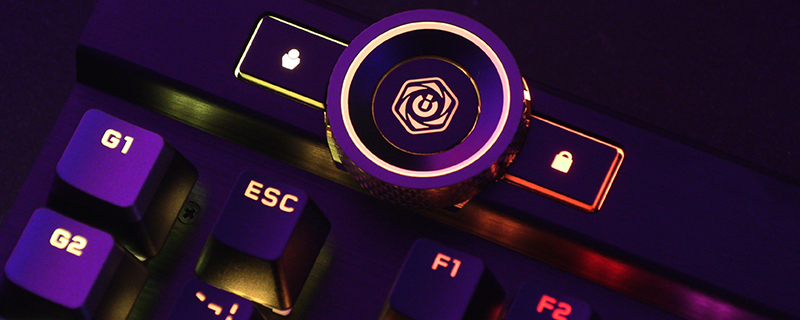
It turns out that Corsair have squeezed bits and bobs into every last crevice of the package. The bit of genius is in using a wheel to control it all. Compact, but incredibly powerful and customisable. It brings new things to the table without expanding the footprint of the keyboard to untolerable levels. In fact the only thing we could think that Corsair could add to the K100 RGB that it’s missing, or rather than would further enhance the iCUE Dial, is the use of their iCUE Nexus display built into the top (although you can add this on like you would to any other keyboard). Although we’re sure that the huge gap around the Corsair logo at the top of the K100 is left blank for this exact coughbusinesscough reason. Maybe the K105 Platinum SE will have it. However, even in its current state where it uses lighting changes to indicate the exact item you’re currently in control of is a neat touch and there is enough flexibility in the excellent Corsair RGB lighting palette to give you many options.
HERE
We also are big fans of the glow lighting around the sides that lights up your desk as well. Sure it’s not a feature that is a deal maker or breaker, but now we’ve got it we realise how much it’s missing from other keyboards. Our mouse mats can glow, some of the more desirable mice have glow options, heck our cases are reminiscent of a 70s disco so why not add the keyboard to those “Battlestation” shots people are so fond of? We love how the lighting is also not compromised by its positioning. We expect keys to be lit up perfectly these days, and the K100 RGB is no exception to the Corsair fame for doing so, but it would be easy for this first gen side lighting to be poor or not handle the more difficult colours and pastel shades. No such issues here at all. It’s excellent. It’s not all sizzle and no steak though. The Corsair OPX switches marry the 45g actuation pressure we’re all used to from the Cherry MX Red switches that absolutely dominate the market, to a 1mm actuation distance that lets your fingers fly across the keys, barely brushing them to get a key response. We promise you that laptop style keyboards aren’t as instantly responsive as the K100 RGB is. It’s not just the instantaneous response from the shallow actuation distance that does this though, as the Corsair AXON has native 4000 Hz hyper-polling and key scanning. No wonder it uses a USB 3.0 connection. If you’re a high-FPS, twitch reaction gamer then having your keys register up to four times faster than a normal keyboard can be the difference between the glory of victory and having a 12 year old screaming obscenities at you.
The rest of the K100 RGB is exactly what you would expect from a premium Corsair offering. The magnetic wrist rest is easy to attach and detach with plenty of padding and a cooling leatherette finish to help reduce the possibility of pain later in life. The key caps are seriously thick walled and premium feeling with a fantastically clear font, whilst the 6 additional macro keys have Stream Deck integration if you want even more possible options. As anyone who has used the Stream Deck software knows, it offers even more than the excellent iCUE software does. Lastly the cable is very nice indeed. Normally braiding is either as flexible as a lead pipe, or as robust as the tissue you left in your jeans that have been through the wash. This feels like it might be both, although only a longer term test than we’re able to perform will show how it stands up to the rigours of a life on a desk.
The Corsair K100 RGB takes the build quality and feature set of the outstanding K95 Platinum and expands upon it with faster responding keys, faster polling, more lighting and more customisation options. It’s not the most affordable keyboard on earth, but it might be the only keyboard you need for the next decade. What other hardware lasts that long?

Discuss the Corsair K100 RGB Optical-Mechanical Keyboard in our OC3D Forums.
