


Corsair Scimitar RGB Elite MOBA Mouse Review

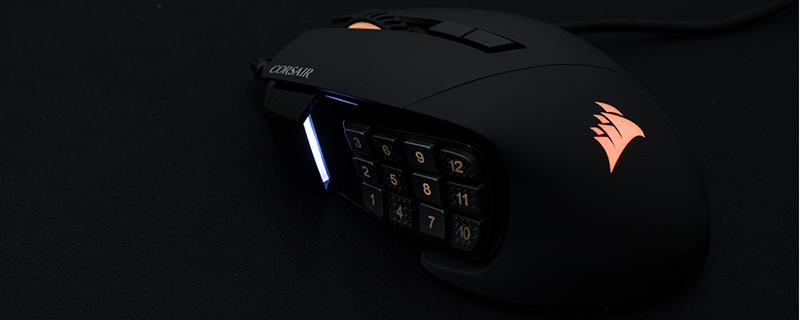
Up Close
Like all Corsair products since they introduced their Corsair Gaming range, and then subsumed that into their main brand again, the Scimitar RGB Elite comes in an easily recognisable yellow box with a big product image and clear feature set. So many companies spend fortunes trying to get their brand imprinted in the minds of the public, or familiar at a glance, and by the simple use of a bright yellow colour scheme Corsair stand out on the shelves of your local hardware emporium.


Inside the box things are kept simple with a long braided cable on the mouse, an allen key for adjusting the side keys as we’ll see at the foot of this page, and the easy to read setup guide. The scroll wheel is heavily textured and behind that are two more buttons that you can configure, although with so many on the side you might leave them to profile or DPI duties.

The underside is simpler still, with no serial number or identifiers to be found, just three low friction pads, the sensor eye, and the screw head that allows you to position the side keys exactly where you want them. Well, within reason. They still have to be on the side.

The right hand side is heavily sculpted and textured, something which is of particular importance when your thumb is trying to hit one of twelve buttons with accuracy and consistency.

Speaking of those twelve buttons which are the main event on the Scimitar Elite, Corsair have gone to a lot of trouble to try and make them distinctive so your thumb can differentiate between them easily. From front to back we have smooth, textured with a bump, smooth, textured without a bump, and the gaps between each button is just enough that you can find them with a little practice. If they are too far forwards, or back, for your thumb size then the screw we showed above can slide them until you can find a position that’s comfortable. For ourselves it was somewhere in the middle, letting us hit the 11 key as easily as the 2.


