Apex Legends PC Performance Review

Apex Legends on Older Hardware – 2GB of VRAM? Performance and Graphical Impact
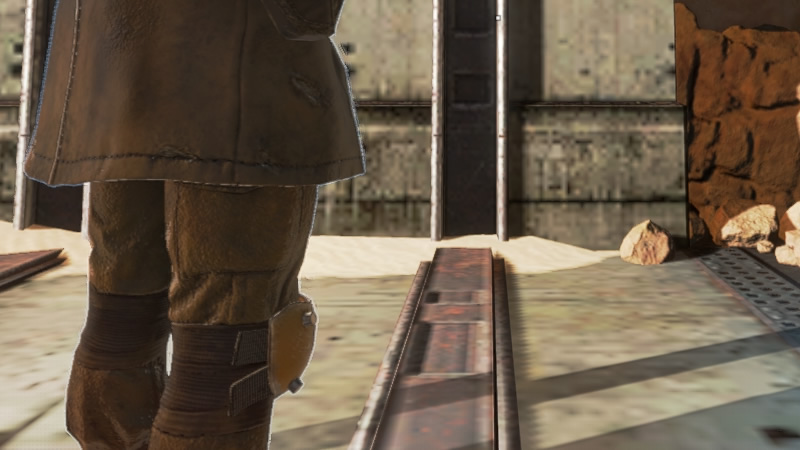
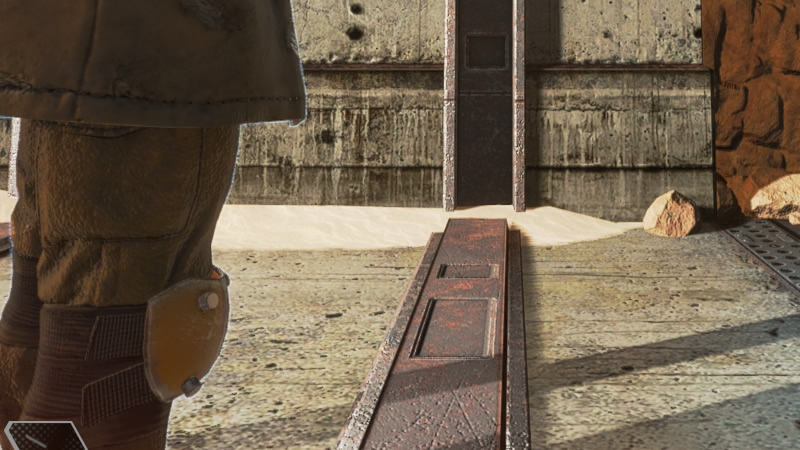
Can you play Apex Legends on an older 2GB graphics card? Yes, but it will come with a few sacrifices. First, there is a major compromise in the game’s graphical quality, which can be seen below when comparing the game’s 2GB VRAM setting and 8GB VRAM settings. Settings in Apex Legends are otherwise identical in this test case.
As you can see below, Apex Legends lower VRAM settings significantly drop the quality of the game’s artwork, making the game look more like a PS3/Xbox 360 era title. This is why GPUs with larger banks of VRAM are preferable. Thankfully Apex Legends isn’t about staring at the scenery, so you won’t be focusing much on the game’s texture quality that often.
(2GB VRAM – Low Setting VS 8GB of VRAM Maximum)
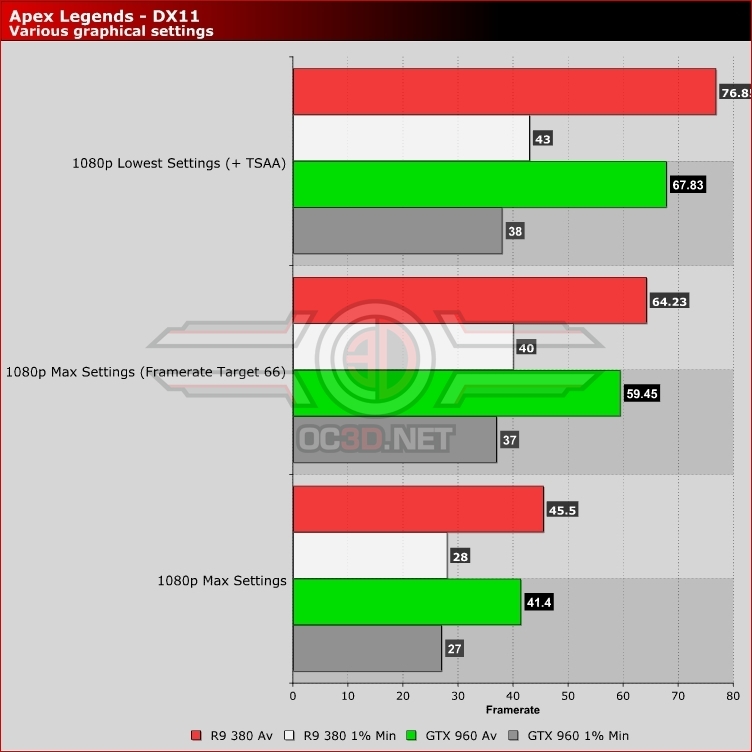
To get a steady 60 FPS framerate in Apex Legends on our ageing R9 380 and GTX 960 graphics cards, you need to lower the game’s graphical options and enable the game’s “Adaptive Resolution FPS Target” option. Setting the game to low will keep the game above 60 in most situations at 1080p, but the game’s dynamic resolution scaler to a framerate target of 63 or so after that will eliminate almost all framerate dips.
Exact settings recommendation will depend on your preference for higher levels of fidelity or high average game resolutions. The first setting you should turn off in this setup in Ambient Occlusion, as it has the largest performance impact and is turned off by default on the game’s console versions.