Borderlands 4 Retested – Is the game faster now?

What about our Optimised Settings?

What about our “Optimised” settings from our day-1 review?
Alongside our preset testing, we decided to try out our “optimised” settings from our original PC Performance review and optimisation guide for Borderlands 4. For our “Optimised” PC settings, we lowered Volumetric Fog, Shading Quality, Volumetric Clouds, and Lighting Quality to Medium. We also turned Volumetric Cloud Shadows off.
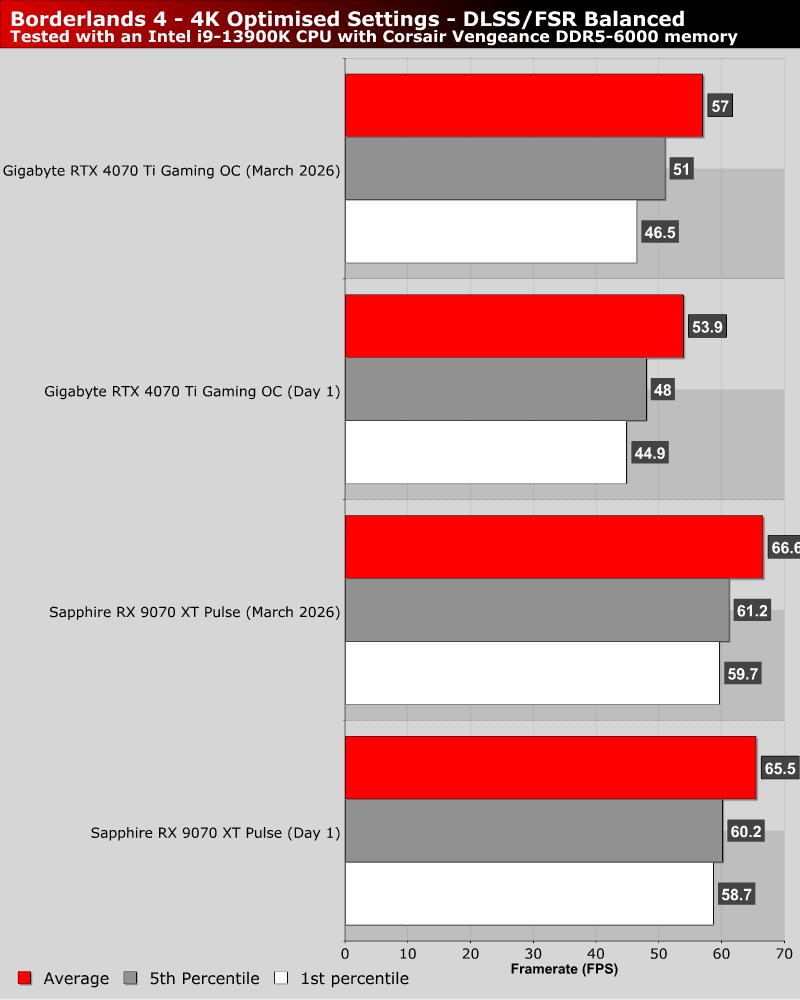
At launch, these settings gave us a 55.7% increase in performance over Borderlands 4’s “Badass” preset at 4 K with an AMD Radeon RX 9070 XT. Today, these settings only yield us a 35.8% boost to our average framerate. This confirms that Gearbox has indeed optimised the graphical settings that we optimised with our custom settings. Furthermore, we can see below that our optimised settings are only slightly faster than those we used when we tested Borderlands 4 on day 1.
Clearly, Gearbox has focused on the areas we identified as performance hogs in our original PC review of Borderlands 4. Our custom settings are so optimal that months of performance-focused patching have barely improved our benchmark results.
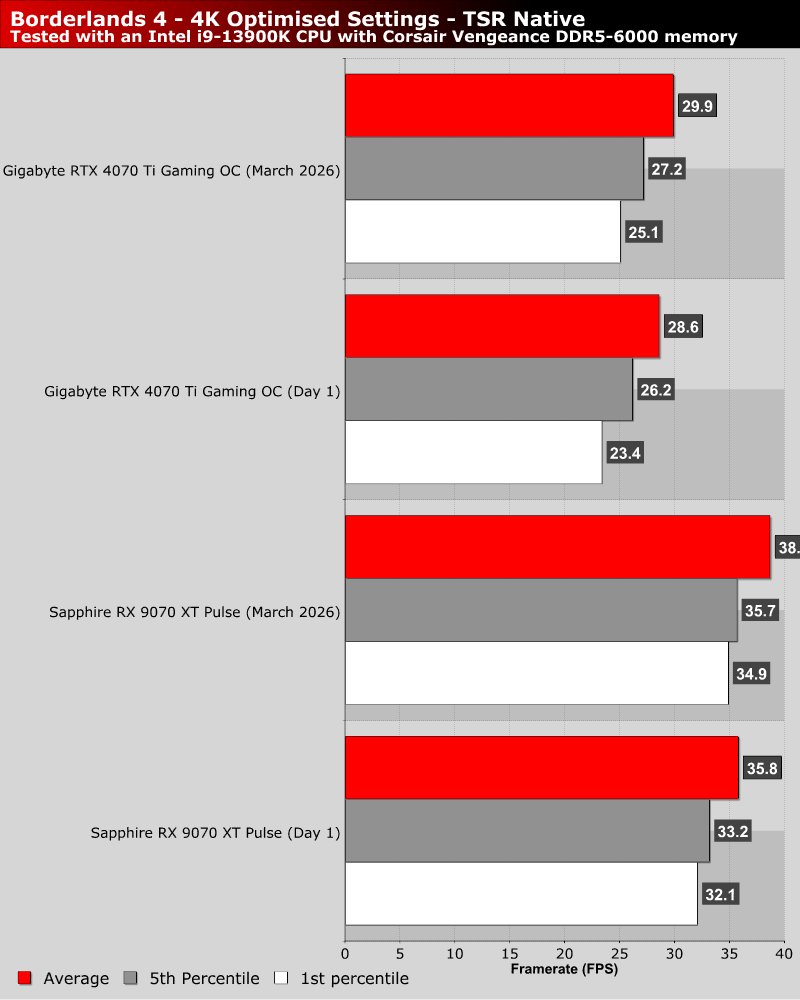
By enabling DLSS on our RTX 4070 Ti and FSR 4 on our RX 9070 XT, we can boost both GPUs to around 60 FPS. Borderlands 4 remains a performance hog. That said, using high or medium settings should significantly boost performance.