Borderlands 4 PC Performance Review and Optimisation Guide

Optimised Settings – Tweaking Tips
Testing most of Borderlands 4’s graphical settings
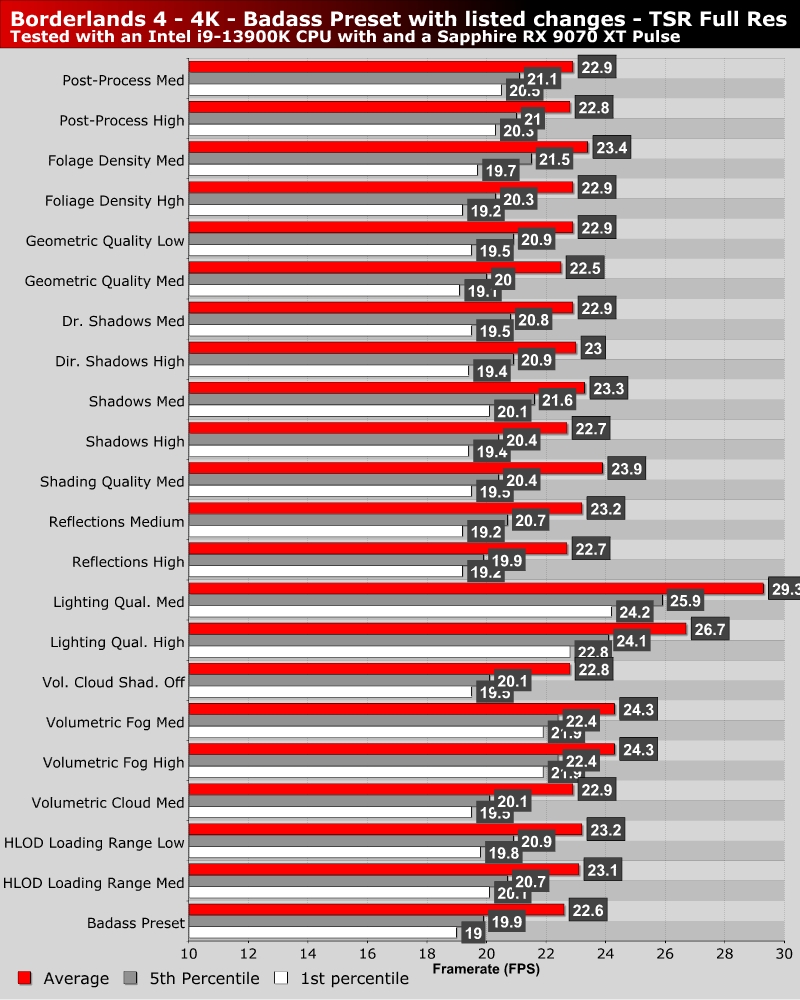
We benchmarked Borderlands 4 in an early open-world section of the game. Here, we tested a sequence that contained both combat and level traversal. We tested the game at “Badass” settings and then lowered specific settings and retested. This took ages to do, but it let us know which graphical settings had the most impact.
Below, see can see that lighting quality has the largest impact on performance. Setting this to medium boosts our average framerate by 29.6% and our 1st percentile framerate by 27.3%. Volumetric Fog, Shading Quality, and HOLD Loading range also have a notable performance impact.
“Optimised” settings for Borderlands 4’s PC version
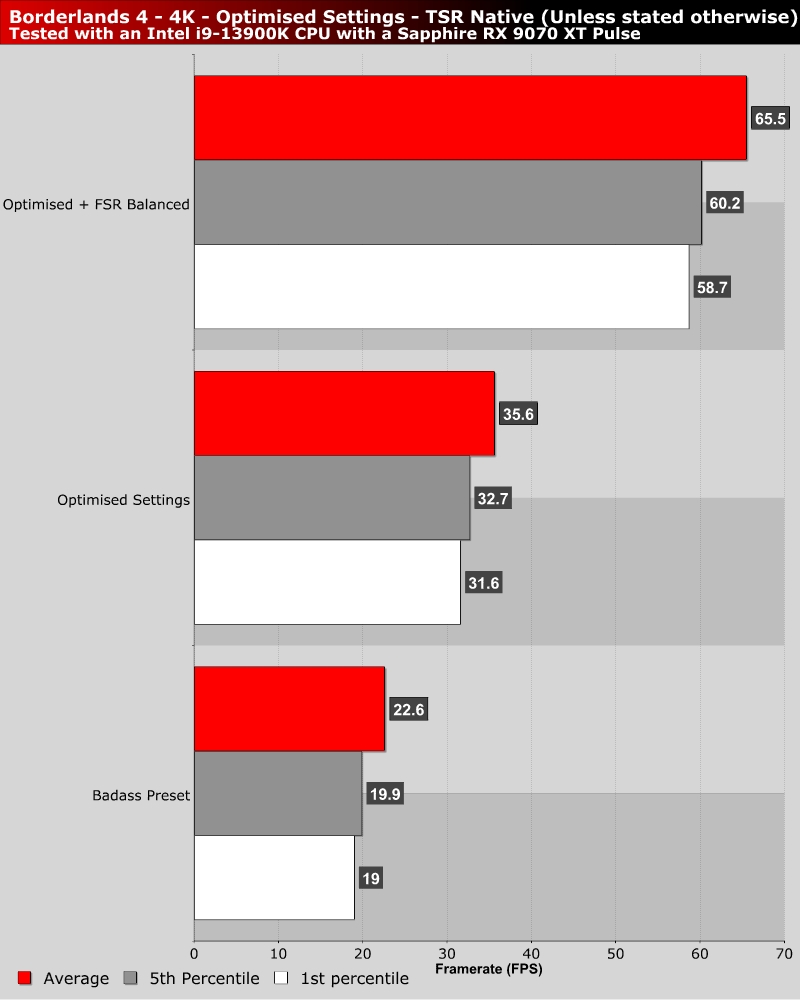
For our “Optimised” PC settings, we lowered Volumetric Fog, Shading Quality, Volumetric Clouds, and Lighting Quality to Medium. We also turned Volumetric Cloud Shadows off. These changes resulted in a 55.7% increase in average framerate at 4K on our Radeon RX 9070 XT. After using FSR 4 in Balanced mode, these settings gave us an average framerate of over 60 FPS.
If you want to boost framerates further, Shadows, Foliage density, and Reflections are good candidates. Setting these to high or medium will boost framerates further.