Borderlands 4 PC Performance Review and Optimisation Guide

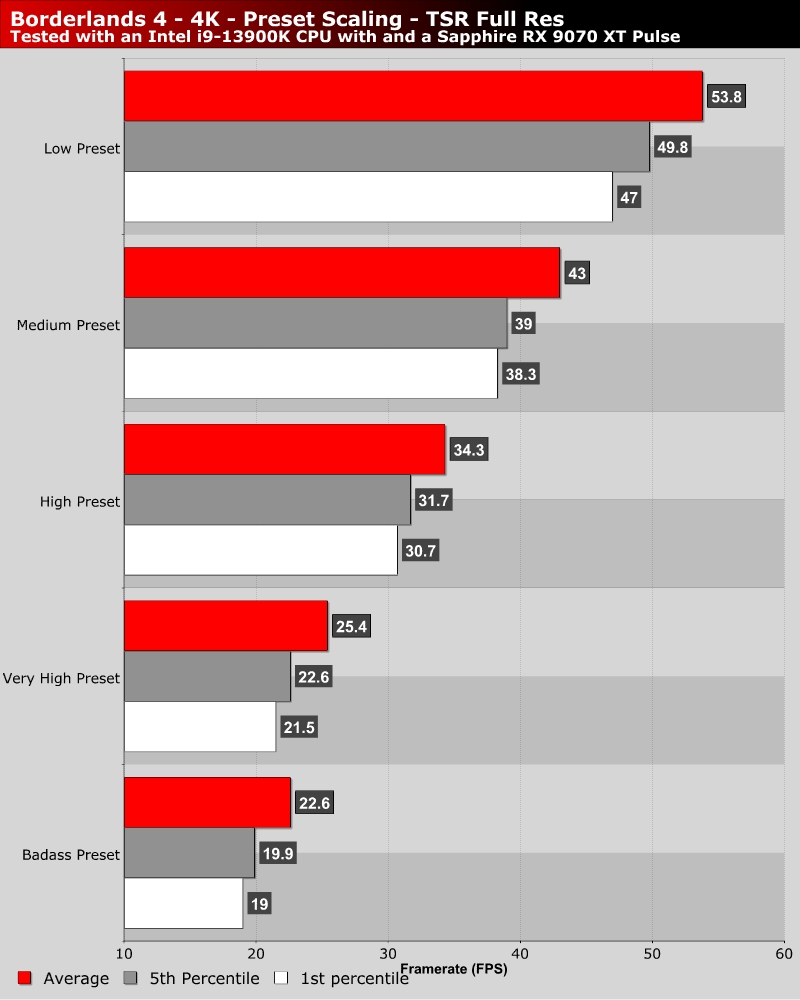
Preset Scaling – Low to “Badass”
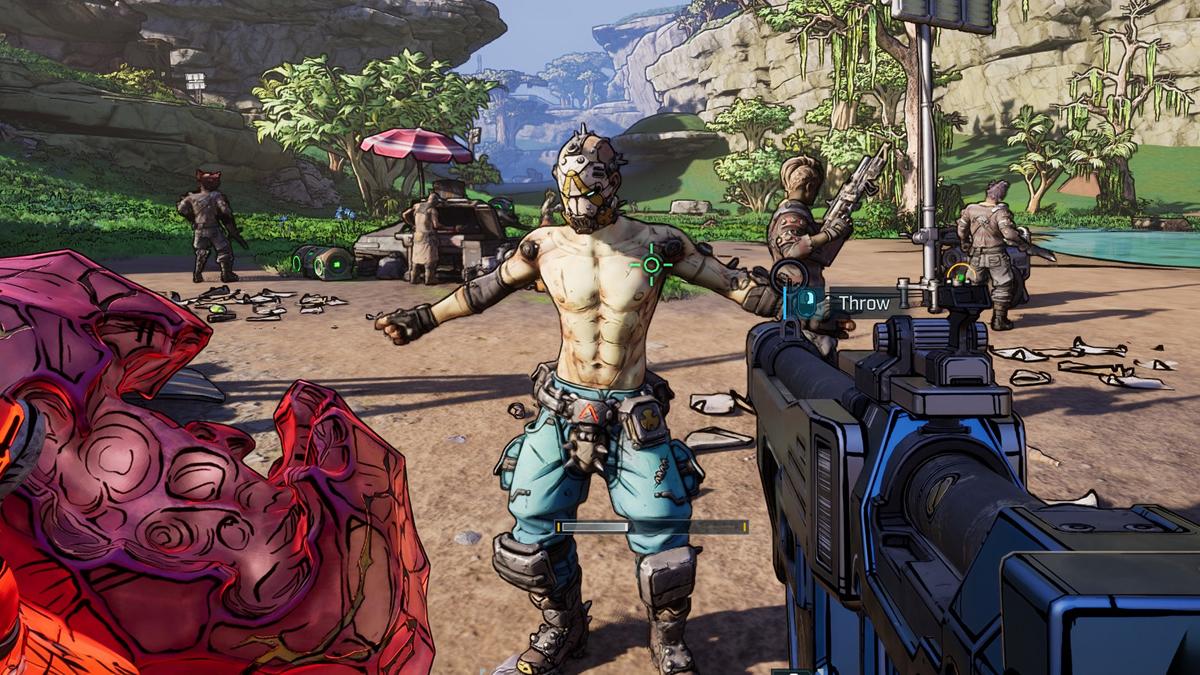
Preset Scaling – “Badass” settings are insane
If I am honest, Gearbox probably shouldn’t have released Borderlands 4 with settings as high as “Badass”. This is a typical problem for Unreal Engine 5 games. Developers let the engine go nuts with its highest preset, then they ship the game with it. There’s a reason why most Unreal Engine 5 games are almost unplayable when maxed out on all but the highest-end gaming PCs.
Honestly, there are a lot of settings that can be turned down in Borderlands 4 without changing the game’s visuals that much. This game’s highest graphical presets feel like they are demanding for the sake of it, not because the graphical benefits are worthwhile. We will dive deeper into this when we discuss “optimised settings” on the next page. If you run Borderlands 4 at Badass settings, you are asking for a bad time. This is especially true if you don’t plan on using upscaling or frame generation.
As you can see below, moving to High settings results in huge performance gains. Medium settings will provide an even larger performance uplift. Strangely, these presets set texture filtering and texture loading to crazy low levels, making the game look worse than it should. Use these presets and set Anisotropic Filtering to 16x and max out texture loading, and this game will be much more performant and still look great (you’re welcome).