Borderlands 4 PC Performance Review and Optimisation Guide

AMD FSR 3 and FSR 4
AMD FSR 3 and FSR 4
We did a complete analysis of Borderlands 4’s FSR 3 and FSR 4 support here. This page is a summary of that article, so head over there if you want more information.
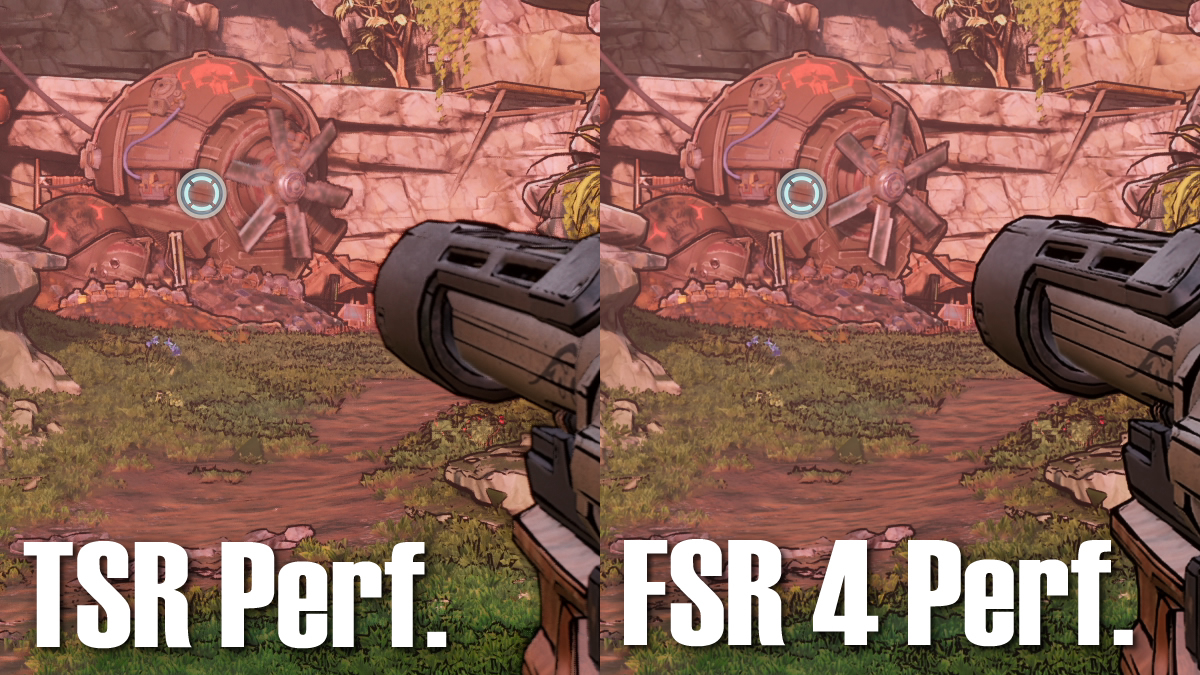
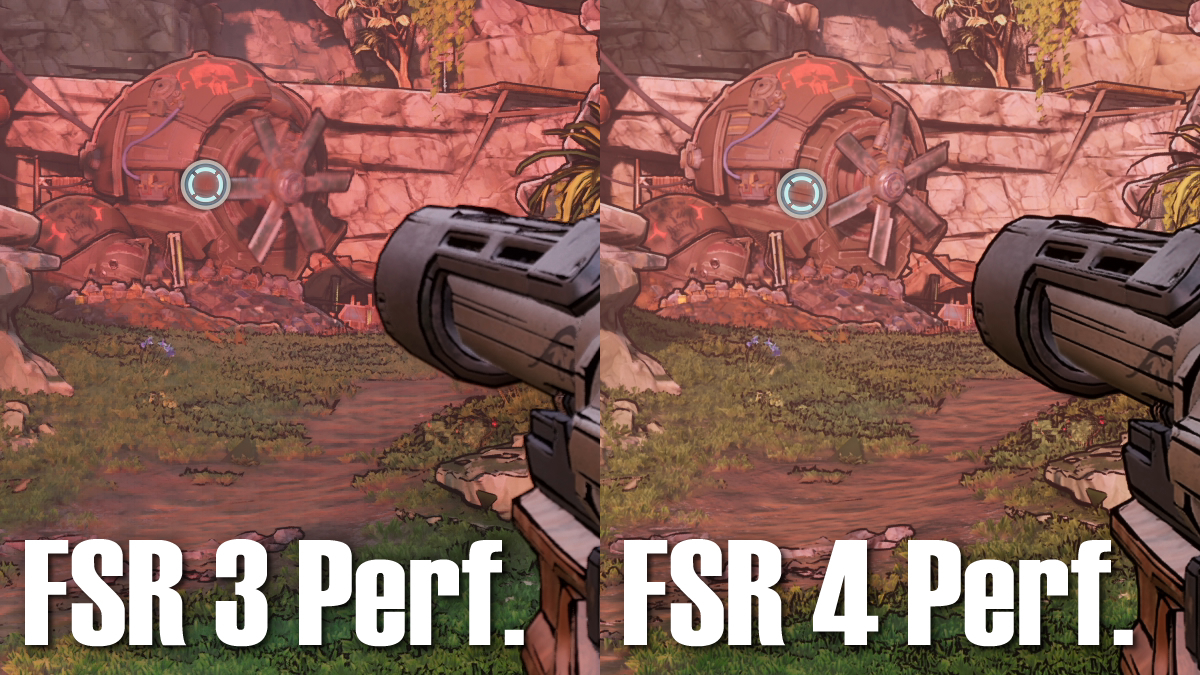
For AMD RX 9000 series (RDNA 4) GPU users, FSR 4 upscaling is a must-enable feature for Borderlands 4. It provides stronger upscaling results than both FSR 3 and TSR (Unreal Engine 5’s Super Resolution feature). Below, we can see its improved image clarity and enhanced temporal stability (as evident in the windmill’s blades). In other words, static details look sharper, and moving objects are clearer. FSR 4 is the best upscaling option for AMD users.
If your AMD GPU lacks support for FSR 4, FSR 3 is a serviceable option. However, I would recommend TSR over it as it delivers better visual results. While it isn’t as good as FSR 4, TSR delvers much better results than FSR 3.
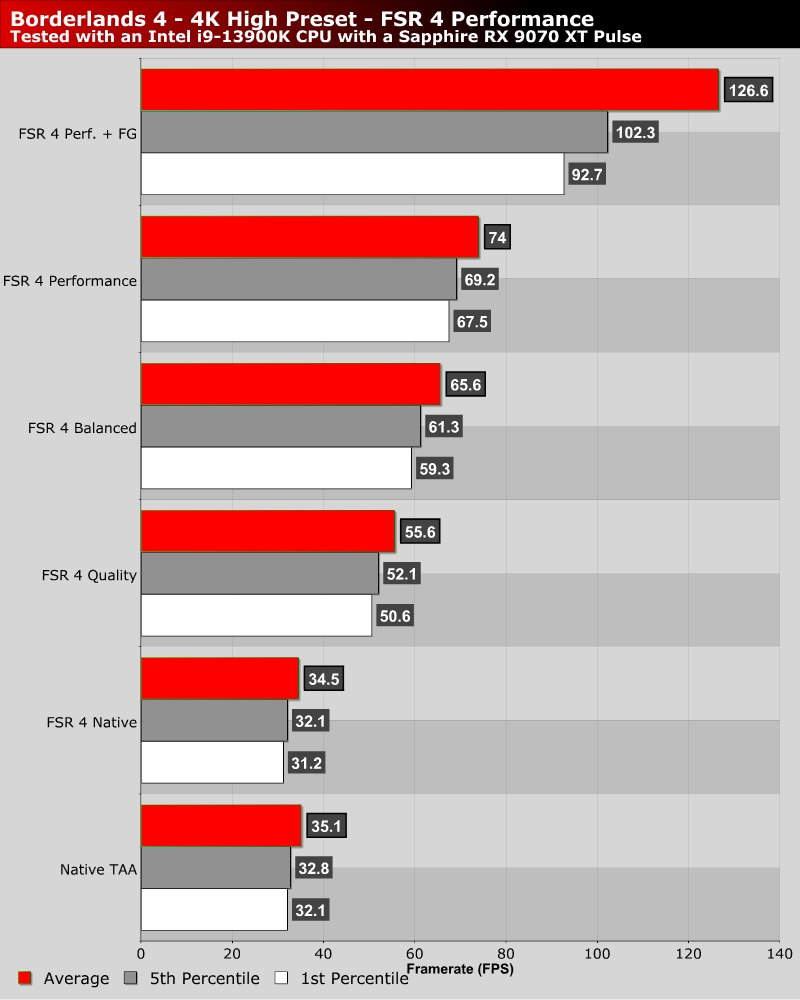
Below is how AMD’s FSR 4 impacts the performance of our Sapphire Radeon RX 9070 XT Pulse. With Frame Generation, AMD FSR allows us to play this game with an average framerate of 126 FPS on a 4K screen (wth frame generation).