Burnout Paradise Remastered Performance Review and Graphics Comparison

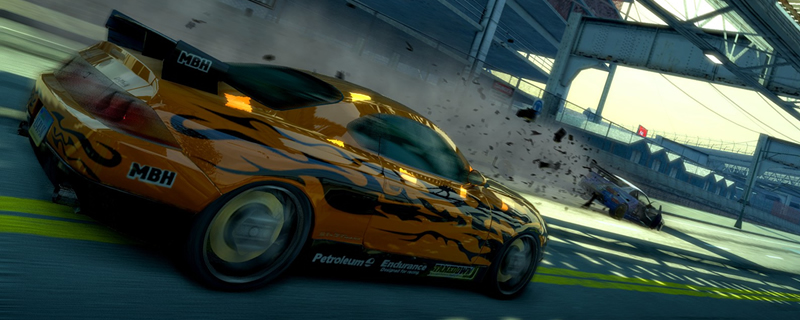
Graphical Settings – Is the Remaster better than the original?
Cranking the original Burnout Paradise to 4K presents a lot of issues, as games from 2009 were not intended to run with such visual clarity, making textures and shadows look blurry, and decals and other artwork look pixelated.
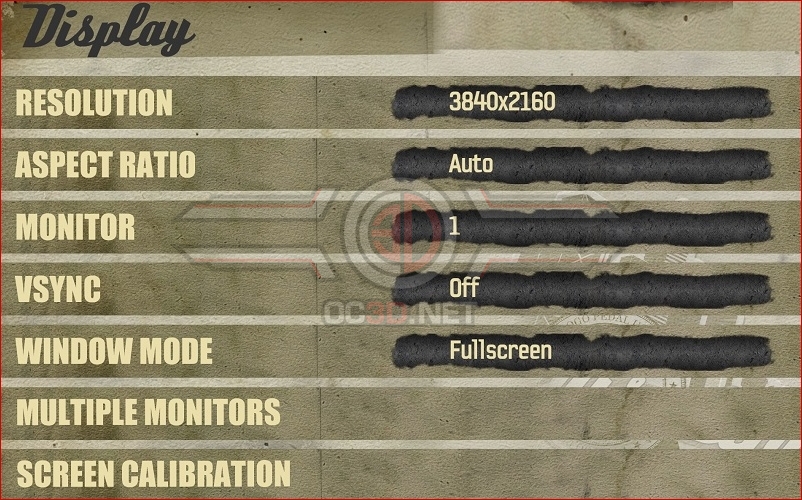
With Burnout Paradise Remastered, we see many of these aspects improve, though the game’s PC options menu remains very barebones. Players can adjust the game to work at various resolutions, including 4K, though the game’s maximum framerate stays capped at 60FPS.
Another thing to note is that the game’s HUD and other elements now look much better at higher resolutions, with Criterion games making the game’s menus and maps appear much sharper than before, which is a great thing to see at 4K.
On the display side, Burnout Paradise Remastered supports VSYNC on/off options, various aspect ratios, Fullscreen mode and both Windowed and Fullscreen Windowed modes.
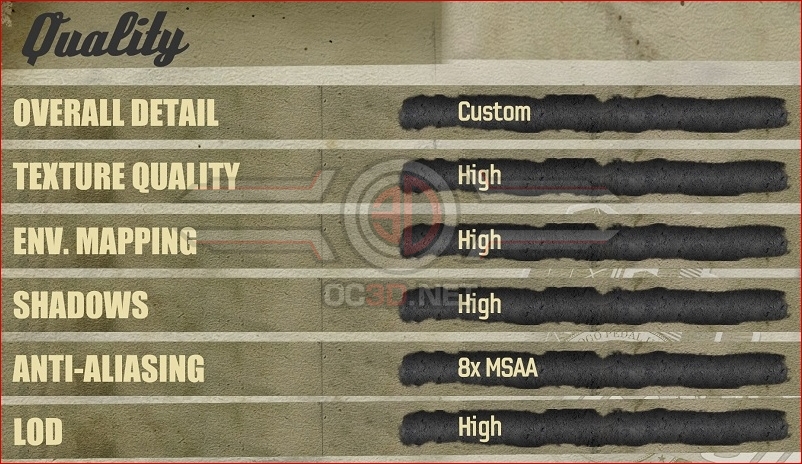
Moving into the game’s quality options, we see several settings for textures, environment maps, shadows, Anti-Aliasing and LOD (Level of Detail), though given the game’s PS3/Xbox 360 origins most PC gamers will be able to max out all of these settings, perhaps with the exception of Anti-Aliasing.
On Nvidia graphics cards, Burnout Paradise Remastered offers FXAA and MSAA (2x, 4x and 8x options), though Radeon users can also use various forms of EQAA, which are utilised in the remasters console releases.
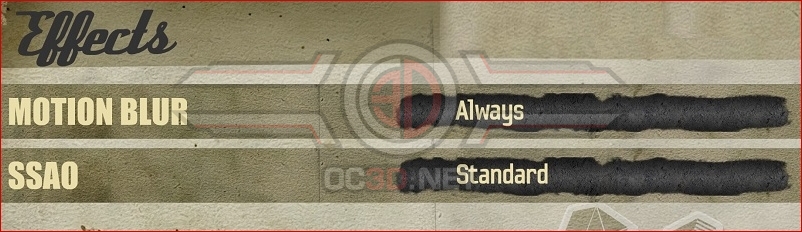
Under effects, we also see options for Motion Blur, and SSAO (Screen Space Ambient Occlusion), allowing gamers to define how much motion blur they want and whether or not SSAO is turned on. SSAO only has Standard and Off options.