Cyberpunk 2077 FSR 4 Update Tested!

FSR 3 VS FSR 4 – Image Quality
FSR 3 VS FSR 4 Image Quality
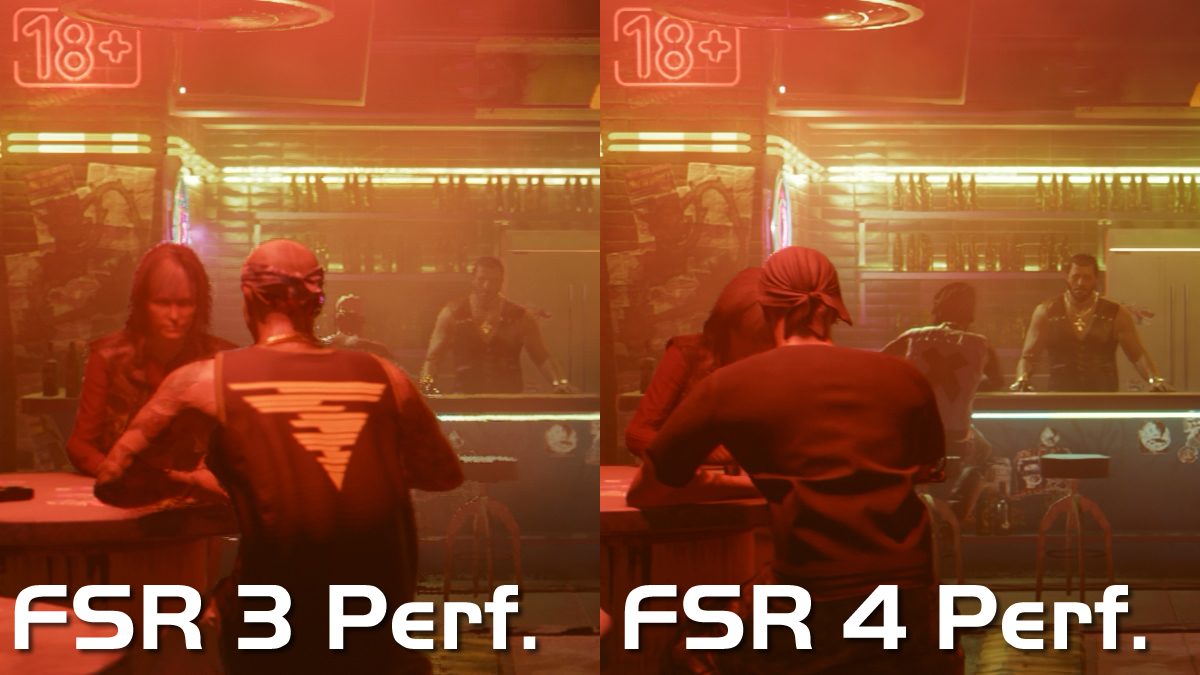
Below, we have compared the image quality of AMD’s FSR 3 and FSR 4 technologies. The images below compare both versions of FSR in their respective Performance modes. These images are sections of 4K screenshots which have been captured from a Sapphire Radeon RX 9070 XT Pulse graphics card.
Note that the image with FSR 4 is much sharper and clearer than the image with FSR 3. There is more detail, and the picture is much less blurry and jaggy when AMD FSR 4 is enabled. Details like the neon sign and bar stool are much sharper. If you can’t see the benefits of FSR 4 here, you need to book yourself an eye test.
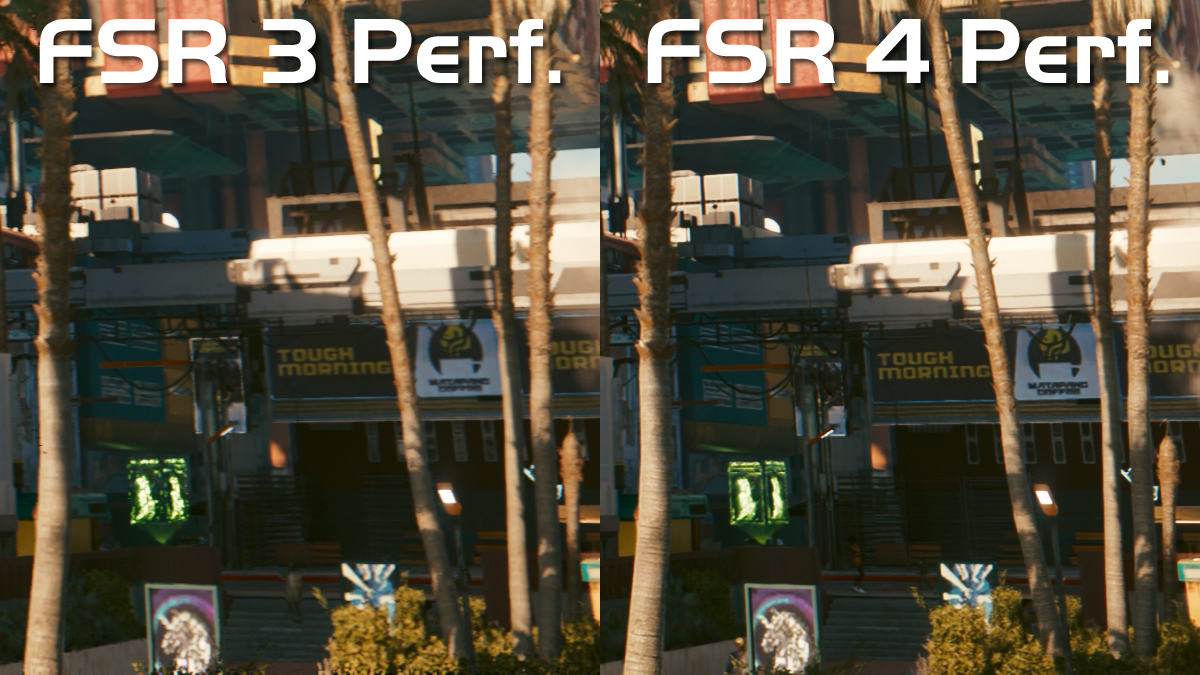
Below is another section of Cyberpunk 2077’s benchmark. Below, we can see that FSR 4 handles smaller/distant details much better than FSR 3. The edges of Cyberpunk’s palm trees are sharper. Additionally, all of the game’s signs are more detailed and easier to read. Cyberpunk 2077 is a large, open-world game, so players will be looking into the distance a lot. With FSR 4, these distant details are clearer, and more defined.
Note that these first two images come from Cyberpunk 2077’s benchmark tool. The game’s camera view is constantly moving while this benchmark runs. We used this to capture like-for-like screenshots while the game was in motion, better showcasing the differences between both upscalers. After all, most upscalers can do a decent job when games are static and have few changes on a frame-by-frame basis.
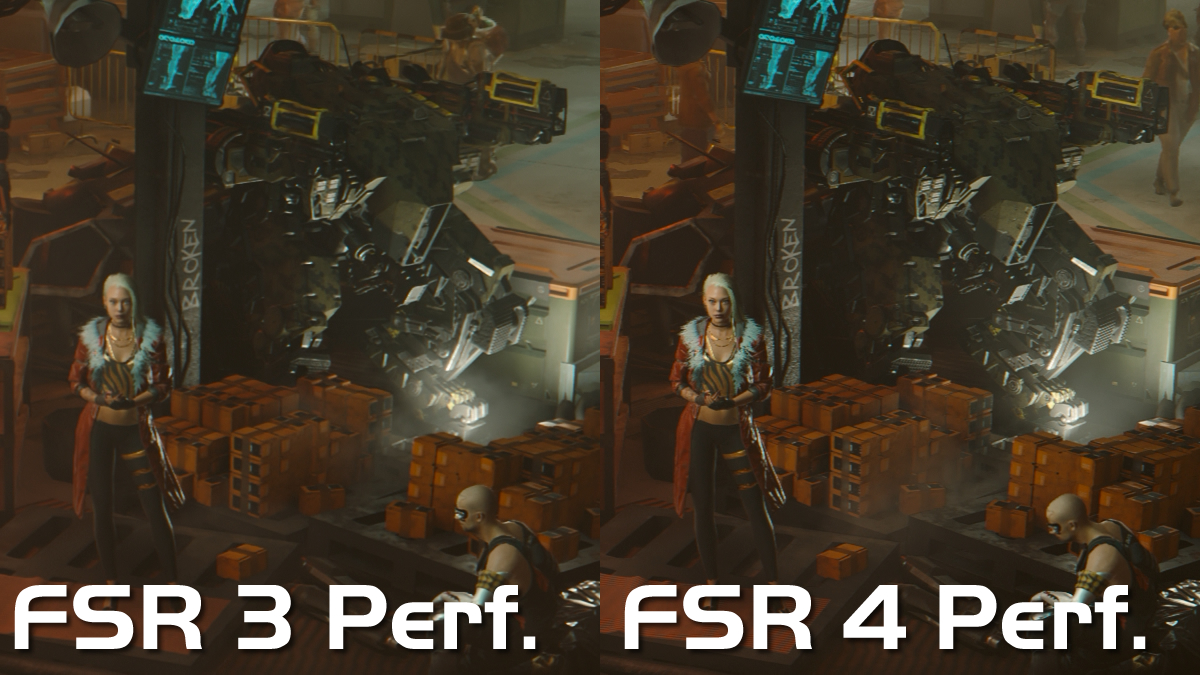
Finally, we have this shot from the Dogtown portion of Cyberpunk 2077. With FSR 4, the image is sharper and more detailed. This is especially true when looking at the mech and the woman in the screenshot below.