Dying Light: The Beast PC Performance Review and Optimisation Guide

Nvidia DLSS 4 Testing
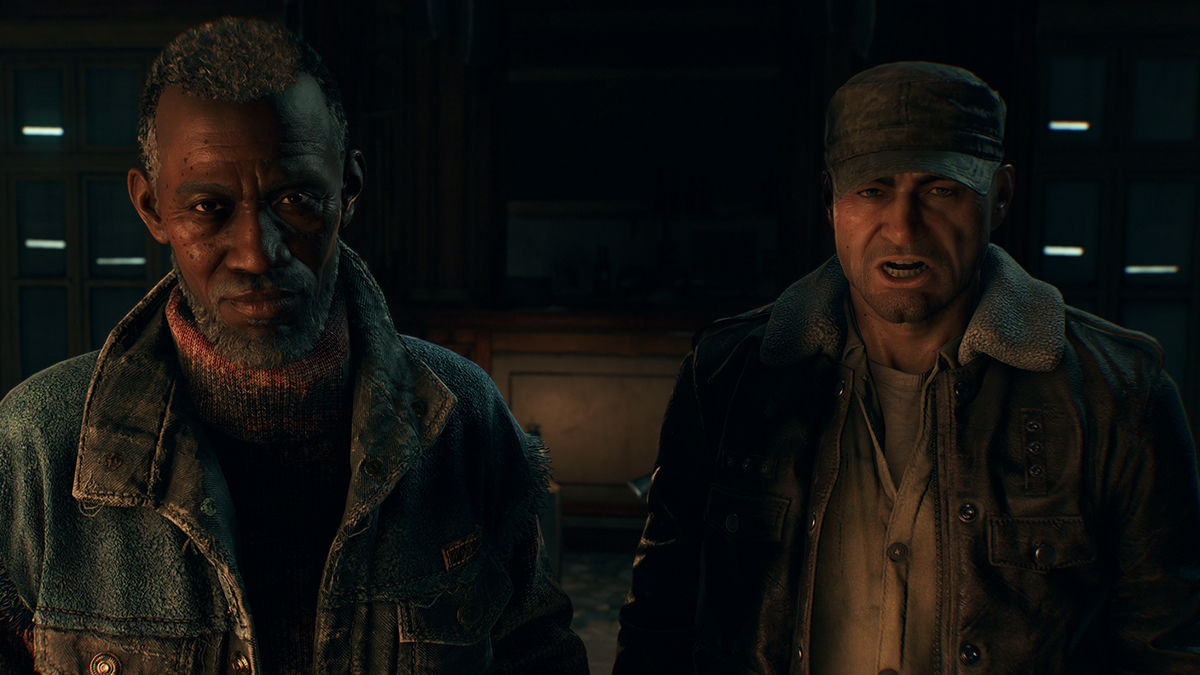
DLSS 4 Testing
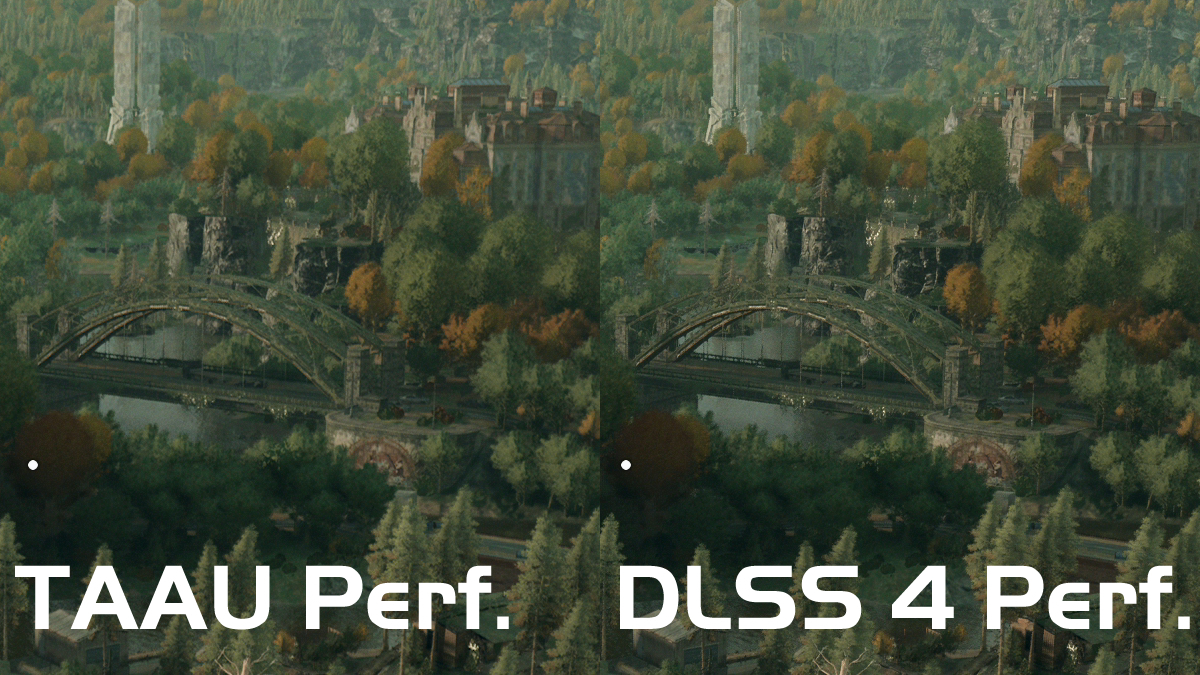
Overall, Nvidia’s DLSS 4 tech delivers much better upscaling results than Dying Light: The Beast’s TAAU upscaling solution. Below, we can see that distant details are clearer. This is especially true with the bridge below.
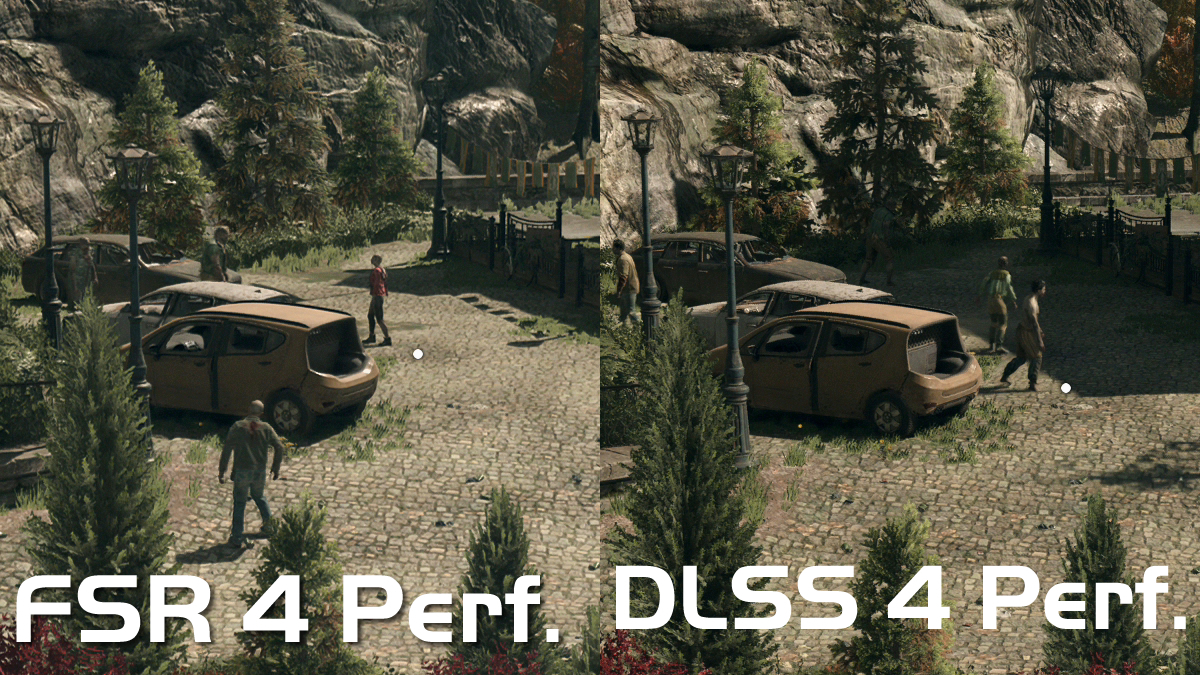
Overall, FSR 4 and DLSS 4 deliver similar results. However, DLSS 4 has an edge in some cases. Foliage appears a little sharper. Unfortunately, the time of day differs slightly in the two images below. This changes these two images enough to make comparisons difficult. Regardless, both deliver results that are better than FSR 3 and TAAU.
DLSS 4 Performance
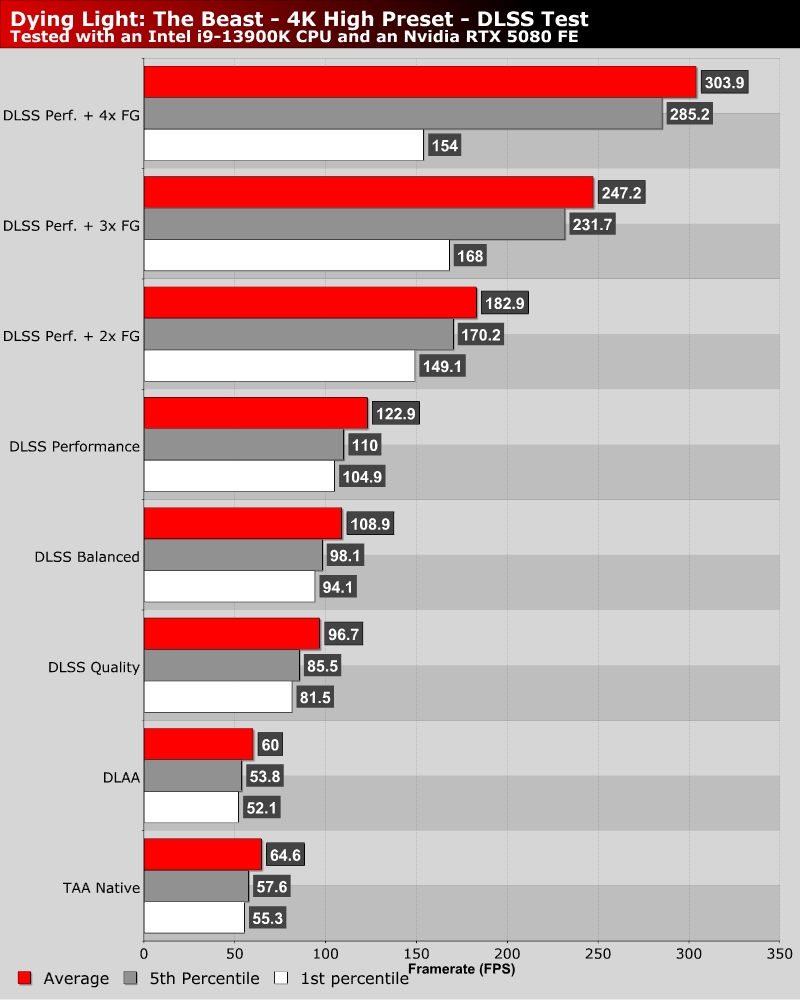
Even without upscaling, Dying Light: The Beast runs at 60+ FPS average framerates on an RTX 5080 at high settings. DLAA is a little more demanding than TAA at 4K, resulting in a slight performance loss when DLAA is enabled. With DLSS in performance mode, average framerates shoot up to 120 FPS. With DLSS Multi-Frame Generation enabled, framerates shoot up significantly.
Note that 1st percentile frametimes are high with DLSS Frame Generation enabled. Using Nvidia Reflex currently results in frametime issues in Dying Light: The Beast. Since this option is enabled automatically with DLSS Frame Generation, this results in momentary stutters when DLSS Frame Generation is enabled. Hopefully, Techland will patch this issue soon. Note that CapframeX has also reported similar issues when Nvidia Reflex is enabled, so this is not an isolated issue.
DLSS Multi-Frame Generation is a great feature for users of high refresh rate displays. Given this huge amount of framerate headroom, we expect Nvidia’s RTX 5080 to be able to deliver a strong 4K experience when Dying Light: The Beast’s ray tracing patch arrives. It almost makes me want to buy a high refresh rate 4K display… almost. I’d need a big raise to be able to afford that…