Dying Light: The Beast PC Performance Review and Optimisation Guide

Preset Scaling – Very Low to High
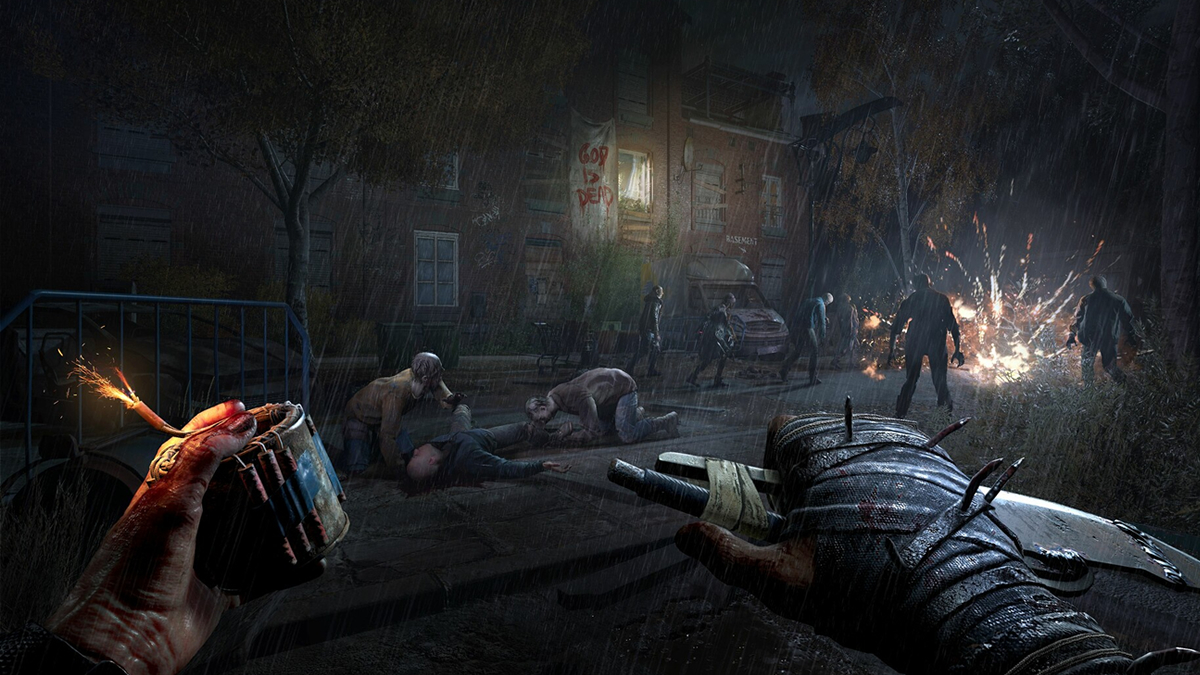
Techland’s presets for Dying Light: The Beast are incredibly well optimised
I’ll be honest. Even at Very Low settings, Dying Light: The Beast looks great on PC. Yes, draw distances are lower and distant details aren’t as sharp, but the game still looks pretty good. That said, it is worth noting that this game’s “Very Low” preset doesn’t use this game’s lowest graphical settings. Textures, for example, are set to medium with this preset. Perhaps that is the reason that Very Low settings still look pretty good.
By default, Dying Light: The Beast’s graphical presets use TAAU (TAA Upscaling). This means that the game does not run at your screen’s native resolution by default. This isn’t a bad thing, given the image quality of TAAU. That said, this will annoy native resolution purists.
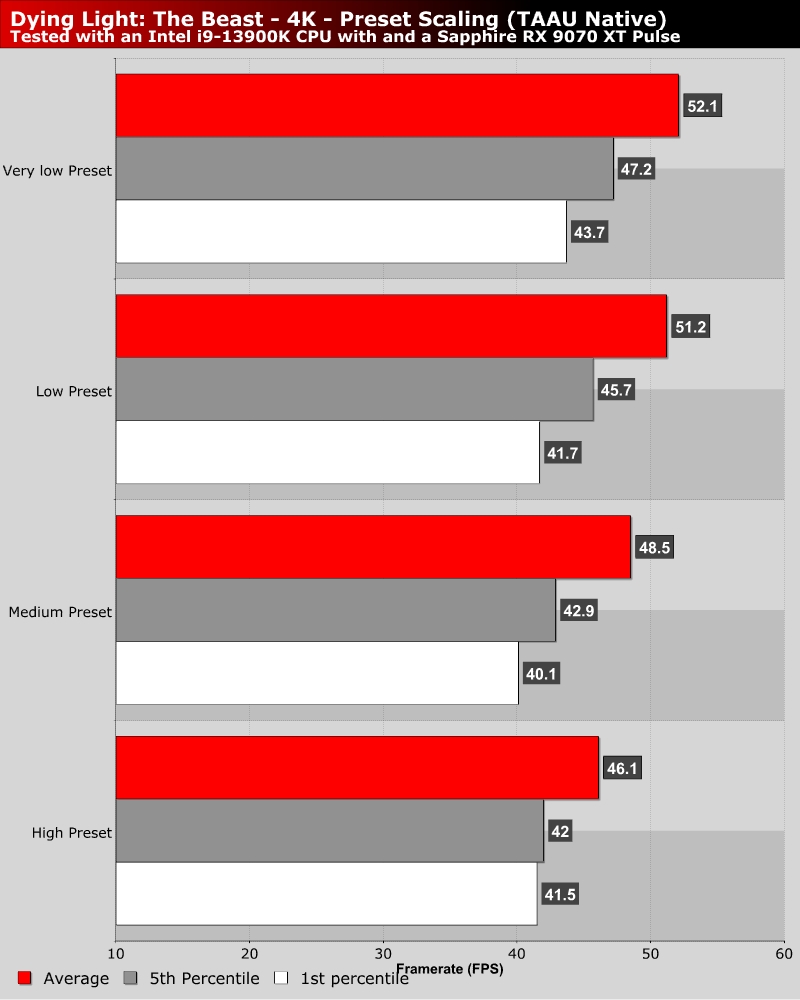
At High settings, TAAU is set to “Quality”. All other presets are set to “Performance”. This is why Medium, low, and very low have small differences in framerate.
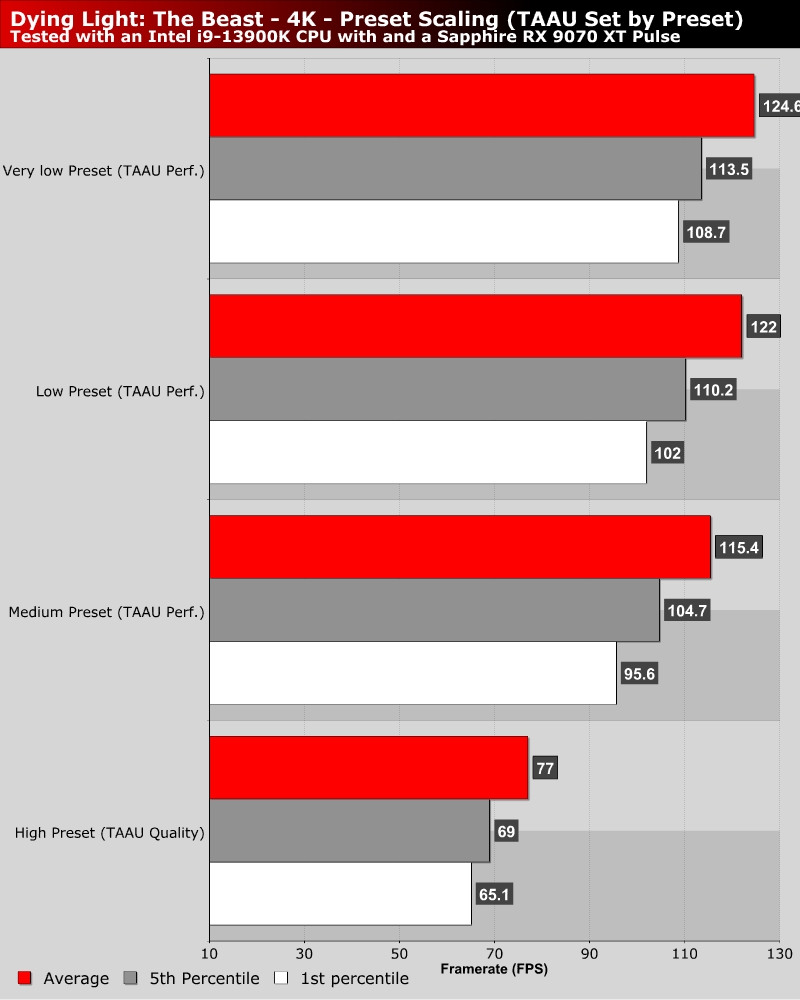
Overall, moving between presets with fixed upscaling presets and resolution showcases only minor performance differences. This is a low level of scaling when game resolution isn’t considered. That said, the game runs fairly well at high settings, which means that most gamers should be able to get Dying Light: The Beast running well with only minor tweaking. This isn’t a Borderlands 4 situation.