MEGA Airflow! HYTE X50 PC Case Review

Thermal Performance
HYTE X50 Thermal Testing
Thermal performance is an essential factor for any PC case. Your system may look great from the outside, but all that is for nought if your PC has the internal temperature of an oven. Your PC case needs enough airflow for your components to remain cool under load and to prevent any form of thermal throttling. For our test, we used the following hardware, using fixed fan speeds (so that only the case and its fans can influence thermal performance).
Intel i9-9700K @4.8GHz at 1.2V
ASUS ROG Strix Z370-F Gaming @ 100% Current Capacity/ LL lvl16
Cooler Master Hyper 212 Black Edition @ 9V via Fan Speed Reducer
Nvidia GTX 980 Reference @ 60% Fixed Fan Speed
Corsair LP Vengeance LP (Grey) @ 3200MHz
Corsair MP500 M.2 NVMe SSD
Corsair RM550X Power Supply
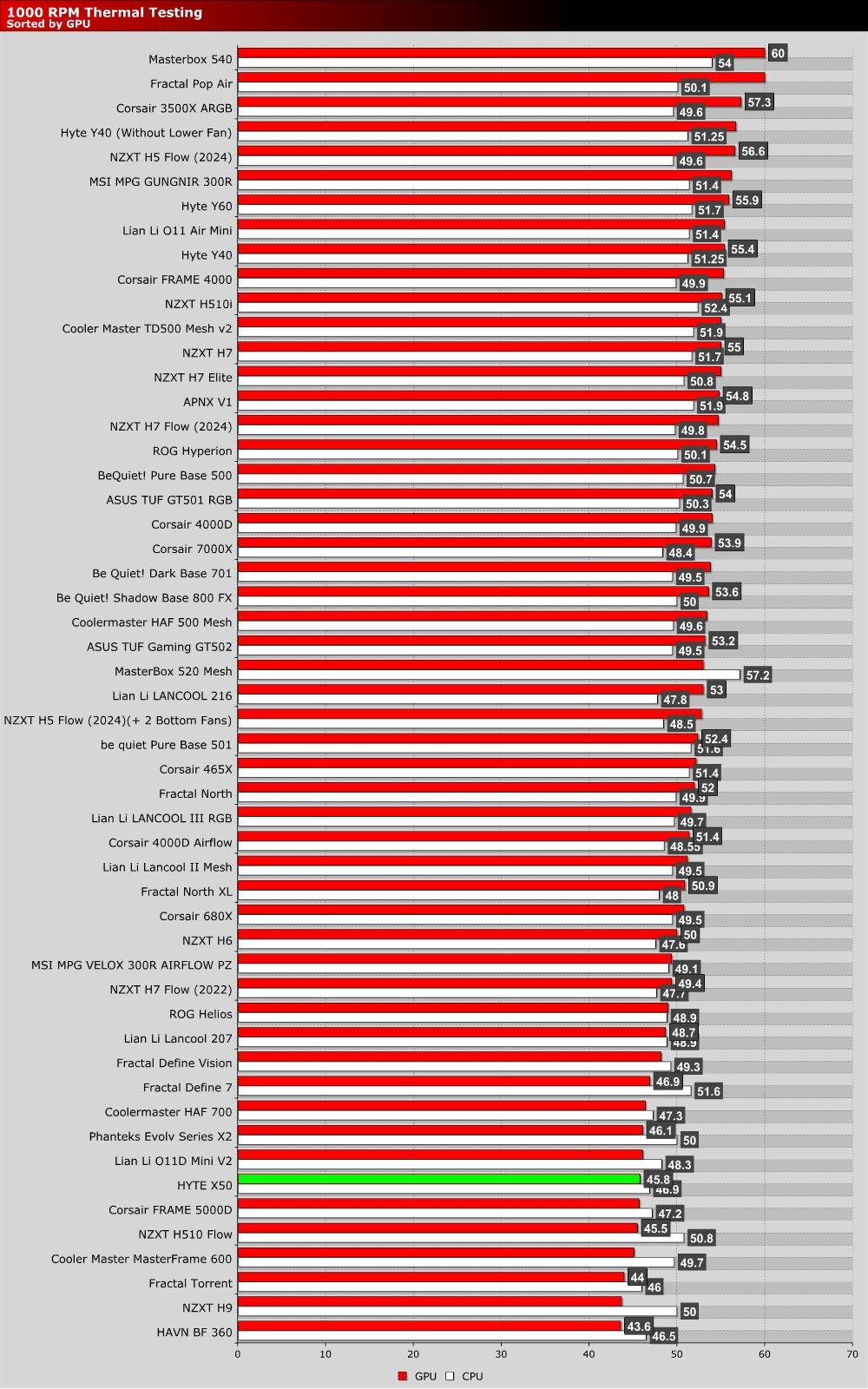
The graph below showcases Delta temperatures with a controlled ambient temperature of 20 degrees Celsius.
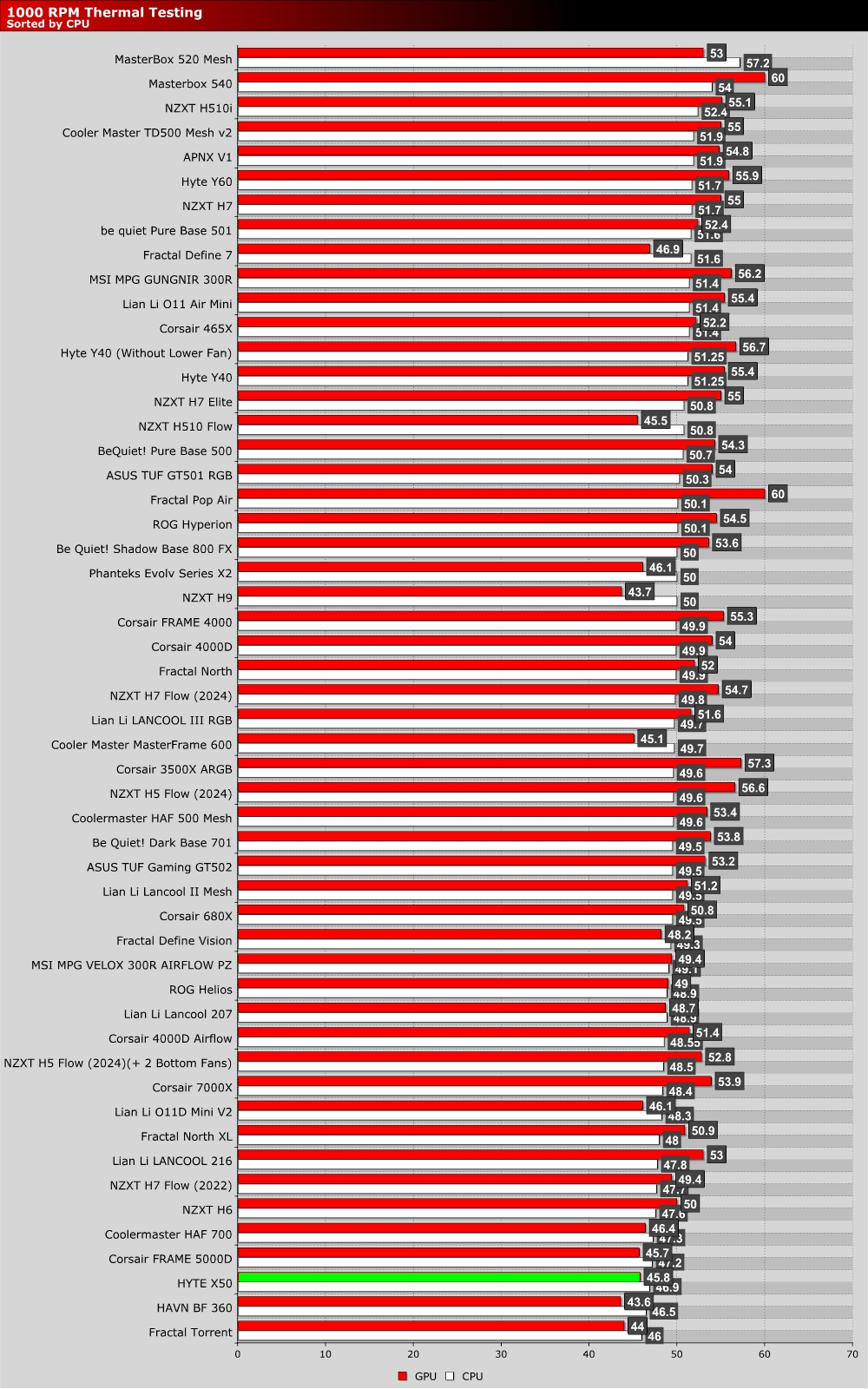
1000 RPM Fan Testing
HYTE’s engineers spent a lot of time trying to maximise this case’s airflow, and that effort has yielded them excellent results. At all fan speeds, this is one of the best-performing PC cases that we have ever tested. Even at 1,000 RPM, it stands amongst the best of the best.
1500 RPM Fan Testing
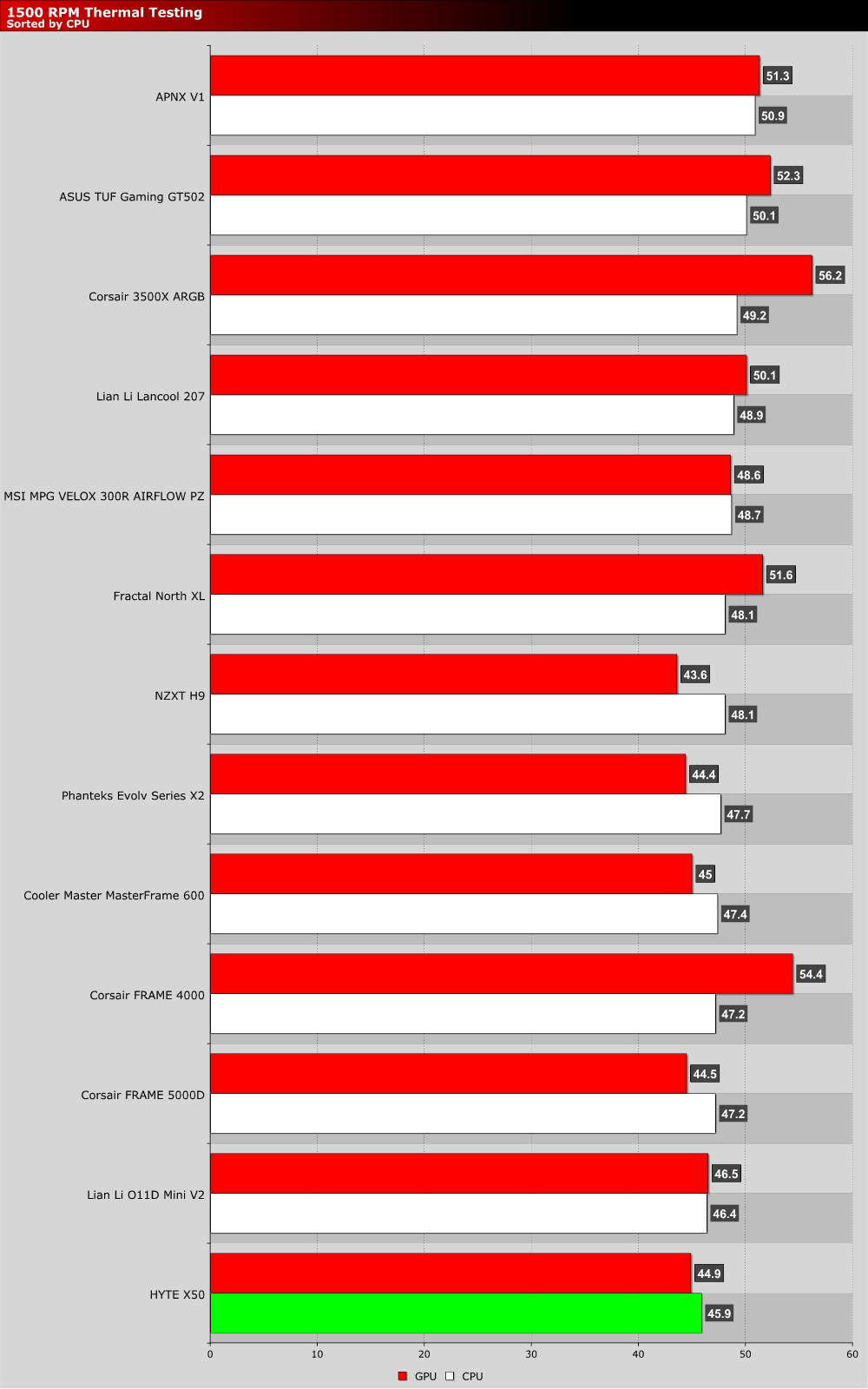
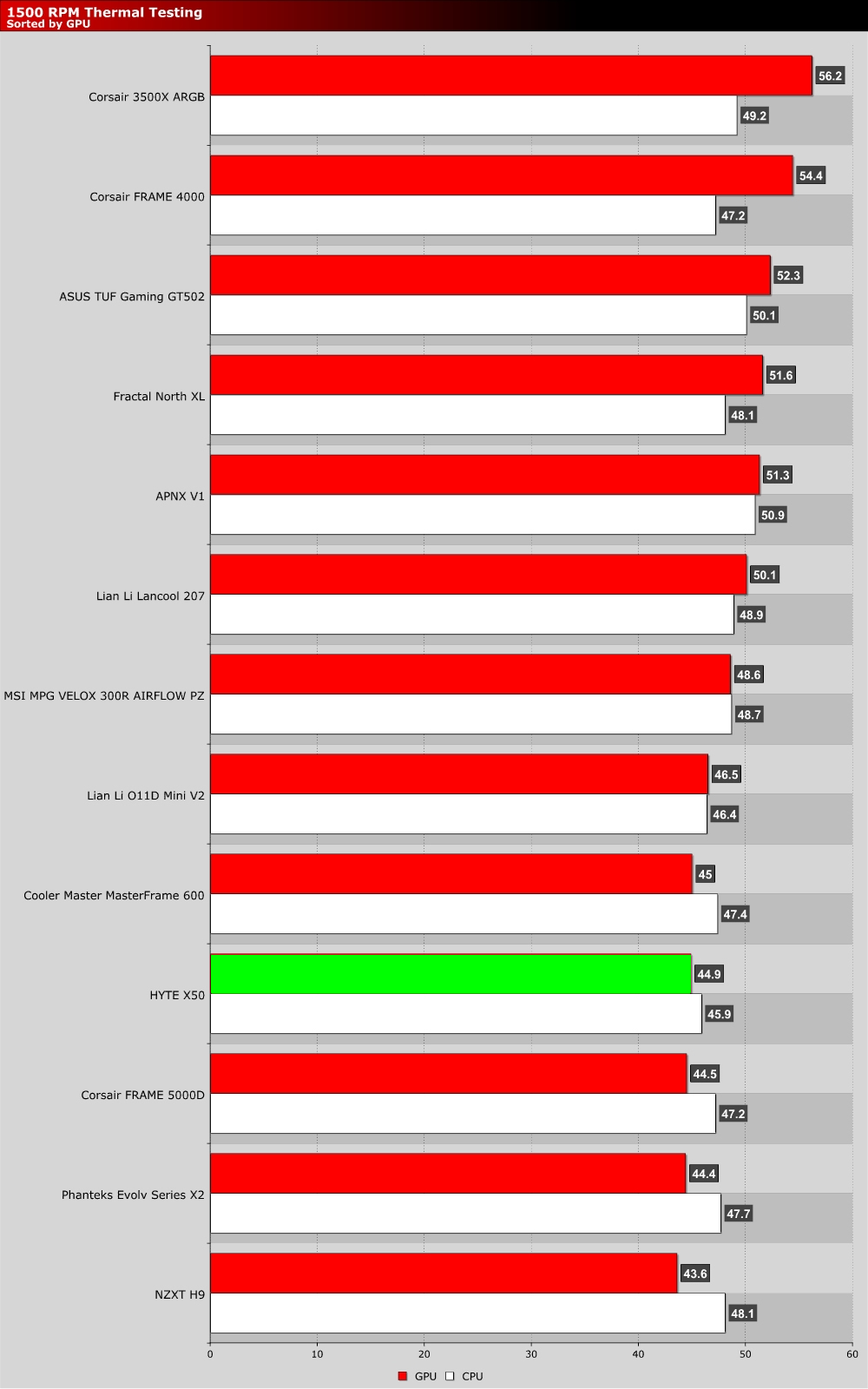
1,500 RPM fan speed testing is relatively new to us, so our charts are not as populated as we would like. That said, we have 13 cases below, and the HYTE X50 delivered the best results.
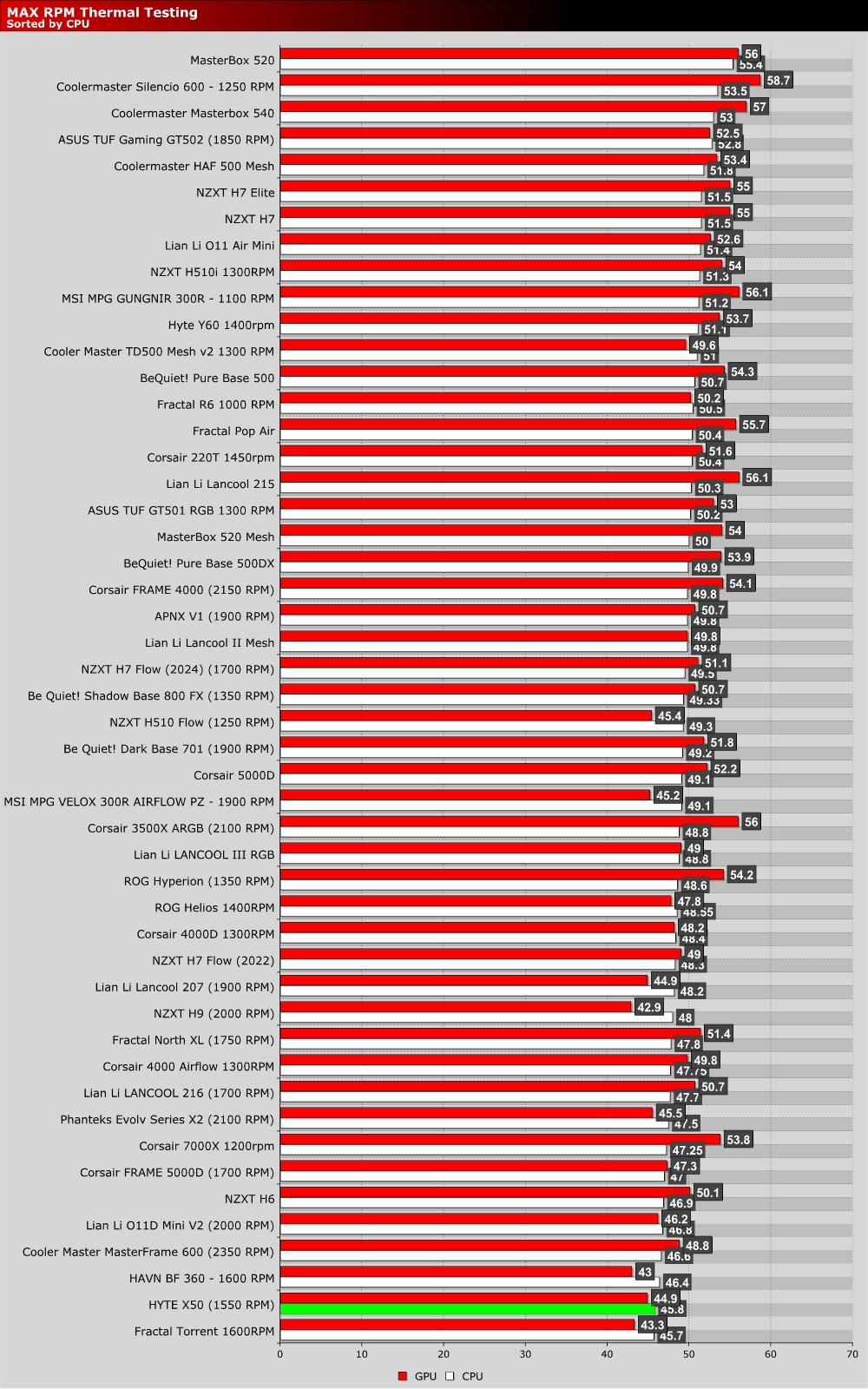
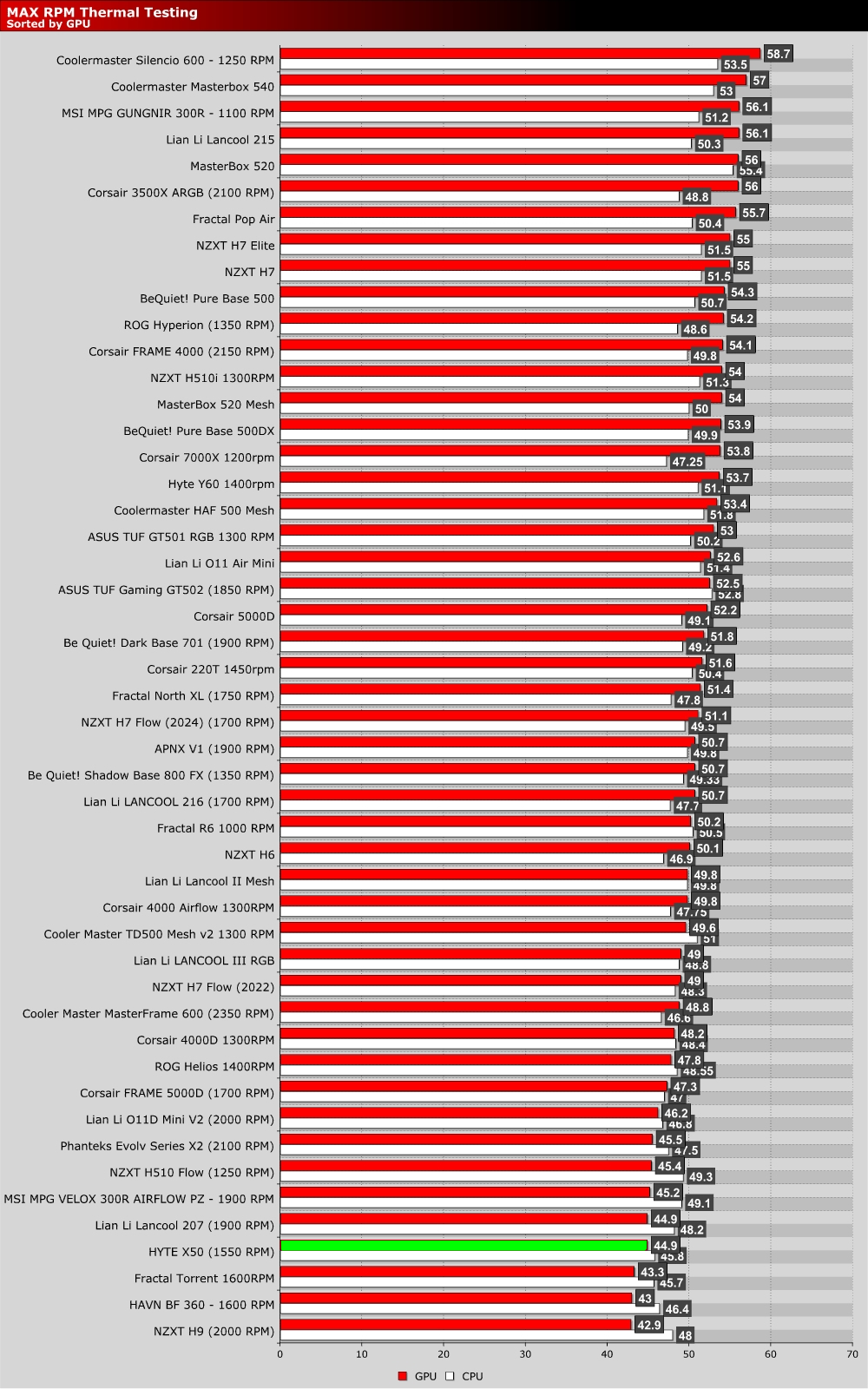
Max RPM Fan Testing
The maximum fan speeds on the Flow FX 12 fans that HYTE provided us is 1,550 RPM. That is slower than most of the fans on the cases below. Regardless, the HYTE X50 delivers some of the best CPU and GPU thermals that we have tested on our current test rig. HYTE weren’t lying when they said that this case was built with airflow in mind.