NZXT H9 Flow RGB+ PC Case Review

Thermal Testing
NZXT H9 Flow RGB+ PC Case Cooling Performance
Thermal performance is an essential factor for any PC case. Your system may look great from the outside, but all of that is for nought if your PC has the internal temperature of an oven. Your PC case needs enough airflow for your components to remain cool under load and to prevent any form of thermal throttling. For our test, we used the following hardware using fixed fan speeds (so that only the case and its included fans can influence thermal performance).
Intel i9-9700K @4.8GHz at 1.2V
ASUS ROG Strix Z370-F Gaming @ 100% Current Capacity/ LL lvl16
Cooler Master Hyper 212 Black Edition @ 9V via Fan Speed Reducer
Nvidia GTX 980 Reference @ 60% Fixed Fan Speed
Corsair LP Vengeance LP (Grey) @ 3200MHz
Corsair MP500 M.2 NVMe SSD
Corsair RM550X Power Supply
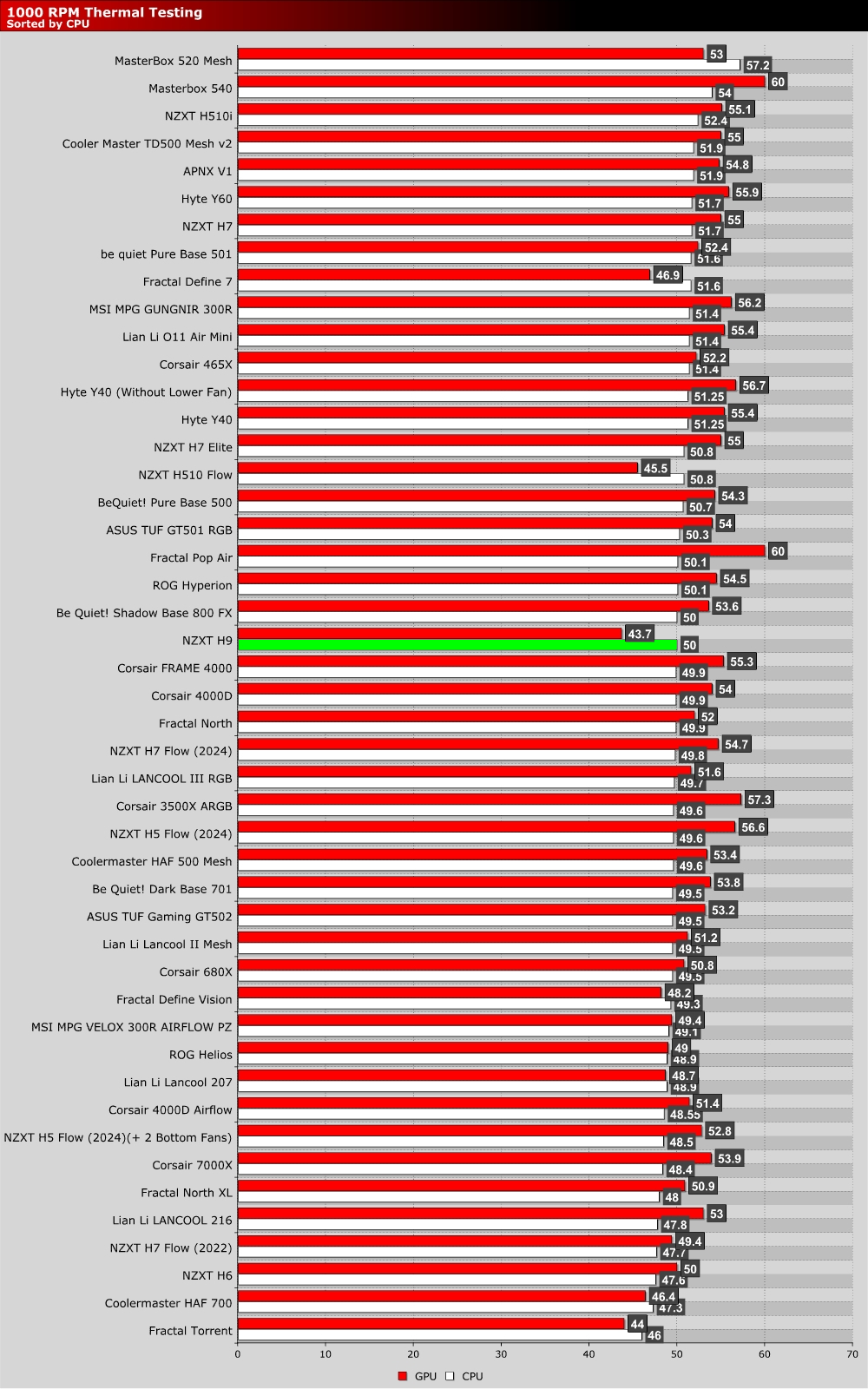
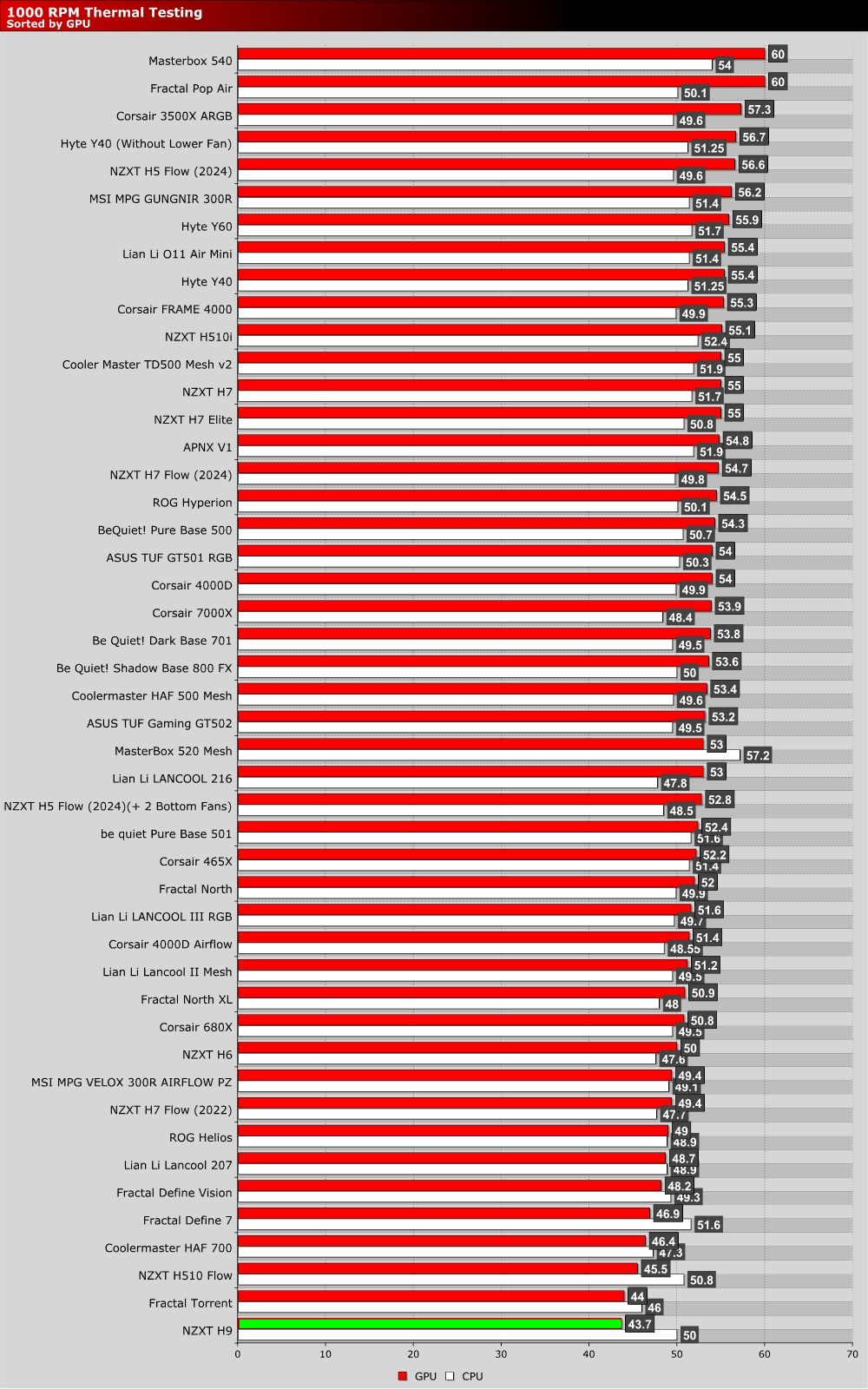
The graph below showcases Delta temperatures with a controlled ambient temperature of 20 degrees Celsius.
1,000 RPM
When looking at the H9 Flow’s performance, we see a case that delivers excellent GPU airflow. This case is well-suited for modern systems, PC that use ultra-powerful/power-hungry graphics cards. With three 140mm fans directly below your GPU, you can be sure that you have enough GPU-focused airflow for any gaming PC.
Max RPM Fan Test
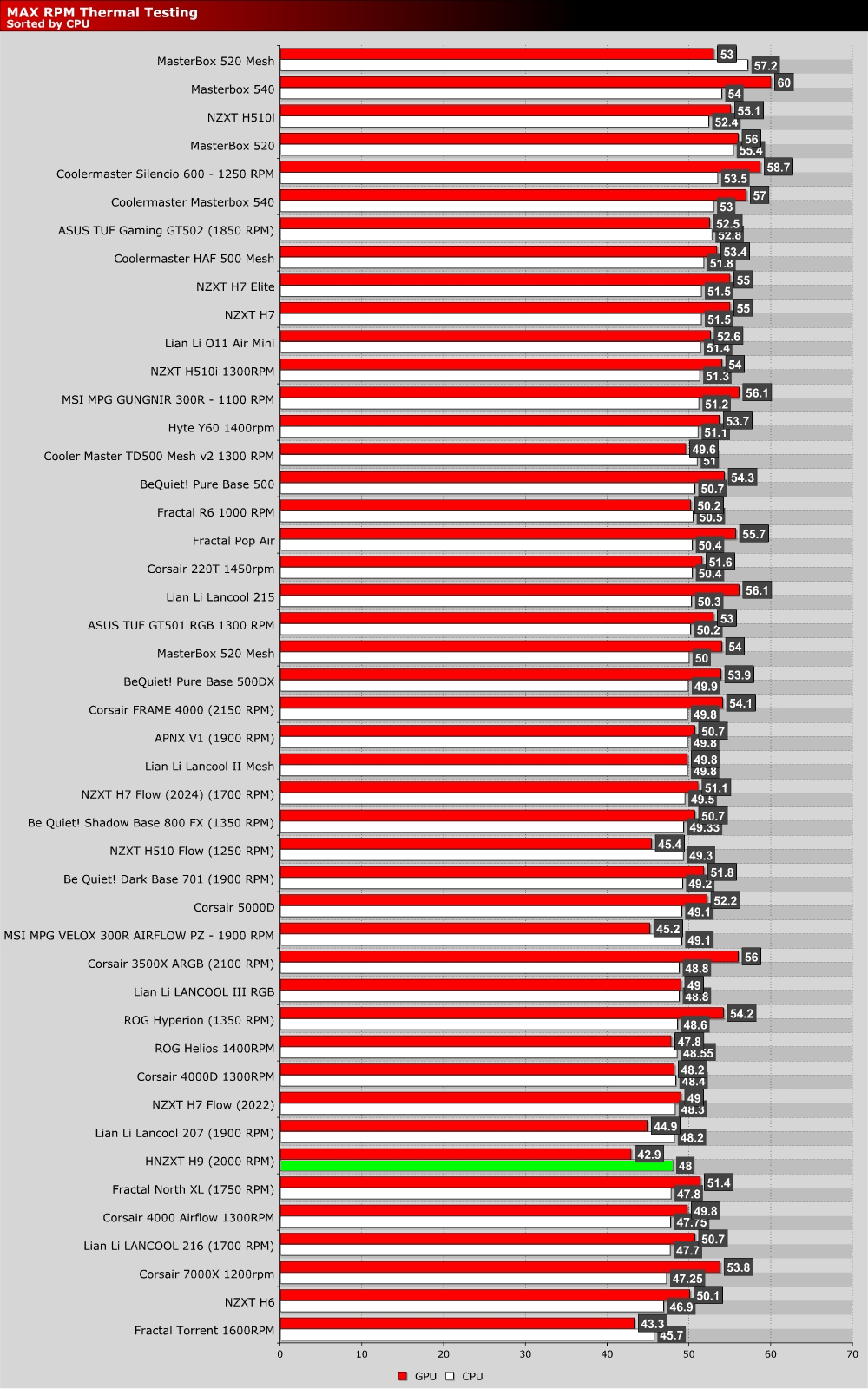
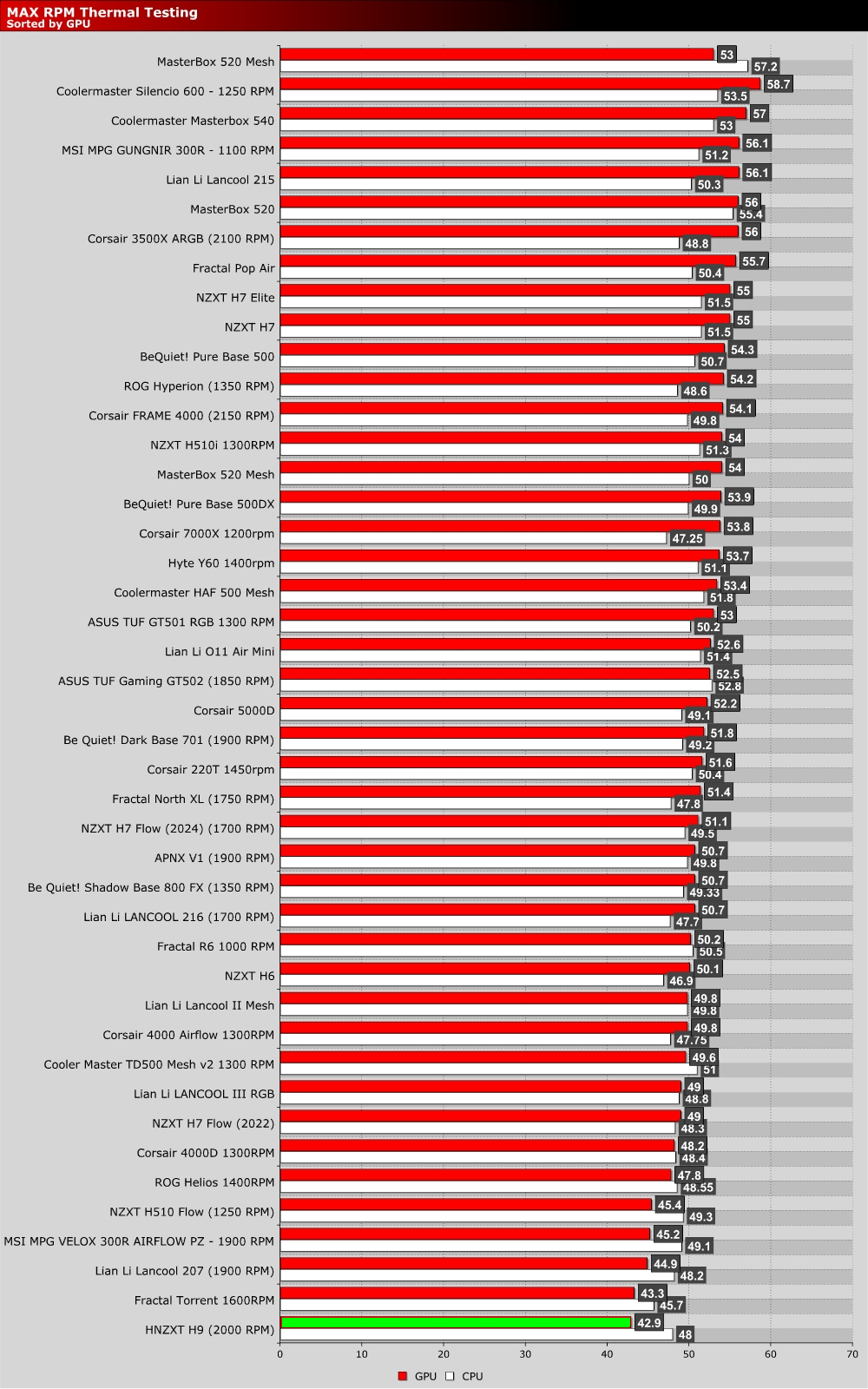
At higher fan RPMs, we have levels of cooling performance that are excellent from both a CPU and a GPU perspective. GPU cooling is unmatched, and CPU cooling is top-class. This is a great case for gamers with large GPUs, or users who plan to put their GPUs through hell in more workstation-esque scenarios. If you need a big case with good GPU cooling, this is it.