


Gigabyte Aorus X299 Gaming 7 Review

Up Close
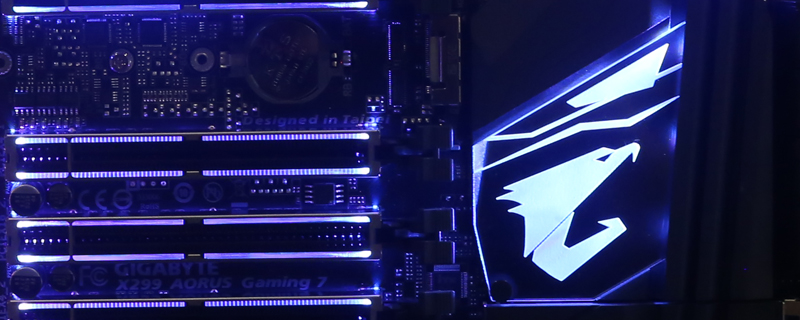
Before we delve too deeply into what is on the Aorus PCB, is it just us or does the logo look like a bird flexing its guns? Anyone who’s ever put “birds with biceps” into Google knows what we mean. Ahem. Moving on.
Orange is the new black apparently, as it is suddenly the en vogue choice for high end hardware. Perhaps all VBs endless complaints about how hard it was to find orange hardware weren’t falling on deaf ears after all. The Aorus Gaming 7 has so many features it is difficult to fit them all on the box, although Gigabyte have done a magnificent job in emphasising the key elements that are the reason we all pick certain options over others.


Considering that the X299 comes with 8 DIMM slots we’re surprised at how much room there is, relatively of course, around the CPU socket. Anyone who has ever lost the skin off their knuckles trying to install the 12V ATX CPU power will appreciate their movement from the top left hand corner to above the CPU socket. We certainly do. The Aorus is festooned with headers everywhere, from RGB LED strips that support pure white as well, through the dedicated pump headers and the all-new zero fan speed fan headers, through plenty of USB headers of both USB 3.1 and USB 3.0 types. A cursory glance would indicate there are two M.2 drive slots, but the eagle eyed amongst you will notice one covered by a heat spreader beneath the main chipset heatsink.


The onboard switches have found their home beneath the bottom – of four – PCI Express slot. We’re not too sure about this placement as onboard switches are best for out of the case tests, and those are usually run by people seeking records who have more than one GPU and thus the switches will be covered up. For those of us who use them when we’re too eager to test our system out without fiddling with the tiny front panel connections then you’re going to be catching the top of the PSU or perhaps the USB cable. However, they have to go somewhere and when the rest of the PCB has so much crammed onto it we’re sure this was the only realistic solution available.
It’s great to see a dedicated pump header at the bottom end of the motherboard as well as at the top, perfect for flexibility and we all like options.


Of the more standard connectivity options the X299 Gaming 7 has eight SATA Ports ensuring that not even the most storage heavy user will run out of ports. Around the back we have USB 3.1 of both types, USB 3.0 as well as Intel’s Thunderbolt 3. Two LAN ports, WiFi antenna sockets, audio outs and even a PS2 port for those of you who cling to your IBM Model M.


