How Intel supercharged mobile and gaming with Panther Lake

Xe3 Graphics – Real Gaming Potential
Intel Pather Lake Deep Dive – Xe3 graphics!
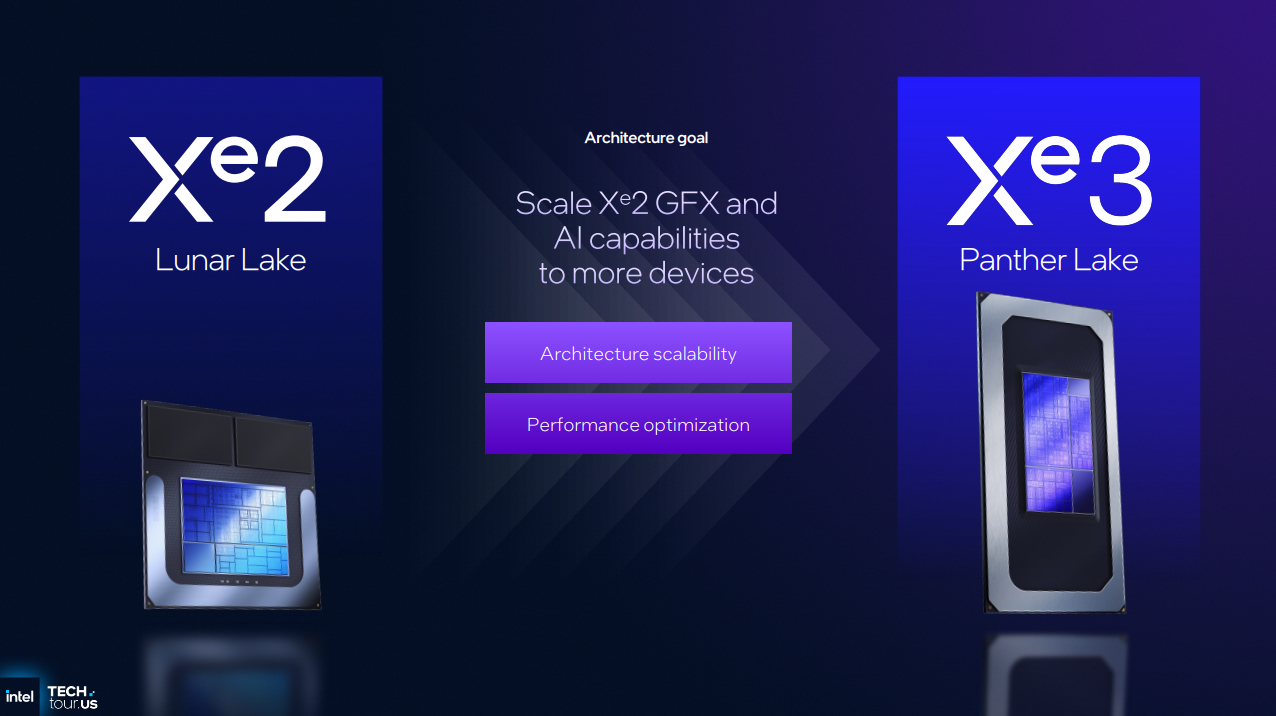
Next in our Intel Panther Lake Deep Dive is graphics. With Panther Lake, Intel has moved from Xe2 to Xe3. With this design, Intel wanted a scaled-up GPU design with optimised performance.
To put this another way, Intel wanted a bigger GPU. They also wanted to achieve more performance per execution unit on their graphics card.
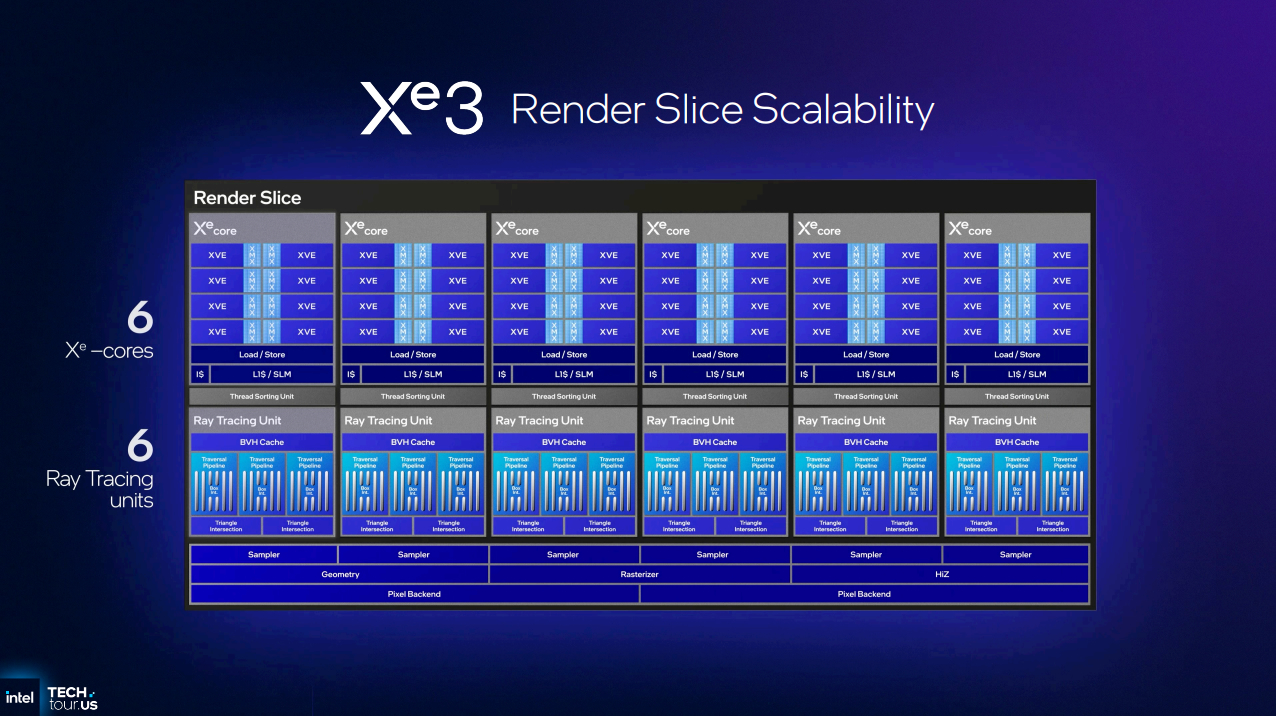
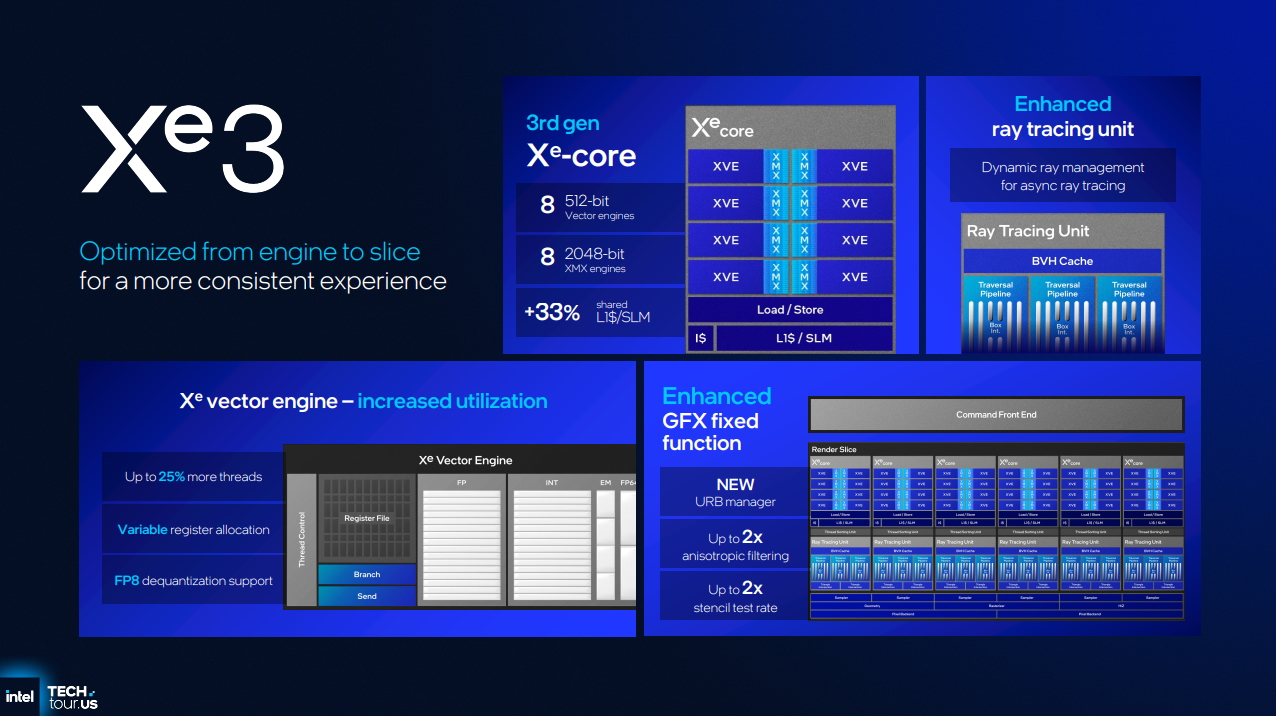
With Xe3, Intel has increased the size of its render slice from 4 Xe cores to 6 Xe cores, at least for its larger 12 Xe core GPU option. Like Lunar Lake, Intel’s big Panther Lake CPU option features two render slices. Within these render slives is 5% more Xe Cores, 50% more Ray Tracing Units, and 50% more samplers.
With Panther Lake, two GPU options will be available: a 4 Xe GPU and a 12Xe GPU. This is for scaling and flexibility reasons. Not all users will want a larger GPU. Intel’s smaller GPU option lowers costs and will allow Intel’s partners to target a broader range of price points.
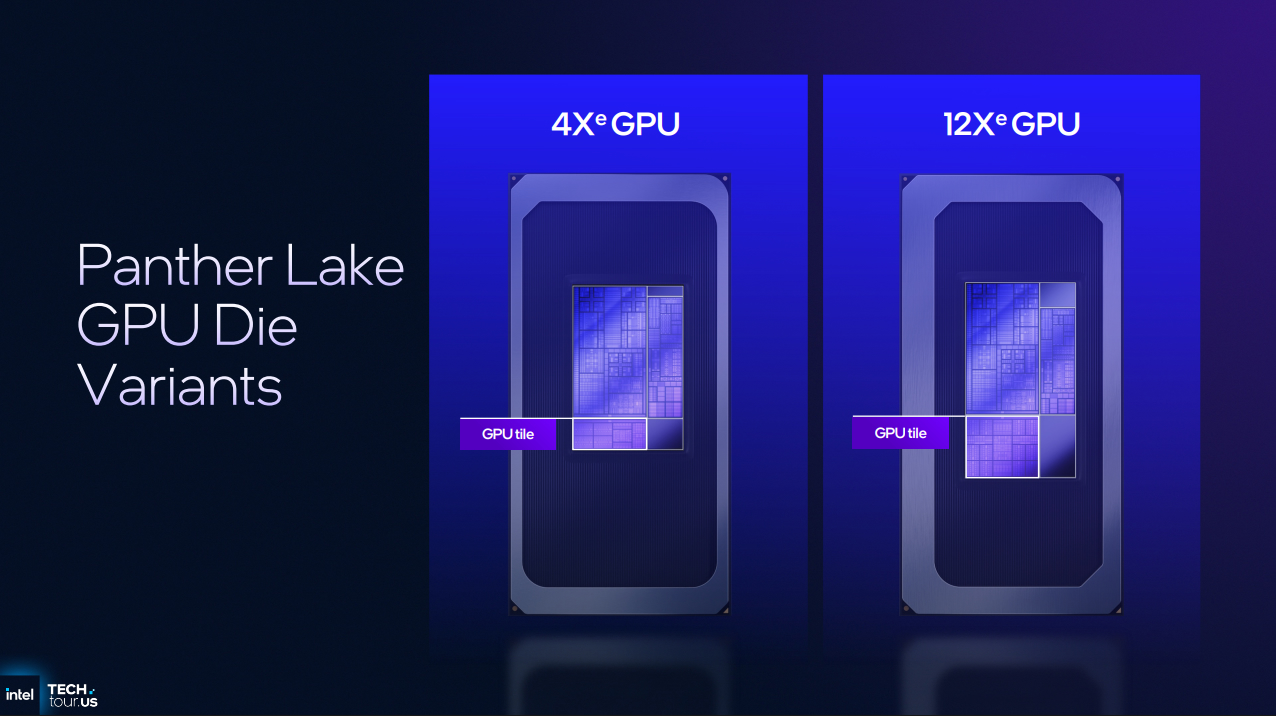
Intel’s big Xe3 GPU
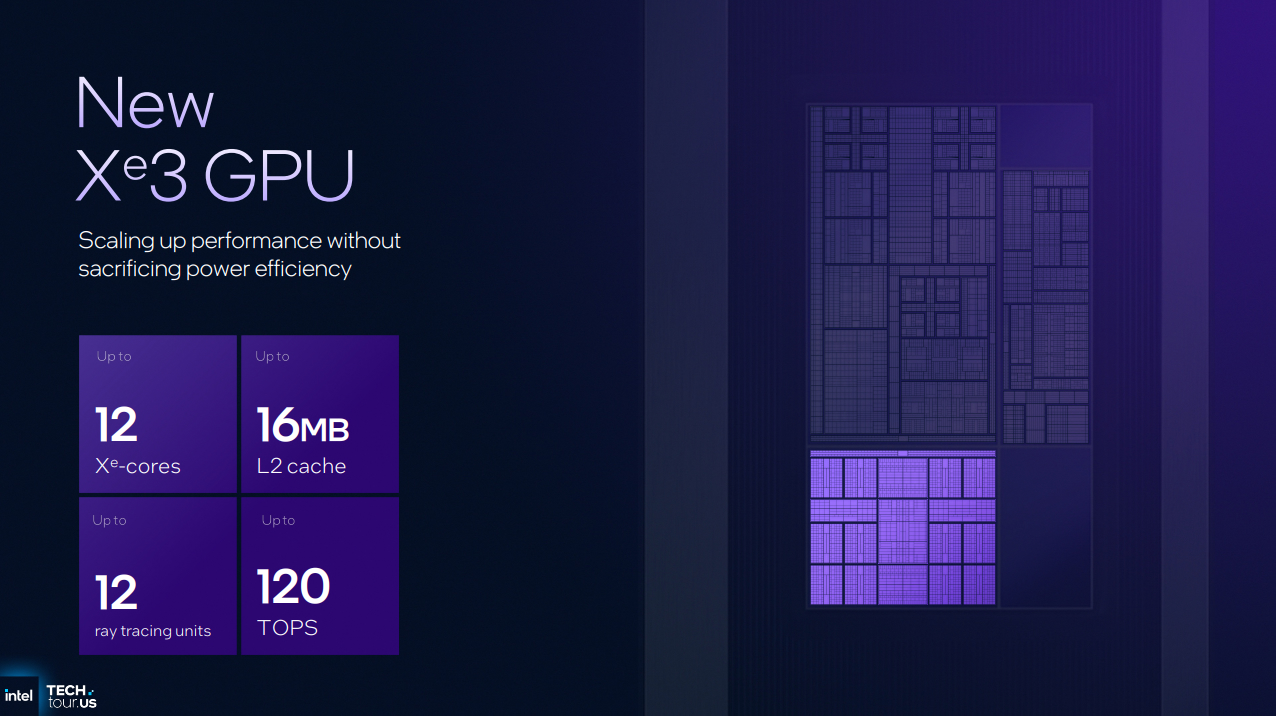
With their 12 Xe core GPU, Intel has doubled the size of their L2 cache from 8MB to 16MB. This keeps more data on the chip, placing less strain on system DRAM. Intel has also increased the L1 cache size in its Xe cores by 33%, lowering latencies and reducing power draw.
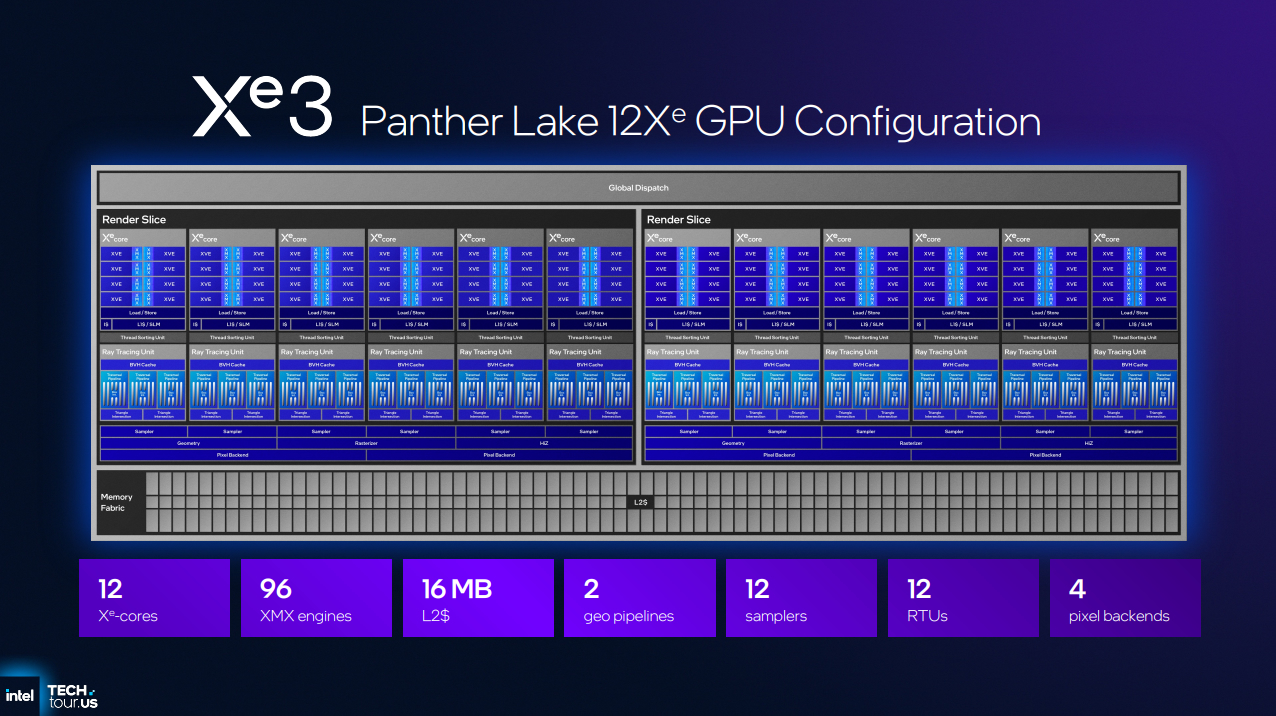
Larger caches
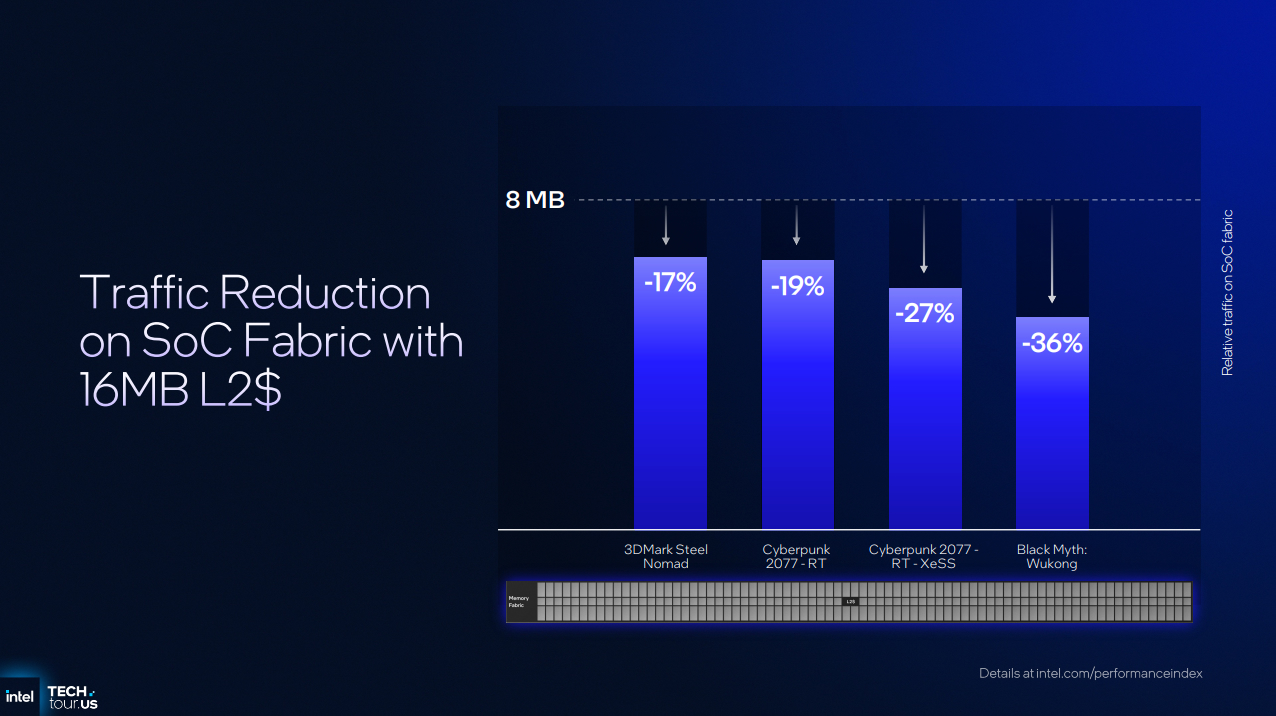
By using larger caches, Intel can reduce the traffic on its SoC fabric and lower power draw. This energy can then be used elsewhere, and memory bandwidth is freed up for use elsewhere. Below, we can see the impact on the SOC fabric traffic in several workloads.
With its Xe3 architecture, Intel aimed to optimise the utilisation of its Xe cores. Intel didn’t want any performance to be wasted, so they aggressively targetted bottlenecks to deliver increased performance.
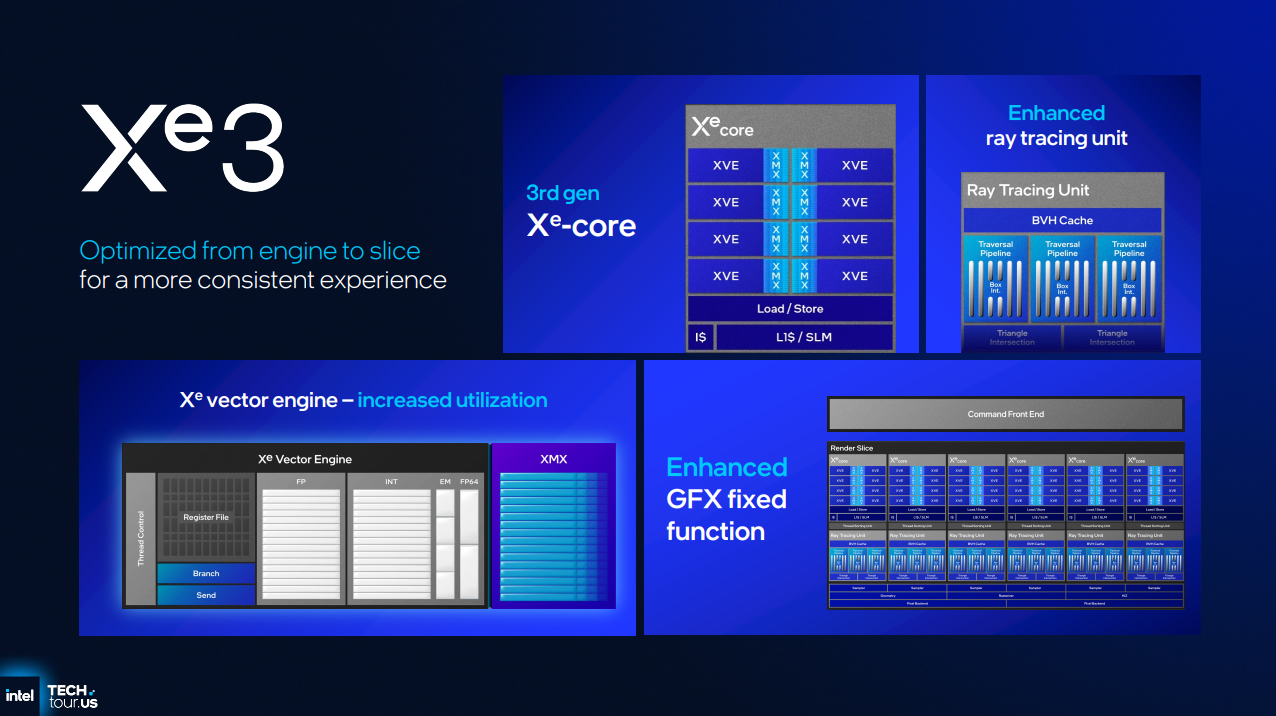
Increased utilisation
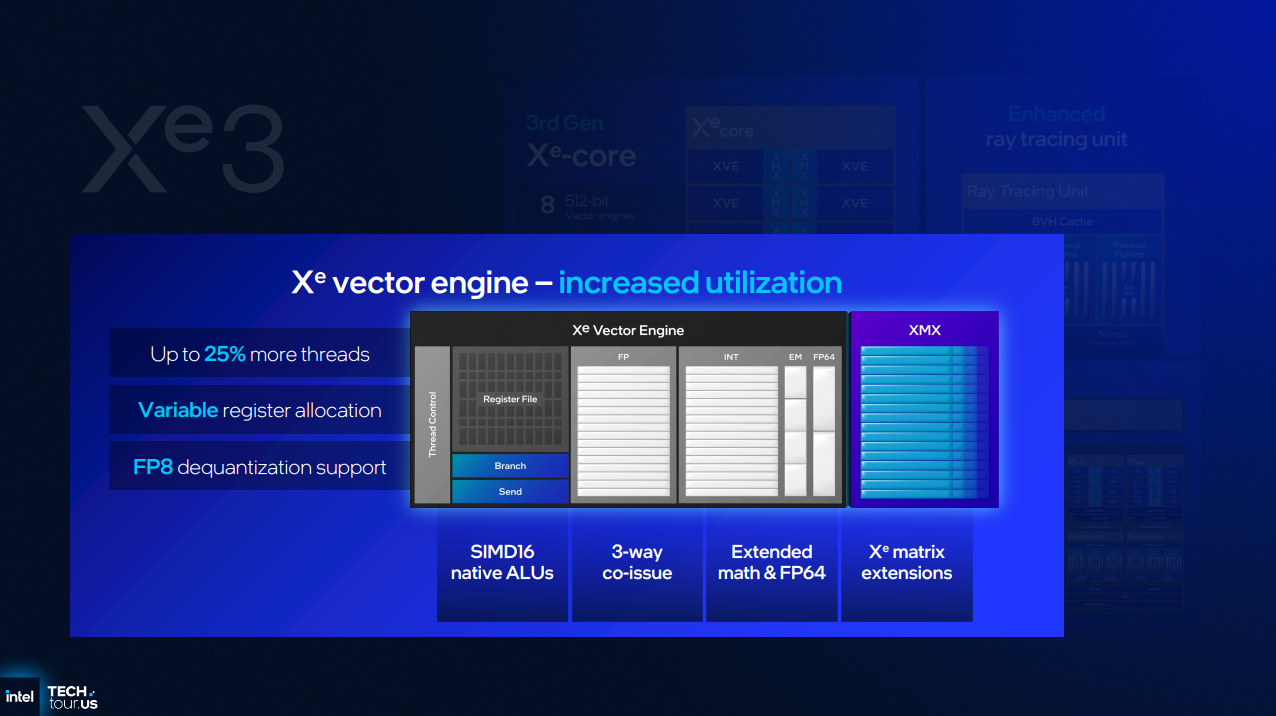
With 25% more threads in its vector engines, FP8 dequantization support, and variable register allocation, Intel can increase the utilisation of its Xe cores by fitting more work into each clock cycle. Less space is unused, allowing more work to be completed at any given time. Imagine a bus moving from one destination to another. In basic terms, Intel’s older architectures were leaving seats unfilled, preventing it from moving the maximum number of people. With Xe3, Intel can fill more seats on that bus, making it more effective than Xe2.
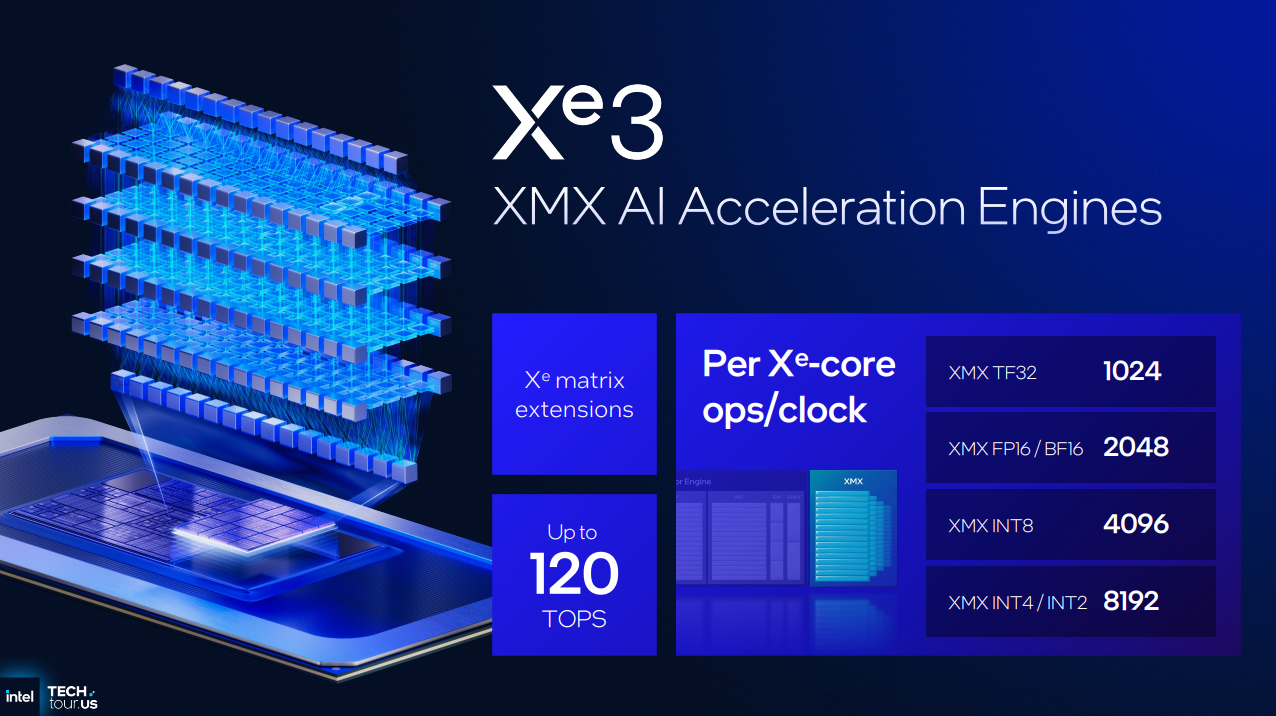
With their 12-core Xe3 GPU, Intel can deliver 120 TOPS of AI performance. The 8-core Xe2 GPU on Lunar Lake is capable of providing 67 TOPS. That means that Panther Lake can offer almost 80% more AI TOPS than the GPU in Lunar Lake. That’s a huge generational increase!
With Xe3, Intel has also enhanced its ray tracing performance, adding a dynamic ray management system for asynchronous ray tracing support. This change allows Intel to achieve more ray tracing performance per ray tracing core, which is great news given the increased use of ray tracing in games.
Micro Benchmarks
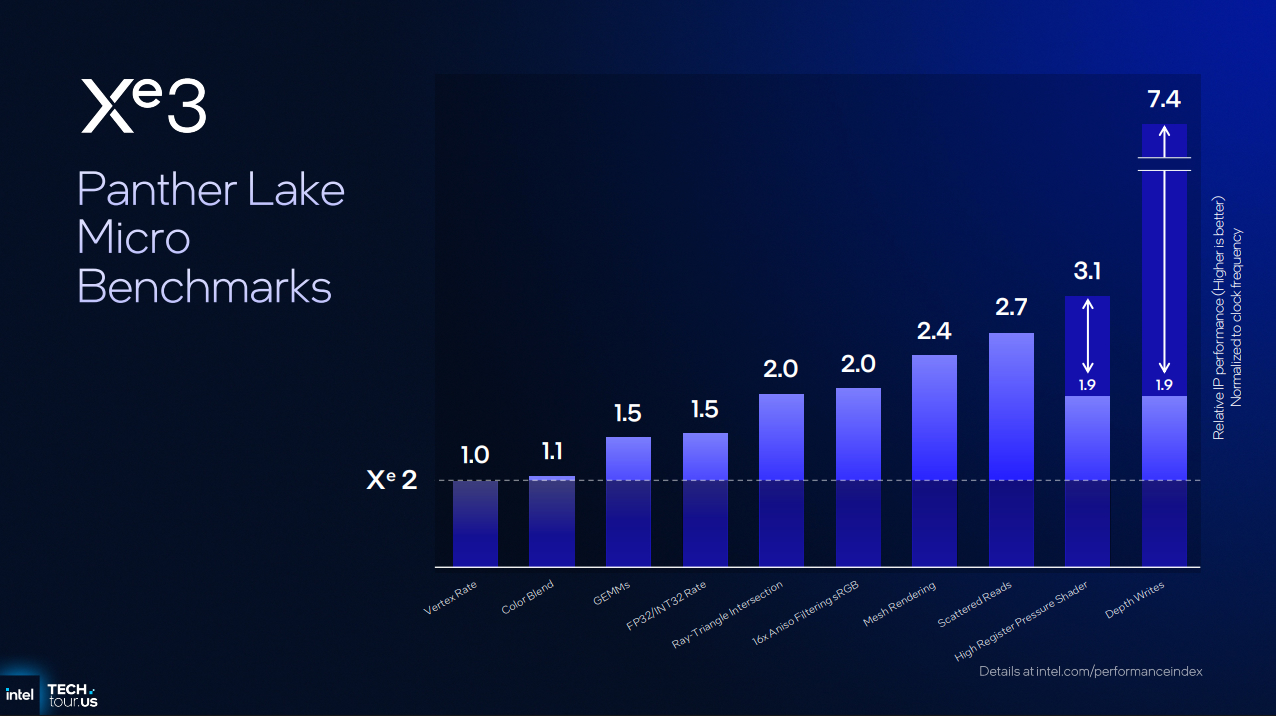
As mentioned earlier, Intel is actively targeting the weaknesses of its Xe architecture. Below, we can see Intel testing specific aspects of its Xe2 and Xe3 architectures.
Below, we can see that items such as Vertex Rate remain unchanged. However, many areas see 50% or higher performance gains. Depending on the situation, features like High Register Pressure Shader and Depth Write can yield significant performance gains.
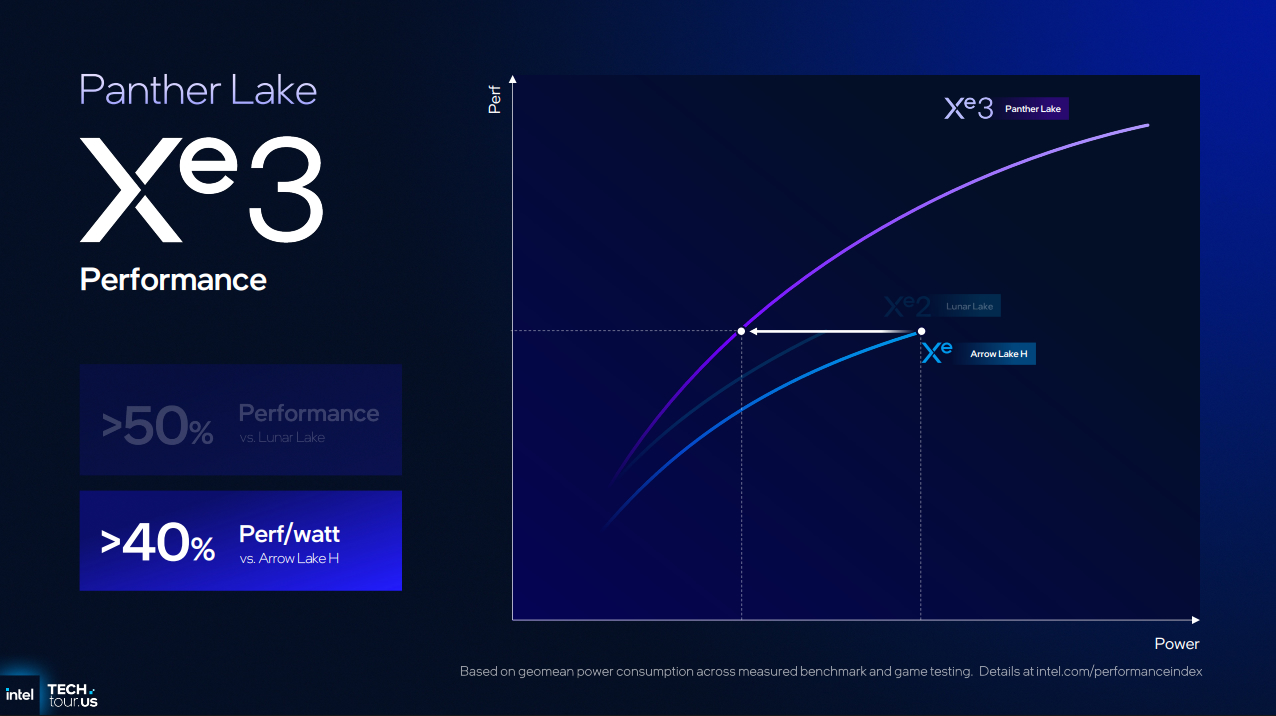
With Xe3, Intel says that they can deliver greater than 50% performance gains over Lunar Lake and more than 40% more performance per watt than Arrow Lake-H.
Intel plans to give us specific data at a later date. Until then, all we have are these early figures.
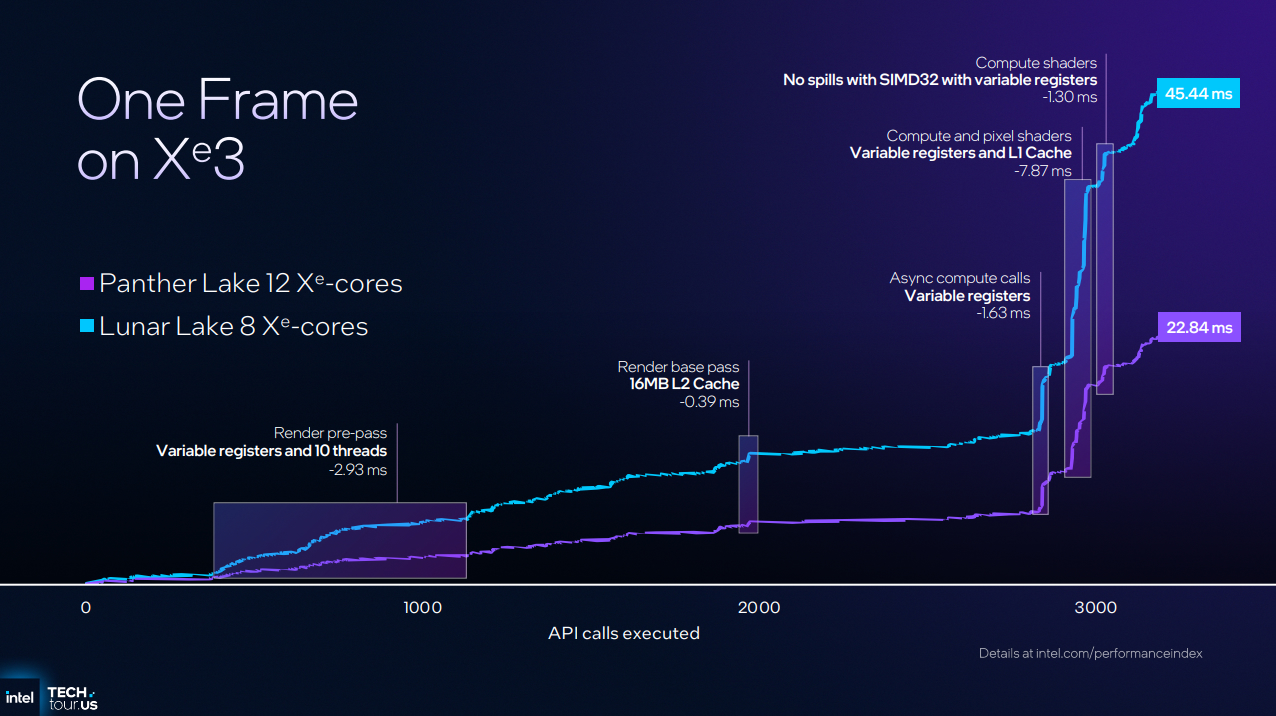
Below, we can see how some of Intel’s changes are delivering more performance with Xe3. Note that having 12 Xe3 cores over 8 Xe2 cores has an impact. Regardless, the 22.84 ms time of Panther Lake is almost half the time presented by Lunar Lake. A 50% increase in Xe cores alone doesn’t give you a near 2x boost. Clearly, Xe3’s architectural changes have had an impact.