ASUS ROG Rapture GT-BE19000AI Review

Introduction and Technical Specifications
Introduction
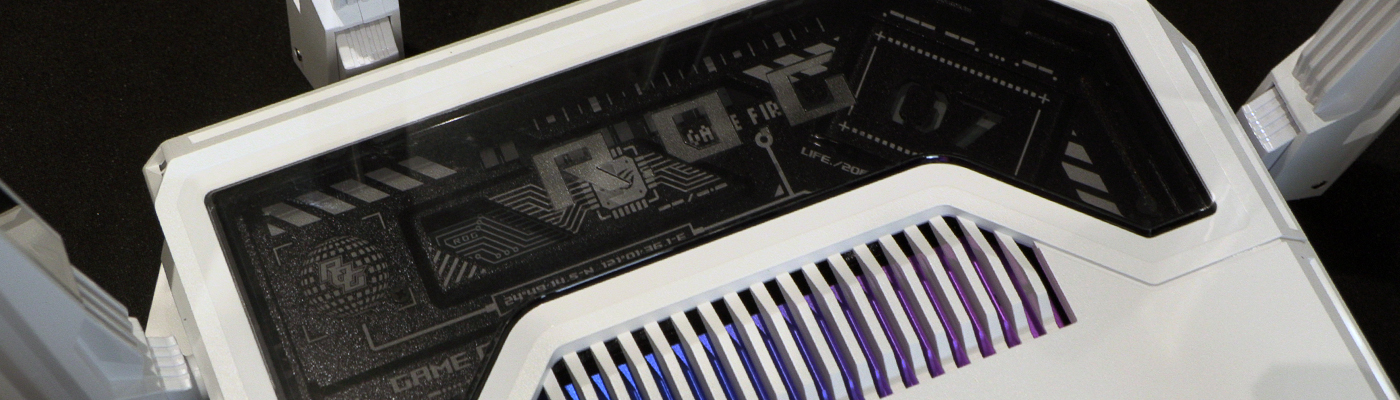
The ASUS ROG Rapture GT-BE19000AI is their newest router, now boasting AI to help keep your traffic smooth and your latency low. If you’ve not been aware of their Rapture range, they generally look like a spider. The new BE19000AI has a similar amount of aerials giving it an arachnid aesthetic. However, such has been the wholesale upgrades of everything under the hood, that is where the similarities end.
If you have set foot on the internet in recent times you can’t have escaped AI. It’s in everything, whether it needs to be or not. In a lot of cases it’s merely something that is already done, renamed. We think back to one of the first home use traffic shaping technologies, the 2006 Killer NIC, and don’t remember anyone calling it AI. However, the ASUS ROG Rapture GT-BE19000AI – hereafter called Rapture for simplicities sake – doesn’t come with a built in Neural Processing Unit for the fun of it. Those things are expensive.
What Does It Do?
Although we’ll get into the specifics soon, as a broad overview the Rapture uses the CPU, NCU and MPU to ensure you have full performance at all necessary times. And low power usage when everything is idle. The MCU takes control when nothing is happening, giving you very low power draw. When something becomes active the NPU works hard to give you the lowest latency possible, freeing up CPU cycles to aid in that endeavour.
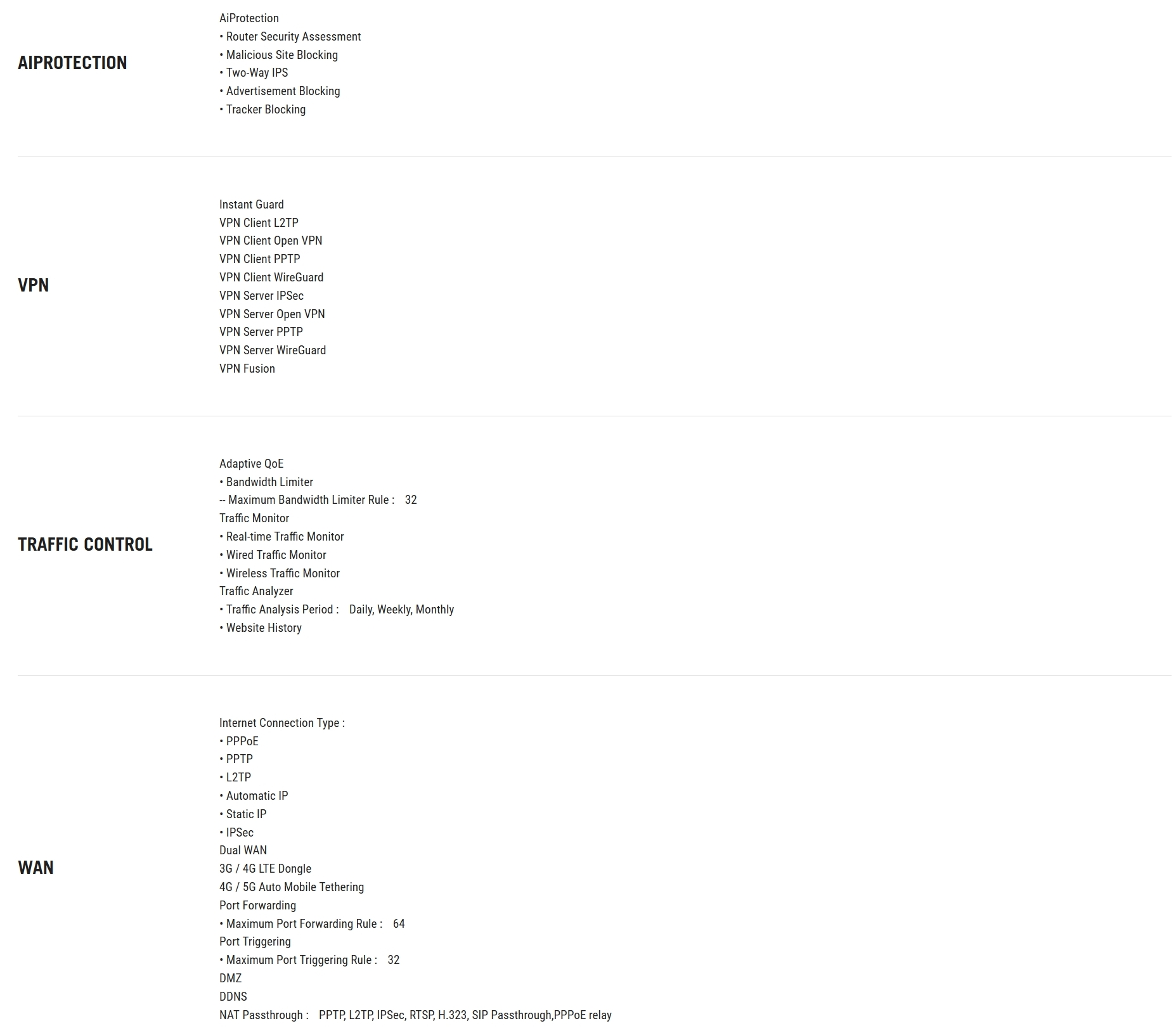
It isn’t only general latency either. The ROG AI Booster has a 3000 strong list of supported games which can lower your latency still further. No longer can you blame your defeats on lag. Lag isn’t the only annoyance that the ROG Rapture BE19000AI offers to suppress. The RF Scanner smooths the connection procedure, whilst the Ad blocker and tracker blocker keep your experience smooth once online. Traffic is dynamically assisted with Adaptive QoE, automatically observing your network and going beyond the static classifications for real-time priority adjustments.
Technical Specifications
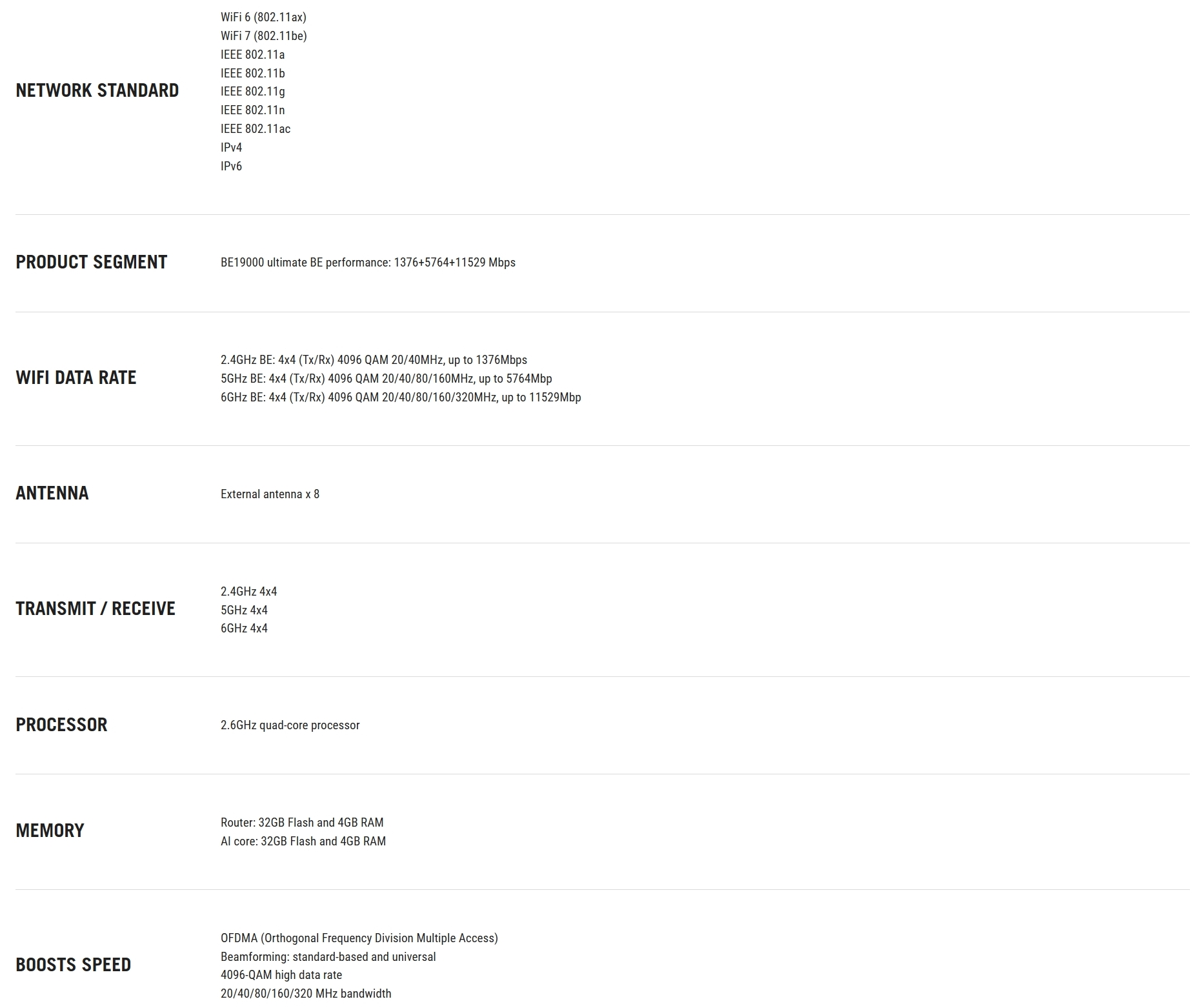
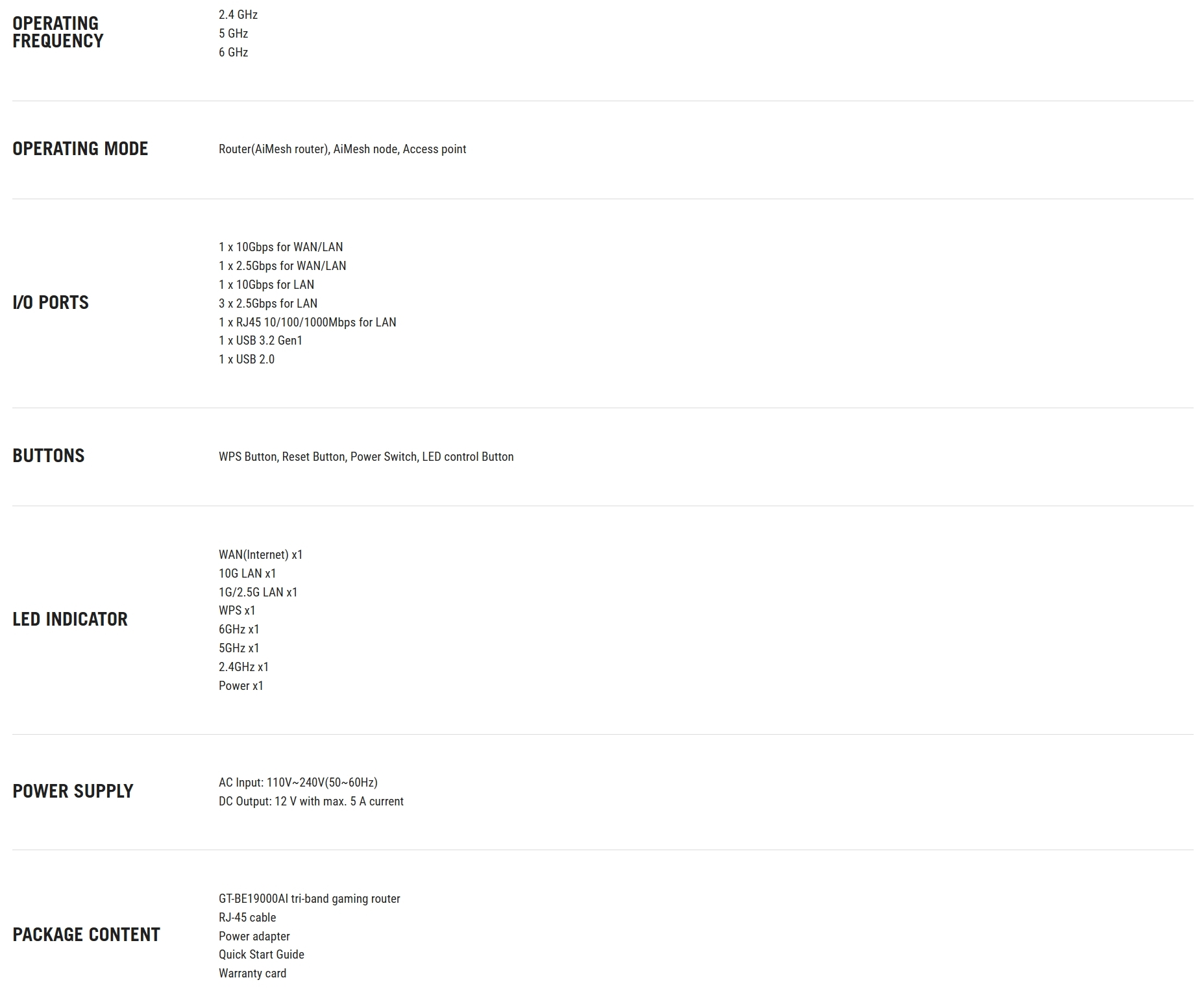
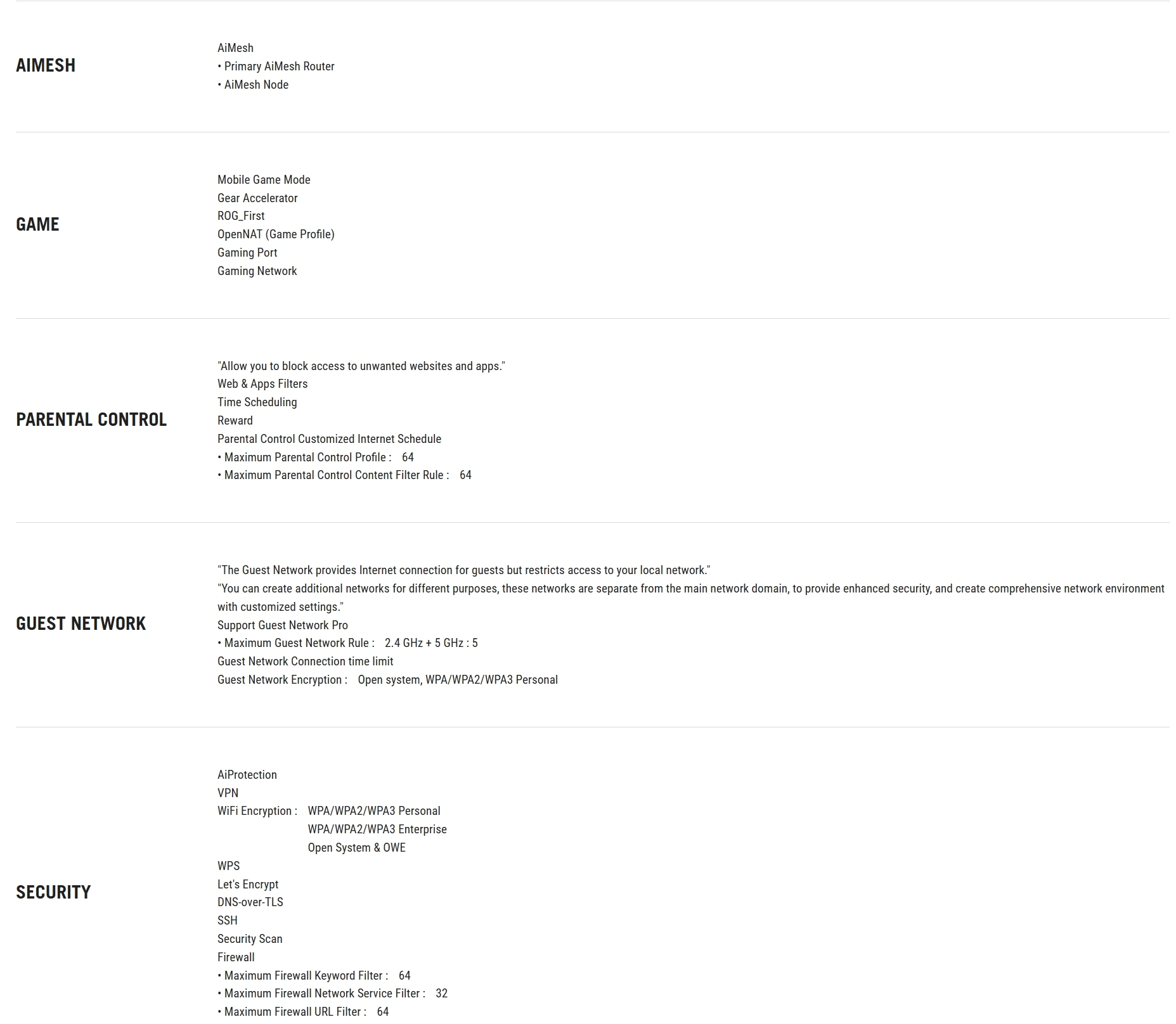
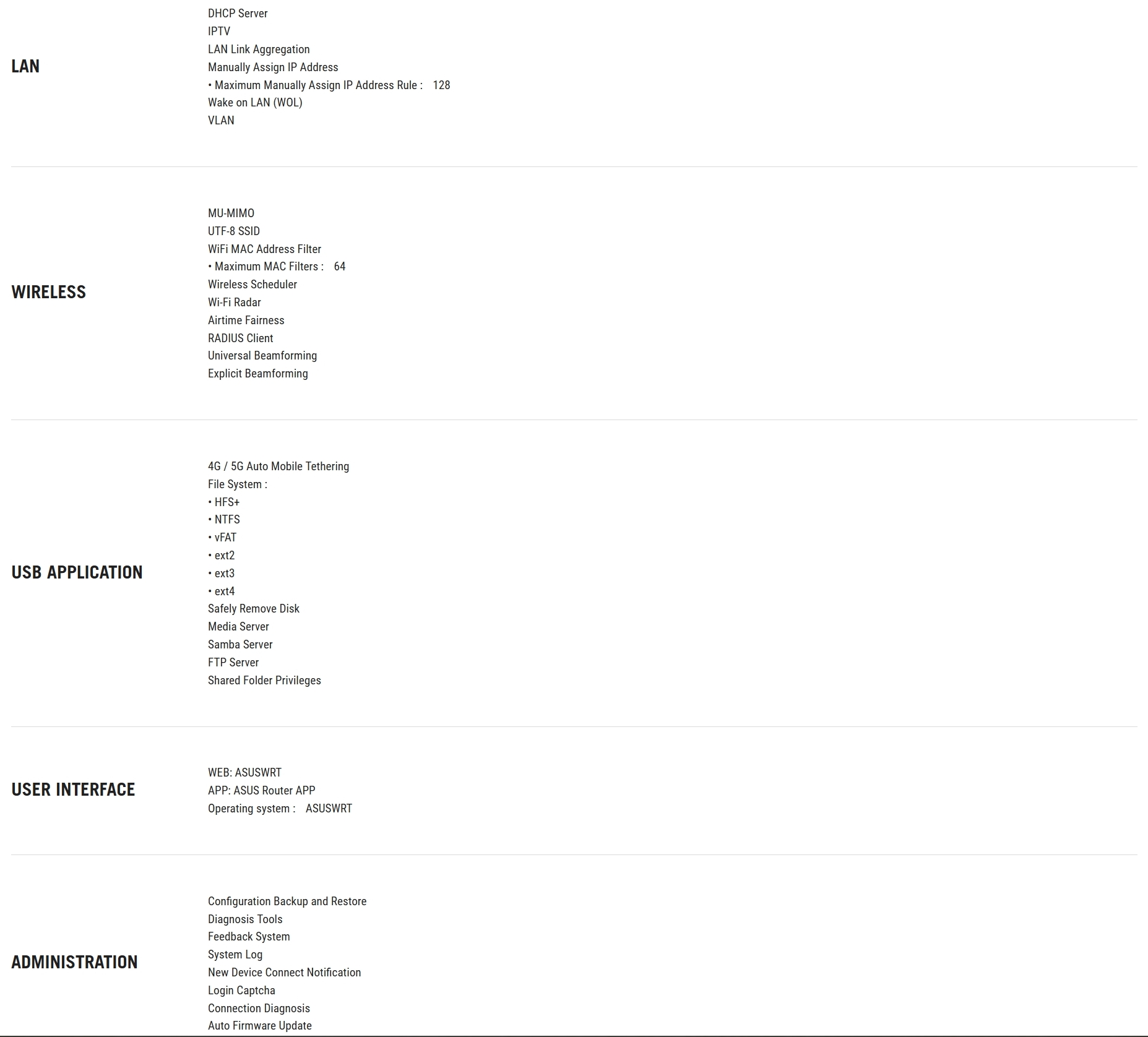
With 10G LAN and support for WiFi 802.11be AKA WiFi 7, plus everything below those standards, the Rapture is easily capable of taking on everything you can throw at it. If the current draconian internet censorship doesn’t go far enough for you, enjoy 64 difference Parental Control filters. With sufficient time you could put the Epstein redacting to shame. Tongue less in cheek, one of the coolest security features is the guest network. You can let guests have access to the internet whilst keeping them entirely locked away from your home network. If you’re using this as the network backbone for a public building this will keep all your data safely hidden away. And if you have a lot of house guests you’re covered there too.