


F1 25 PC Performance Review and Optimisation Guide

Ray Tracing and Path Tracing – Visual Impact Tested
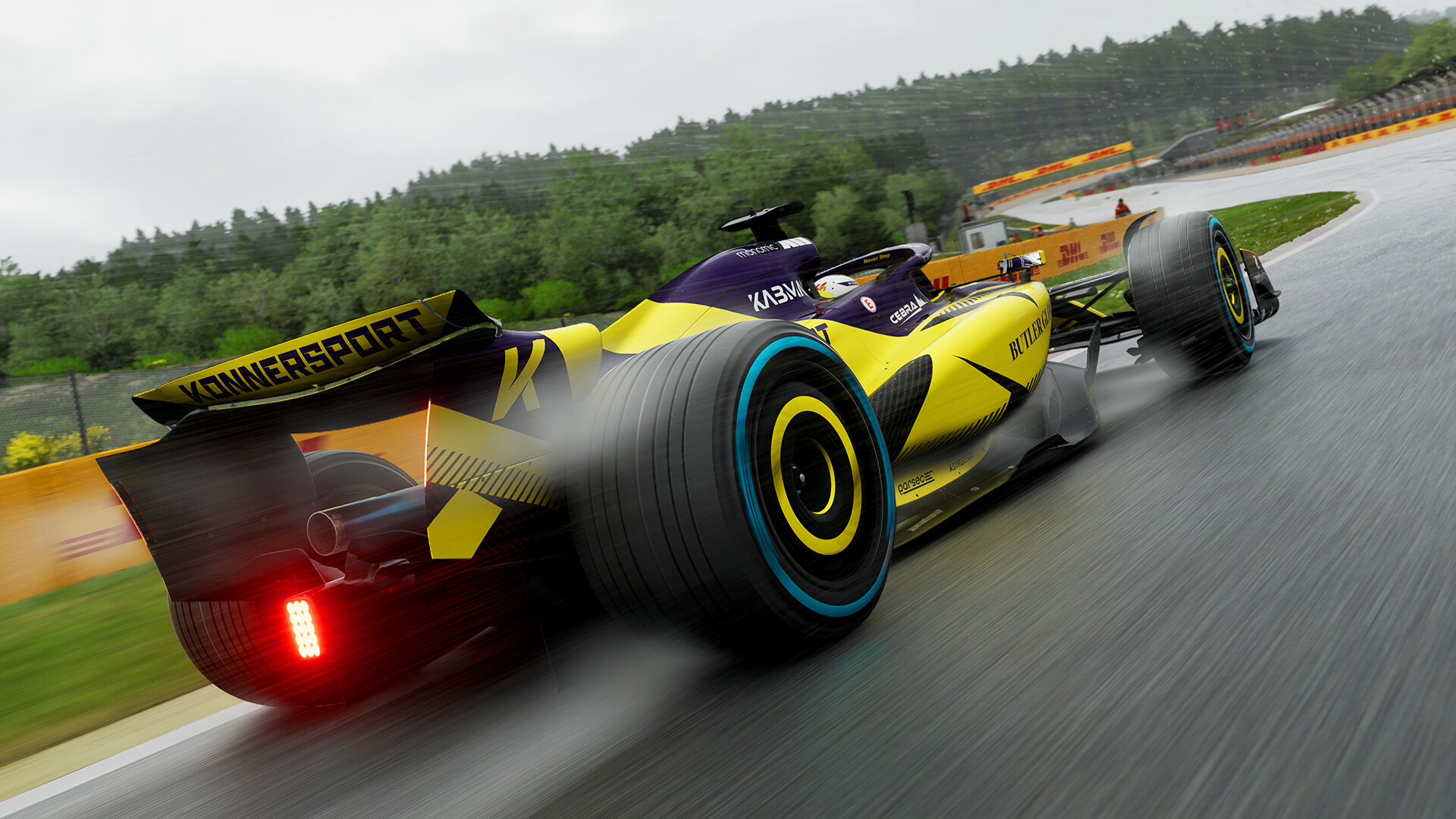
Ray Tracing and Path Tracing – Is it worth it?
One of the most recent additions to the F1 series’ graphical feature set is ray tracing. With F1 25, more advanced ray tracing features have been added to the game, with path tracing being a PC exclusive. This new mode addresses many of the visual shortcomings of F1 25’s existing ray tracing implementation, with more advanced reflections, bounce lighting and more.
Below we can see F1 25 when its High graphical preset is enabled. This preset features no ray tracing effects.
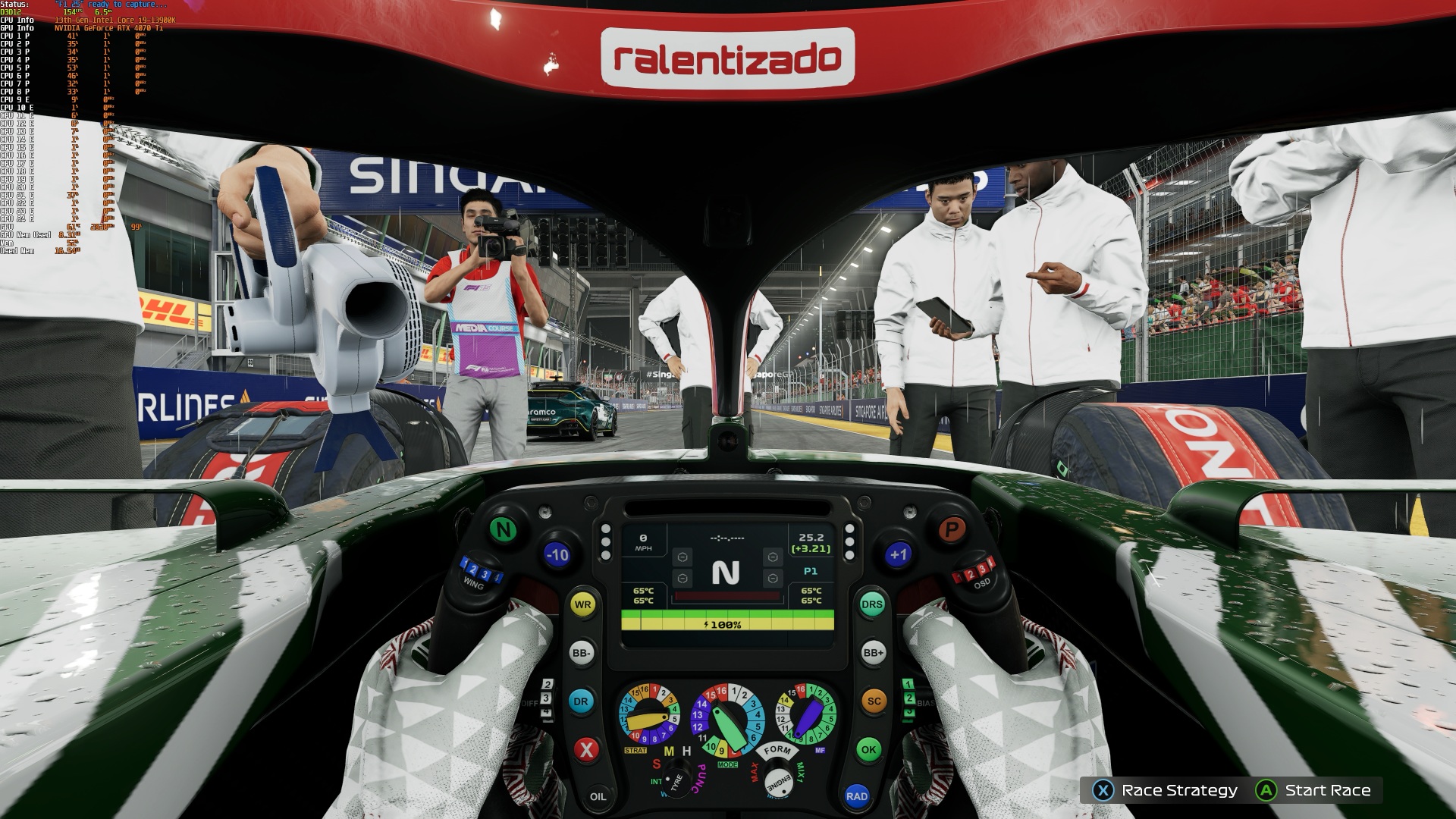
(F1 25 at High Settings – No Ray Tracing)
With ray tracing, areas in shadow are more accurately shaded, though some areas look overly dark because of the game’s lack of bounce lighting. Notice how dark the driver’s gloves are.
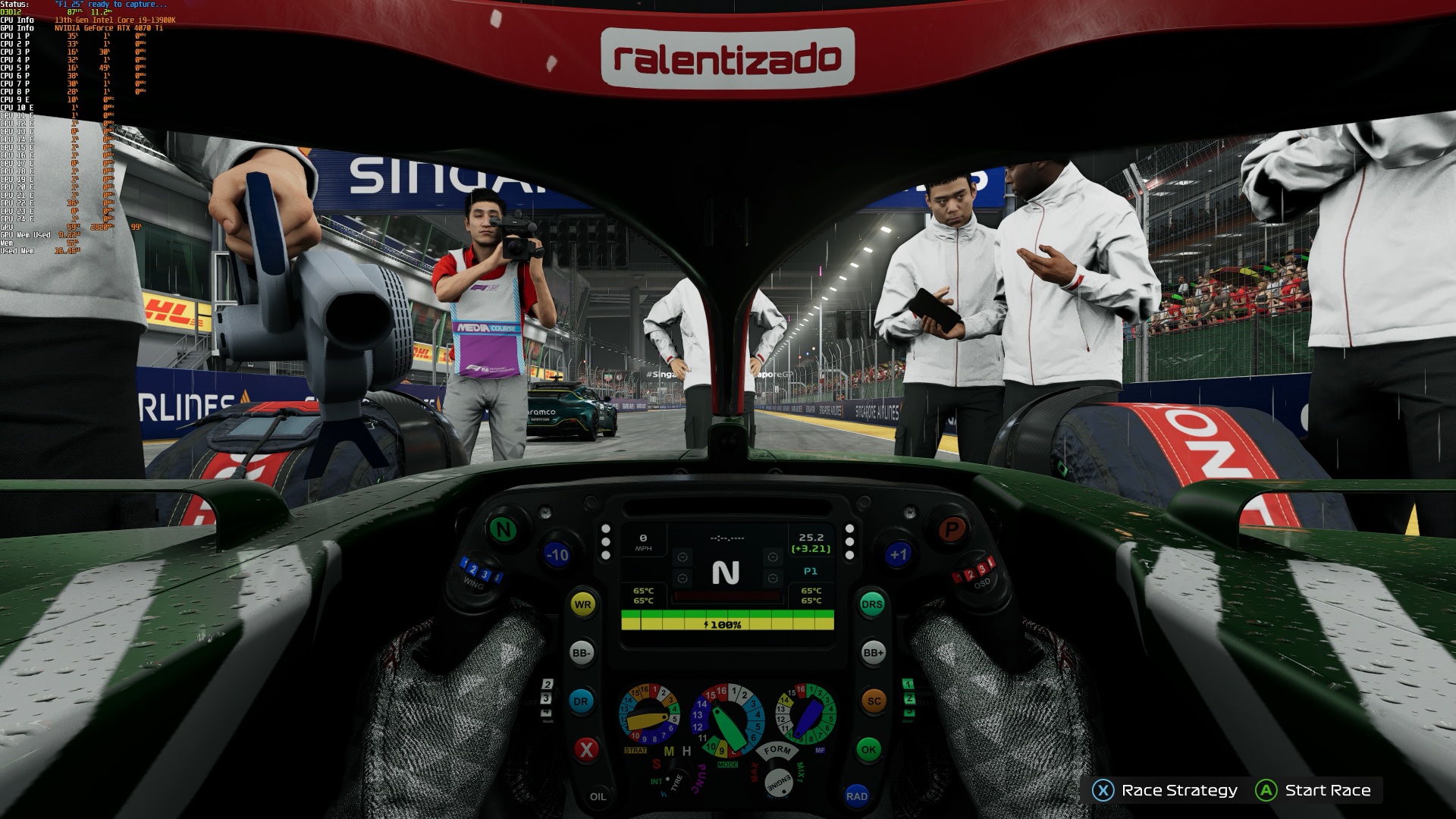
(F1 25 at Ultra High Settings – Ray Tracing On)
With path tracing, more advanced reflections are visible on each vehicle, and bounce lighting brightens some areas in shadow. Notice how the racer’s gloves are now appropriately shaded. While ray tracing is effective, path tracing significantly boosts accuracy, creating even more realistic visuals.
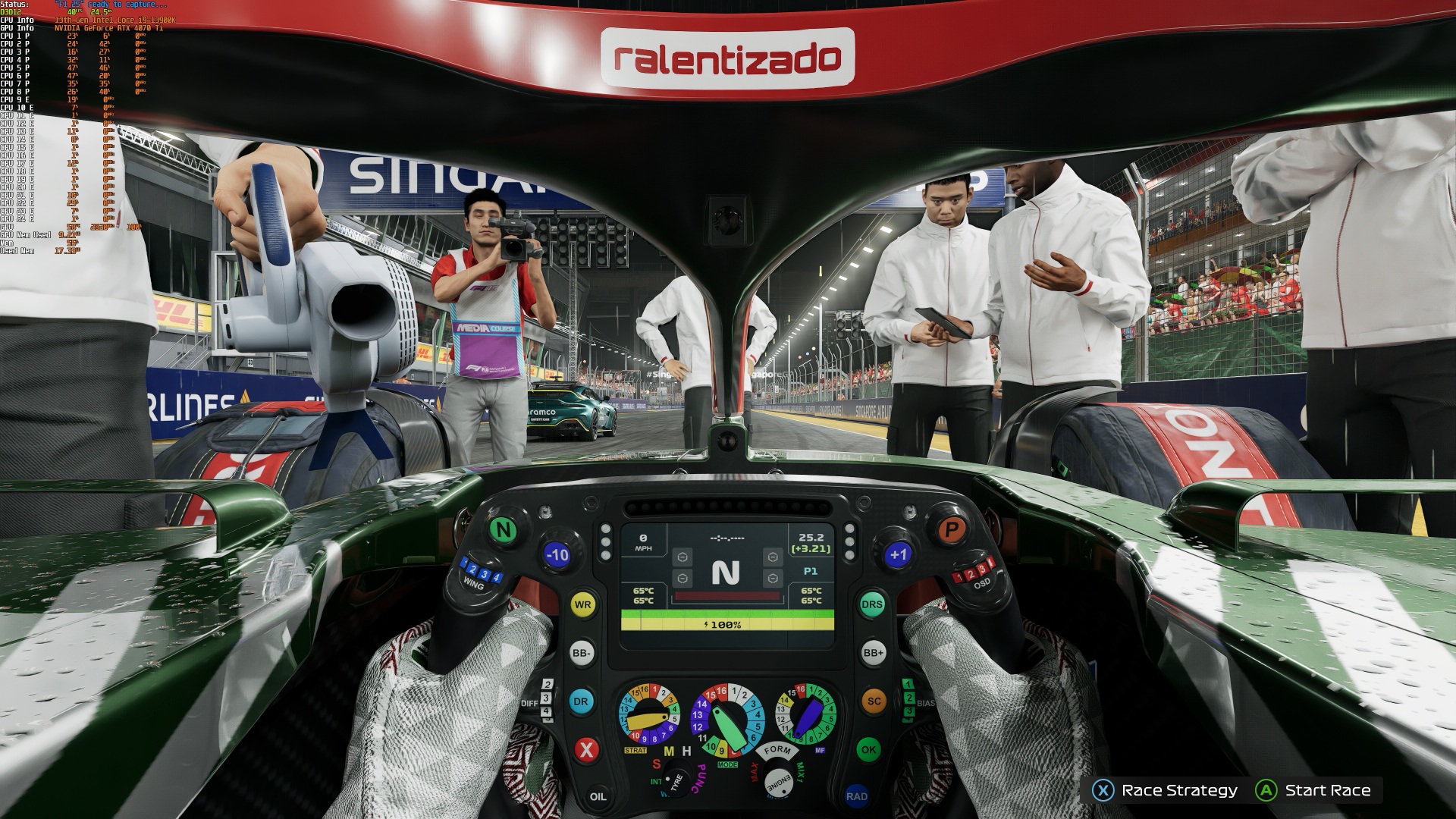
(F1 25 at Ultra Max Settings – Path Tracing On)
Example 2
The impact of ray tracing can be noticed most in shadowed areas. Some areas that should be in shadow appear as if they are directly lit. Furthermore, white elements look overly bright despite being in shadow.
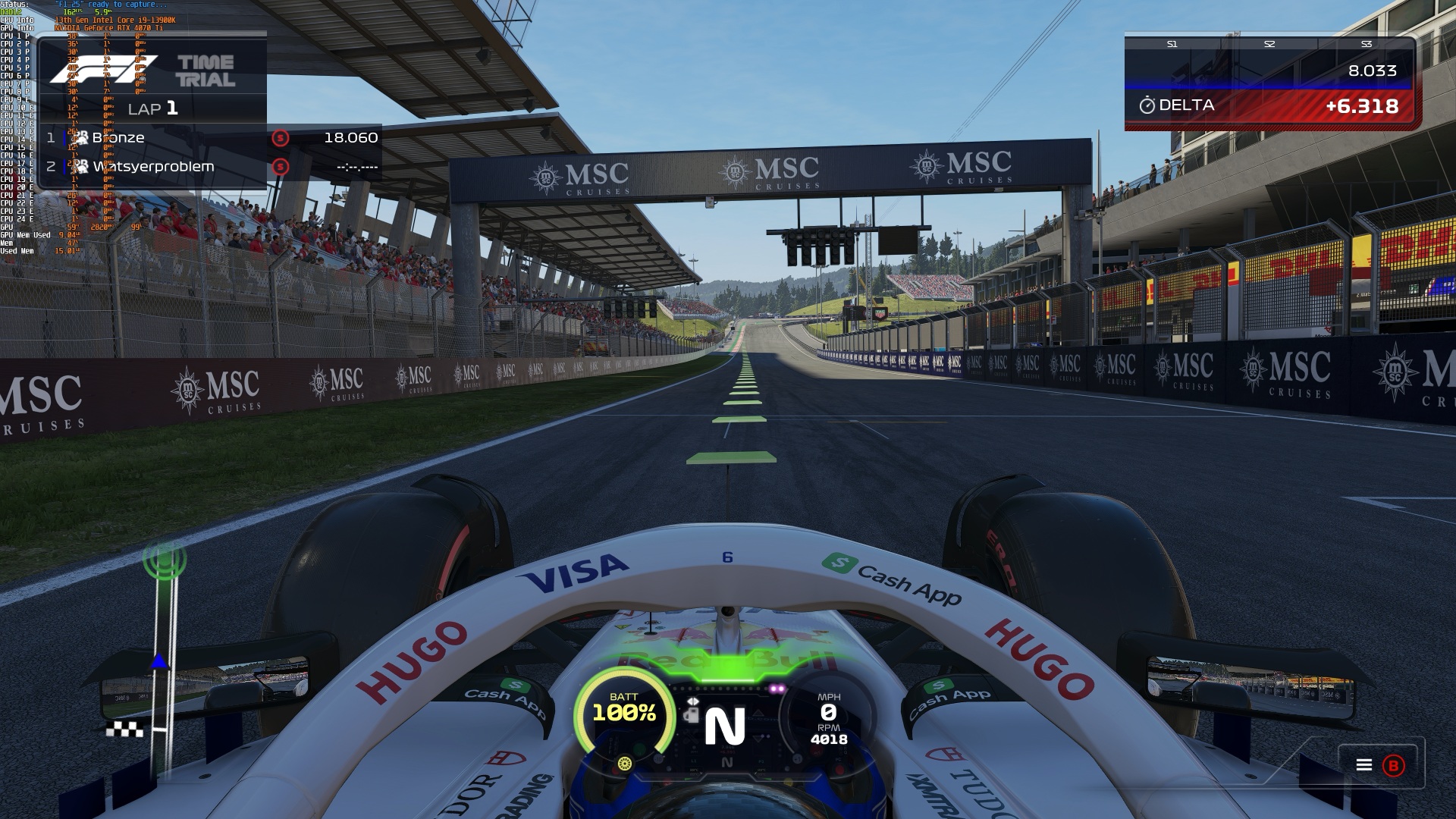
(F1 25 at High Settings – No Ray Tracing)
With ray tracing, areas in shadow look appropriately dark. This includes the F1 car, the crowded stands, and the undersides of structures. Notice how shadow edges also look better at a distance.
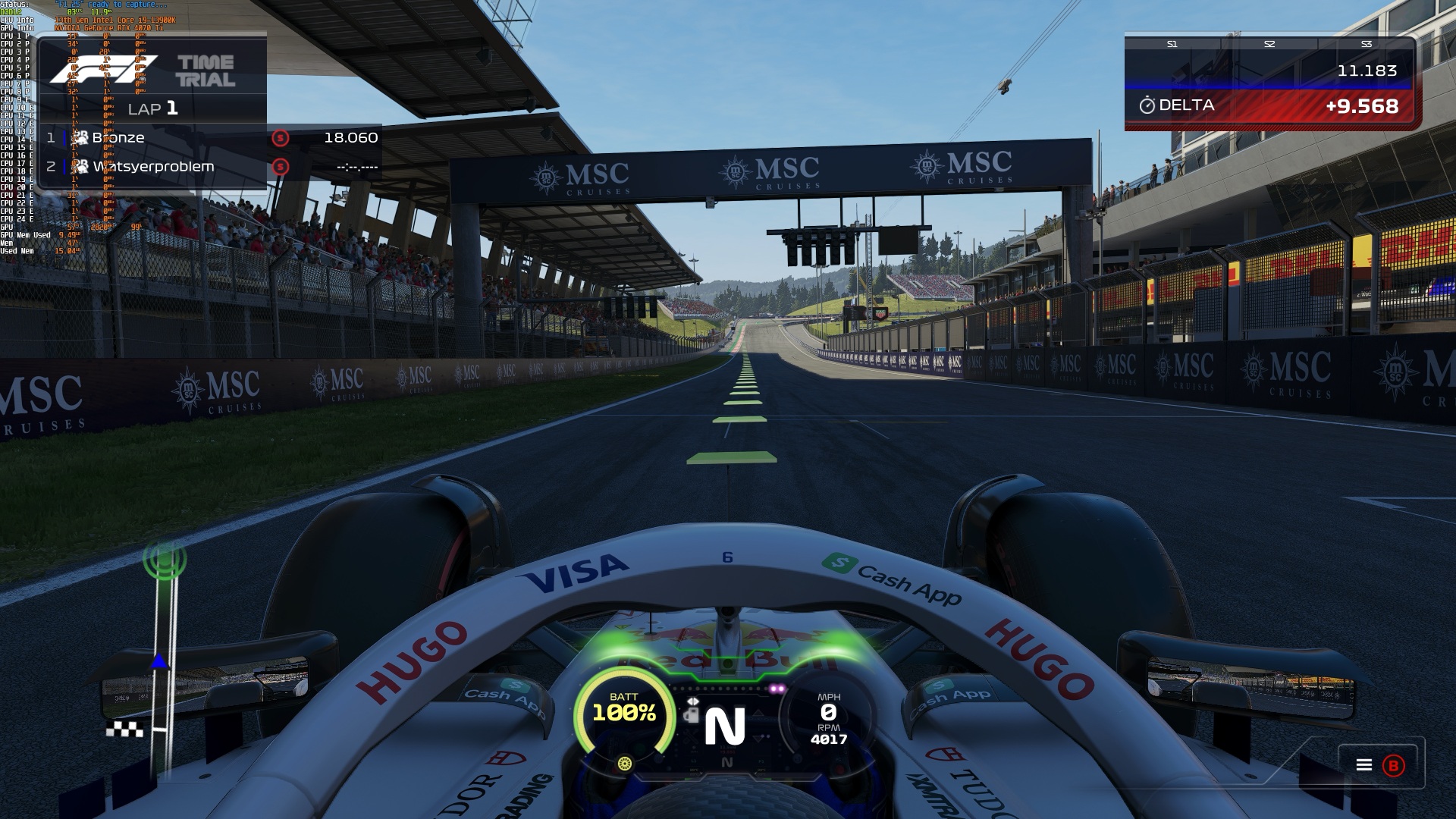
(F1 25 at Ultra High Settings – Ray Tracing On)
With path tracing, bounce lighting makes shaded areas have a more realistic look. Things look more natural and less dark. The difference is subtle, but welcome.
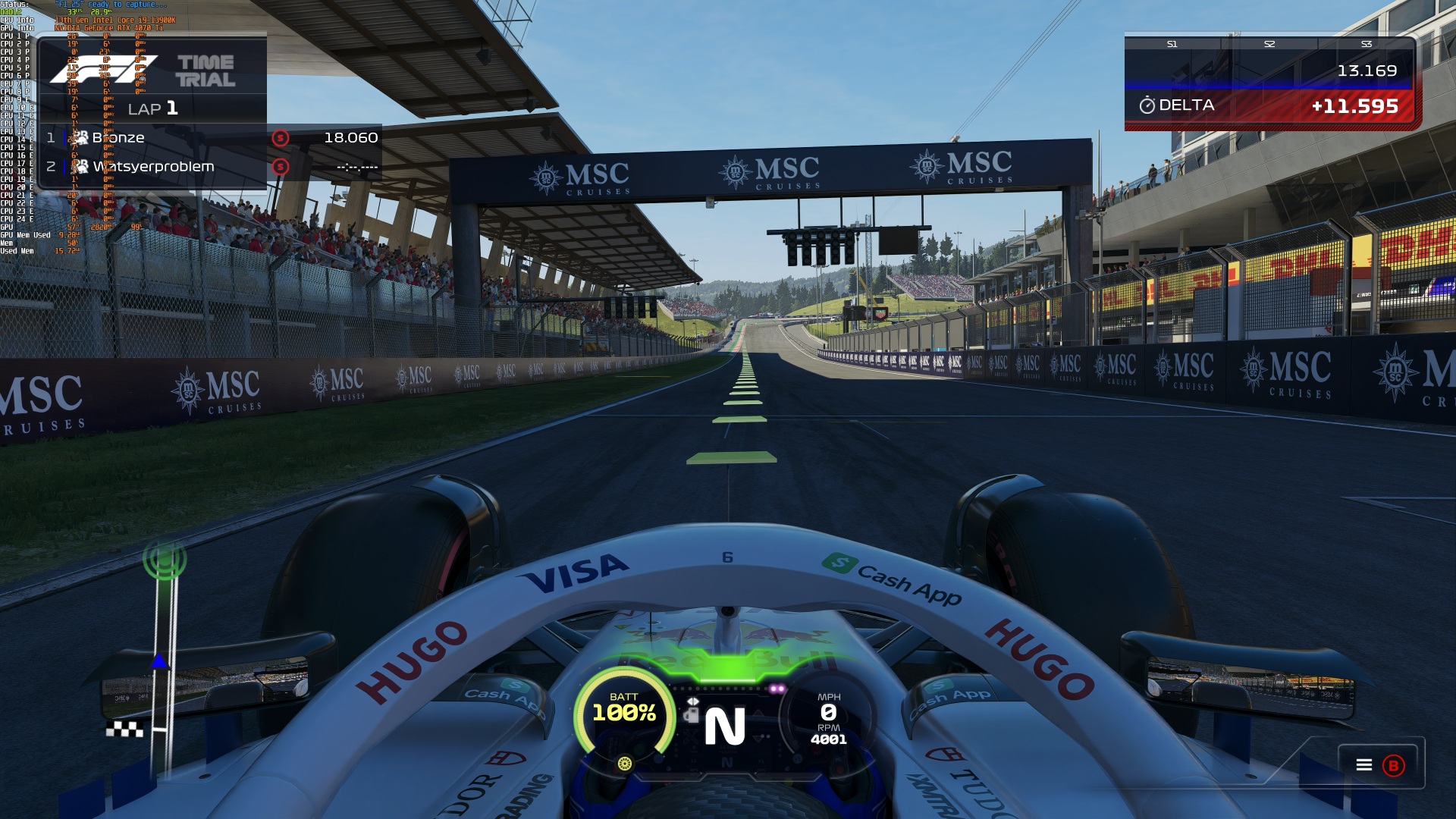
(F1 25 at Ultra Max Settings – Path Tracing On)

