F1 25 PC Performance Review and Optimisation Guide

Ray Tracing and Path Tracing – Performance Impact Tested
F1 25 – Ray Tracing Performance Impact
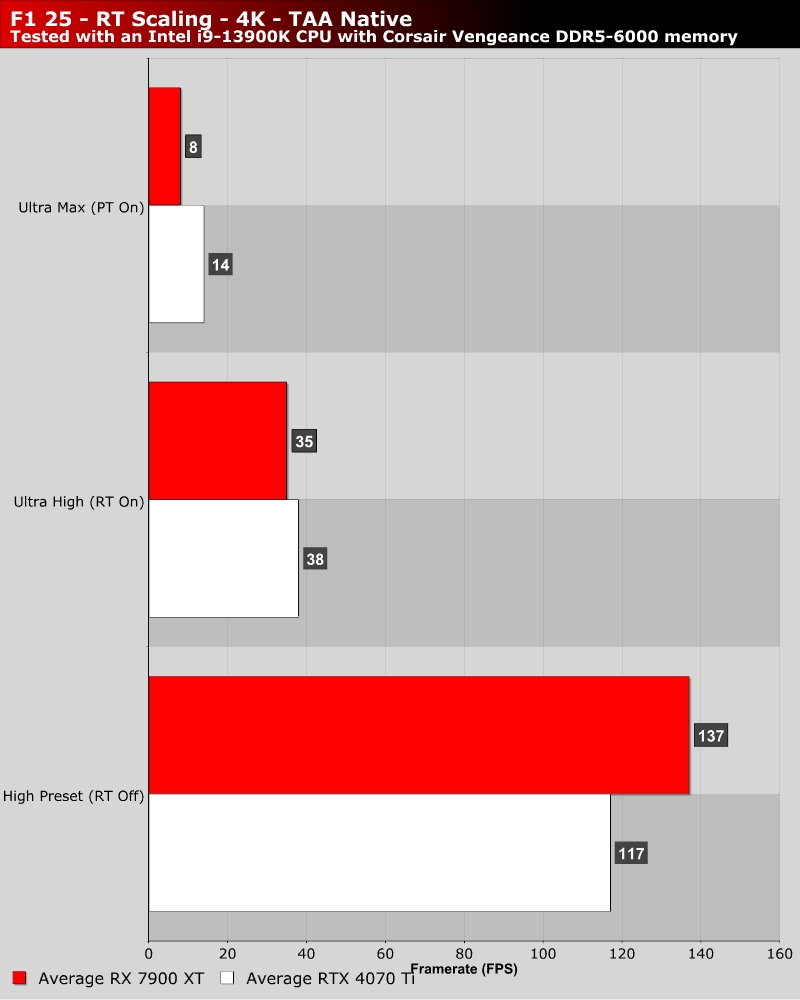
If I’m honest, I think Codemasters should have added a preset that sits between High and Ultra High. Ultra High enabled all of F1 25’s ray tracing effects, only keeping the game’s more advanced path tracing feature disabled. Simply put, enabling all of these features at once is a performance killer. Yes, sufficiently high-end GPUs can handle it, but it kills performance. An intermediate option would be nice for those who don’t like tinkering with individual settings.
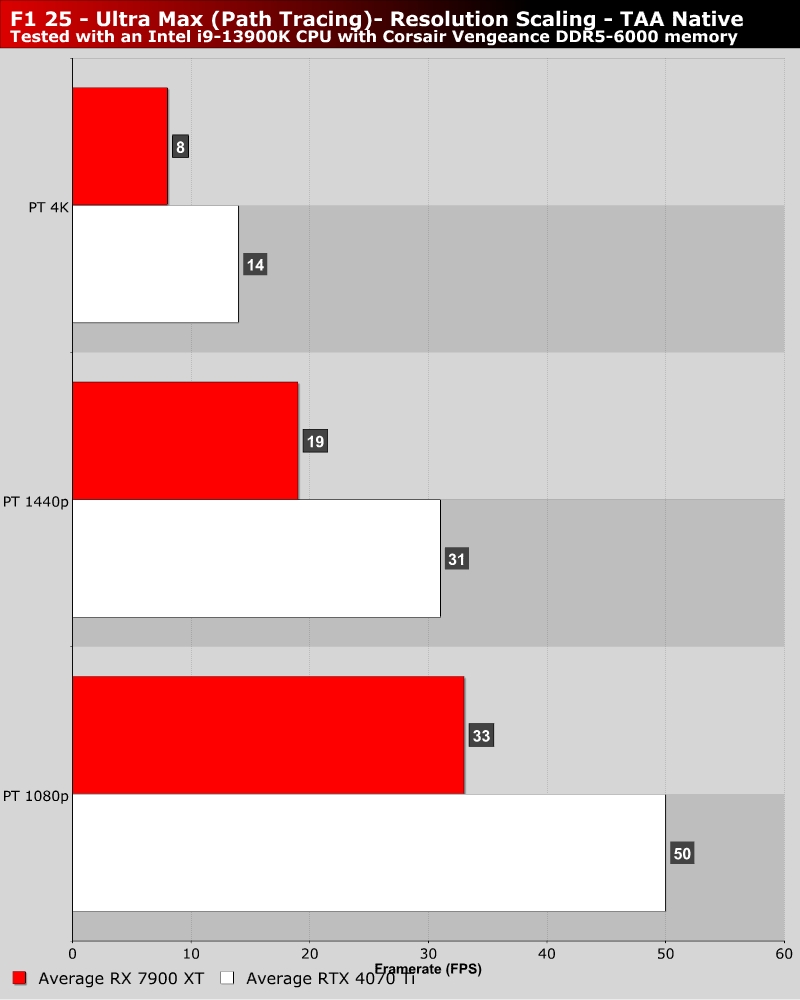
If ray tracing is a performance killer, path tracing is the grim reaper. Without upscaling, path tracing will bring pretty much all modern GPUs to their knees. With our RX 7900 XT, framerates at 4K drop to an average of 8 FPS. That’s insane considering this game can run with an average framerate of 137 FPS with this GPU at 4K High settings. Note that the benchmarks below were recorded on F1 25’s Singapore track in the rain.
Even at lower resolutions, path tracing is a performance killer. Even at 1080p, our RTX 4070 Ti cannot maintain 60+ FPS framerates without upscaling. Regardless, dips below 60 FPS are possible. Clearly, path racing calls for today’s highest-end graphics cards.