Lian Li PC-O5S ITX Case Review


Up Close: Interior
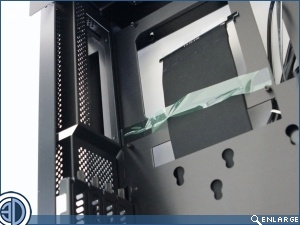
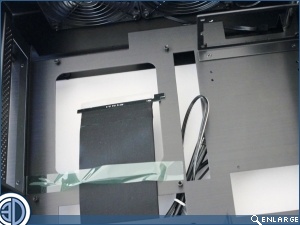
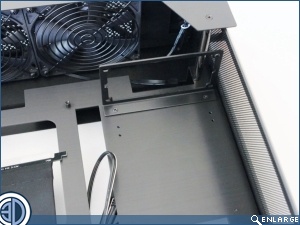
Removal of the tempered glass side panel grants us access to the interior. Towards the top we can see the large CPU cut out, almost as large as the M-ITX board itself in fact. You’ll also notice a large ribbon data cable. This, as we’ll see later is to enable PCI cards such as your GPU to be mounted vertically within the case. The are also a number of other cut outs, but rather disappointingly none of them have grommets. Maybe it’s just us, but we can’t help feeling that a case such as this, that puts everything on show and is designed to present your hardware at its very best should have the facility to hide as much of the cable clutter as possible.
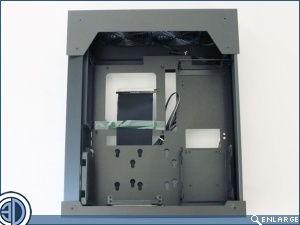
The PC-O5S accepts only the SFX PSU. A few short years ago this would have been a bit of a no-no, but decent SFX PSUs can now be had without having to first sell a Kidney. The PSU is mounted vertically in the top front corner of the case effectively hanging from the bracket. Although at first it appears there’s little ventilation for the PSU, it is in fact quite cleverly thought out. With the PSU mounted with the fan towards the window, there’s a gap between it and the glass. This gap communicates with the mesh panel at the front which will enable it to suck in fresh air. Hot air is then exhausted out the rear of the PSU which is in turn vented out of the roof of the case. Directly below the PSU bracket we find the main HDD rack. This rack is able to accept up to three 3.5″ HDDs plus an additional 2.5″ drive and uses rubber O-rings to isolate vibration from the spinners.
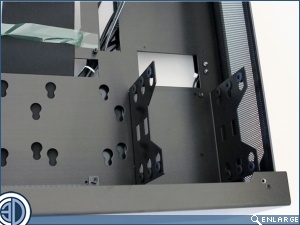
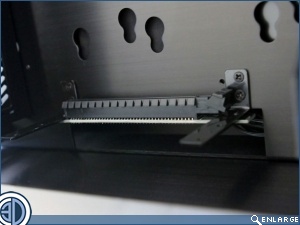
To the left of the Main HDD rack there’s quite a busy little area. Firstly, as you can see this is where your GPU is going to live, with the PCI-E 16x Gen 3,0 riser cable enabling the card to be mounted parallel to the motherboard. This not only saves space and allows minimal case thickness, but also enables it to be seen face on through the window panel. There’s also room here on the motherboard tray for 1×3.5″ and 1×2.5″ or 2×2.5″ drives. Doing so will mean that the PCI card has to be mounted further out on its runner, and will entail the loss of a PCI slot, but if you absolutely have to have more storage it’s always an option.
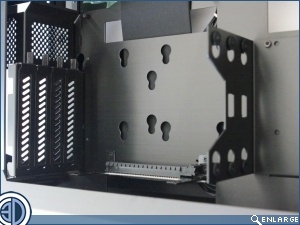
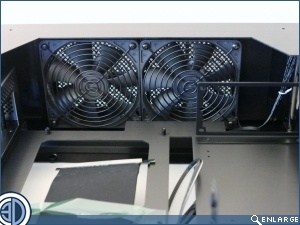
There’s no rear fan as such on the PC-O5A, but the rear of the case is very well ventilated. Up in the roof however you do get a pair of 120mm fans set to extract.