Lian Li PC-O5S ITX Case Review


The Build and Cooling
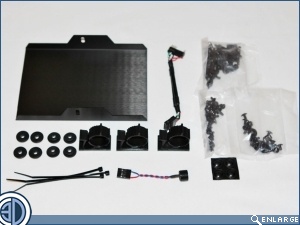
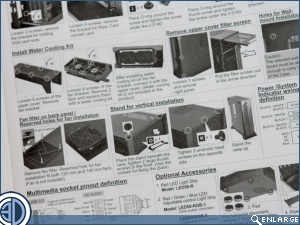
The accessories box that comes with the PC-O5S is positively bursting with goodies, but then with a case that costs as much as this one does you’d be more than a bit miffed if all you got was a few screws. In the bag we have (deep breath now), a cover plate for the HDD cage, 8 rubber isolation grommets, 3 cable management clamps, a hand ful of cable ties, 4 rubber feet for the PSU mount area, a USB adapter, a buzzer and of course all the usual screws etc. On the not so good side, the instructions, although extensive are hard to follow and have truly miniscule black and white images.
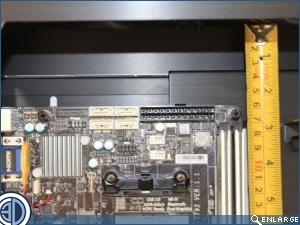
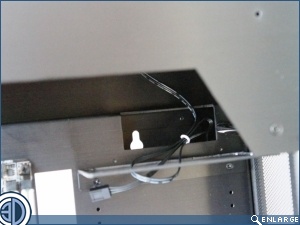
Normally we’d put the PSU in first, but as this case only takes the SFX PSU, and we don’t have one here at the moment, that’s a bit of a non starter. What we can do though is pop the Motherboard in and hook up the PCI ribbon data lead that comes from the socket at the base of the case. Although the case is only 148mm thick it will still accept CPU coolers up to 85mm tall. Ok so you’re not going to get a massive tower in here, but then you wouldn’t want to.
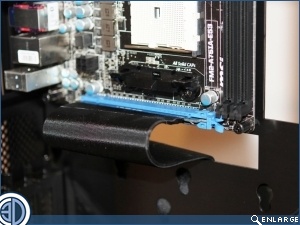
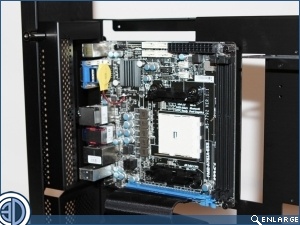
You’re also not going to get a massively long GPU in here. Not unless you remove the HDD rack at any rate. With the rack in you get just 190mm, which isn’t even enough for our trusty old EN8800GT. Thankfully the HDD rack is easily removed which ups the maximum length to a healthy 310mm.
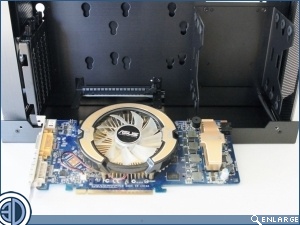
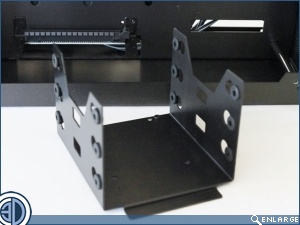
The case does look kinda empty without the PSU. As a result were confident that adding it in won’t make the interior look too overcrowded. As for cable management, even though there are no grommets, there is a large hole just below the PSU area which is spot on for making cables disappear behind the motherboard.
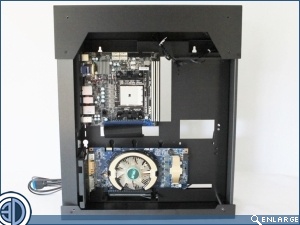
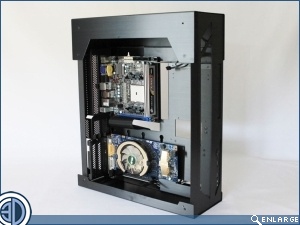
Although the case is quite open in its design, with large areas of subtly done mesh, thus ensuring good airflow, it does still benefit from some active cooling. Up in the roof there’s a pair of 120mm fans set to extract, while in the rear of the motherboard area there’s a location to place a 140mm fan should you so desire.
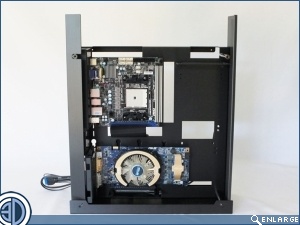
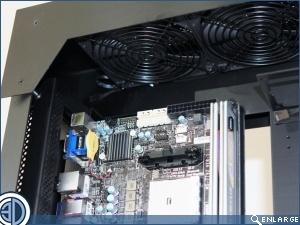
Lian Li say that there’s room up top for water cooling measuring no more than 60x300x130mm (HxWxD). In reality there’s not a lot of room up there at all, with mounting the radiator made even more complicated by it being off set in the wrong direction, necessitating that it be fitted above the shelf seen above the motherboard. Basically this means that you’ve only got 33mm left to play with, and that’s before you’ve factored in how you’re going to get your tubing out from above the shelf. We found that we couldn’t actually fit our usual XSPC rad as it was just a smidge too thick, and were similarly foiled when we tried to fit a slimmer Cooler Master AIO, as the tubing was not sufficiently flexible enough to make it out and over the bend caused by the shelf. We’re not saying you can’t fit a rad in the roof, we’re just saying you’re going to have to choose your products carefully and be prepared for a bit of swearing.