Warhammer 40,000: Space Marine 2 PC Performance Review

1080p Performance
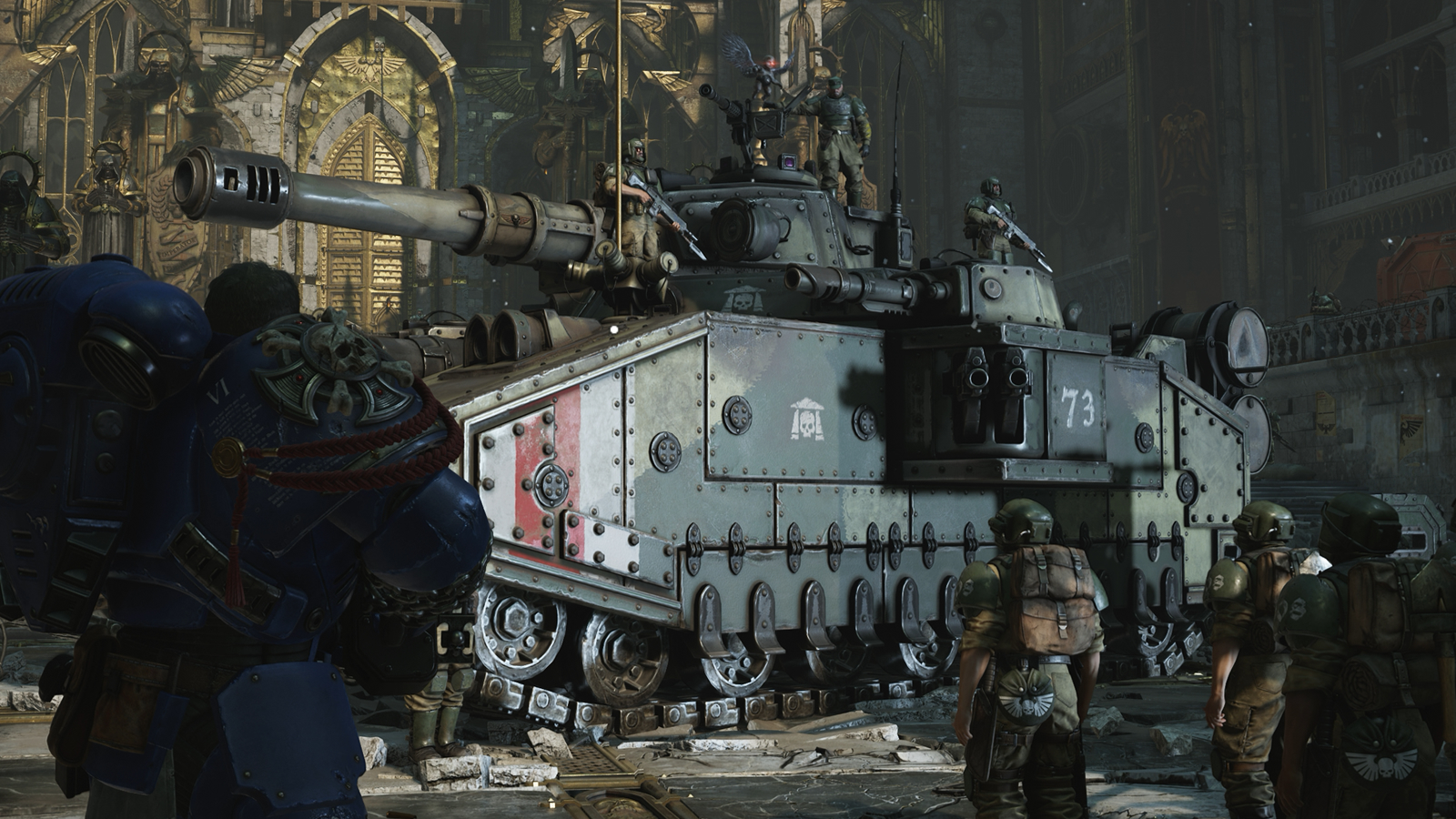
Space Marine 2 is a demanding game
Warhammer 40,000: Space Marine 2 is a demanding PC game. From both a CPU and GPU perspective, this game asks a lot from your hardware. As such, we will test this game at 1080p, 1440p, and 4K, both with and without FSR/DLSS upscaling. We will test the game using its “native” modes, DLSS, and FSR.
Native Resolution 1080p Performance
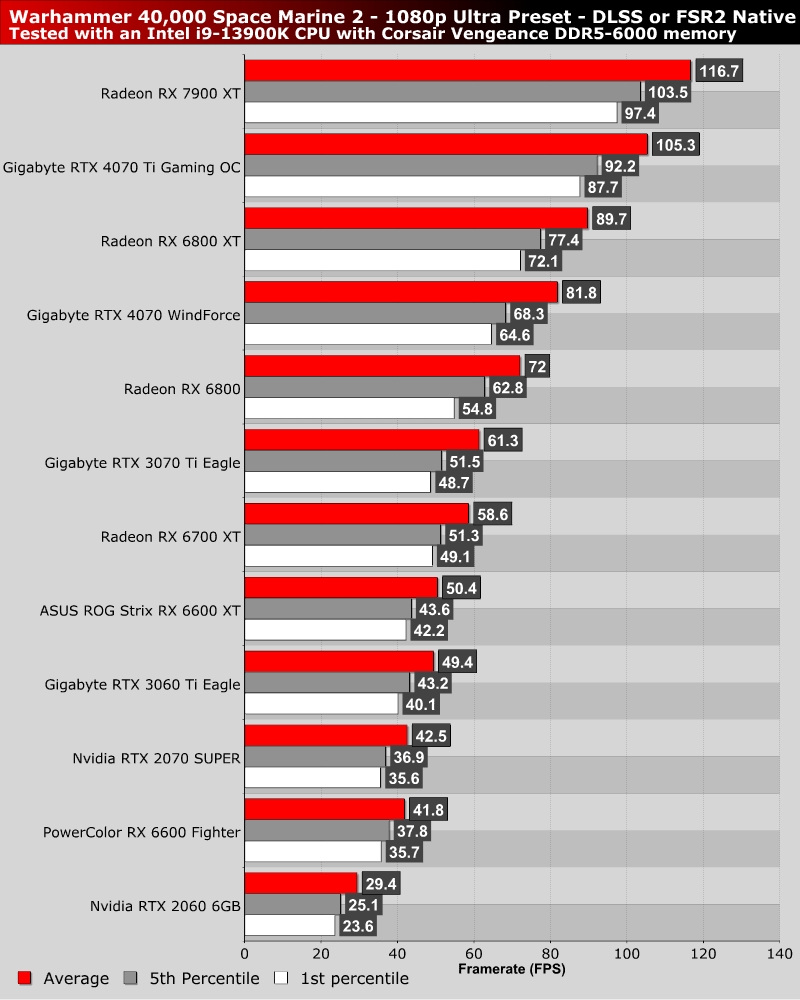
At 1080p, it is clear that this game is too much for Nvidia’s ageing RTX 2060 GPU at Ultra settings. This GPU clearly needs to play this game at lower settings and with DLSS to achieve high framerates in Space Marine 2. Part of the reason for this is this GPU’s small 6GB frame buffer, which struggles when this game is played at Ultra.
For a 1080p 60 FPS Native resolution experience in Space Marine 2, you will need a GPU like an RTX 3070 Ti or RX 6800 or better. However, we will note that we are using a GPU-heavy test scene, and GPUs like the RX 6700 XT should run this game at 60+ FPS in less demanding areas.
Testing with DLSS/FSR in Quality Mode
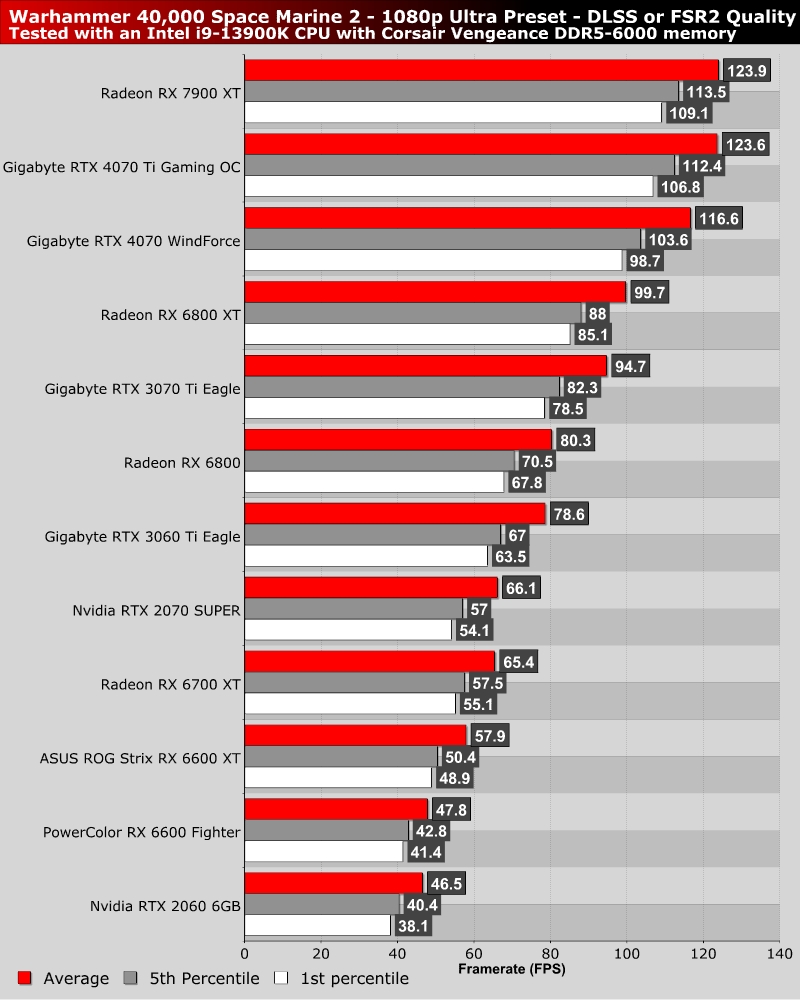
With DLSS or FSR 2 set to quality mode (for Nvidia and AMD GPUs, respectively), Space Marine 2 runs a lot smoother. However, lower-end GPUs still struggle to achieve 60+ FPS framerates at Ultra. That said, setting this game to medium settings will deliver playable framerates for all of the GPUs we have tested.
60 FPS on a Radeon RX 6600?
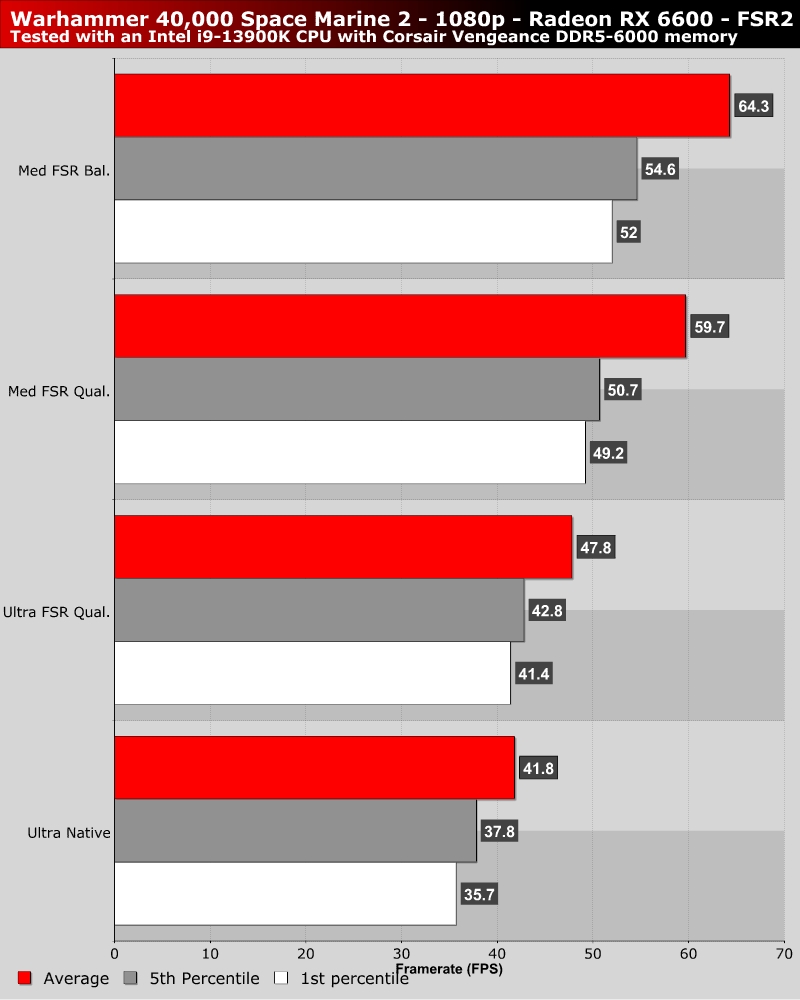
Using Medium settings with FSR set to Balanced, we can achieve 60+ FPS in our GPU-heavy test area. For most of the game, these settings will be enough to deliver a solid 60+ FPS gaming experience. If you have a VRR-compatible monitor, these settings will run great using this lower-end GPU.