Assassin’s Creed Odyssey PC Performance Review

Graphical Settings – Ubisoft as usual
If there is one thing that Ubisoft’s AAA PC games do well, it is delivering a graphical options menu that offers no shortage of settings to adjust and options to configure.
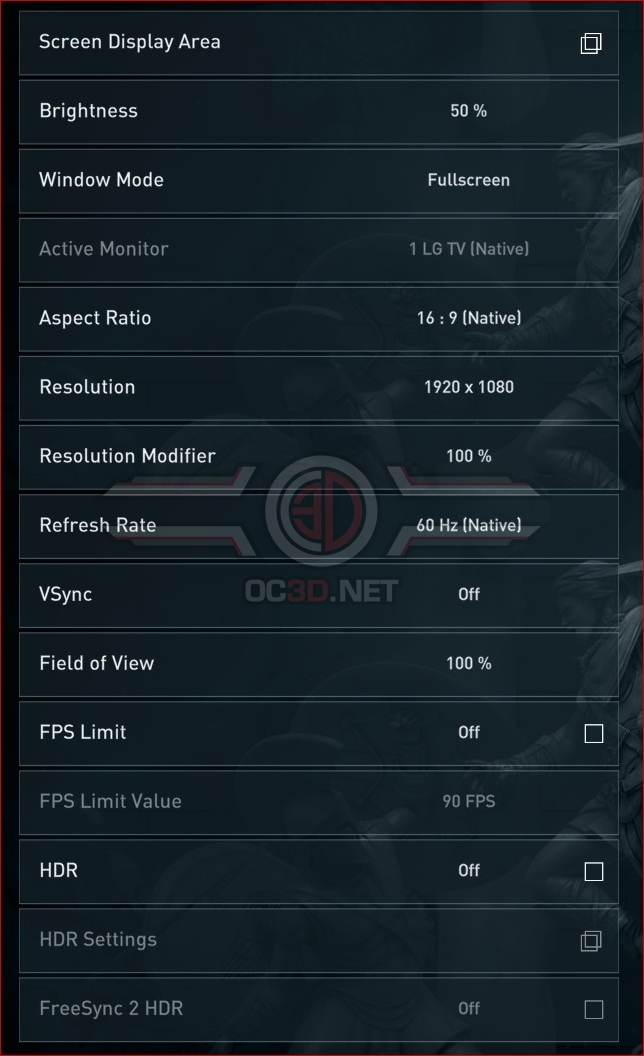
Thanks to AMD’s input, Assassin’s Creed: Odyssey doesn’t just provide support for HDR, but also includes bespoke FreeSync 2 support, which will allow the game to tune itself to the specifications of a FreeSync 2 monitor, delivering the best HDR experience possible. On the display side, Odyssey also supports Ultra-wide screen resolutions and sub-sampling and super-sampling options through the use of the game’s “Resolution Modifier” option.
Strangely, Assassin’s Creed’s Anti-Aliasing options are not what most PC gamers would associate with Anti-Aliasing, instead delivering users a variant of TAA to reduce aliasing while also offering PC users with a form of temporal reconstruction at lower settings. In simple terms, Assassin’s Creed: Odyssey can use data from previous frames to construct a higher resolution final image, with Low and Medium AA options using a sub-native resolution with temporal reconstruction. Odyssey’s High settings use the native resolution of the player’s screen with TAA enabled.
Setting Anti-Aliasing to “Adaptive Quality” will allow the game to lower its internal resolution when the game moved below its framerate target, mitigating performance dips by sacrificing some of the game’s graphical quality. At high resolutions these minor dips in quality are hard to notice, making this option a handy performance save at 1440p or 4K resolutions if you occasionally dip below your performance target.
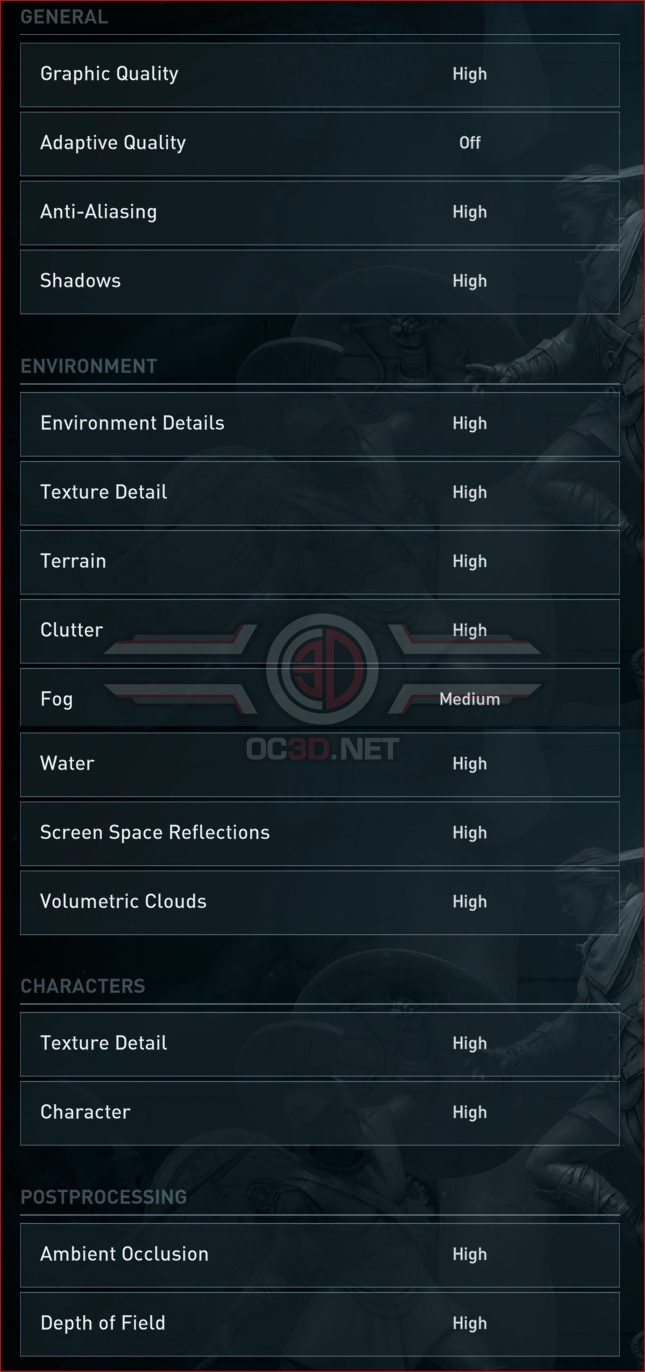
By default Assassin’s Creed: Odyssey offers players five pre-defined graphical presets, though it is worth noting that graphically players will see diminishing returns when moving beyond the game’s High graphical preset.
On page 9, you will be able to see how many of these graphical settings will impact Odyssey’s performance, with Volumetric shadows having the largest performance impact on the game by far. We will go into the performance changes that each of these presets will provide on page 8 in greater detail.
| Low | Medium | High | Very High | Ultra High | |
| Anti-Aliasing | Low | Medium | High | High | High |
| Shadows | Low | Medium | High | Very High | Ultra high |
| Environment Details | Low | Medium | High | Very High | Ultra High |
| Environment Texture Detail | Low | Medium | High | High | High |
| Terrain | Medium | High | High | High | High |
| Clutter | Low | Medium | High | Very High | Very High |
| Fog | Low | Low | Medium | High | High |
| Water | Low | Medium | High | Very High | Very High |
| Screen Space Reflections | Low | Medium | High | High | High |
| Volumetric Clouds | Low | Medium | High | Very High | Ultra High |
| Character Texture Detail | Low | Medium | High | High | High |
| Character Detail | Low | Medium | High | Very High | Ultra high |
| Ambient Occlusion | Off | Medium | High | Very High | Very High |
| Depth of Field | Off | Low | High | High | High |
Our only problems with Assassin’s Creed Odyssey’s graphical options menu is that it lacks specific details regarding each graphical setting, such as how each of these settings impacts CPU/GPU performance and whether or not specific settings are dependant on GPU core performance or if they are limited by memory bandwidth. These details would make Odyssey a lot easier to optimise.
Another factor that is annoying is how many of these settings require game reboots to reconfigure, which can make settings adjustments time-consuming and difficult to compare graphically. This technical limitation may be impossible to avoid in this case, but that doesn’t make the process any less annoying.