


For Honor PC performance Review

Graphical Options and Settings
For Honor has a large range of graphical and display options, with support for several different aspect ratios, a large number of resolutions and field of view between 60 and 90.
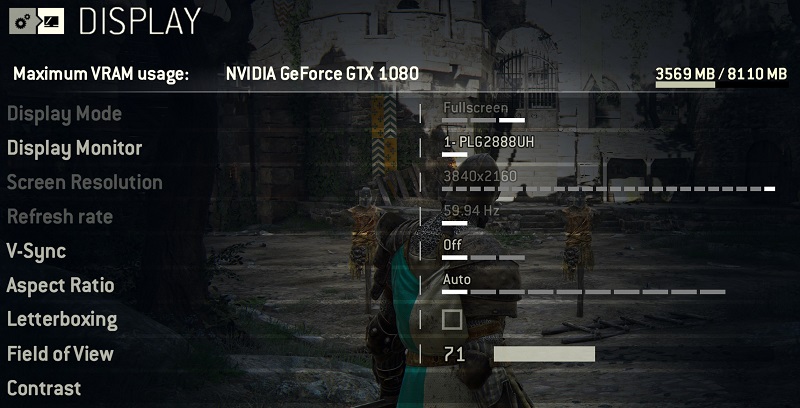
Below are the game’s basic display options.
Display Mode – Fullscreen/Borderless Window/Windowed
Display Monitor – Choose your primary display (useful in multi-screen setups)
Screen Resolution – Supports a wide range of display resolutions, including 21:9.
Refresh Rate – Choose your display’s refresh rate
V-Sync – Off, double buffering and triple buffering
Field of View – 60-90 (defaults to 71 for 16:9 displays)
Below is a list of the game’s graphical options. Again we do not know if Ubisoft plans on releasing additional settings when the game officially launches.
We will be testing this game using the title’s built-in Low, Medium, High and Ultra Presets.
Quality Preset – Low, Medium, High and Extreme
Texture Filtering – Trilinear, x2, x4, x8, x16
Anti- Aliasing – FXAA, SMAA, TAA
Render Scaling – 25-100%
Geometric Detail – Low, Medium, High and Extreme
Texture Quality – Low, Medium and High
Dynamic Shadows – Off, Low, Medium, High and Extreme
Environmental detail – Low, Medium and High
Ambient Occlusion – Off, HBAO+ and MHBAO
Dynamic Reflections – on/off
Motion Blur – on/off
Super Sampling Anti-Aliasing – on/off

