Bambu Lab H2D Laser 3D Printer Review – Make Everything!

3D Printing TPU
TPU Printing Setup
As a 3D printing veteran, I can say that TPU is a pain to print. TPU printing is a true stress test for any machine, as its material properties are not well-suited for standard 3D printing setups.
For the Bambu Lab H2D, TPU printing requires tinkering. Bambu Lab has an extensive guide for printing TPU on its WIKI, and it is worth reading. Most TPU will not print through Bambu Lab’s AMS multi-material system. Furthermore, material switching is failure-prone and simply not worth attempting. For this reason, it is recommended that TPU printers use a separate nozzle specifically for TPU prints.
While TPU is a challenge, it is an area where the H2D can flex its muscles, as a multi-nozzle 3D printer, multi-material 3D printing with TPU is possible. TPU prints with PLA supports are a neat use case because rigid yet easy-to-remove supports are great for flexible materials (which could otherwise move or giggle while printing).
Our TPU printing setup
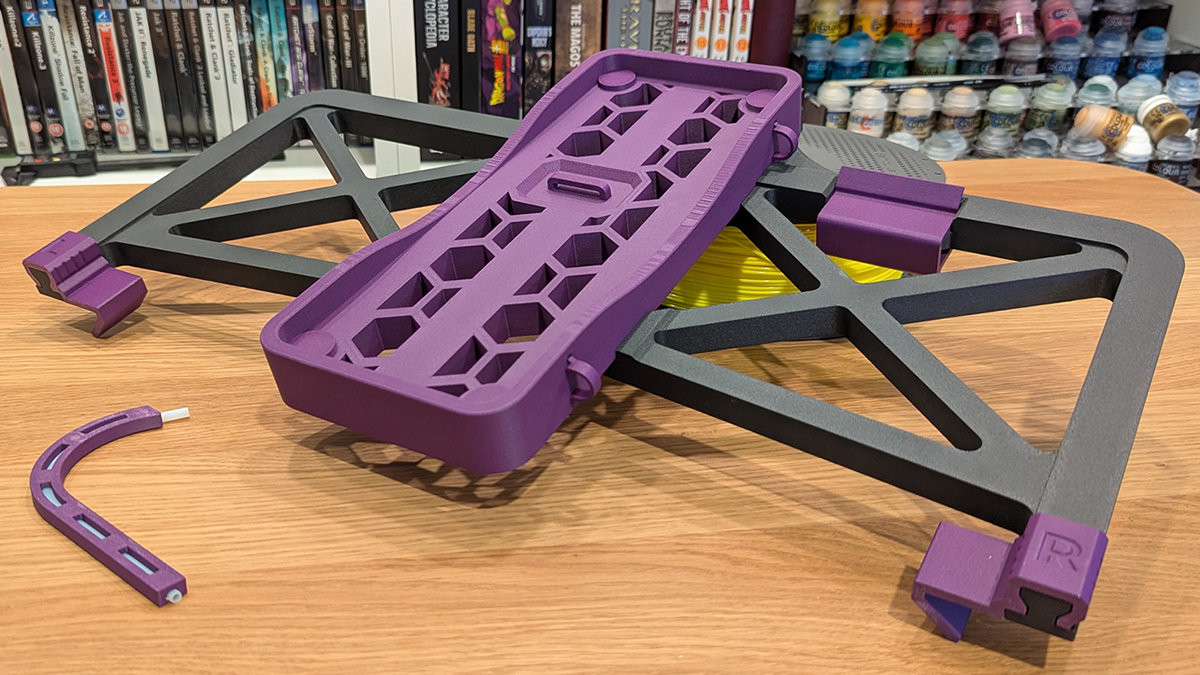
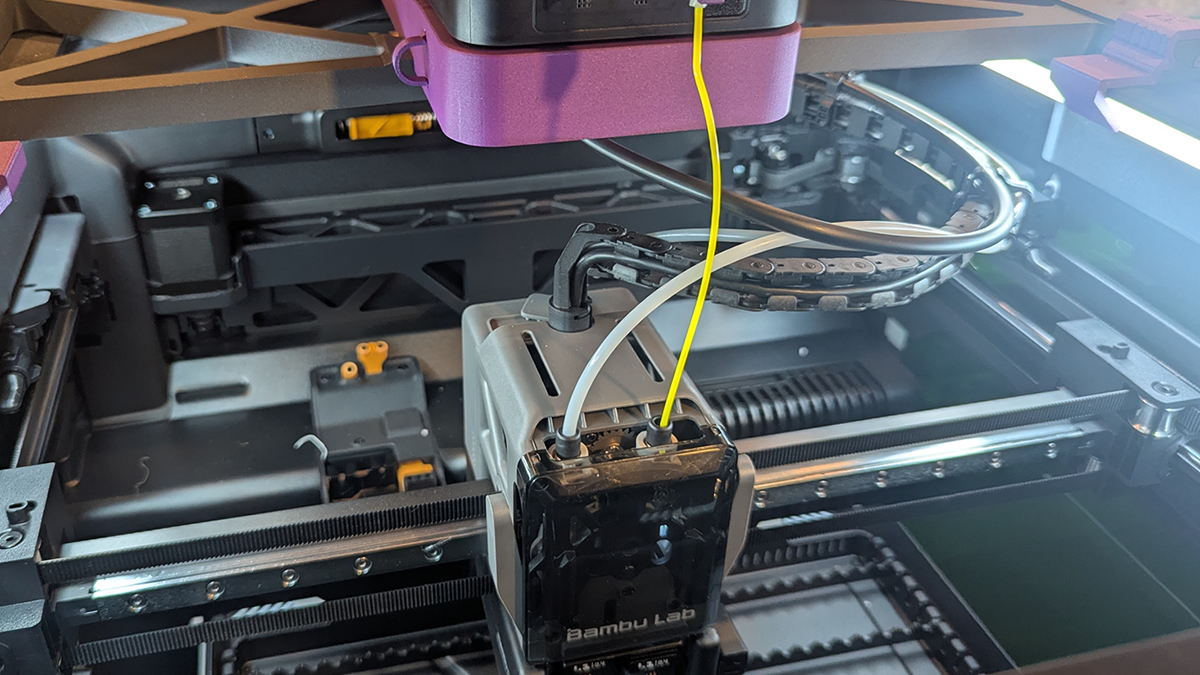
For our TPU printing setup, we used the AMS HT Direct-Feed Mount by Henryk. We added Henryk’s PTFE Guide to this setup, allowing us to use the AMS HT’s bypass hole to feed the right nozzle of our H2D. Note that Bambu Lab recommends using the right nozzle to print TPU.
We printed the parts for this TPU printing direct-feed setup using PETG-CF (PETG-Carbon Fiber). This was to test the H2D’s ability to print this material and to see how strong this material is. Yes, this material is strong, and yes, the H2D printed it with ease.
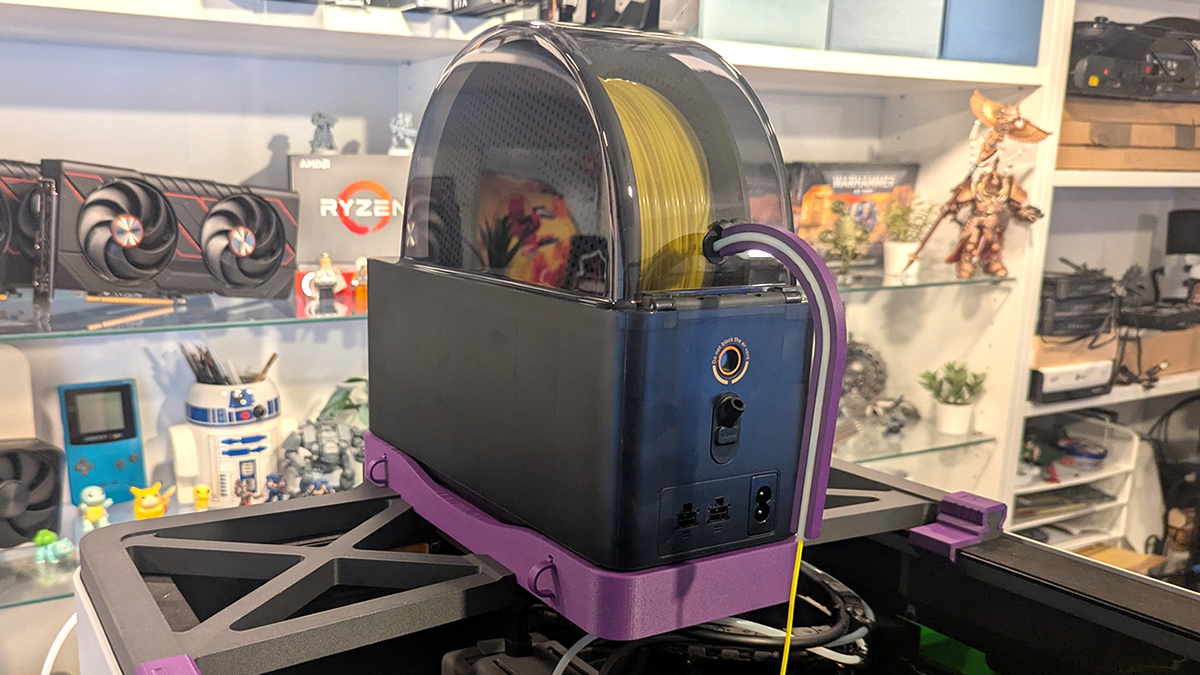
Note that TPU should always be dried before use. This prevents stringing and gives users the best surface finish. The AMS HT is ideal for this task. Since we are using the AMS HT’s bypass hole, it is possible to have the AMS HT set to drying mode while printing TPU. This is useful for day-long or multi-day TPU prints.
TPU Prints
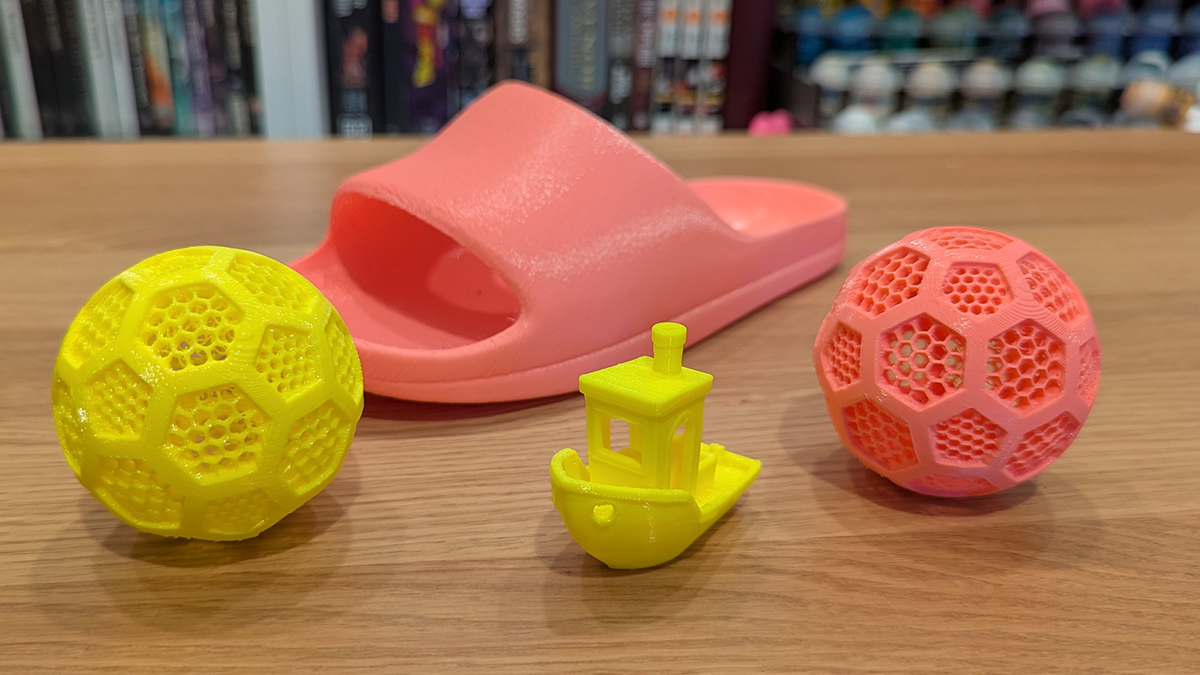
For our testing, we printed a sandal and an airless ball (file here) using TPU-90, and then used yellow TPU-95 to print the same ball again and a 3D Benchy. Everything printed without issue.
Having tried, and failed, to print TPU on older 3D printers (like the Ender 3…) I am always impressed when a 3D printer can print TPU well. Flexible materials are incredibly useful, and the H2D’s dual nozzle setup allows flexible parts to be integrated into otherwise rigid 3D prints. It also enables the use of PLA supports with TPU.