Bambu Lab H2D Laser 3D Printer Review – Make Everything!

Software
Bambu Suite and Bambu Studio
Bambu Lab has two software programs that control its H2D Laser 3D printer. If you want to 3D print, you use Bambu Suite. If you want to laser, pen plot, or cut, use Bambu Suite.
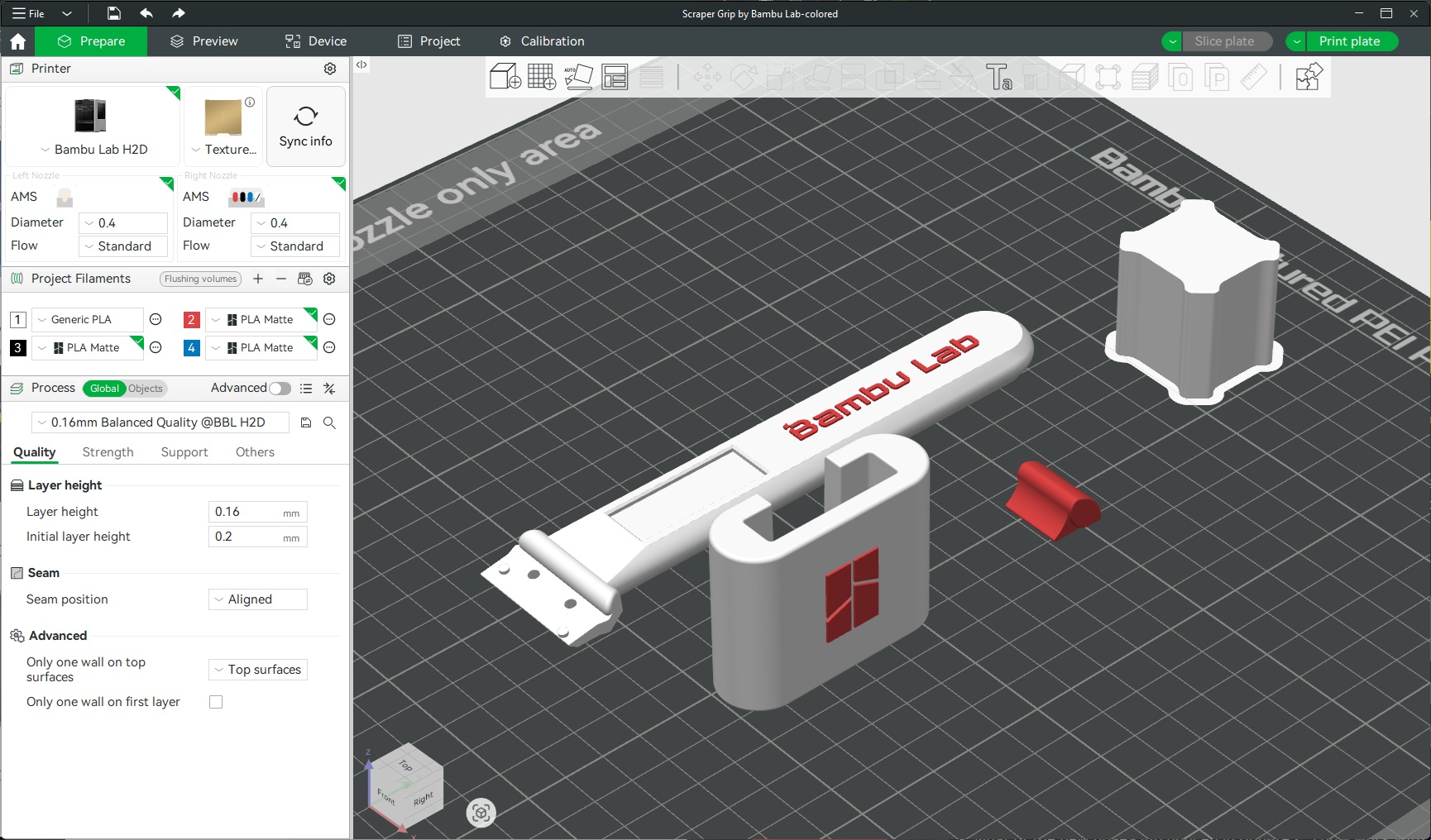
Below, we have Bambu Suite, which is an easy-to-use slicer for 3D printing. User can select their 3D printer model, adjust their settings and print with ease. If you want to monitor your printer, you can use Bambu Suite to do that. Furthermore, Bambu’s Bambu Handy app for iOS and Android can also be used to monitor prints. It can also be used to stop prints and initiate prints if needed.
If you have used any other modern 3D printing Slicer, (Orca Slicer, Prusa Slicer, or Elegoo Slicer), Bambu Studio will have a familiar user interface. There is a small learning curve, but there are a lot of guides online to help newcomers. First, I will say that Bambu Lab’s default settings are very well optimised, which results in great prints from Bambu Lab filament and generic 3D printing filaments. If there is anything that makes Bambu Lab’s 3D printers great, it is excellent profiles. These profiles are fine-tuned and don’t need much tinkering. Furthermore, many models on MakerWorld will have pre-made profiles that are known to work on other printers, making the printing process even simpler.
Bambu Suite
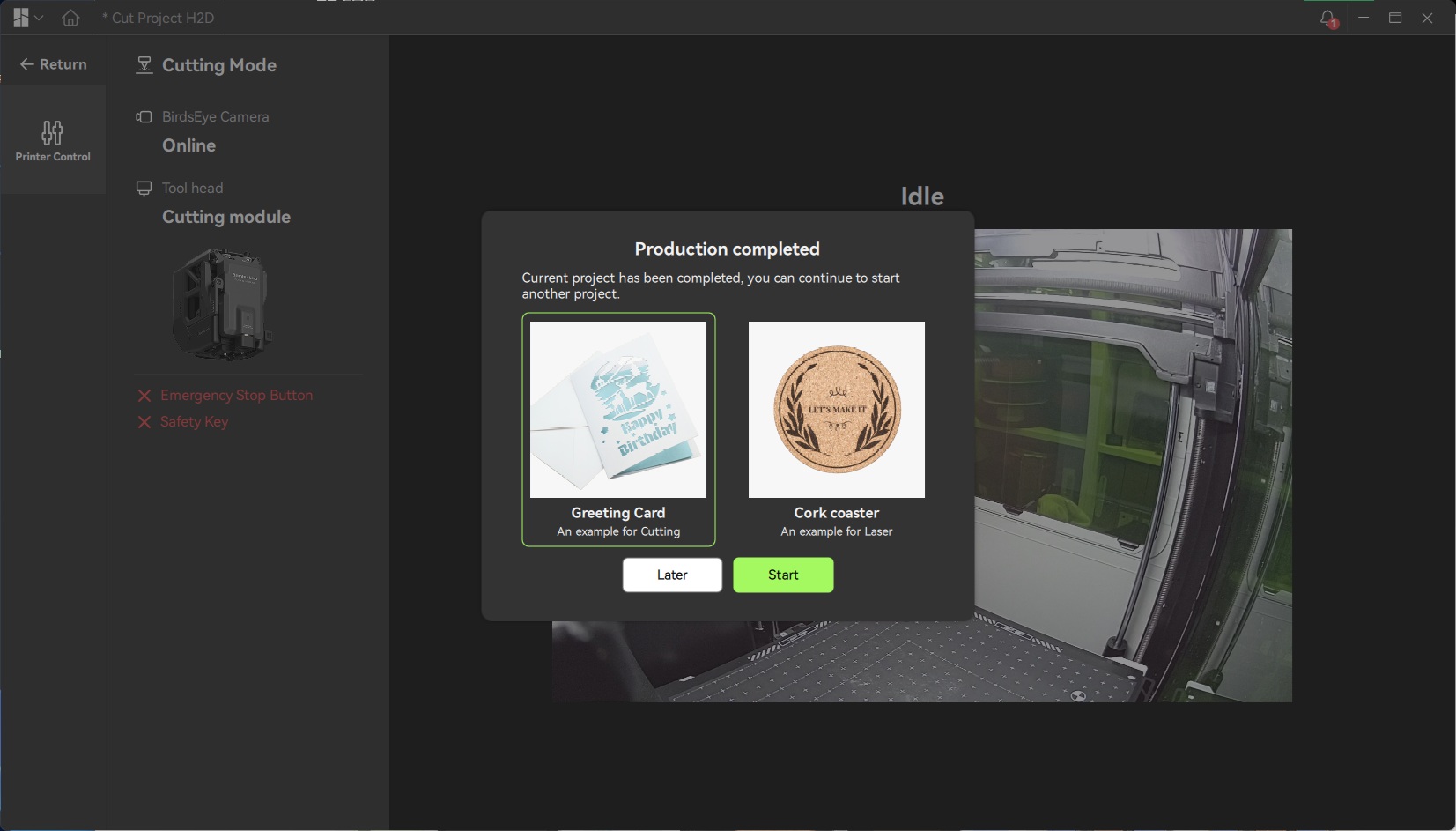
Bambu Suite is Bambu Lab’s software for pen plotting, cutting, and laser cutting. When you start the app, the tool will search for your machine on the network and check which module is installed. It will tell you if you have the right module installed for your chosen task.
Note that this app includes two starter projects that demonstrate how the app works. These projects are a birthday card and a cork coaster. Weirdly, the birthday card has a Christmas/Winter style image on it, simply begging us to chang “Happy Birthday” to “Merry Christmas”. Perhaps that was Bambu Labs’ intention.
As with all new software, Bambu Suite has a learning curve. However, the tool is easy to learn, and Bambu Lab has plenty of documentation online for newcomers. The tool also has great profiles for many materials.
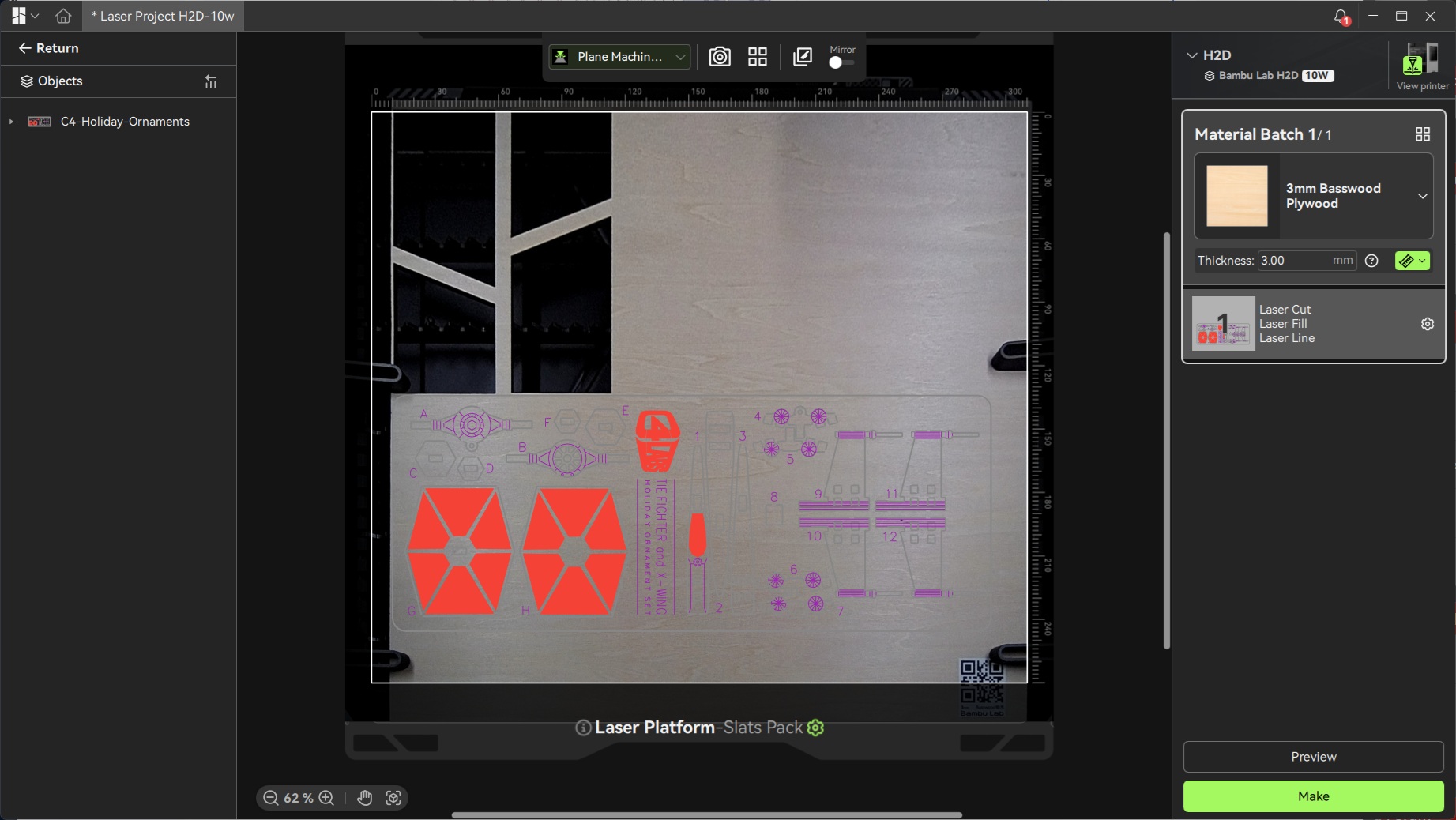
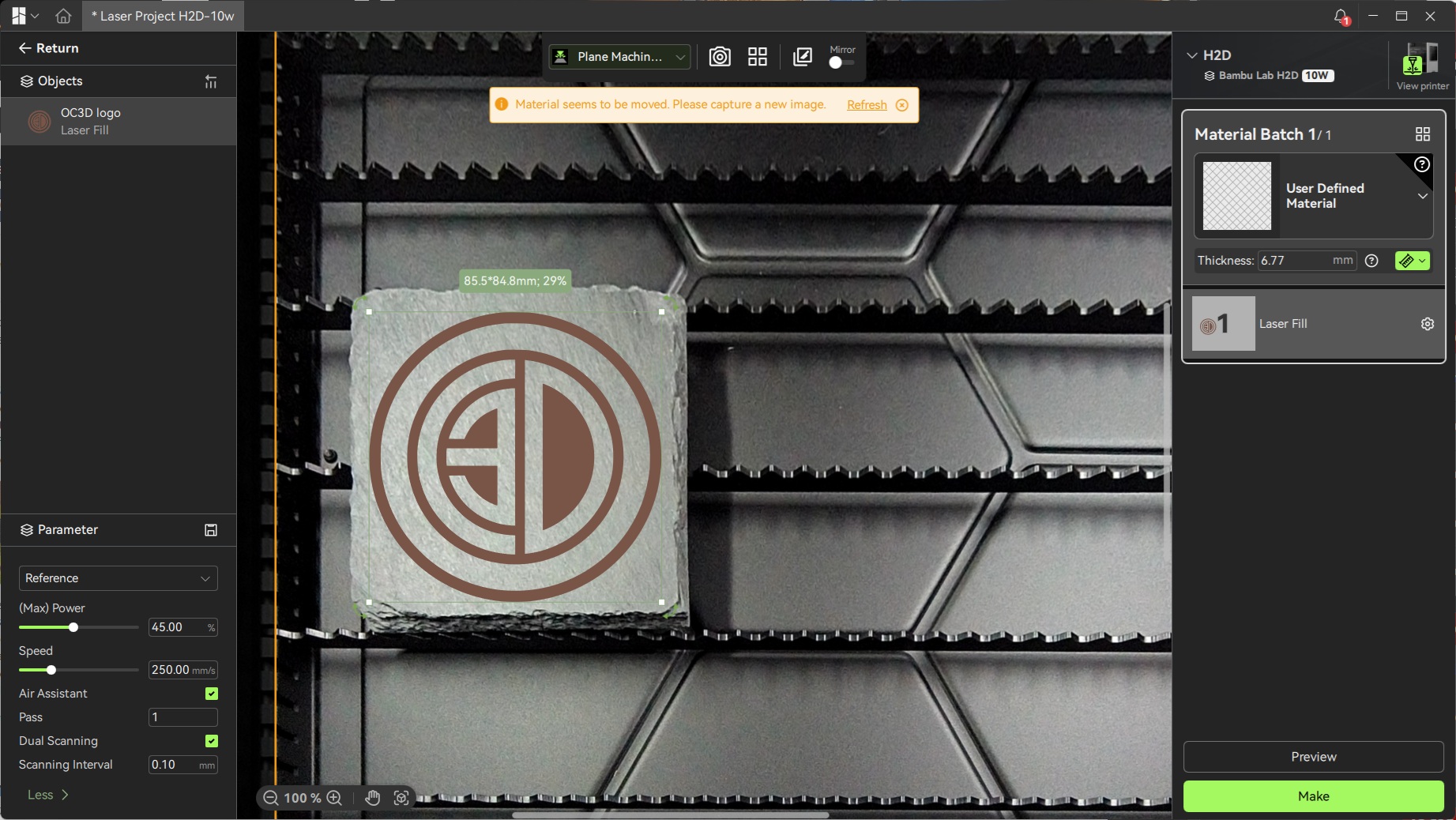
One thing to note is that Bambu Studio’s laser profiles are not as extensive as we would like. It can laser many 3D printed materials, wood, or even metal. However, commonly lasered materials like slate have no laser profile. While this is not a material that could be cut using this laser, engraving slate is a common use case for this kind of tool. Having a built-in profile would be useful.