GRID PC Performance Review and Optimisation Guide


Need a quick performance boost? Use High Settings
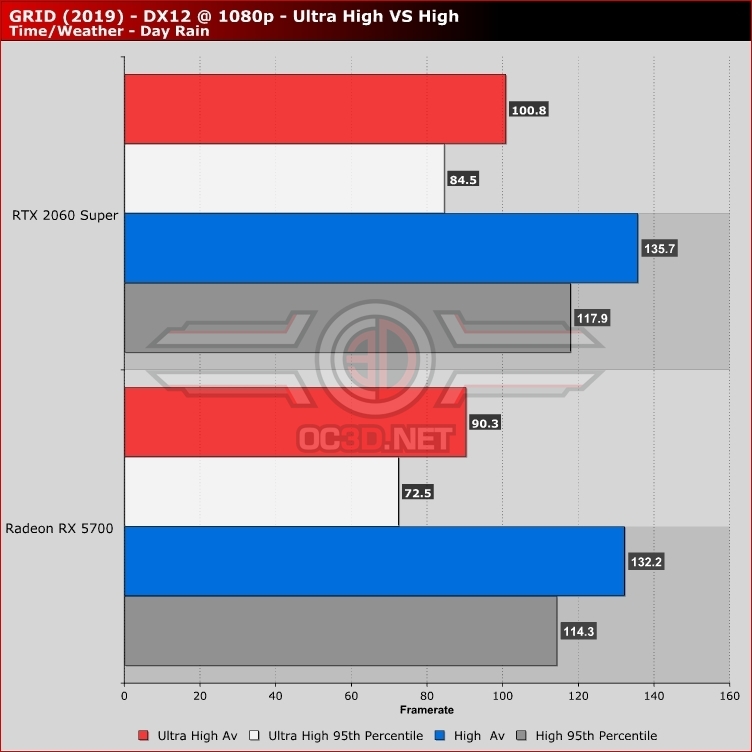
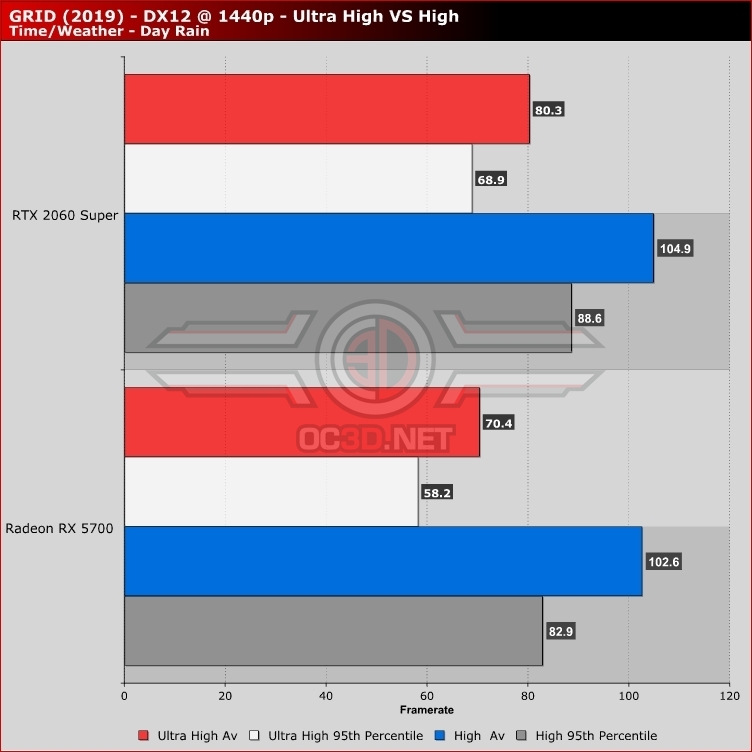
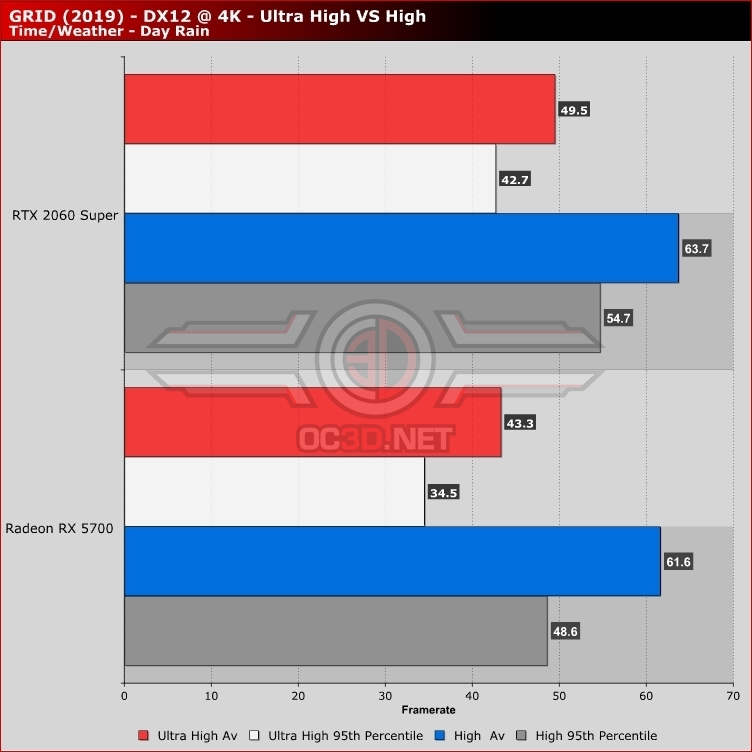
In GRID 2019 there is a simple way for PC gamers to make huge performance gains at practically no graphical cost. Just use the game’s High present instead of Ultra-High. It’s that simple.
Yes, Ultra-High will look better than High, but the graphical difference is not enough to justify a 30% drop in average framerate. In the case of the RTX 2060 Super, this performance change is enough to get the game’s average framerate over the 60FPS mark and get the game’s 95th percentile framerates close to 55FPS.
High is the graphical preset that most PC gamers should be aiming for in GRID. Only those with enough performance headroom should be targetting Ultra High.